
Fortinet white logo
Fortinet white logo

Administration Guide

Local authentication

Local authentication

By default, FortiGate has one super admin named admin. You can create more administrator accounts with different privileges.

To create an administrator account in the GUI:
  1. Go to System > Administrators.

  2. Select Create New > Administrator.

  3. Specify the Username.

    Note
    • Usernames can include lower and upper case letters (a-z, A-Z), numbers (0-9), underscores (_), and dashes (-)

    • Usernames cannot start with a dash (-)

    • Usernames can end with dollar symbol ($)

    • Usernames must not use the following characters: < > ( ) # " '. Using these characters in an administrator username might have a cross site scripting (XSS) vulnerability.

  4. Set Type to Local User.

  5. Set the password.

  6. Set Administrator profile to a profile.

  7. Set other fields as needed.

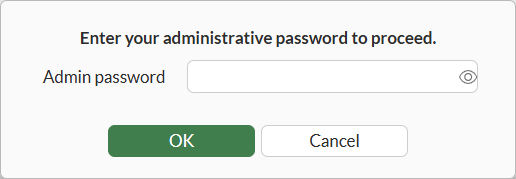
  8. Click OK. The Enter your administrative password to proceed dialog box displays.
    .

  9. Enter your password and click OK.

To create an administrator account in the CLI:
config system admin
    edit <admin_name>
        set accprofile <profile_name>
        set vdom <vdom_name>
        set password <password for this admin>
        Please enter current administrator password: <your password>
    next
end

Administrative authentication and session monitoring

A http_authd daemon performs all administrative authentication, enhancing the efficiency and centralization of authentication processes.

The diagnose http_authd command is available to monitor session entries, providing improved oversight and management of authentication activities.

Command

Description

http_authd session list

List all HTTP authentication database entries.

http_authd saml-dump clean

Run a manual SAML dump clean up.

The following example demonstrates reviewing HTTP authentication session entries:

# diagnose  http_authd  session  list
http_authd session list
[
  {
    "login_context":{
      "admin_name":"Local_Process_Access",
      "login_name":"Local_Process_Access",
      "admin_profile":"LOCAL_PROCESS_PROFILE",
      "gui_custom_prof":{
        "name":"LOCAL_PROCESS_PROFILE",
        "global":true,
        "admintimeout_override":0,
        "cli_diagnose":true,
        "cli_get":false,
        "cli_show":false,
        "cli_exec":false,
        "exec_ssh":false,
        "exec_telnet":false,
        "accgrp":{
          "secfabgrp":"read",
          "ftviewgrp":"read",
          "netgrp":"read",
          "sysgrp":"read",
          "fwgrp":"read",
          "utmgrp":"read",
          "vpngrp":"read",
          "authgrp":"read",
          "wifi":"read",
          "loggrp":"read"
        }
      },
      "userfrom":"Node.js",
      "login_method":"https",
      "is_remote_auth":"false",
      "radius_vdom_override_sz":0
    },
    "request_source":"local",
    "remote_vdom":"root",
    "source_addr":"",
    "destination_addr":"",
    "auth_method":"Fabric trusted access",
    "login_type":"none",
    "timeout":1750981662,
    "login_time":1750981362
  },
....

Local authentication

Local authentication

By default, FortiGate has one super admin named admin. You can create more administrator accounts with different privileges.

To create an administrator account in the GUI:
  1. Go to System > Administrators.

  2. Select Create New > Administrator.

  3. Specify the Username.

    Note
    • Usernames can include lower and upper case letters (a-z, A-Z), numbers (0-9), underscores (_), and dashes (-)

    • Usernames cannot start with a dash (-)

    • Usernames can end with dollar symbol ($)

    • Usernames must not use the following characters: < > ( ) # " '. Using these characters in an administrator username might have a cross site scripting (XSS) vulnerability.

  4. Set Type to Local User.

  5. Set the password.

  6. Set Administrator profile to a profile.

  7. Set other fields as needed.

  8. Click OK. The Enter your administrative password to proceed dialog box displays.

    .

  9. Enter your password and click OK.

To create an administrator account in the CLI:
config system admin
    edit <admin_name>
        set accprofile <profile_name>
        set vdom <vdom_name>
        set password <password for this admin>
        Please enter current administrator password: <your password>
    next
end

Administrative authentication and session monitoring

A http_authd daemon performs all administrative authentication, enhancing the efficiency and centralization of authentication processes.

The diagnose http_authd command is available to monitor session entries, providing improved oversight and management of authentication activities.

Command

Description

http_authd session list

List all HTTP authentication database entries.

http_authd saml-dump clean

Run a manual SAML dump clean up.

The following example demonstrates reviewing HTTP authentication session entries:

# diagnose  http_authd  session  list
http_authd session list
[
  {
    "login_context":{
      "admin_name":"Local_Process_Access",
      "login_name":"Local_Process_Access",
      "admin_profile":"LOCAL_PROCESS_PROFILE",
      "gui_custom_prof":{
        "name":"LOCAL_PROCESS_PROFILE",
        "global":true,
        "admintimeout_override":0,
        "cli_diagnose":true,
        "cli_get":false,
        "cli_show":false,
        "cli_exec":false,
        "exec_ssh":false,
        "exec_telnet":false,
        "accgrp":{
          "secfabgrp":"read",
          "ftviewgrp":"read",
          "netgrp":"read",
          "sysgrp":"read",
          "fwgrp":"read",
          "utmgrp":"read",
          "vpngrp":"read",
          "authgrp":"read",
          "wifi":"read",
          "loggrp":"read"
        }
      },
      "userfrom":"Node.js",
      "login_method":"https",
      "is_remote_auth":"false",
      "radius_vdom_override_sz":0
    },
    "request_source":"local",
    "remote_vdom":"root",
    "source_addr":"",
    "destination_addr":"",
    "auth_method":"Fabric trusted access",
    "login_type":"none",
    "timeout":1750981662,
    "login_time":1750981362
  },
....