

Protecting GenAI access using web filter
By leveraging FortiGuard’s Artificial Intelligence Technology category within a web filter profile, organizations can proactively restrict access to sites offering AI-related solutions, insights, and resources. This capability is particularly valuable for enterprises aiming to mitigate risks associated with unauthorized AI tool usage.
To confirm that the URL of the LLM application that you need to block is in the Artificial Intelligence Technology category, the URL category can be verified using the FortiGuard Web Filter Lookup.

|
The |
This topic includes examples that incorporate several web filter use cases:
Example 1: block access to Artificial Intelligence Technology category
In this example, access to all websites classified under the Artificial Intelligence Technology category is blocked using a web filter profile
To configure a web filter profile to block the AI category in the GUI:
-
Go to Security Profiles > Web Filter and click Create New.
-
Enter a name for the web filter profile.
-
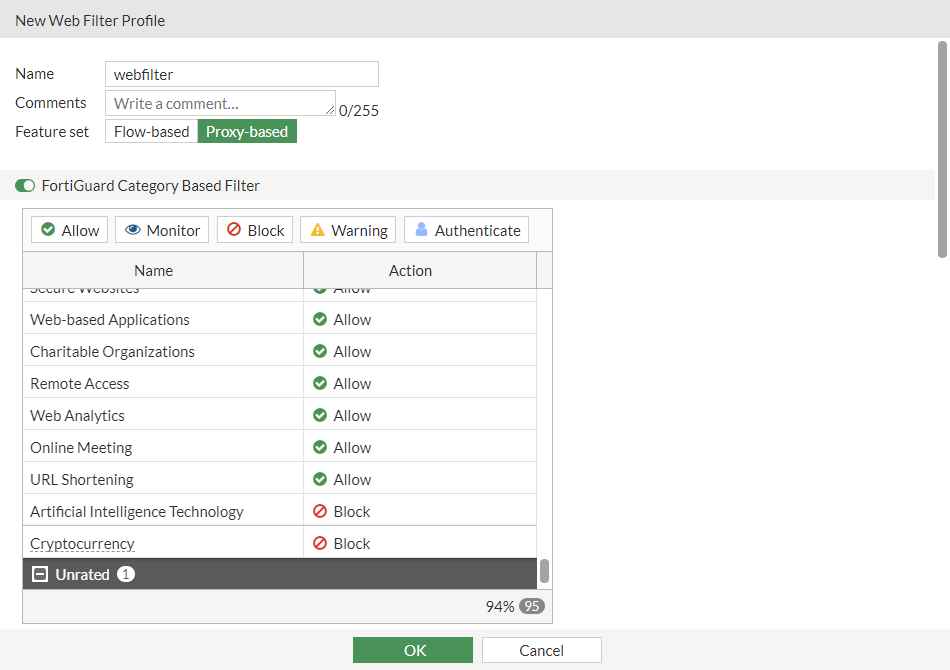
In the category table, locate the General Interest - Business section. Select the Artificial Intelligence Technology, and set the Action to Block.
-
Configure the remaining settings as needed.
-
Click OK.
To configure a web filter profile to block the AI category in the CLI:
config webfilter profile
    edit "webfilter"
        set feature-set proxy
        config ftgd-wf
            unset options
            config filters
                edit 100
                    set category 100
                    set action block
                next
            end
        end
        set log-all-url enable
    next
end
To verify that the categories are blocked:
-
Apply the web filter profile in a firewall policy.
-
On a device that is connected through the FortiGate and uses the policy, visit the following test URL for the category:
-
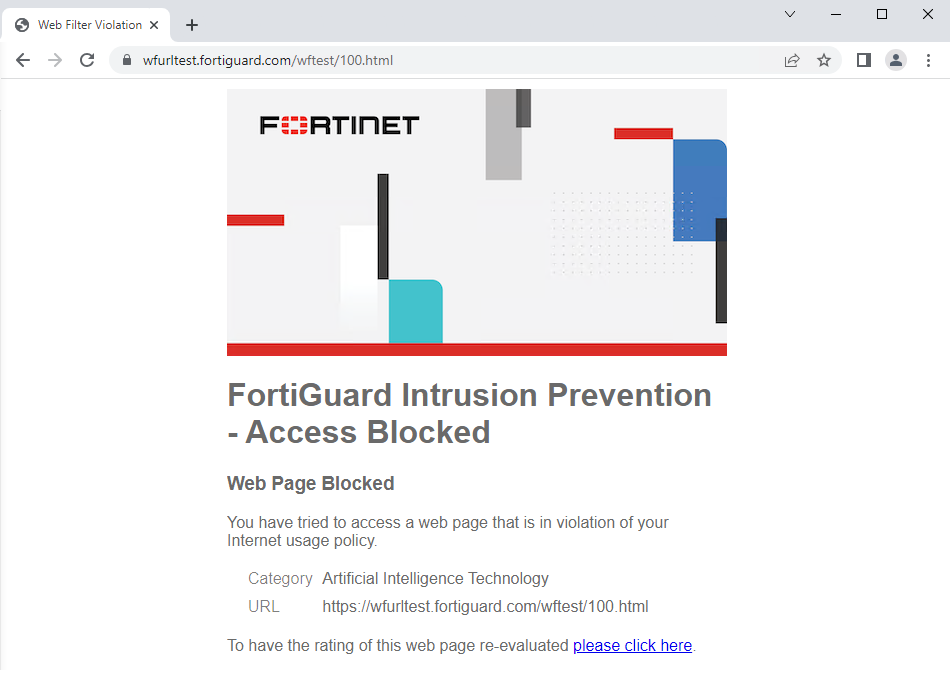
https://wfurltest.fortiguard.com/wftest/100.html
The browser displays a replacement message that the URL is blocked based on the FortiGuard category.
-
Artificial intelligence technology:
-
To verify the web filter logs:
-
In the GUI, go to Log & Report > Security Events and click Web Filter.
-
In the CLI, enter the following:
2: date=2023-07-12 time=10:39:13 eventtime=1689183553021358734 tz="-0700" logid="0316013056" type="utm" subtype="webfilter" eventtype="ftgd_blk" level="warning" vd="vdom1" policyid=1 poluuid="996b0a68-2055-51ee-b841-2b3f373c9b37" policytype="policy" sessionid=3255 srcip=10.1.100.31 srcport=35102 srccountry="Reserved" srcintf="port2" srcintfrole="undefined" srcuuid="124f368a-2055-51ee-c7d6-857ab36dd6cb" dstip=154.52.5.202 dstport=443 dstcountry="United States" dstintf="port1" dstintfrole="undefined" dstuuid="124f368a-2055-51ee-c7d6-857ab36dd6cb" proto=6 httpmethod="GET" service="HTTPS" hostname="wfurltest.fortiguard.com" agent="curl/7.68.0" profile="webfilter" action="blocked" reqtype="direct" url="https://wfurltest.fortiguard.com/wftest/100.html" sentbyte=849 rcvdbyte=3633 direction="outgoing" msg="URL belongs to a denied category in policy" ratemethod="domain" cat=100 catdesc="Artificial Intelligence Technology"