

Protocol enforcement
Protocol enforcement allows you to enforce known protocols (such as FTP, HTTP, and HTTPS) on known ports (such as 21, 80, and 443). If the port of incoming traffic does not match the allowed protocols, or is not allowlisted, then the Intrusion Prevention System (IPS) engine applies the configured violation action, such as blocking or monitoring the traffic.
You can use this feature in the following scenarios:
-
When an IPS protocol decoder identifies a network traffic service, it checks whether the service port aligns with the enforced protocols. If the decoder finds a match, that is, the traffic is allowlisted, then the traffic proceeds without restriction. If there is no match, the traffic is classified as a violation and the specified action, monitoring or blocking, is applied.
-
When there is no confirmed service for the network traffic, the traffic is classified as a violation if IPS protocol decoders rule out all of the services enforced under its server port.
In an applicable profile, a default network service list can be created to associate well known ports with accepted services. Default ports for network services are defined by FortiGuard. See Application Control Service.
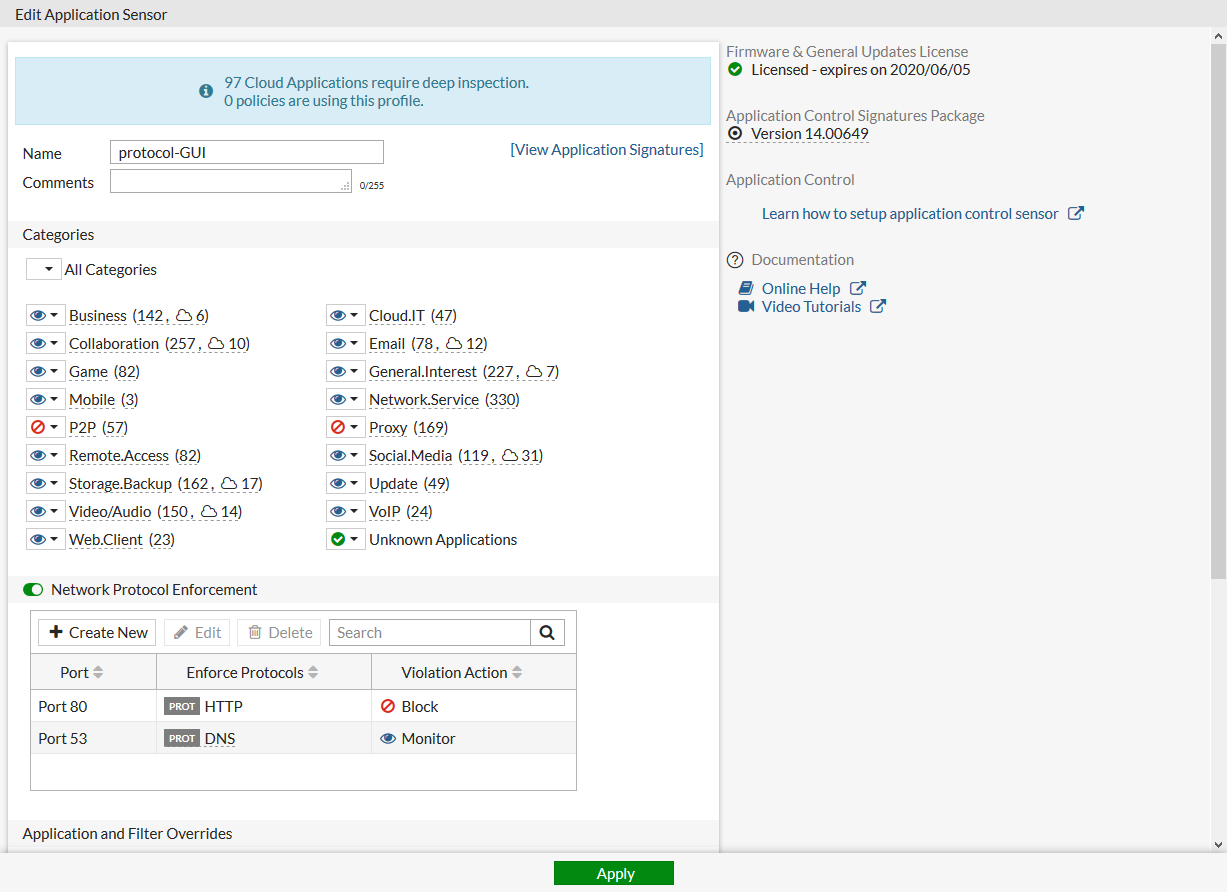
In the following example, an application sensor is configured to enforce HTTP on port 80 (block), and DNS on port 53 (monitor).
To configure protocol enforcement in the GUI:
- Go to Security Profiles > Application Control.
- Create a new application sensor or edit an existing one.
- Enable Network Protocol Enforcement.
Enforcement entries can be created, edited, or deleted to configure network services on certain ports and determine the violation action.
- In the Network Protocol Enforcement table, click Create New.
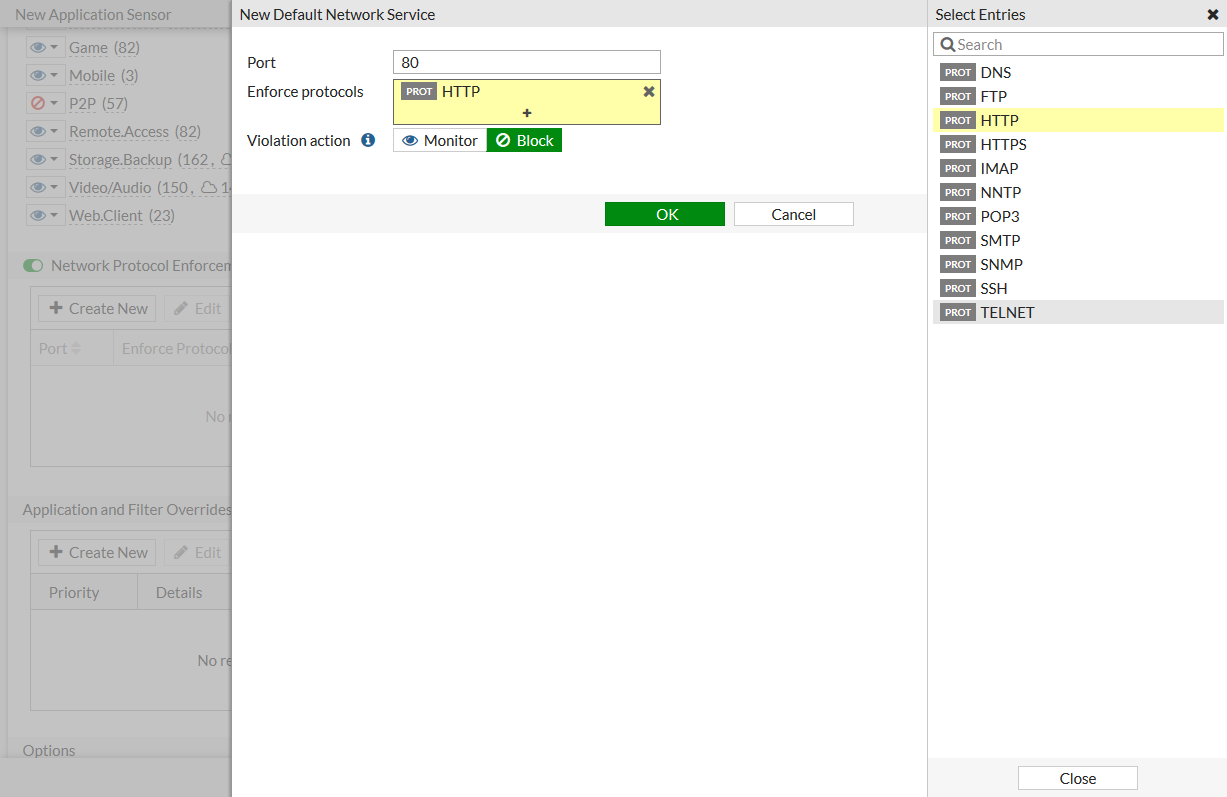
- Configure the entry for HTTP:
- For Port, enter 80.
- For Enforced protocols, select HTTP.
- For Violation action, select Block.
- Click OK.
- Configure the entry for DNS:
- Click Create New, then for Port, enter 53.
- For Enforced protocols, select DNS.
- For Violation action, select Monitor.
- Click OK.
The entries are displayed in the table.
- Click OK.
To configure protocol enforcement in the CLI:
config application list
    edit "protocol-GUI"
        set other-application-log enable
        set control-default-network-services enable
        config default-network-services
            edit 1
                set port 80
                set services http
                set violation-action block
            next
            edit 2
                set port 53
                set services dns
                set violation-action monitor
            next
        end
    next
end