
Fortinet white logo
Fortinet white logo

Administration Guide

Default IPAM configuration after a factory reset

Default IPAM configuration after a factory reset

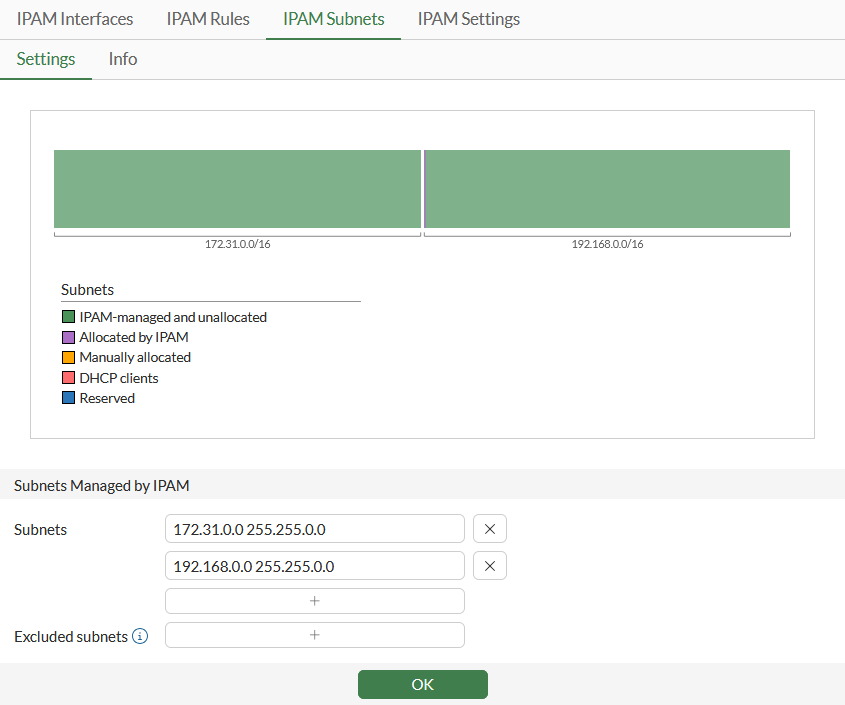
After performing a factory reset, enabled IPAM status will auto-generate two subnets. These subnets can be modified and deleted.
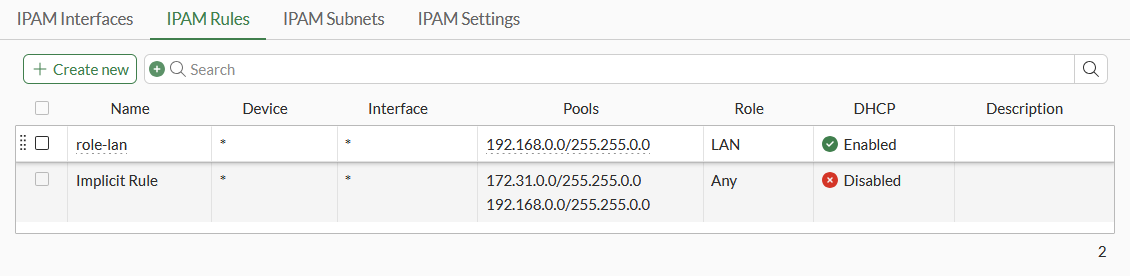
Additionally, two IPAM Rules will be automatically generated: one named role-lan for the subnet 192.168.0.0/255.255.0.0 with the role set to LAN and DHCP enabled, and another called Implicit Rule that includes both subnets with the role set to ANY and DHCP disabled. The Implicit Rule cannot be modified or deleted.
Default IPAM configuration after a factory reset

Default IPAM configuration after a factory reset

After performing a factory reset, enabled IPAM status will auto-generate two subnets. These subnets can be modified and deleted.

Additionally, two IPAM Rules will be automatically generated: one named role-lan for the subnet 192.168.0.0/255.255.0.0 with the role set to LAN and DHCP enabled, and another called Implicit Rule that includes both subnets with the role set to ANY and DHCP disabled. The Implicit Rule cannot be modified or deleted.