

Cisco Security Group Tag as policy matching criteria
The FortiGate can read the Cisco Security Group Tag (SGT) in Ethernet frames, and use them as matching criteria in firewall policies. A policy can match based on the presence of an SGT, or the detection of a specific ID or IDs.
When a packet with a SGT passes through and a session is established, the ext_header_type=0xc5:0xc5 flag is included in the session table.
This feature is available in flow mode policies for virtual wire pair policies only.

|
Ethernet frames with both Cisco Security Group Tags and VLAN tags are supported in 7.4.0 and later. |
To configure a firewall policy to detect SGTs in Ethernet frames:
config firewall policy
    edit 1
        set sgt-check {enable | disable}
        set sgt <ID numbers>
    next
end
Examples
In these examples, port2 and port5 are in a virtual wire pair. Firewall policies are created that pass traffic with SGTs with a specific ID number, any ID number, or either of two specific ID numbers.
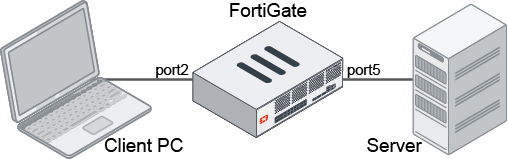
To configure the virtual wire pair:
config system virtual-wire-pair
    edit "test-vwp-1"
        set member "port5" "port2"
        set wildcard-vlan enable
    next
end
To configure a firewall policy to match frames that have an SGT with ID 20 and allow them through:
config firewall policy
    edit 1
        set srcintf "port2"
        set dstintf "port5"
        set action accept
        set srcaddr "all"
        set dstaddr "all"
        set schedule "always"
        set service "ALL"
        set sgt-check enable
        set sgt 20
    next
end
To configure a firewall policy to match frames that have an SGT with any ID:
config firewall policy
    edit 1
        set srcintf "port2"
        set dstintf "port5"
        set action accept
        set srcaddr "all"
        set dstaddr "all"
        set schedule "always"
        set service "ALL"
        set sgt-check enable
    next
end
To configure a firewall policy to match frames that have the SGT with IDs 20 or 21:
config firewall policy
    edit 1
        set srcintf "port2"
        set dstintf "port5"
        set action accept
        set srcaddr "all"
        set dstaddr "all"
        set schedule "always"
        set service "ALL"
        set sgt-check enable
        set sgt 20 21
    next
end
To check the session list:
# diagnose sys session list

session info: proto=6 proto_state=01 duration=10 expire=3593 timeout=3600 flags=00000000 socktype=0 sockport=0 av_idx=0 use=3
origin-shaper=
reply-shaper=
per_ip_shaper=
class_id=0 ha_id=0 policy_dir=0 tunnel=/ vlan_cos=0/0
state=log may_dirty br dst-vis f00
statistic(bytes/packets/allow_err): org=112/2/1 reply=60/1/1 tuples=2
tx speed(Bps/kbps): 10/0 rx speed(Bps/kbps): 5/0
orgin->sink: org pre->post, reply pre->post dev=13->10/10->13 gwy=0.0.0.0/0.0.0.0
hook=pre dir=org act=noop 10.1.1.11:36970->10.1.2.11:80(0.0.0.0:0)
hook=post dir=reply act=noop 10.1.2.11:80->10.1.1.11:36970(0.0.0.0:0)
pos/(before,after) 0/(0,0), 0/(0,0)
dst_mac=00:b0:e1:22:cf:e4
misc=0 policy_id=1 auth_info=0 chk_client_info=0 vd=1
serial=0000183c tos=ff/ff app_list=0 app=0 url_cat=0
sdwan_mbr_seq=0 sdwan_service_id=0
rpdb_link_id=00000000 rpdb_svc_id=0 ngfwid=n/a
npu_state=0x000001 no_offload
no_ofld_reason:  disabled-by-policy
ext_header_type=0xc5:0xc5
total session 1