HTTP/2 support in proxy mode SSL inspection
Security profiles in proxy mode can perform SSL inspection on HTTP/2 traffic that is secured by TLS 1.2 or 1.3 using the Application-Layer Protocol Negotiation (ALPN) extension.
To set the ALPN support:
config firewall ssl-ssh-profile
    edit <profile>
        set supported-alpn {all | http1-1 | http2 | none}
    next
end
|
all |
The FortiGate forwards ALPN extensions that use either HTTP/2 or HTTP/1.1. This is the default value. |
|
http1-1 |
The FortiGate only forwards ALPN extensions that use HTTP/1.1. |
|
http2 |
The FortiGate only forwards ALPN extensions that use HTTP/2. |
|
none |
The FortiGate always strips the ALPN header from the Client Hello when forwarding. |
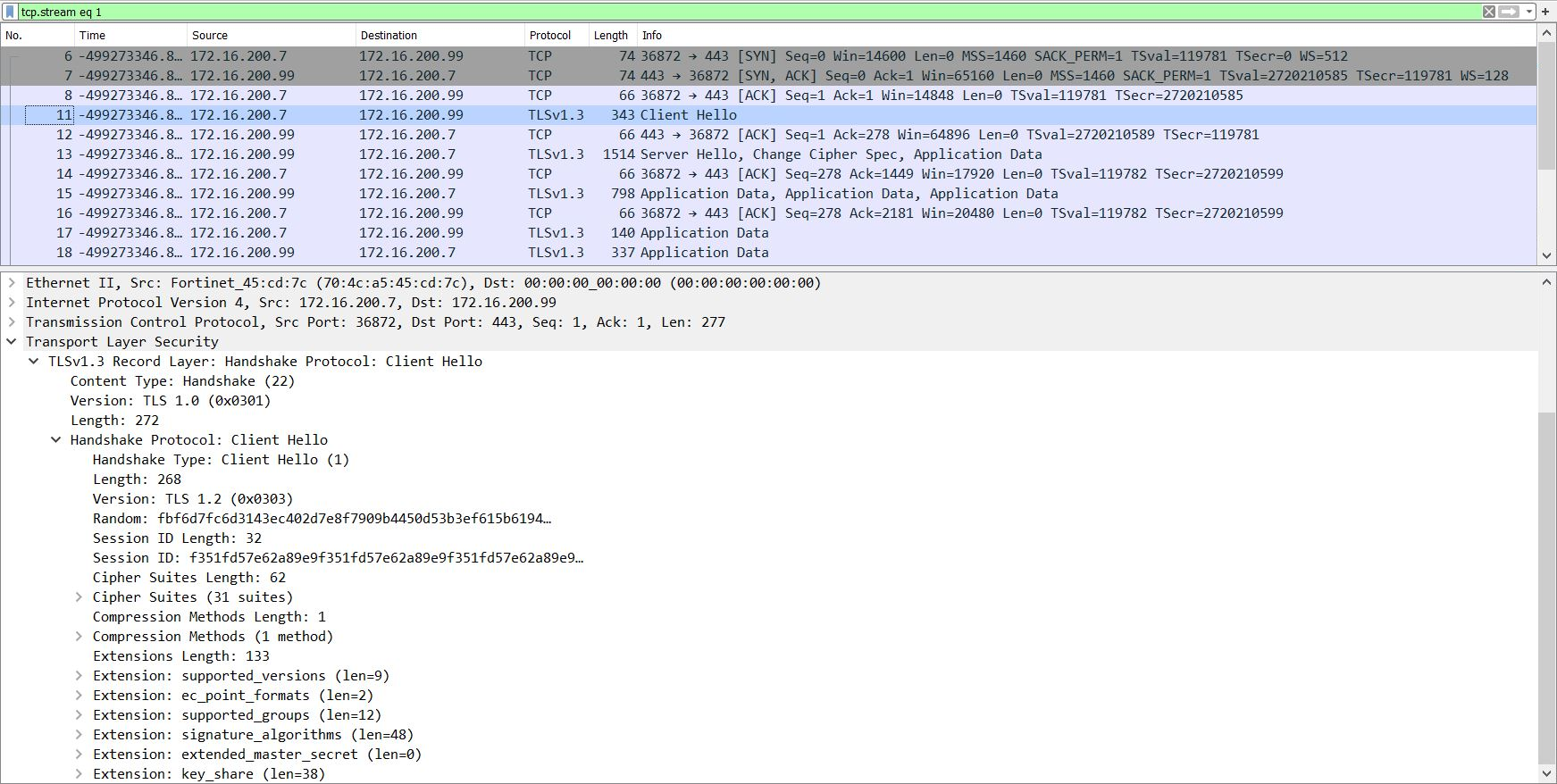
For example, if supported-alpn is set to http2, but the extension uses HTTP/1.1, the ALPN header is stripped from the Client Hello:
-
Incoming packet capture:
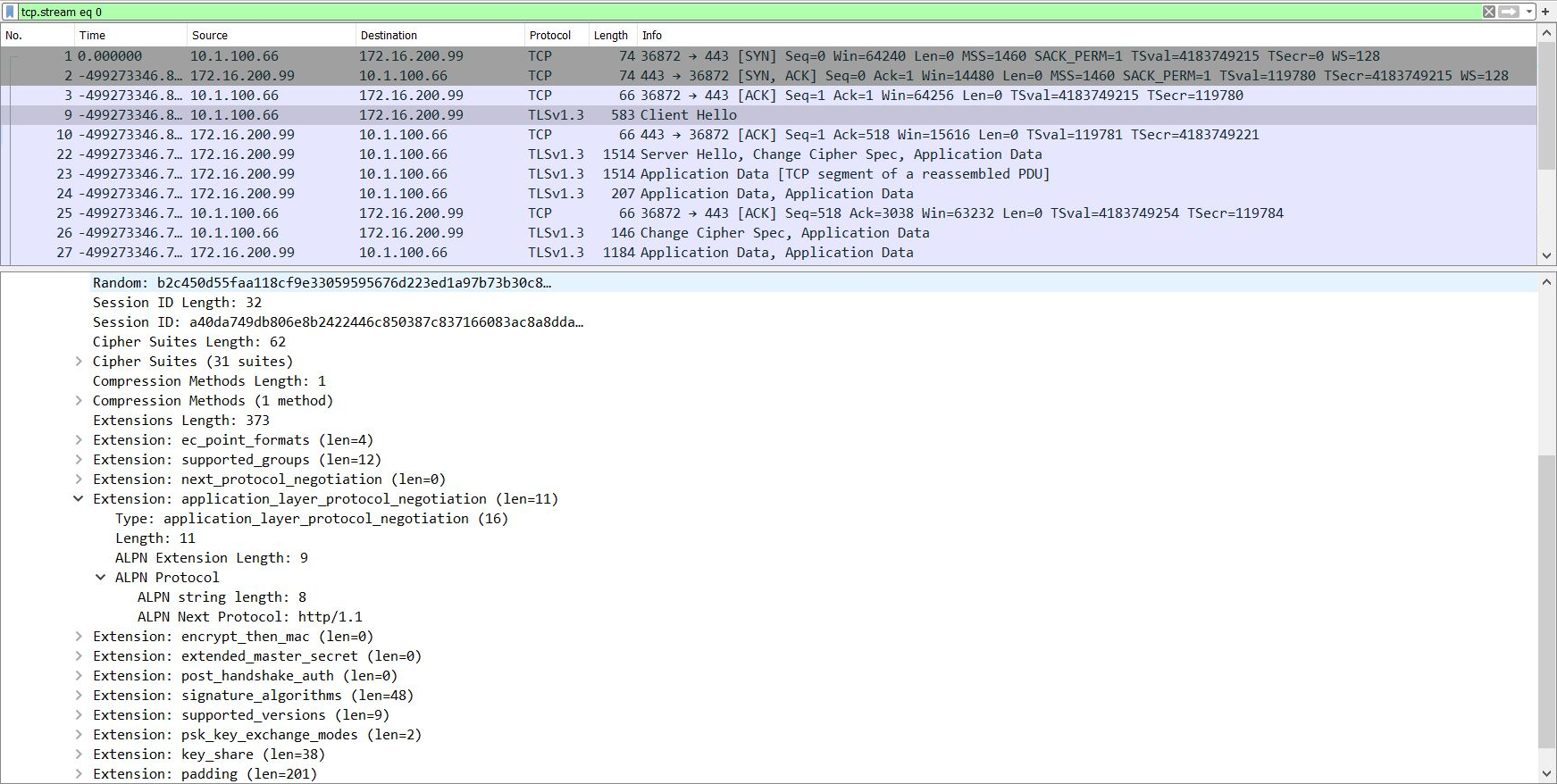
-
Outgoing packet capture: