

Configuring FortiNAC
A FortiNAC device can be added to the Security Fabric on the root FortiGate. After the device has been added and authorized, you can log in to the FortiNAC from the FortiGate topology views.

|
Adding a FortiNAC to the Security Fabric requires a FortiNAC with a license issued in the year 2020 or later that includes an additional certificate. The device cannot be added if it has an older license. Use the |
To add a FortiNAC to the Security Fabric:
-
Enable the Security Fabric (see Configuring the root FortiGate and downstream FortiGates) with the following settings:
-
Configure the interface to allow other Security Fabric devices to join.
-
Enable Allow downstream device REST API access and select an Administrator profile.
-
-
On the FortNAC, start configuring the device to join the Security Fabric. See the FortiNAC Security Fabric SSO guide for more information.
-
On the root FortiGate, authorize the FortiNAC:
-
In the GUI, go to Dashboard > Status and locate the Security Fabric widget.
-
Click the highlighted unauthorized FortiNAC.
-
Select Authorize.
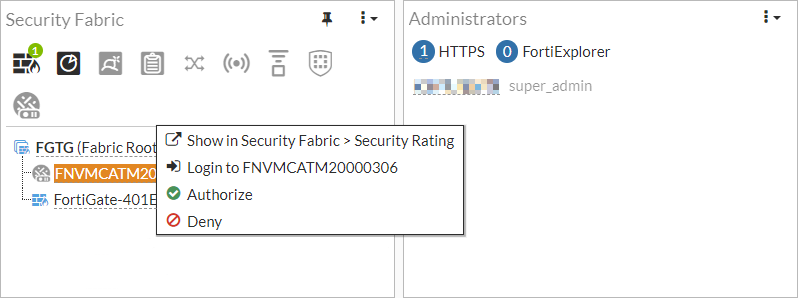
Optionally, you can also deny authorization to the FortiNAC to remove it from the list.
-
In the CLI:
config system csf
    config trusted-list
        edit "FNVMCATM20000306"
            set action accept
        next
    end
end
-
-
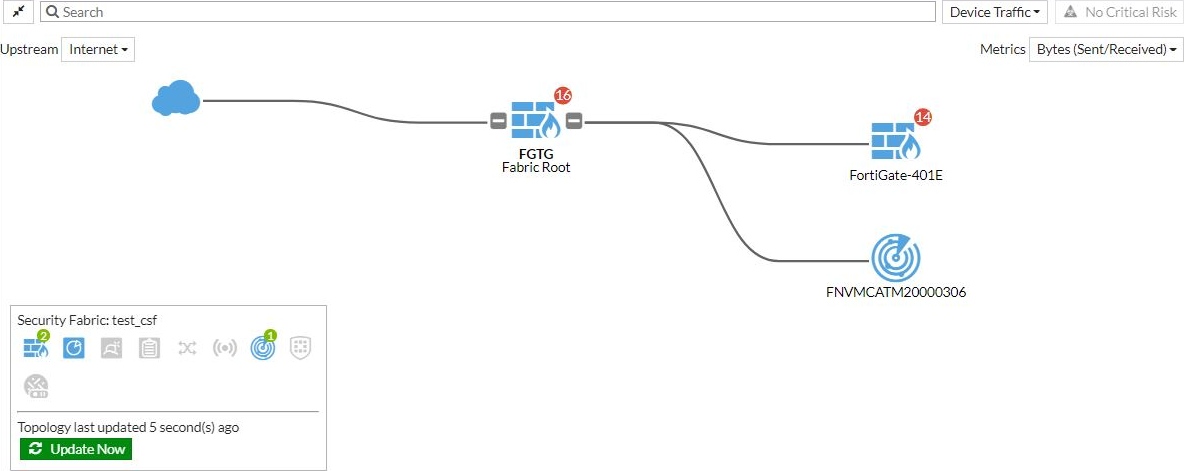
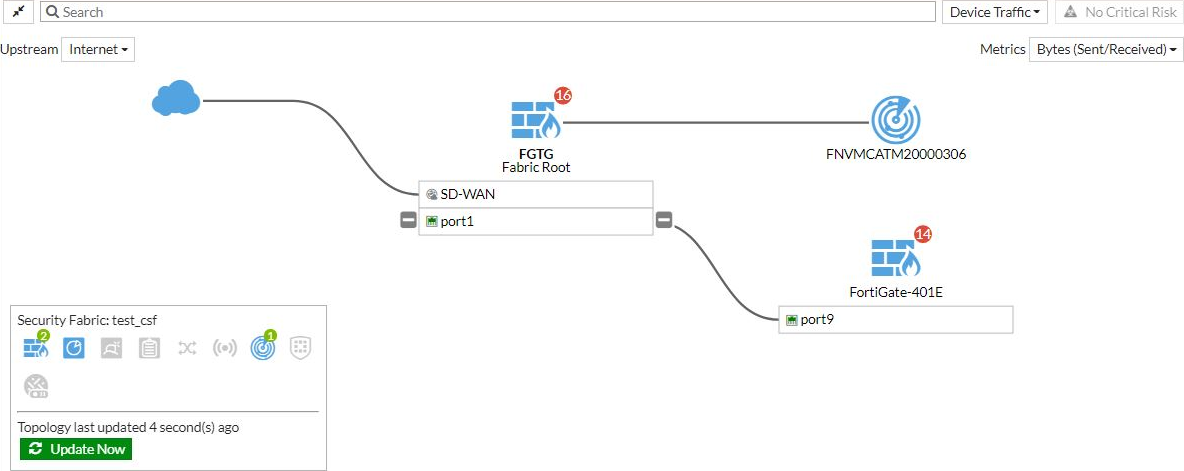
Verify the connection status in the Security Fabric topology views:
-
Go to Security Fabric > Physical Topology or Security Fabric > Logical Topology to view more information.
Physical topology view:
Logical topology view:
-
-
Log in to the FortiNAC from the FortiGate:
-
On the FortiGate, go to Security Fabric > Physical Topology or Security Fabric > Logical Topology.
-
Click on the FortiNAC and select Login to <serial_number>.
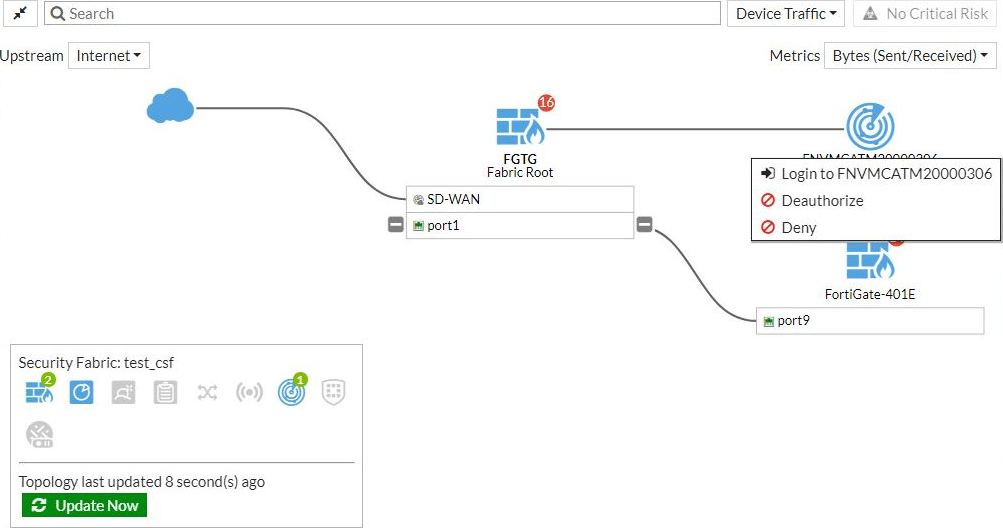
A new tab will open to the FortiNAC log in page.
-
Enter the username and password to log in to the FortiNAC.
-
-
Run the following command in the CLI to view information about the FortiNAC device's status:
# diagnose sys csf downstream-devices fortinac
{
  "path":"FG5H1E5818900126:FNVMCATM20000306",
  "mgmt_ip_str":"10.1.100.197",
  "mgmt_port":0,
  "admin_port":8443,
  "serial":"FNVMCATM20000306",
  "host_name":"adnac",
  "device_type":"fortinac",
  "upstream_intf":"port2",
  "upstream_serial":"FG5H1E5818900126",
  "is_discovered":true,
  "ip_str":"10.1.100.197",
  "downstream_intf":"eth0",
  "authorizer":"FG5H1E5818900126",
  "idx":1
}