

Add categories for URL shortening, crypto mining, and potentially unwanted programs 7.0.2
Three new web filter categories have been added to the FortiOS and FortiGuard servers: URL shortening (97), crypto mining (98), and potentially unwanted program (99). For detailed category descriptions and test pages, refer to the FortiGuard Labs documentation.
In the following example, a web filter profile is created to monitor URL shortening (97), and to block crypto mining (98) and potentially unwanted program (99).
To create a web filter profile in the GUI:
-
Go to Security Profiles > Web Filter and click Create New.
-
Enter a name for the filter.
-
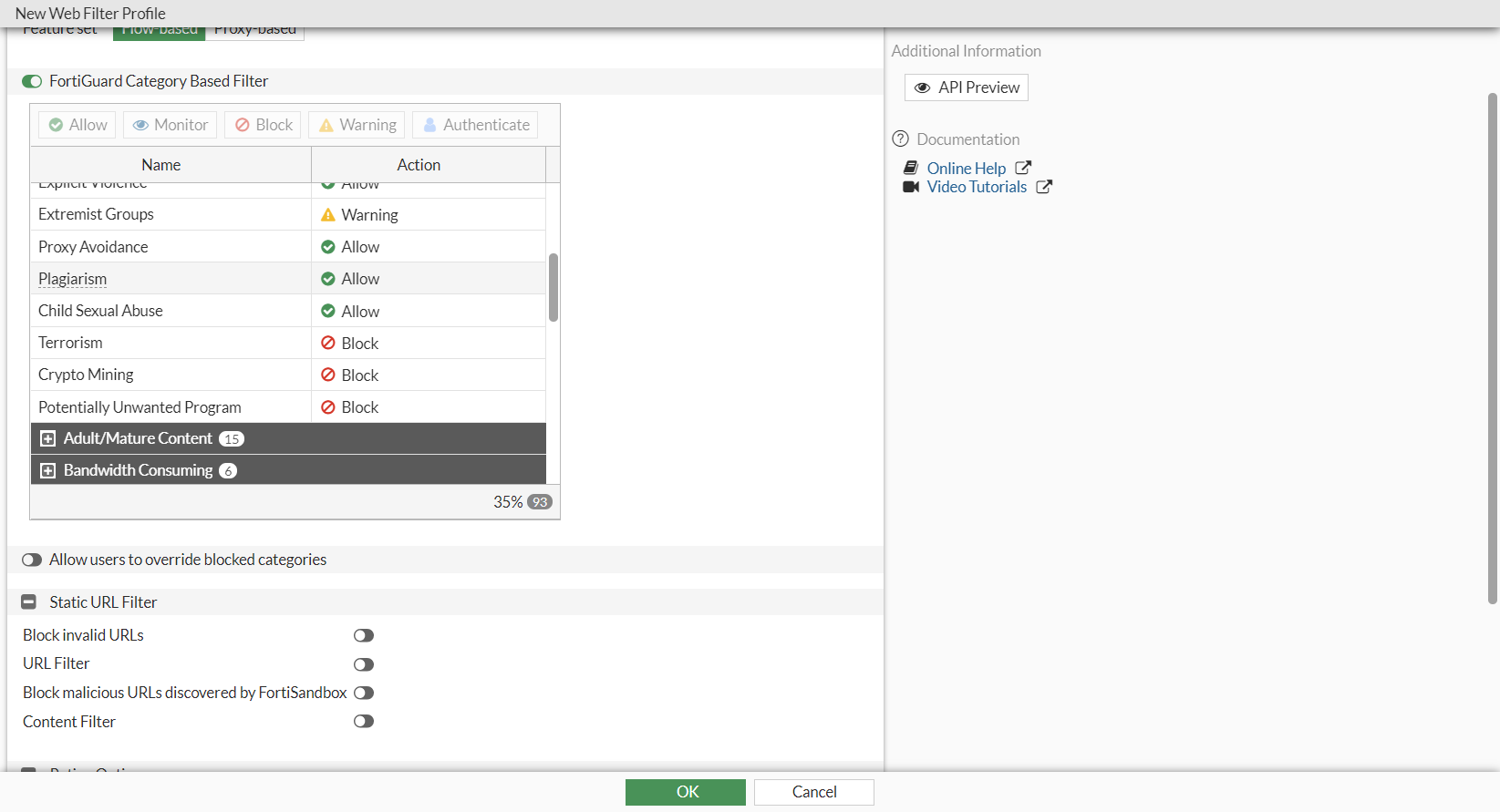
In the category table, in the Potentially Liable section, set the Action for the Crypto Mining and Potentially Unwanted Program categories to Block.
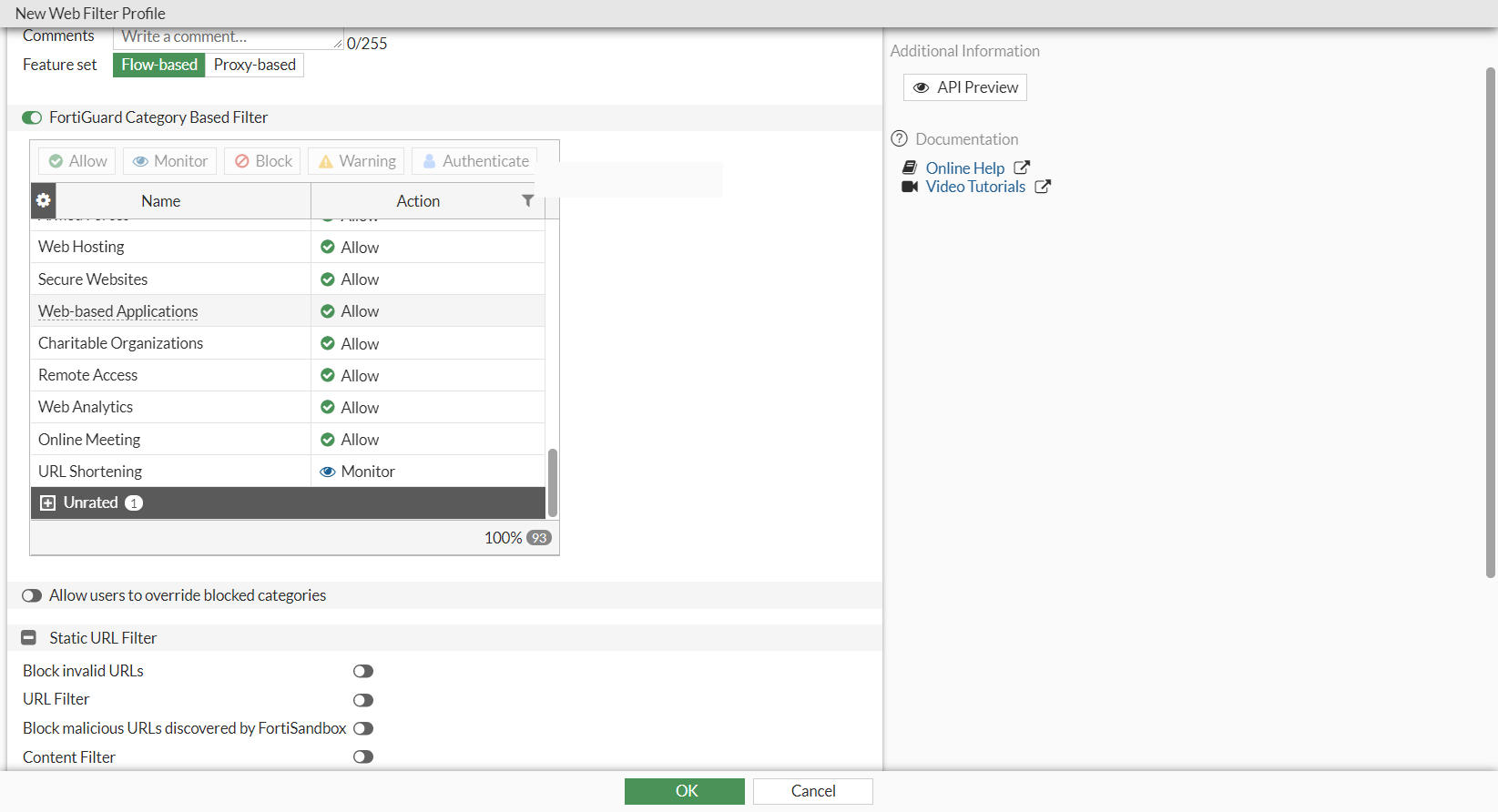
In the General Interest - Business section, set the URL Shortening category to Monitor.
-
Configure the remaining settings as needed.
-
Click OK.
To create a web filter profile in the CLI:
config webfilter profile
    edit "test"
        config ftgd-wf
            unset options
            config filters
                ...
                edit 98
                    set category 98
                    set action block
                next
                edit 99
                    set category 99
                    set action block
                next
                edit 97
                    set category 97
                next
            end
        end
    next
end
To test the web filter:
-
Use the web filter profile in a policy.
-
On a device that is connected through the FortiGate and uses the policy, visit the test URLs for each category:
http://wfurltest.fortiguard.com/wftest/97.html
http://wfurltest.fortiguard.com/wftest/98.html
http://wfurltest.fortiguard.com/wftest/99.html
-
Log in to the FortiGate, and go to Log & Report > Web filter to view the logs.
