Fortinet white logo
Fortinet white logo

Administration Guide

Per-Session SAML authentication logging and logout support for ZTNA and explicit proxy users New

Per-Session SAML authentication logging and logout support for ZTNA and explicit proxy users New

FortiGate supports per-session SAML authentication logging for identical usernames from the same IP address for proxy policies, which are used with ZTNA and explicit proxy configurations. When session-based authentication with cookies is enabled and SAML is configured, with the added session logout option enabled, ZTNA and explicit proxy users can log out individually from each browser session.

The FortiGate configured as SAML Service Provider (SP) generates a unique logout URL for the individual user or session that can be used to sign the user out from both the SP and the SAML Identity Provider (IdP). The SAML single signout flow between client, SP (FortiGate), and IdP is as follows:

  1. The client uses the SP single-logout-url configured on the FortiGate to send a logout request to the FortiGate as SP.

  2. The FortiGate logs out of the local user corresponding to the SAML assertion and returns a unique IdP logout URL to the client.

  3. The client uses this unique IdP logout URL to send a logout request to the IdP.

  4. When the session has been logged out on the IdP, the FortiGate receives a SAML logout response.

The session-logout option in the proxy policy authentication rule can be enabled to turn on additional session tracking to support SAML single sign out:

config authentication rule 
    edit < name >
        …
        set ip-based disable
        set active-auth-method < auth_method >
        set web-auth-cookie enable
        …
        set session-logout enable
    next
end

By default, session-logout is disabled. The option is only available when the following conditions are satisfied:

  1. Session-based authentication is enabled (set ip-based disable).

  2. Device certificate as authentication cookie is enabled (set web-auth-cookie enable).

  3. SAML authentication is used:

    1. set active-auth-method refers to an authentication scheme using SAML.

    2. SAML configuration for SP and IdP are validly configured on the FortiGate. See SAML.

Example

This example demonstrates an explicit proxy configuration using SAML SSO authentication with session-logout enabled to enable session tracking, required for SAML single sign out.

To configure a SAML server and SAML user group:
config user saml
    edit "saml"
        set cert "Fortinet_CA_SSL"
        set entity-id "http://192.0.2.1/remote/saml/metadata/"
        set single-sign-on-url "https://192.0.2.1:7831/remote/saml/login"
        set single-logout-url "https://192.0.2.1:7831/remote/saml/logout"
        set idp-entity-id "http://198.51.100.1/saml-idp/saml/metadata/"
        set idp-single-sign-on-url "https://198.51.100.1/saml-idp/saml/login/"
        set idp-single-logout-url "https://198.51.100.1/saml-idp/saml/logout/"
        set idp-cert "SAML"
        set user-name "Username"
        set group-name "Group"
        set digest-method sha1
    next
end
config user group
    edit "saml_group"
        set member "saml"
    next
end

The single-logout-URL of https://192.0.2.1:7831/remote/saml/logout will be used by the client to initiate SAML single sign out.

To configure the authentication rule and scheme to match the new SAML server:
config authentication rule
    edit "saml_rule"
        set srcaddr "all"
        set ip-based disable
        set active-auth-method "saml_scheme"
        set web-auth-cookie enable
        set cors-stateful enable
        set cors-depth 8
        set session-logout enable
    next
end
config authentication scheme
    edit "saml_scheme"
        set method saml
        set saml-server "saml"
    next
end
To enable user group authentication in a firewall proxy-policy:
config firewall proxy-policy
    edit 1
        set proxy explicit-web
        set dstintf "port3"
        set srcaddr "all"
        set dstaddr "all"
        set service "webproxy"
        set action accept
        set schedule "always"
        set logtraffic all
        set groups "saml_group"
        set ssl-ssh-profile "deep-custom"
    next
end
To test SAML session tracking and single sign out :
  1. On a client PC, access one website (website 1) from one web browser (browser 1) and access another web site (website 2) from another web browser (browser 2). The FortiGate will record user information from different browsers with the same IP address.

  2. The SAML IdP will present an authentication page when accessing website 1 from browser 1. Enter your username and password in the authentication page. Observe website 1 load as expected.

  3. The SAML IdP will present an authentication page when accessing website 2 from browser 2. Enter your username and password in the authentication page. Observe website 2 load as expected.

  4. In the CLI, check the WAD user list

    # diagnose wad user list 
    
    ID: 2, VDOM: vdom1, IPv4: 10.1.100.52 
      user name   : samluser 
      worker      : 22 
      duration    : 40 
      auth_type   : Session 
      auth_method : SAML 
      pol_id      : 1 
      g_id        : 10 
      user_based  : 0 
      expire      : no 
      LAN: 
        bytes_in=461676 bytes_out=5421390 
      WAN: 
        bytes_in=5331093 bytes_out=597696 
    
    ID: 3, VDOM: vdom1, IPv4: 10.1.100.52 
      user name   : samluser 
      worker      : 22 
      duration    : 12 
      auth_type   : Session 
      auth_method : SAML 
      pol_id      : 1 
      g_id        : 10 
      user_based  : 0 
      expire      : no 
      LAN: 
        bytes_in=33402 bytes_out=2253163 
      WAN: 
        bytes_in=2238161 bytes_out=81347 

    Observe two sets of user information entries corresponding to the two SAML authenticated sessions.

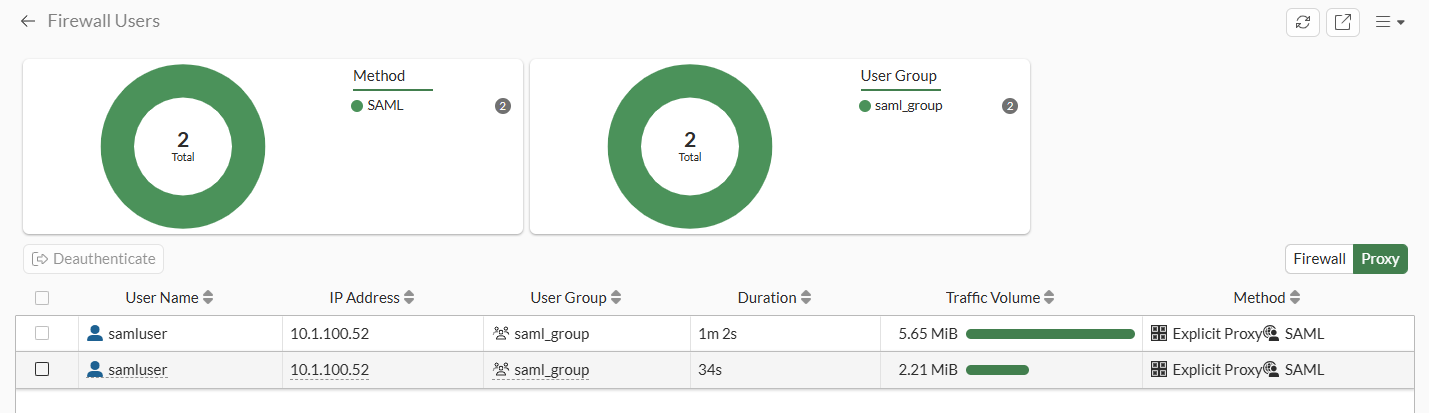
  5. Go to Dashboard > Status and expand the Firewall Users widget. Observe the two user sessions:
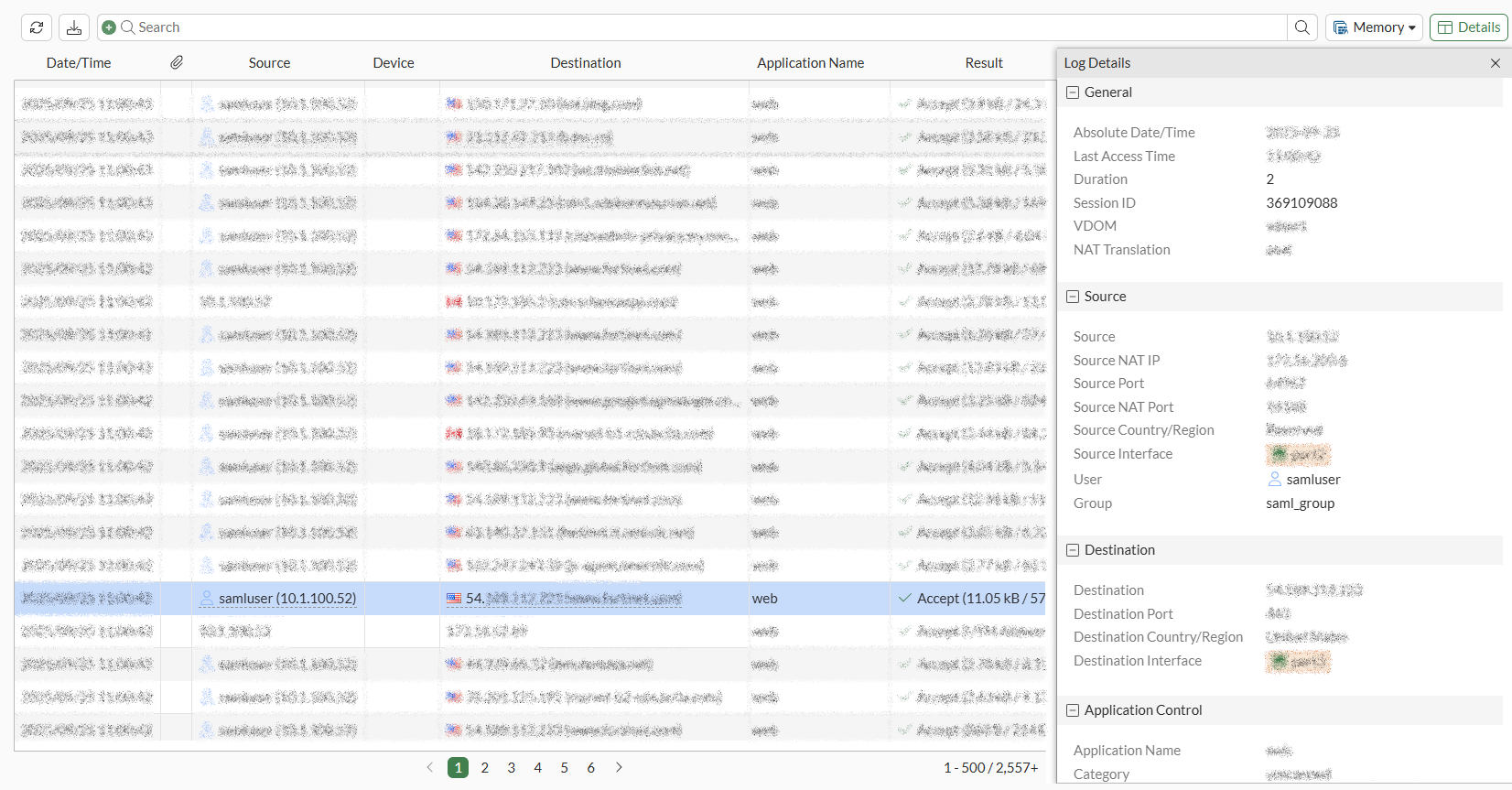
  6. View the traffic logs and note the unique session IDs for the websites visited:
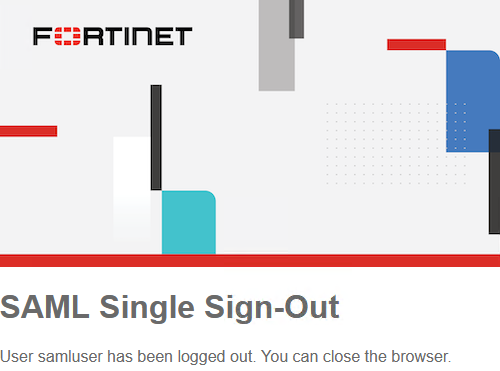
  7. Recall from the SAML server configuration that the single-logout-URL of https://192.0.2.1:7831/remote/saml/logout was configured. On the client in web browser 2, initiate a SAML single sign out by accessing https://192.0.2.1:7831/remote/saml/logout.

  8. Check that the user information for the first SAML authenticated session for web browser 1 is still present:

    # diagnose wad user list 
    
    ID: 2, VDOM: vdom1, IPv4: 10.1.100.52 
      user name   : samluser 
      worker      : 22 
      duration    : 133 
      auth_type   : Session 
      auth_method : SAML 
      pol_id      : 1 
      g_id        : 10 
      user_based  : 0 
      expire      : no 
      LAN: 
        bytes_in=461676 bytes_out=5421755 
      WAN: 
        bytes_in=5331434 bytes_out=597899 
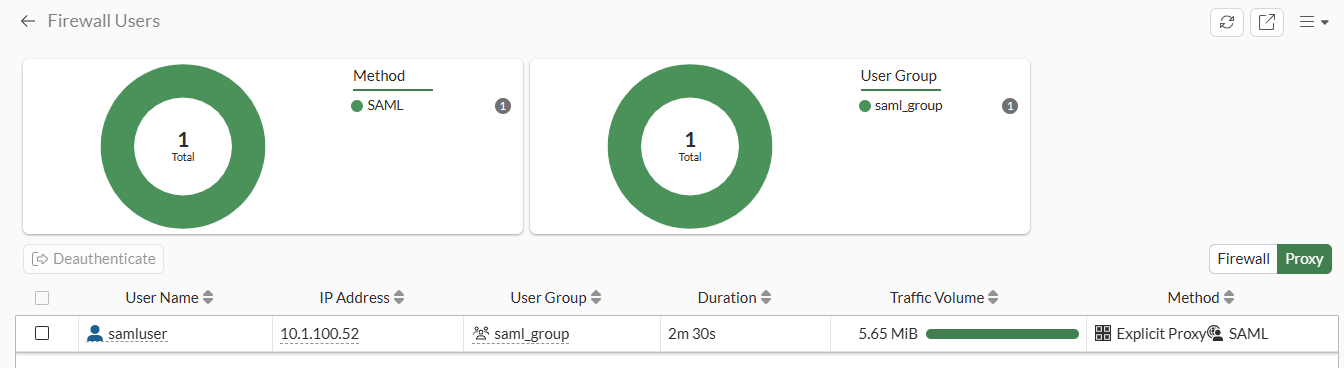
  9. Go to Dashboard > Status, expand the Firewall Users widget, and see the first user session corresponding to web browser 1:

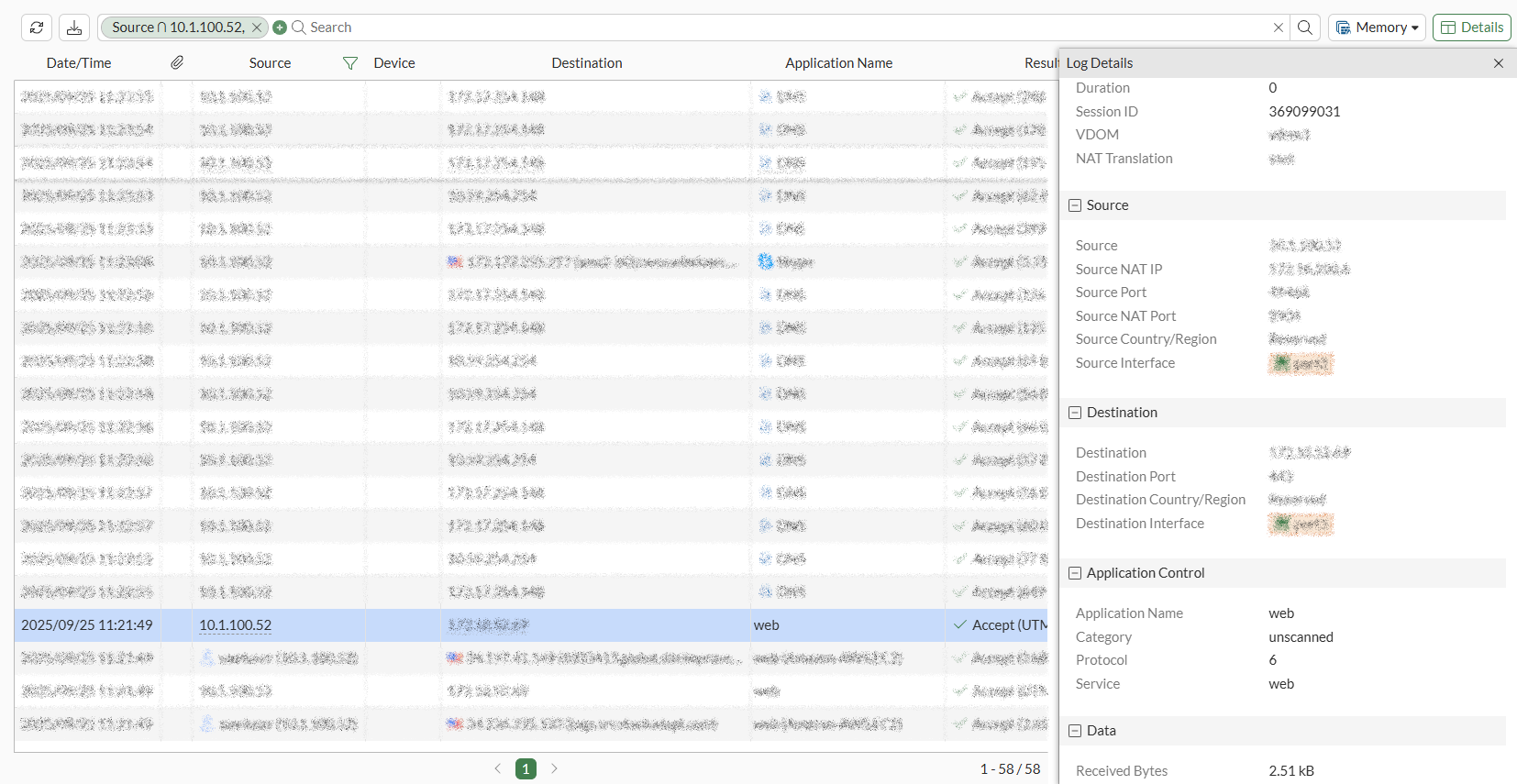
  10. Check the traffic logs and note the unique session ID for the SAML log out request:

Per-Session SAML authentication logging and logout support for ZTNA and explicit proxy users New

Per-Session SAML authentication logging and logout support for ZTNA and explicit proxy users New

FortiGate supports per-session SAML authentication logging for identical usernames from the same IP address for proxy policies, which are used with ZTNA and explicit proxy configurations. When session-based authentication with cookies is enabled and SAML is configured, with the added session logout option enabled, ZTNA and explicit proxy users can log out individually from each browser session.

The FortiGate configured as SAML Service Provider (SP) generates a unique logout URL for the individual user or session that can be used to sign the user out from both the SP and the SAML Identity Provider (IdP). The SAML single signout flow between client, SP (FortiGate), and IdP is as follows:

  1. The client uses the SP single-logout-url configured on the FortiGate to send a logout request to the FortiGate as SP.

  2. The FortiGate logs out of the local user corresponding to the SAML assertion and returns a unique IdP logout URL to the client.

  3. The client uses this unique IdP logout URL to send a logout request to the IdP.

  4. When the session has been logged out on the IdP, the FortiGate receives a SAML logout response.

The session-logout option in the proxy policy authentication rule can be enabled to turn on additional session tracking to support SAML single sign out:

config authentication rule 
    edit < name >
        …
        set ip-based disable
        set active-auth-method < auth_method >
        set web-auth-cookie enable
        …
        set session-logout enable
    next
end

By default, session-logout is disabled. The option is only available when the following conditions are satisfied:

  1. Session-based authentication is enabled (set ip-based disable).

  2. Device certificate as authentication cookie is enabled (set web-auth-cookie enable).

  3. SAML authentication is used:

    1. set active-auth-method refers to an authentication scheme using SAML.

    2. SAML configuration for SP and IdP are validly configured on the FortiGate. See SAML.

Example

This example demonstrates an explicit proxy configuration using SAML SSO authentication with session-logout enabled to enable session tracking, required for SAML single sign out.

To configure a SAML server and SAML user group:
config user saml
    edit "saml"
        set cert "Fortinet_CA_SSL"
        set entity-id "http://192.0.2.1/remote/saml/metadata/"
        set single-sign-on-url "https://192.0.2.1:7831/remote/saml/login"
        set single-logout-url "https://192.0.2.1:7831/remote/saml/logout"
        set idp-entity-id "http://198.51.100.1/saml-idp/saml/metadata/"
        set idp-single-sign-on-url "https://198.51.100.1/saml-idp/saml/login/"
        set idp-single-logout-url "https://198.51.100.1/saml-idp/saml/logout/"
        set idp-cert "SAML"
        set user-name "Username"
        set group-name "Group"
        set digest-method sha1
    next
end
config user group
    edit "saml_group"
        set member "saml"
    next
end

The single-logout-URL of https://192.0.2.1:7831/remote/saml/logout will be used by the client to initiate SAML single sign out.

To configure the authentication rule and scheme to match the new SAML server:
config authentication rule
    edit "saml_rule"
        set srcaddr "all"
        set ip-based disable
        set active-auth-method "saml_scheme"
        set web-auth-cookie enable
        set cors-stateful enable
        set cors-depth 8
        set session-logout enable
    next
end
config authentication scheme
    edit "saml_scheme"
        set method saml
        set saml-server "saml"
    next
end
To enable user group authentication in a firewall proxy-policy:
config firewall proxy-policy
    edit 1
        set proxy explicit-web
        set dstintf "port3"
        set srcaddr "all"
        set dstaddr "all"
        set service "webproxy"
        set action accept
        set schedule "always"
        set logtraffic all
        set groups "saml_group"
        set ssl-ssh-profile "deep-custom"
    next
end
To test SAML session tracking and single sign out :
  1. On a client PC, access one website (website 1) from one web browser (browser 1) and access another web site (website 2) from another web browser (browser 2). The FortiGate will record user information from different browsers with the same IP address.

  2. The SAML IdP will present an authentication page when accessing website 1 from browser 1. Enter your username and password in the authentication page. Observe website 1 load as expected.

  3. The SAML IdP will present an authentication page when accessing website 2 from browser 2. Enter your username and password in the authentication page. Observe website 2 load as expected.

  4. In the CLI, check the WAD user list

    # diagnose wad user list 
    
    ID: 2, VDOM: vdom1, IPv4: 10.1.100.52 
      user name   : samluser 
      worker      : 22 
      duration    : 40 
      auth_type   : Session 
      auth_method : SAML 
      pol_id      : 1 
      g_id        : 10 
      user_based  : 0 
      expire      : no 
      LAN: 
        bytes_in=461676 bytes_out=5421390 
      WAN: 
        bytes_in=5331093 bytes_out=597696 
    
    ID: 3, VDOM: vdom1, IPv4: 10.1.100.52 
      user name   : samluser 
      worker      : 22 
      duration    : 12 
      auth_type   : Session 
      auth_method : SAML 
      pol_id      : 1 
      g_id        : 10 
      user_based  : 0 
      expire      : no 
      LAN: 
        bytes_in=33402 bytes_out=2253163 
      WAN: 
        bytes_in=2238161 bytes_out=81347 

    Observe two sets of user information entries corresponding to the two SAML authenticated sessions.

  5. Go to Dashboard > Status and expand the Firewall Users widget. Observe the two user sessions:

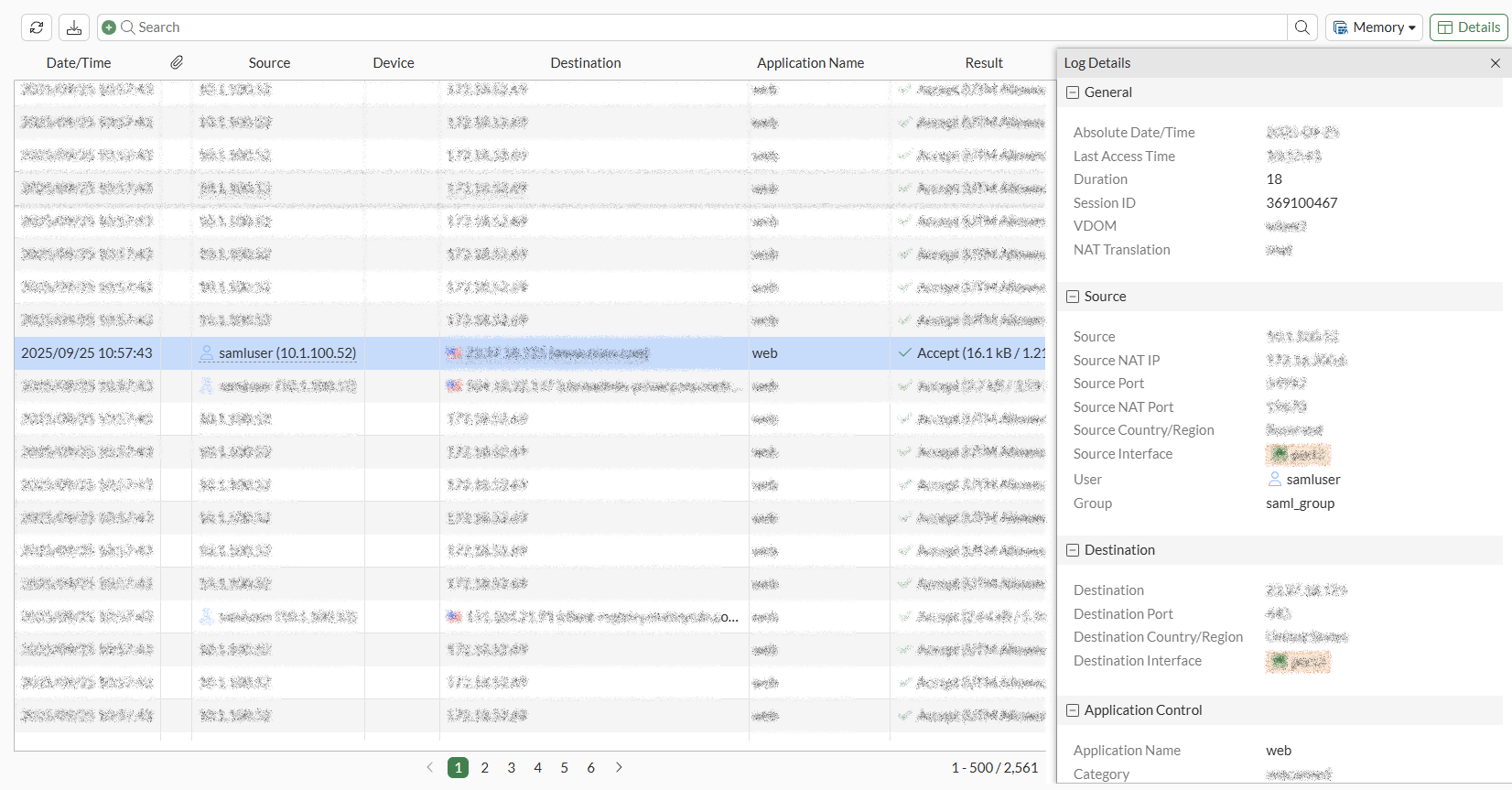
  6. View the traffic logs and note the unique session IDs for the websites visited:
  7. Recall from the SAML server configuration that the single-logout-URL of https://192.0.2.1:7831/remote/saml/logout was configured. On the client in web browser 2, initiate a SAML single sign out by accessing https://192.0.2.1:7831/remote/saml/logout.
  8. Check that the user information for the first SAML authenticated session for web browser 1 is still present:

    # diagnose wad user list 
    
    ID: 2, VDOM: vdom1, IPv4: 10.1.100.52 
      user name   : samluser 
      worker      : 22 
      duration    : 133 
      auth_type   : Session 
      auth_method : SAML 
      pol_id      : 1 
      g_id        : 10 
      user_based  : 0 
      expire      : no 
      LAN: 
        bytes_in=461676 bytes_out=5421755 
      WAN: 
        bytes_in=5331434 bytes_out=597899 
  9. Go to Dashboard > Status, expand the Firewall Users widget, and see the first user session corresponding to web browser 1:
  10. Check the traffic logs and note the unique session ID for the SAML log out request: