

Application steering using SD-WAN rules
This topic covers how to use application steering in a topology with multiple WAN links. The following examples illustrate how to use different strategies to perform application steering to accommodate different business needs:
By default, individual applications and application groups cannot be selected in SD-WAN rules. To enable this functionality in the GUI, go to System > Feature Visibility and enable Application Detection Based SD-WAN. In the CLI, enter:
config system global
    set gui-app-detection-sdwan enable
end

|
For application based steering to work, application control must be enabled in a policy. See Application control. |
Application matching
To apply application steering, SD-WAN service rules match traffic based on the applications that are in the application signature database. To view the signatures, go to Security Profiles > Application Signatures and select Signature.
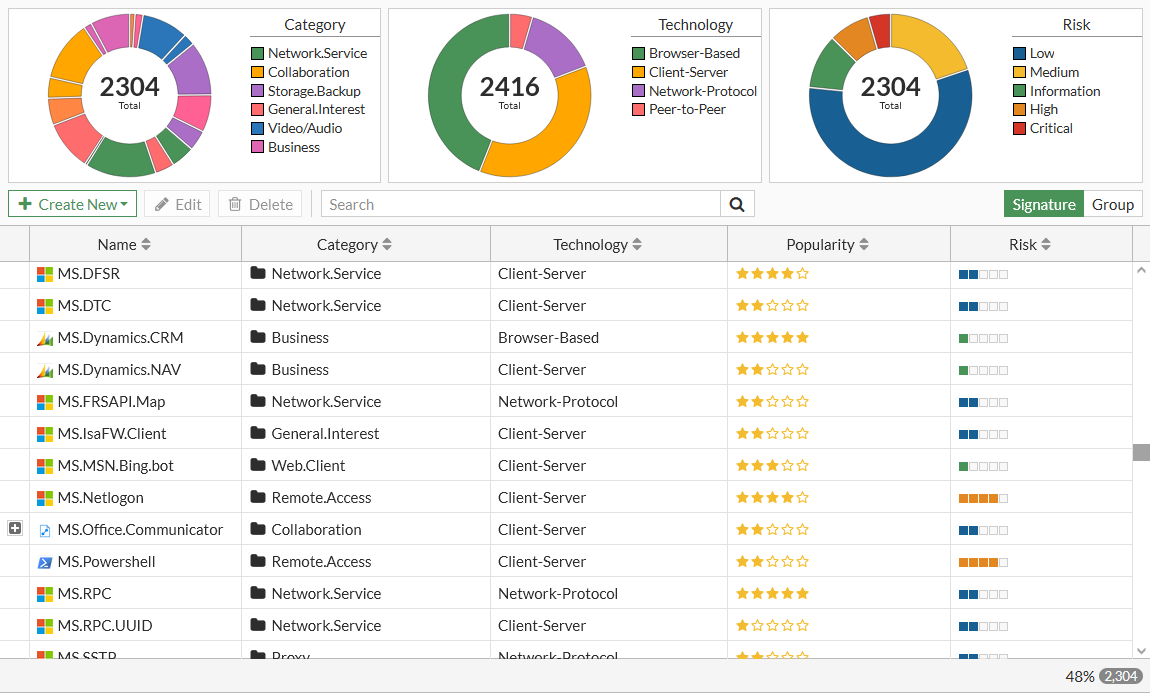
On the first session that passes through, the IPS engine processes the traffic in the application layer to match it to a signature in the application signature database. The first session does not match any SD-WAN rules because the signature has not been recognized yet. When the IPS engine recognizes the application, it records the 3-tuple IP address, protocol, and port in the application control Internet Service ID list. To view the application and corresponding 3-tuple:
# diagnose sys sdwan internet-service-app-ctrl-list [app ID]
52.114.142.254
Microsoft.Teams(43541 4294837333): 52.114.142.254 6 443 Fri Jun 18 13:52:18 2021
The recognized application and 3-tuple stay in the application control list for future matches to occur. If there are no hits on the entry for eight hours, the entry is deleted.
|
|
For services with multiple IP addresses, traffic might not match the expected SD-WAN rule because the traffic is destined for an IP address that hat no previously been recognized by the FortiGate. The |