

Per-policy disclaimer messages
FortiOS supports a customizable captive portal to direct users to install or enable required software.
Per-policy custom disclaimers in each VDOM are supported. For example, you may want to configure three firewall policies, each of which matches traffic from endpoints with different FortiClient statuses:
|
Endpoint status |
FortiOS behavior |
|---|---|
|
Endpoint does not have FortiClient installed. |
Traffic matches a firewall policy that displays an in-browser warning to install FortiClient from the provided link. |
|
Endpoint has FortiClient installed, registered to EMS, and connected to the FortiGate. |
Traffic matches a dynamic firewall policy which allows the endpoint to reach its destination via this policy. |
|
Endpoint is deregistered from EMS and disconnected from the FortiGate. |
Traffic matches another dynamic firewall policy that displays warning to register FortiClient to EMS. |
The replacement message groups and policy disclaimer settings must be enabled.
To enable per-policy disclaimer messages in the GUI:
-
Go to System > Feature Visibility.
-
Enable Replacement Message Groups and Policy Disclaimer.
-
Click Apply.
To enable per-policy disclaimer messages in the CLI:
config system global
    set gui-replacement-message-groups enable
end
config system settings
set gui-policy-disclaimer enable
end
To configure per-policy disclaimers in the GUI:
-
Ensure the per-policy disclaimer messages option is enabled.
-
Go to Policy & Objects > Firewall Policy.
-
Edit the policy that applies when an endpoint does not have FortiClient installed.
-
Under Disclaimer Options, enable Display Disclaimer and Customize Messages.
-
Add a replacement message group:
-
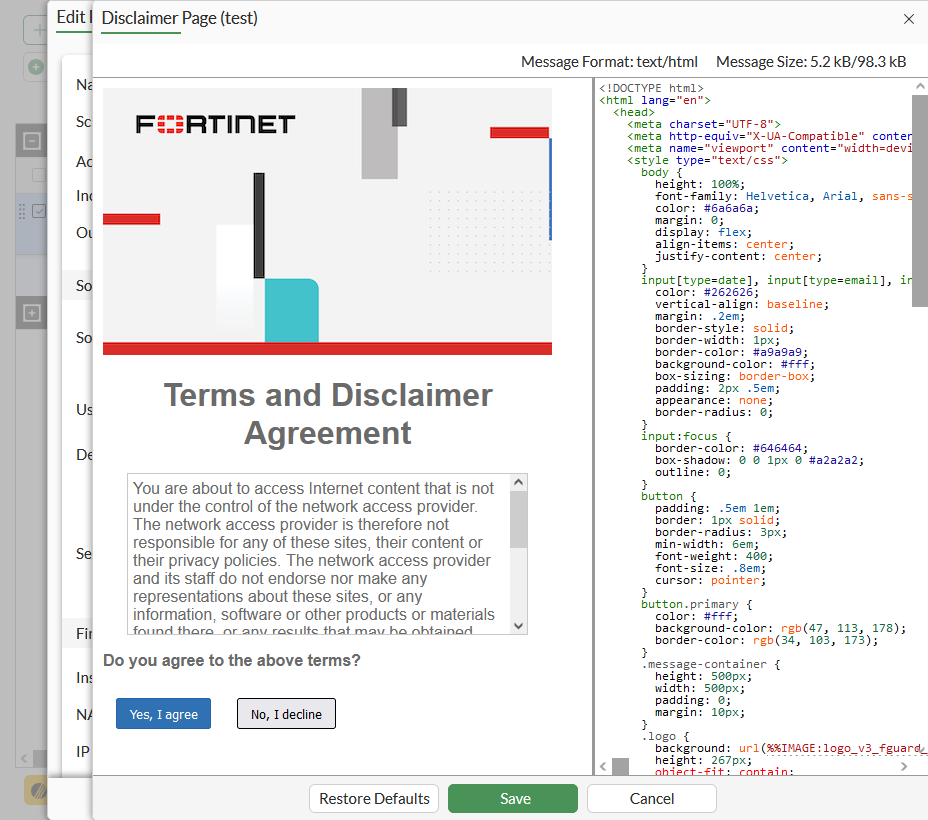
Select an existing replacement message group from the dropdown and click Edit Disclaimer Message.
-
Click Create, enter a name, and click OK. Select the replacement message group and click Edit Disclaimer Message.
-
-
Edit the message to warn users to install FortiClient, and provide the FortiClient download link.
-
Click Save.
-
Repeat the above steps for each policy that requires a custom disclaimer message.
To configure per-policy disclaimers in the CLI:
config firewall policy
    edit 1
        set name "111"
        set srcintf "port12"
        set dstintf "port11"
        set srcaddr "all"
        set dstaddr "pc155_address"
        set action accept
        set schedule "always"
        set service "ALL"
        set wsso disable
        set groups "ems_03_group"
        set disclaimer enable
        set replacemsg-override-group "test"
        set nat enable
    next
    edit 4
        set name "44"
        set srcintf "port12"
        set dstintf "port11"
        set srcaddr "all"
        set dstaddr "pc5-address"
        set action accept
        set schedule "always"
        set service "ALL"
        set wsso disable
        set groups "ems_03_group"
        set disclaimer enable
        set replacemsg-override-group "test2"
        set nat enable
    next
    edit 6
        set name "66"
        set srcintf "port12"
        set dstintf "port11"
        set srcaddr "all"
        set dstaddr "all"
        set status disable
        set schedule "always"
        set service "ALL"
        set logtraffic all
        set fsso disable
        set block-notification enable
        set replacemsg-override-group "endpoint-override"
    next
end