Virtual patching
Virtual patching is a method for mitigating vulnerability exploits against OT and IoT devices by applying patches virtually on the FortiGate. This is done in several steps:
-
A FortiGate uses the OT Detection Signatures and Service to collect device information from OT and IoT devices that are connected to an interface.
-
The device information is used to perform a vulnerability lookup by querying FortiGuard for device-specific vulnerabilities and mitigation rules.
FortiGuard returns OT virtual patching signatures and IPS signatures.
-
The FortiGate caches the applicable signatures and mitigation rules that apply to each device. The signatures and rules are mapped to the MAC address of the device.
-
When a virtual patching profile is applied to a firewall policy, traffic that enters the firewall policy is subject to signature matching on a per-device basis.
-
The IPS engine uses the MAC address of the device to match any mitigation rules that should apply.
-
If the MAC address is in the exempted list, then patching is exempted or skipped.
-
If the signature rule is in the exempted list, then patching is also exempted or skipped for that signature.
-
Otherwise, all applicable rules for the device will be applied.
-
OT and IoT device detection
When device detection is enabled on a LAN interface, FortiGate detects OT and IoT devices that are connected to the interface by using the OT Detection Signatures and Service.
Device detection can be enabled in the GUI and CLI. In the GUI, go to Network > Interfaces, edit a LAN interface, enable Device detection, and click OK. In the CLI:
config system interface
    edit <name>
        set device-identification enable
    next
end
You can further refine OT and IoT device detection by excluding OT and/or IoT application control signatures in the CLI.
config system interface
    edit <name>
        set device-identification enable
        set exclude-signatures {iot ot}
    next
end
|
Command |
Description |
|---|---|
|
device-identification {enable | disable} |
Enable/disable passively gathering of device identity information about the devices on the network connected to this interface (default = disable). |
|
exclude-signatures {iot ot} |
Exclude OT and/or IoT application control signatures. This option is hidden when device-identification is disabled. |
For example, when an IoT application control signature is excluded from device detection (exclude-signatures iot), IoT devices are not detected.
When OT and IoT signatures are included in the policy interfaces, FortiGate automatically creates and applies a built-in application list to ensure relative IoT and OT device categories are active.
A firewall policy with utm-status enabled must be configured for the LAN interface for OT and IoT device detection to occur.
Virtual patching profiles
A virtual patching profile can be applied to firewall policies in any direction, protecting traffic from or to the vulnerable OT and IoT devices. Virtual patching profiles can also be combined with virtual patching on NAC policies, so that vulnerable OT and IoT devices are first assigned to a protected VLAN, and then firewall policies associated with the VLAN will apply the virtual patching profile. See OT and IoT virtual patching on NAC policies for more information.
The following are requirements for the virtual patching feature:
-
Purchase the appropriate OT-related license (virtual patching only applies to OT devices). See License and entitlement information for more details.
-
Enable device detection on the LAN interface.
-
Configure a firewall policy with
utm-statusenabled in order for device detection to occur.
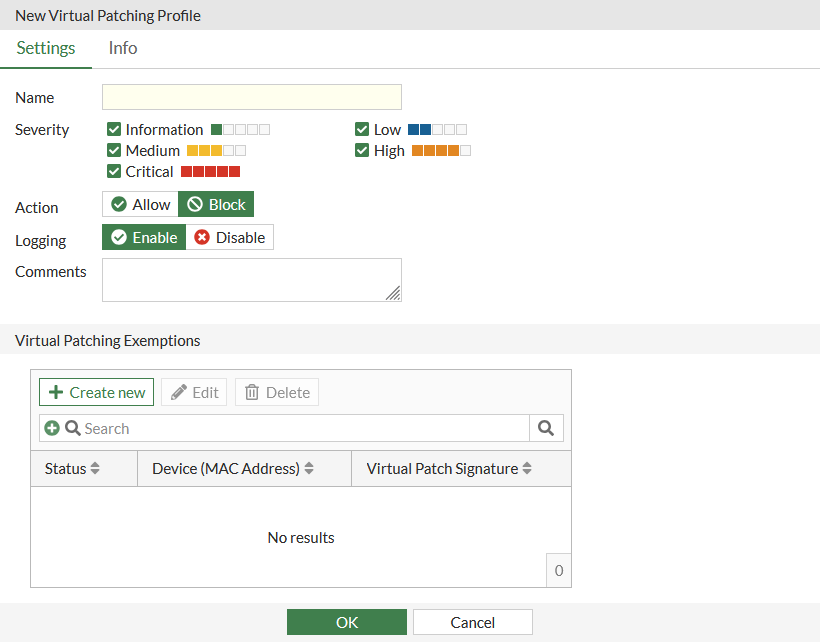
The following options can be configured in a virtual patching profile (see also OT virtual patching basic examples):
|
GUI option |
CLI option |
Description |
|---|---|---|
|
Basic profile settings |
||
|
Name |
name <string> |
Enter a unique name for the profile. |
|
Severity |
severity {info low medium high critical} |
Relative severity of the signature. |
|
Action |
action {pass | block} |
Set the action to take for a matched device:
|
|
Logging |
log {enable | disable} |
Enable/disable detection logging. This setting is enabled by default. |
|
Comments |
comment <var-string> |
Enter a comment (optional). |
|
Virtual patching exemptions settings |
||
|
Status |
status {enable | disable} |
Enable/disable the exemption. |
|
MAC addresses |
device <mac_address1>, <mac_address2>, ... |
Select the device MAC addresses to exempt. |
|
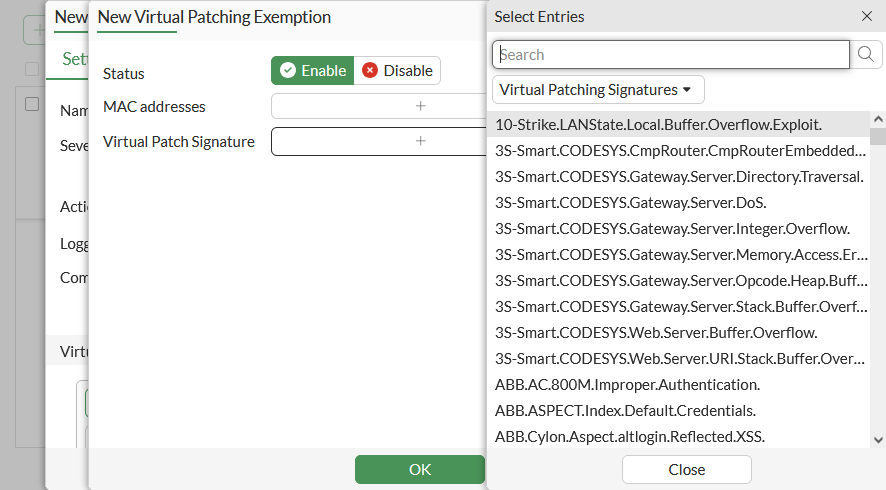
Virtual Patch Signature |
rule <id1>, <id2>, ... |
Select the signatures to exempt. See Virtual patching exemptions for more details. |

|
To configure virtual patching in the GUI, ensure that Virtual Patching is enabled on the System > Feature Visibility page. |
Virtual patching exemptions
Set the device MAC addresses and virtual patch signatures to exempt.
Virtual patching signatures
The Security Profiles > Virtual Patching Signatures page displays all OT virtual patching signatures. When using multi-VDOM mode, the OT virtual patching signatures are displayed per VDOM.

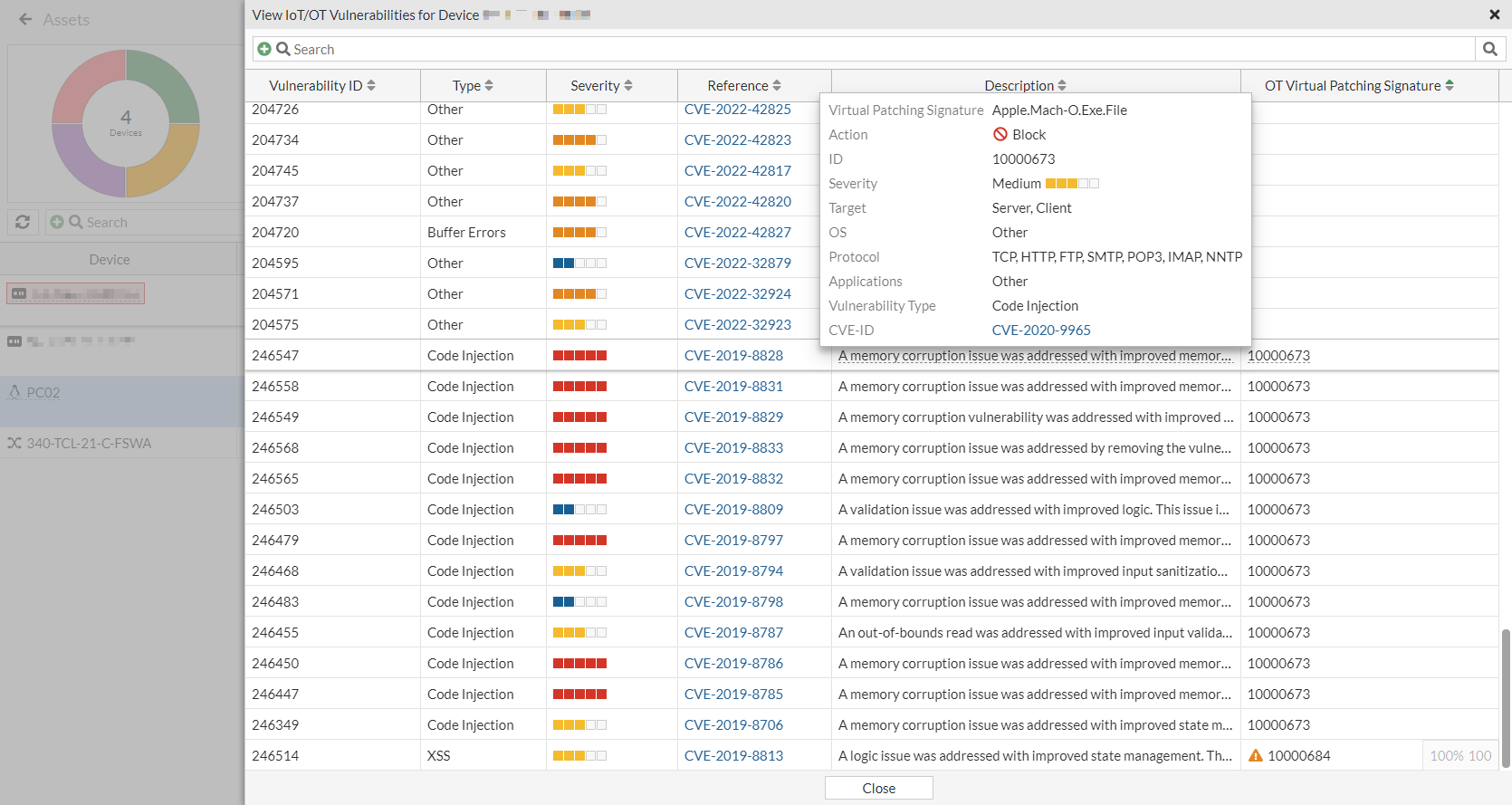
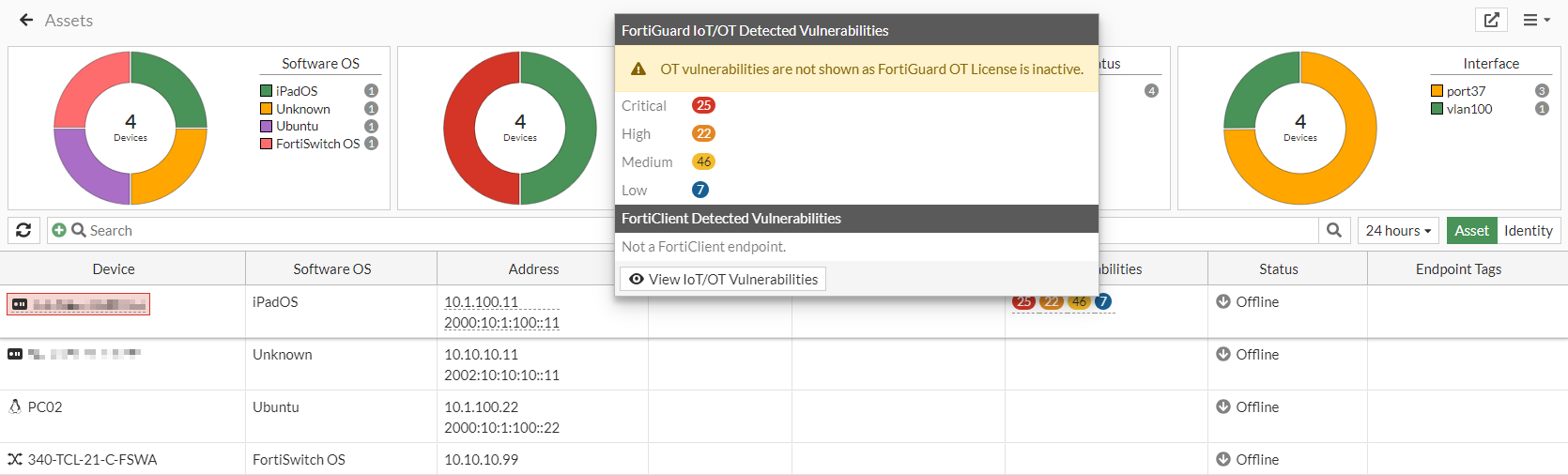
The Dashboard > Assets & Identities > Assets widget displays a tooltip for detected IoT and OT vulnerabilities when hovering over the Vulnerabilities column.

Clicking View IoT/OT Vulnerabilities in the tooltip displays a list of vulnerabilities retrieved from the FortiGuard API server for the device. The OT Virtual Patching Signature column includes the virtual patch signature ID that is mapped to the Vulnerability ID.
License and entitlement information
If a FortiGate does not have a valid OT license, a warning message is included in top of the IoT and OT vulnerabilities tooltip (Assets widget), indicating that OT vulnerabilities will not be detected.
In a Security Fabric, each device must have a license.
The right-side gutter of virtual patching profile pages includes information about the following:
-
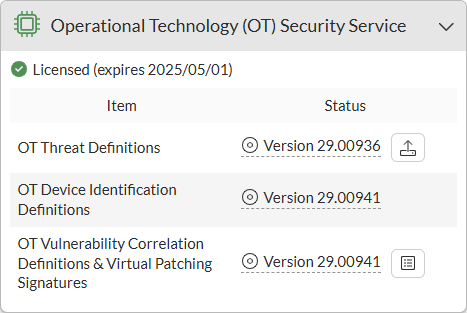
Operational Technology (OT) Security Service entitlement status
-
OT Detection Definitions Package version
-
OT Virtual Patching Signatures Package version
The System > FortiGuard > Subscriptions tab also includes the list of signatures under the Operational Technology (OT) Security Service entitlement.