

Custom languages
Custom languages can be uploaded and used for Agentless VPN portals. Custom languages must be enabled before they can be added in the GUI.
To enable custom languages:
config system global
    set gui-custom-language enable
end
To configure a custom language in the GUI:
- Go to System > Custom Languages and click Create New.
- Enter the name of the language.
- Optionally, enter a comment.
- Click Upload and upload the language JSON file from your management computer.
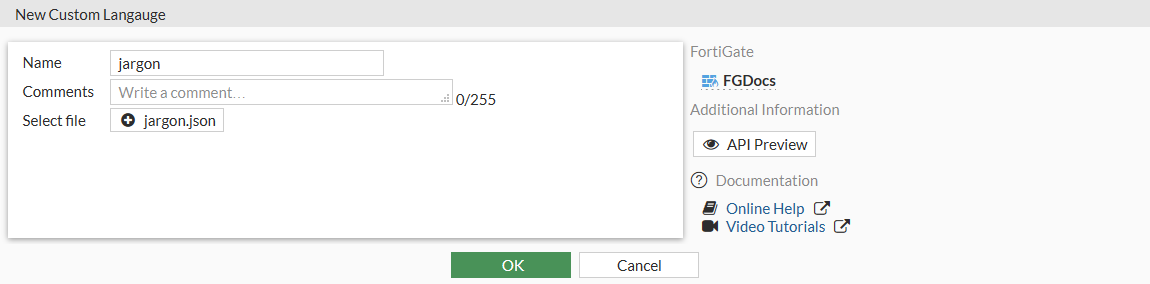
- Click OK.
To configure a language for Agentless VPN portals in the GUI:
- Go to VPN > Agentless VPN Settings.
- Set Language to Browser preference or System.
- Click OK.
To configure a custom language in the CLI:
config system custom-language
    edit <language>
        set filename <file>
    next
end
To configure a language in an Agentless VPN portal in the CLI:
config vpn ssl web portal
    edit <portal>
        set web-mode enable
        set custom-lang <language>
    next
end