

Custom languages
Custom languages can be uploaded and used for SSL VPN web portals. Custom languages must be enabled before they can be added in the GUI.
To enable custom languages:
config system global
    set gui-custom-language enable
end
To configure a custom language in the GUI:
- Go to System > Custom Languages and click Create New.
- Enter the name of the language.
- Optionally, enter a comment.
- Click Upload and upload the language JSON file from your management computer.
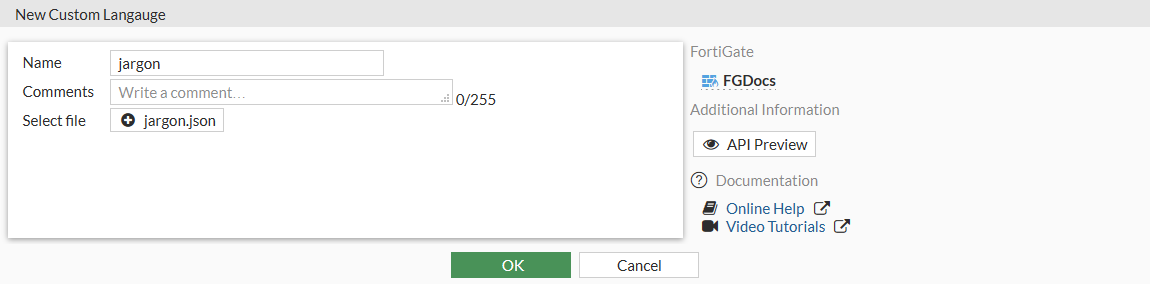
- Click OK.
To configure a language in an SSL VPN web portal in the GUI:
- Go to VPN > SSL-VPN Portals.
- Edit an existing portal, or click Create New to create a new one.
- Enable Enable Web Mode, then select the language from the Language field.
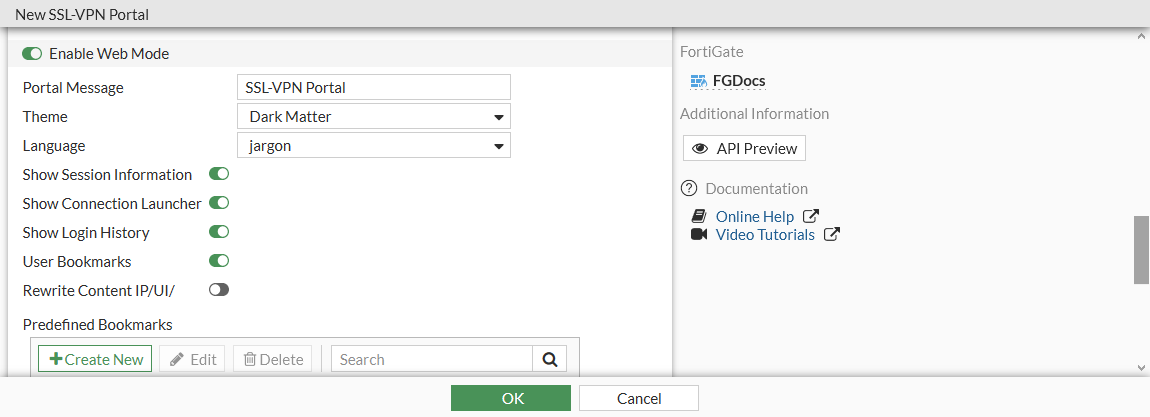
- Click OK.
To configure a custom language in the CLI:
config system custom-language
    edit <language>
        set filename <file>
    next
end
To configure a language in an SSL VPN web portal in the GUI:
config vpn ssl web portal
    edit <portal>
        set web-mode enable
        set custom-lang <language>
    next
end