Specifying outgoing interface and VRF for a web proxy forward server or isolator server
You can specify the outgoing interface and VRF for a web proxy forward server or a web proxy isolator server, such as FortiIsolator. See Virtual routing and forwarding.
The following CLI command options can be configured:
config web-proxy {forward-server | isolator-server}
   edit <name>
    set interface-select-method specify
    set interface <port>
    set masquerade {enable | disable}
    set vrf-select <vrf-id>
  next
end
Example
In the following example, a forward server is applied to the FortiGate in an explicit proxy policy. An interface that is not in the policy, such as port3, can be specified to forward traffic.

|
Without this feature, the FortiGate would have to forward traffic through the management interface which is the destination interface of the policy. |
This example uses the following topology:
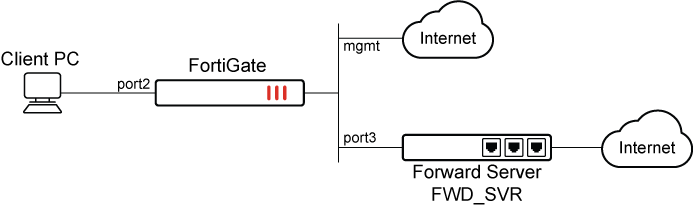
To specify an outgoing interface and VRF for a web proxy forward server:
-
Enable and configure the explicit web proxy:
config web-proxy explicit set status enable set ftp-over-http enable set http-incoming-port 8080 set ipv6-status enable set unknown-http-version best-effort end -
Configure the web proxy forward server with an interface that is not included in the policy:
config web-proxy forward-server edit "FWD_SVR" set ip 172.16.200.7 set port 8080 set interface-select-method specify set interface "port3" set vrf-select 10 next end -
Specify the destination interface and web proxy forward server in the proxy policy:
config firewall proxy-policy edit 1 set proxy explicit-web set dstintf "mgmt" set srcaddr "all" set dstaddr "all" set service "webproxy" set action accept set schedule "always" set logtraffic all set webproxy-forward-server "FWD_SVR" next end -
Access a website in the browser, such as www.fortinet.com.
-
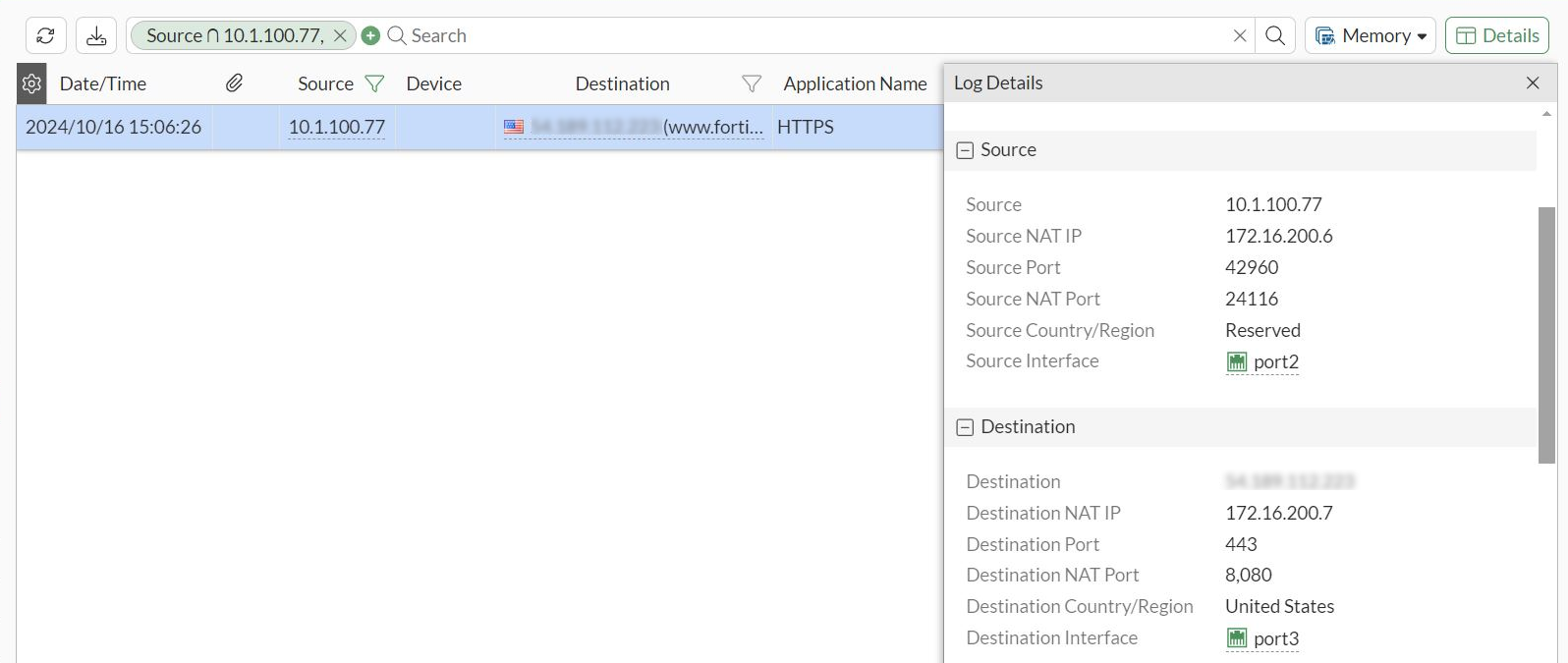
Go to Log & Report > Forward Traffic and review the traffic log. The Destination Interface is port3 instead of the management interface.