Integrating FortiManager management using SAML SSO
When a FortiGate is configured as the SAML SSO IdP, FortiManager can be added as an SP.
To configure FortiManager as a Fabric SP:
-
On the root FortiGate, go to Security Fabric > Fabric Connectors, and edit the Security Fabric Setup connector.
-
In the SAML Single Sign-On section, click Advanced Options.
-
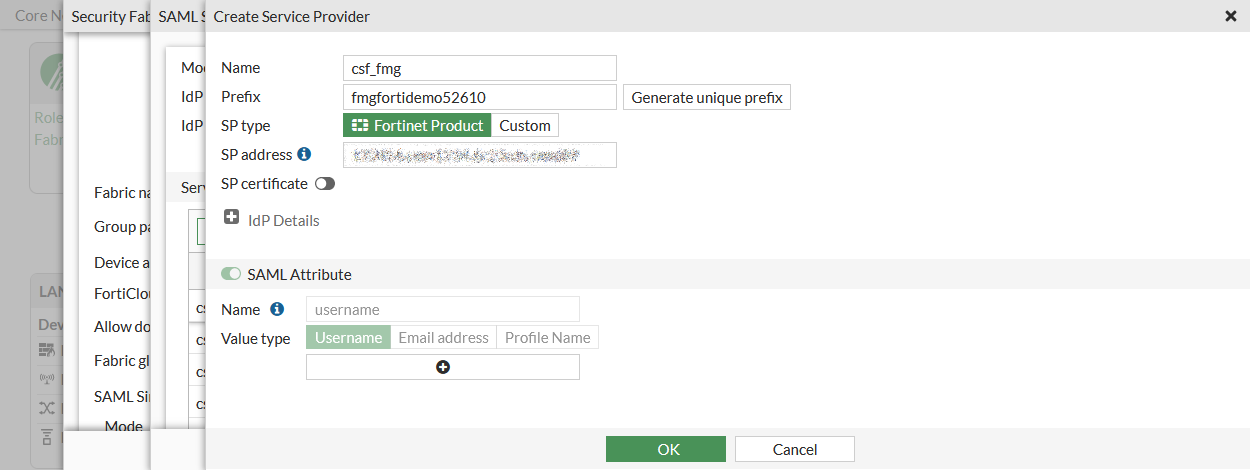
In the Service Providers section, click Create New.
-
Enter a name and a prefix for the SP. FortiOS generates a unique prefix, but you can enter your own.
-
In SP address, enter the FortiManager address including the port number.
-
Click OK.
-
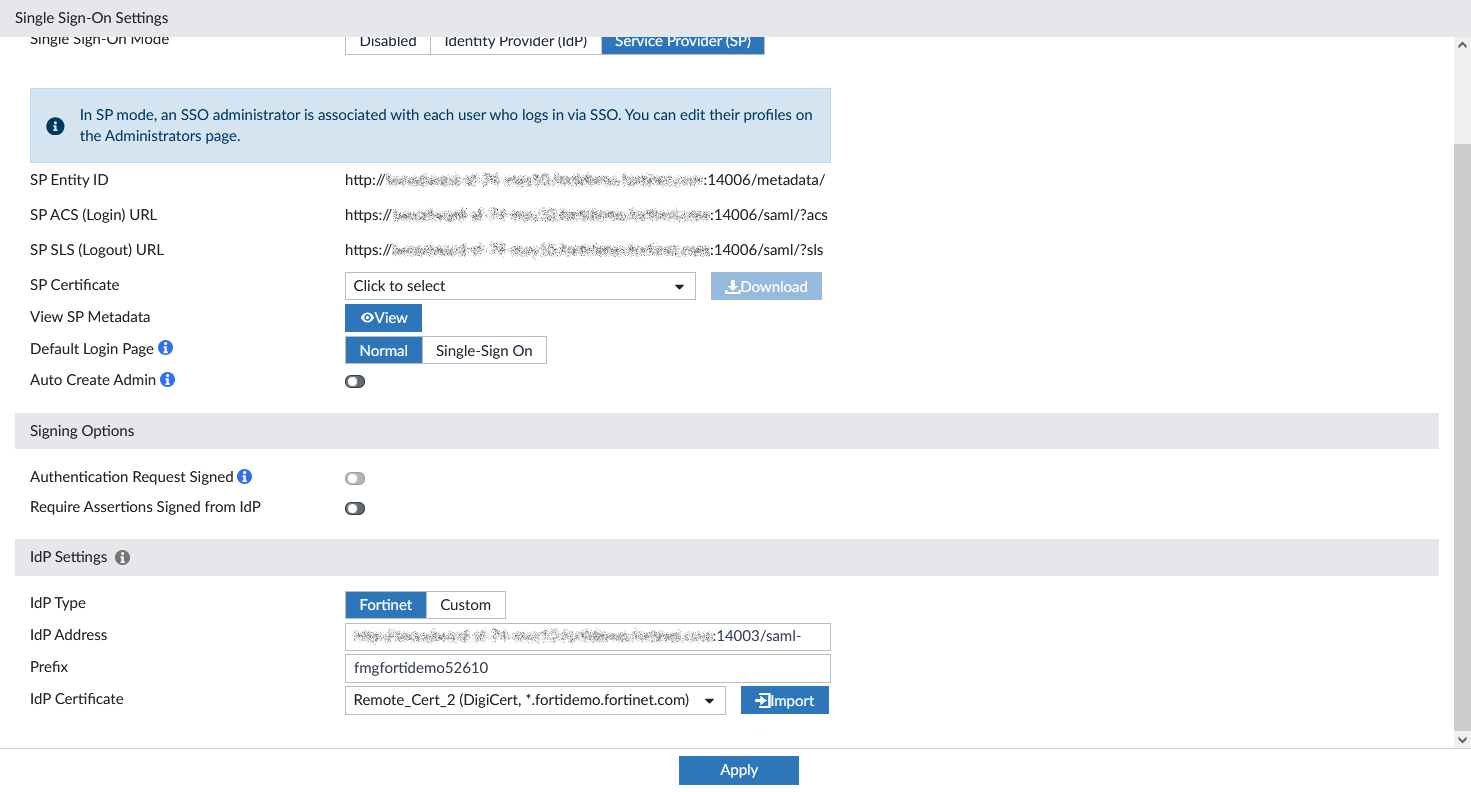
In FortiManager, go to System Settings > SAML SSO and in the Single Sign-On Mode section, click Service Provider (SP).
-
Configure the IdP Settings:
-
For IdP Type, click Fortinet.
-
For IdP Address, enter the root FortiGate address including the port number.
-
Enter the Prefix of the SP.
-
For IdP Certificate, import the same certificate used on the root FortiGate.
-
Click Apply.
-
-
To verify that the configuration works, log out of FortiManager and log in using the Login via Single-Sign-On link.