

Configuring web filter to exempt URLs from other security profiles
When configuring other security profiles, specific URLs sometimes need to be exempt from the defined rules.
For example, a rule might exist to block all executable files, but an executable file needs to be downloadable from a specific website. In this case, a web filter static URL filter can be used to exempt the specific URL from further processing by the other security profiles.
Static URL filters can be applied to other security profiles as follows:
|
Security profile |
Proxy support |
Flow support |
|---|---|---|
|
File filter |
Yes |
No |
|
Antivirus |
Yes |
Yes |
|
Data loss prevention |
Yes |
Yes |
|
Video filter |
No |
(Proxy only security profile) |
Example
In this example, a file filter has been configured to block downloads of .exe files and is applied to a firewall policy that has deep inspection enabled.
The file filter has the following settings:
|
Field |
Value |
|---|---|
|
Name |
Block_EXE |
|
Feature set |
Proxy-based |
|
Rule |
exe_block |
|
Traffic |
Both |
|
Match Files |
Any |
|
Action |
Block |
|
File Types |
exe |
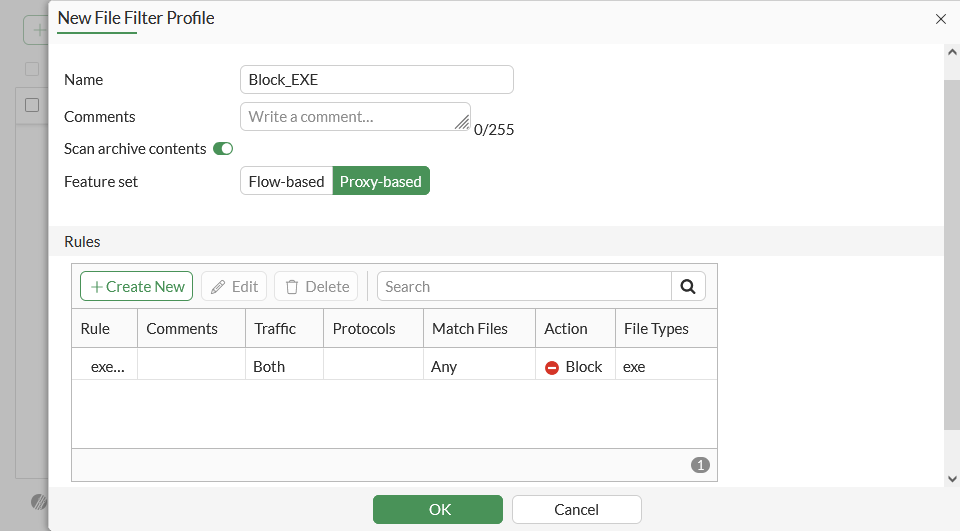
See File filter for more information about configuring file filters.
To configure the web filter exemption in the GUI:
-
Go to Security Profiles > Web Filter and click Create New.
-
Enter a profile Name.
-
In the Static URL Filter section, enable URL Filter and click Create New in the table.
-
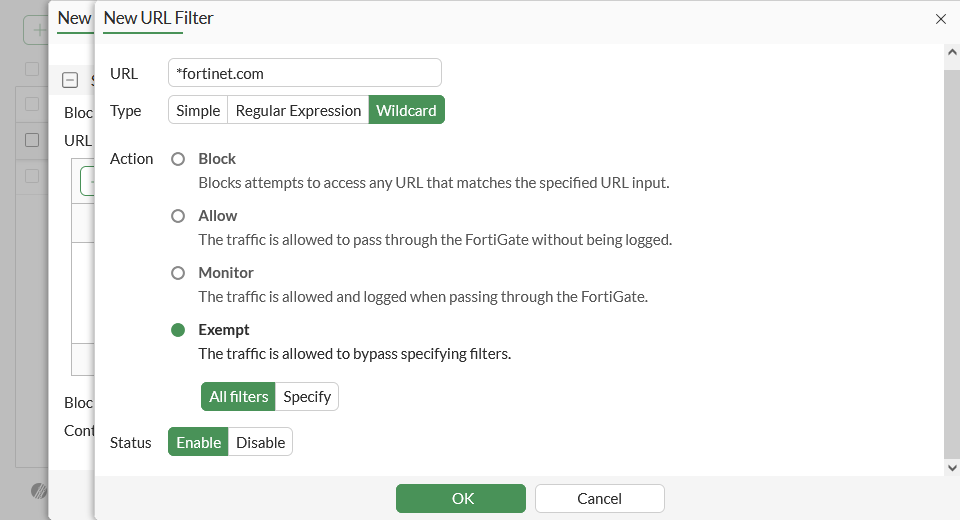
Enter the URL you need to make an exception for. In this example the Wildcard type is used.
-
Set Action to Exempt and Status to Enable.
-
Click OK.
-
Click OK to save the web filter profile.
-
Enable the web filter profile in the firewall policy that includes the file filter that you need to add the exemption to. See Firewall policy for more information.
To configure the web filter exemption in the CLI:
-
Configure the URL filter:
config webfilter urlfilter edit 99 set name "exempt_URL" config entries edit 1 set url "*fortinet.com" set type wildcard next end next end -
Configure the web filter profile to use the URL filter:
config webfilter profile edit "exempt_exe" config web set urlfilter-table 99 end next end -
Apply the web filter in the firewall policy:
config firewall policy
    edit 1
        set webfilter-profile "exempt_exe"
    next
end