Support control factors in exchanged JSON data for custom SaaS applications
The inline CASB security profile supports control factors, such as tenant information in JSON data exchanged between a web browser and a custom SaaS application. For example, for some custom SaaS applications, the URL does not change to reflect the type or identity of the user or organization when logged in as such tenant information is exchanged using JSON data instead of through changes in the URL. JSON data can be extracted using JQ filters (see https://jqlang.org/manual/v1.5/#basic-filters).
In this example, the administrator wants to distinguish between two types of users in different categories, and assign different actions accordingly. The following two SaaS application requests will be made:
curl -k https://httpbin.org/headers -H "Partners-Data: {'company': 'contractorsA'}"
curl -k https://httpbin.org/headers -H "Partners-Data: {'company': 'contractorsB'}"
Sending the CURL request for contractorsA as:
GET /headers HTTP/2.0
Host: httpbin.org
user-agent: curl/7.68.0
accept: */*
partners-data: {'company': 'contractorsA'}
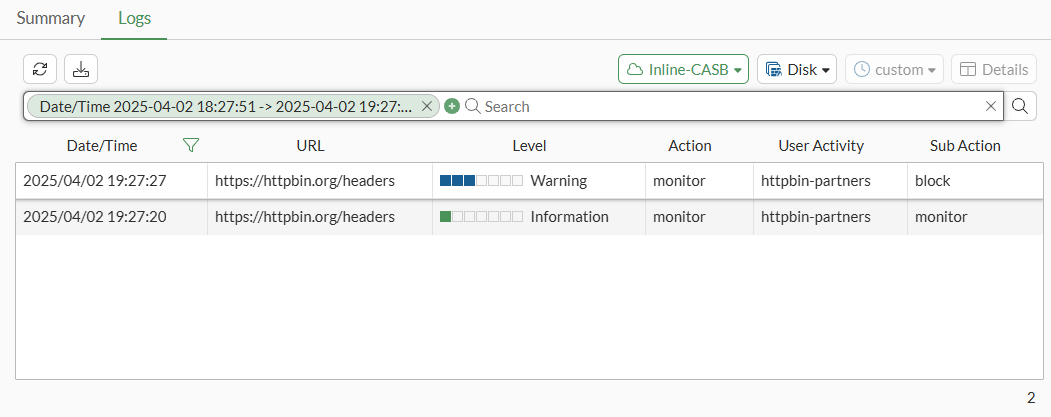
Traffic is classified based on the tenant information company in the HTTP request header Partners-Data. Traffic from contractorsA is authorized and monitored, and traffic from contractorsB is blocked.
This information is transported in a JSON structure within the request, so the JQ tenant extraction feature is used.
To configure a CASB SaaS application in the GUI:
-
Go to Security Profiles > Inline-CASB and select the SaaS Application tab.
-
Click Create New.
-
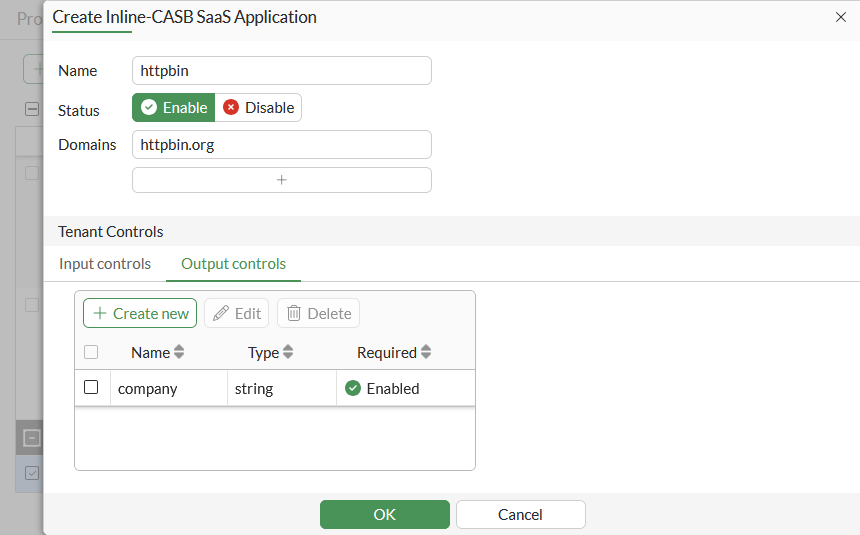
Enter a Name, such as httpbin.
-
Enter the Domains, such as httpbin.org.
-
In Tenant Controls, select the Output controls tab and then click Create New.
-
Enter the Attribute, such as company, then click OK.
-
Click OK.
To configure a CASB profile in the GUI:
-
Go to Security Profiles > Inline-CASB and, on the Profile tab, click Create New.
-
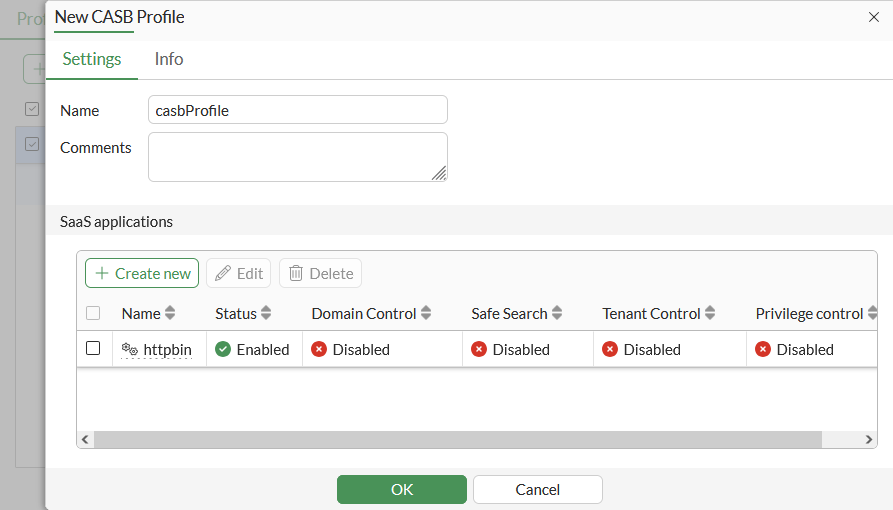
Enter a Name, such as casbProfile.
-
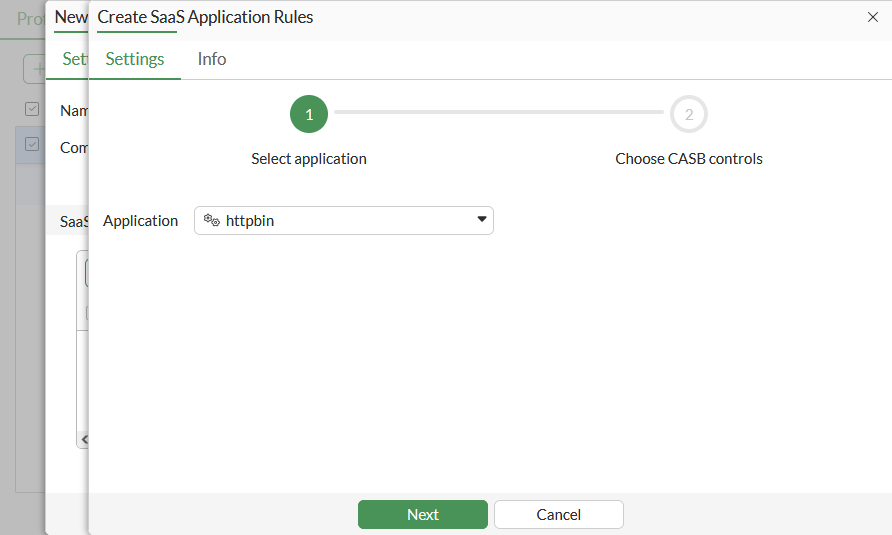
In the SaaS applications table, click Create New.
-
Select the httpbin custom application (custom applications are at the bottom of the list), then click Next.
-
In the Custom controls table, click Create New.
-
Enter a Name, such as partners.
-
Enable URL path and set it to /headers. This how the user activity (UA) will be identified. The administrator needs to find a way to recognize this traffic, which can be done using the path, a special header/value pair, or the URL domain name.
-
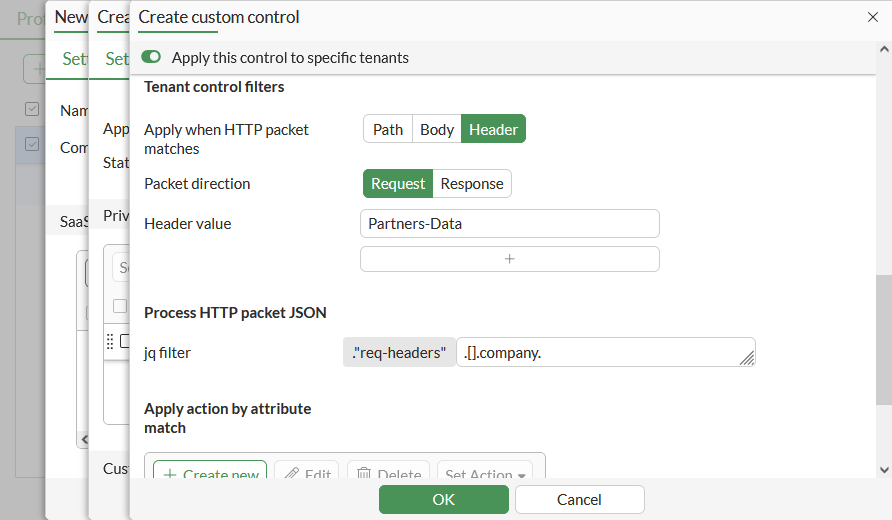
Enable Apply this control to specific tenants.
-
Set Apply when HTTP packet matches to Header, because in this case the JSON is in the HTTP header.
-
Set Header value to Partners-Data.
-
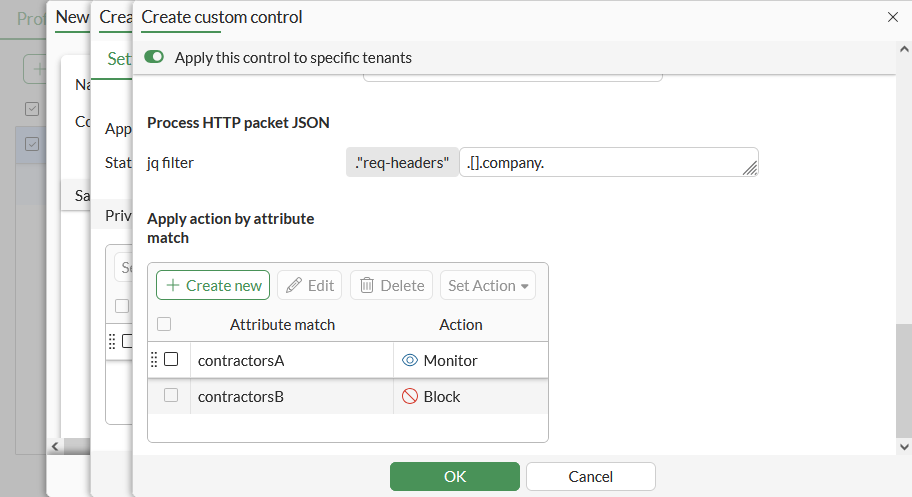
Set jq filter to .[].company. This is the tenant extraction field; it tells the FortiGate to extract the company field from the JSON structure that is in the HTTP request header.
-
In the Apply action by attribute match table click Create New.
-
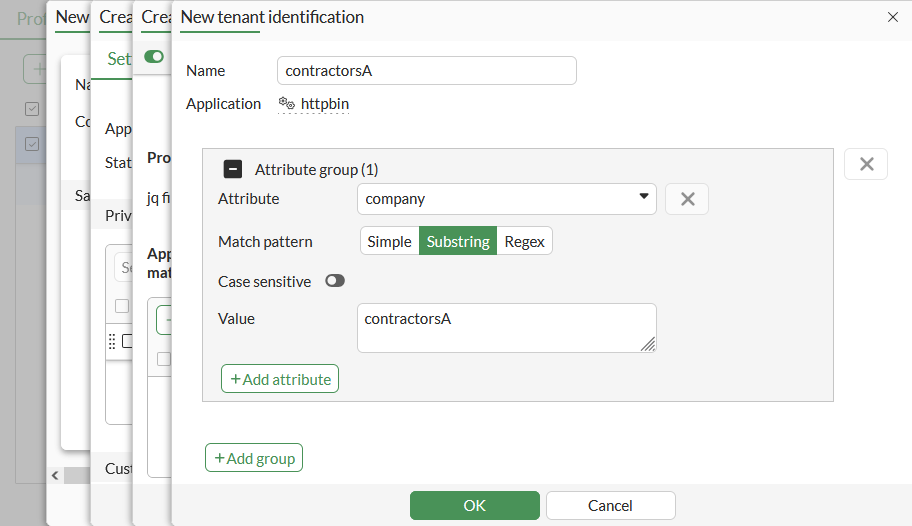
Configure the tenant information for contractorsA:
Field
Value
Name
contractorsA
Attribute
company
Match pattern
substring
Value
contractorsA
-
Click OK, then click Create New again to configure the tenant information for contractorsB:
Field
Value
Name
contractorsB
Attribute
company
Match pattern
substring
Value
contractorsB
-
Click OK.
-
In the Apply action by attribute match table, select contractorsB and click Set Action > Block.
-
Click OK to save the custom control.
-
Click OK to save the SaaS application rules.
-
Click OK to save the CASB profile.
To configure a CASB SaaS application in the CLI:
config casb saas-application
    edit "httpbin"
        set domains "httpbin.org"
        config output-attributes
            edit "company"
            next
        end
    next
end
To configure a CASB profile in the CLI:
-
Configure CASB user activity:
config casb user-activity edit "httpbin-partners" set application "httpbin" set category other config match edit 1 config rules edit 1 set type path set match-value "/headers" next end config tenant-extraction set status enable set jq ".\"req-headers\".[].company" config filters edit 1 set header-name "Partners-Data" next end end next end next end -
Configure CASB attribute match rules:
config casb attribute-match edit "httpbin-contractorsA" set application "httpbin" config match edit 1 config rule edit 1 set attribute "company" set match-pattern substr set match-value "contractorsA" next end next end next edit "httpbin-contractorsB" set application "httpbin" config match edit 1 config rule edit 1 set attribute "company" set match-pattern substr set match-value "contractorsB" next end next end next end -
Configure a CASB profile:
config casb profile
    edit "casbProfile"
        config saas-application
            edit "httpbin"
                config custom-control
                    edit "httpbin-partners"
                        config attribute-filter
                            edit 1
                                set attribute-match "httpbin-contractorsA"
                                set action monitor
                            next
                            edit 2
                                set attribute-match "httpbin-contractorsB"
                                set action block
                            next
                        end
                    next
                end
            next
        end
    next
end
To test the profile:
-
Make the following two SaaS application requests:
curl -k https://httpbin.org/headers -H "Partners-Data: {'company': 'contractorsA'}" curl -k https://httpbin.org/headers -H "Partners-Data: {'company': 'contractorsB'}" -
Check the logs to see that the SaaS application request for contractorsA is passed and a log is generated:
1: date=2025-03-22 time=00:25:19 eventtime=1742628319441656177 tz="-0700" logid="2500010002" type="utm" subtype="casb" eventtype="casb" level="information" vd="vdom1" policyid=1 poluuid="e0a45778-05e0-51f0-d77d-e4e8a02811e2" policytype="policy" sessionid=7535 srcip=10.1.100.13 dstip=54.236.151.211 srcport=46476 dstport=443 srcintf="lan" srcintfrole="undefined" srcuuid="bcbee936-05e0-51f0-5712-f0e95616dde0" dstintf="mgmt" dstintfrole="lan" dstuuid="bcbee936-05e0-51f0-5712-f0e95616dde0" proto=6 url="https://httpbin.org/headers" action="monitor" profile="casbProfile" saasapp="httpbin" useractivity="httpbin-partners" subaction="monitor" tenantmatch="matched" activitycategory="other" msg="CASB access was monitored because it contained activity."
-
In the GUI, go to Log & Report > Security Events and view the Inline-CASB event logs.
-
Confirm that the SaaS application request for contractorsB is blocked, as its sub-action is set to block.