

Support multiple SDN connector instances for Cisco ACI and Nuage
Users can configure multiple Cisco ACI (Application Centric Infrastructure) and Nuage SDN connectors, which can be used in dynamic firewall addresses. The following examples configure two Cisco ACI and two Nuage SDN connectors.
To configure Cisco ACI connectors in the GUI:
- Configure the Cisco ACI SDN connectors:
- Go to Security Fabric > External Connectors and click Create New.
- In the Private SDN section, click Application Centric Infrastructure (ACI).
- In the Cisco ACI Connector section, for Type, select Fortinet SDN Connector and configure the remaining settings as needed.

- Click OK.
- Repeat these steps for the second connector.

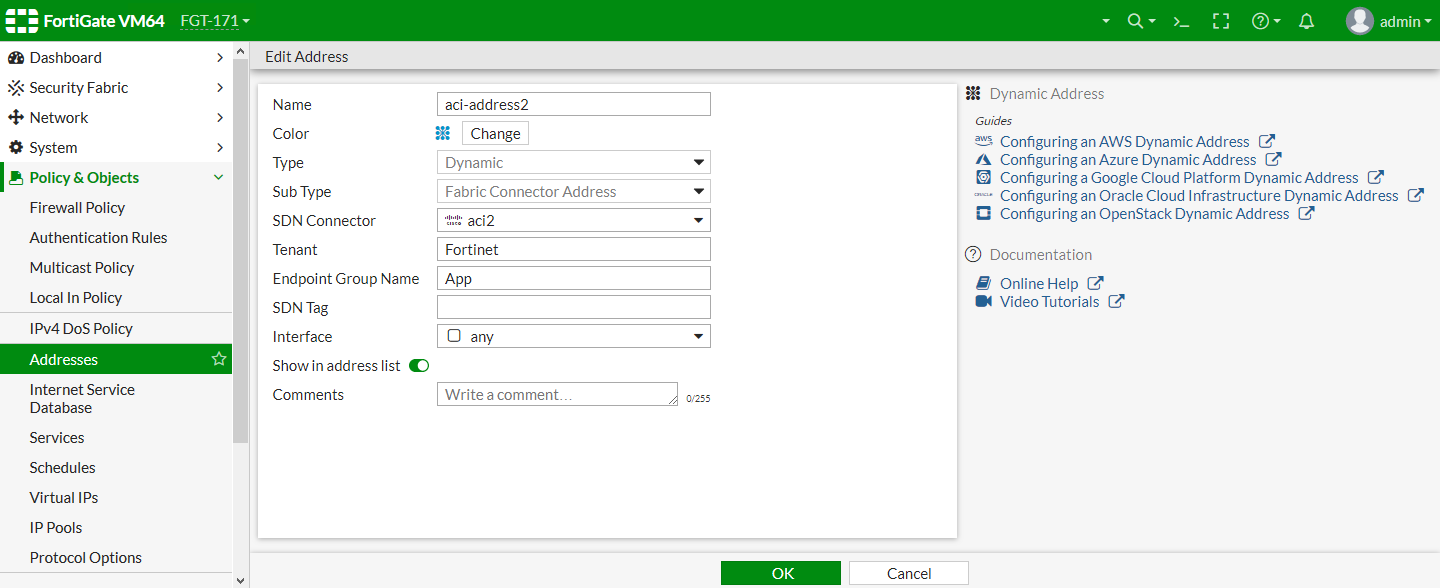
- Create dynamic firewall addresses for the connectors:
- Go to Policy & Objects > Addresses and click Create New > Address.
- Configure the following settings:
- For Type, select Dynamic.
- For Sub Type, select Fabric Connector Address.
- For SDN Connector, select the first ACI connector.
- Configure the remaining settings as needed.

- Click OK.
- Repeat these steps for the second connector.
To configure Nuage connectors in the GUI:
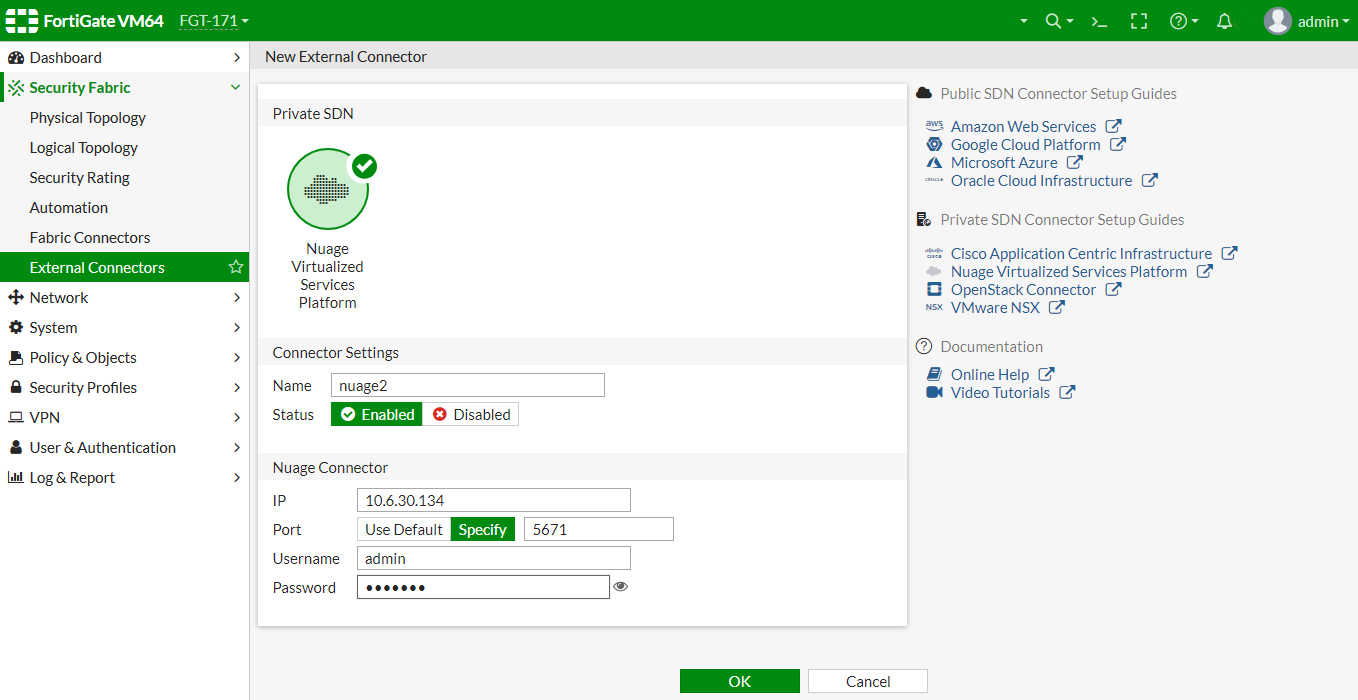
- Configure the Nuage SDN connectors:
- Go to Security Fabric > External Connectors and click Create New.
- In the Private SDN section, click Nuage Virtualized Services Platform.
- Configure the settings as needed.
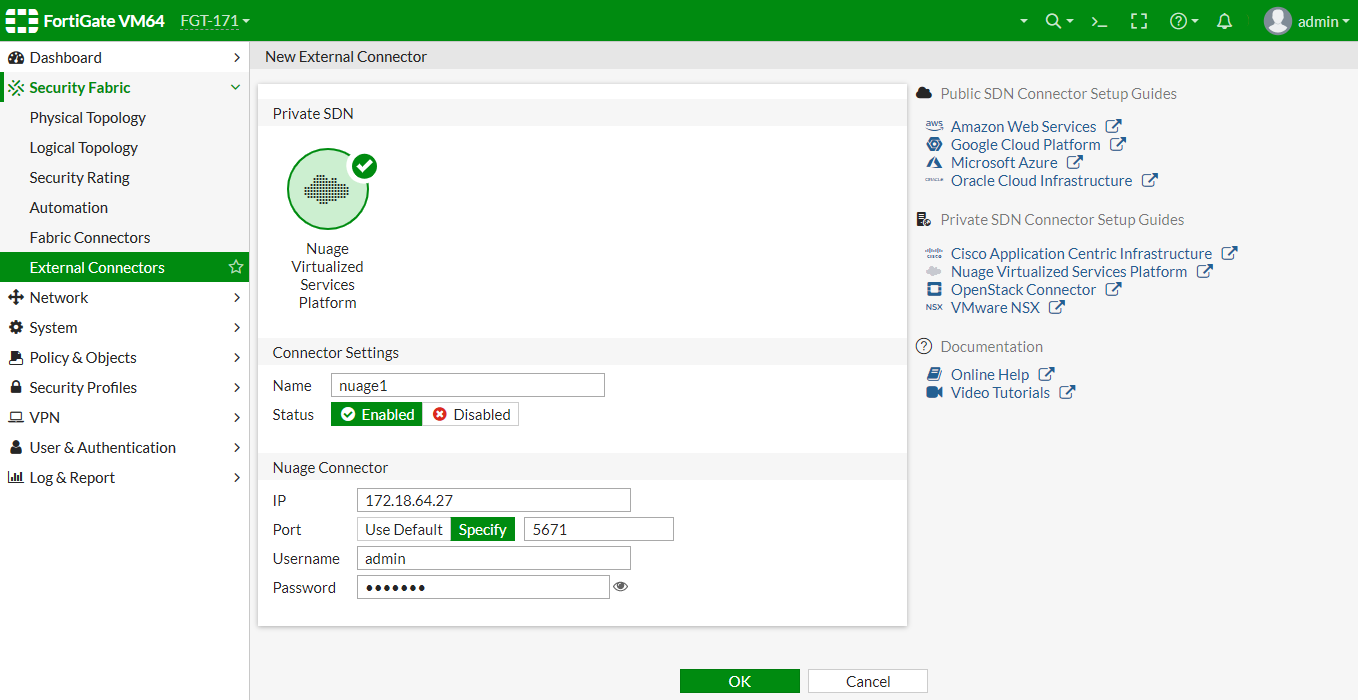
- Click OK.
- Repeat these steps for the second connector.
- Create dynamic firewall addresses for the connectors:
- Go to Policy & Objects > Addresses and click Create New > Address.
- Configure the following settings:
- For Type, select Dynamic.
- For Sub Type, select Fabric Connector Address.
- For SDN Connector, select the first the first Nuage connector.
- Configure the remaining settings as needed.
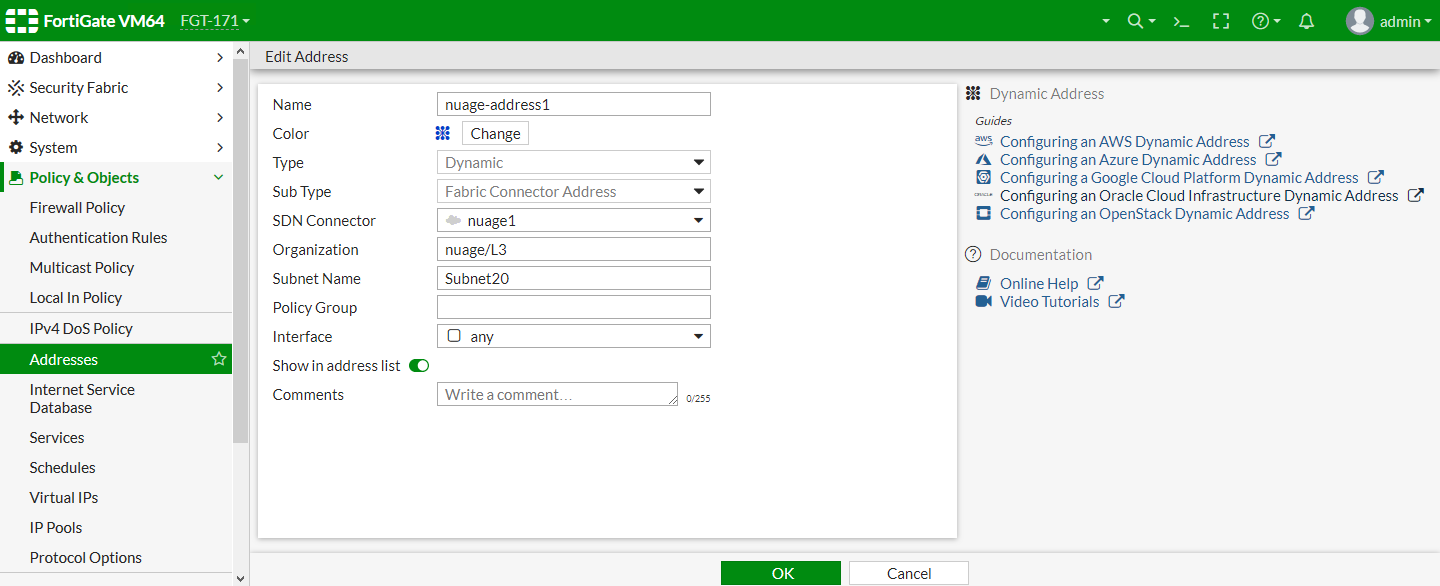
- Click OK.
- Repeat these steps for the second connector.
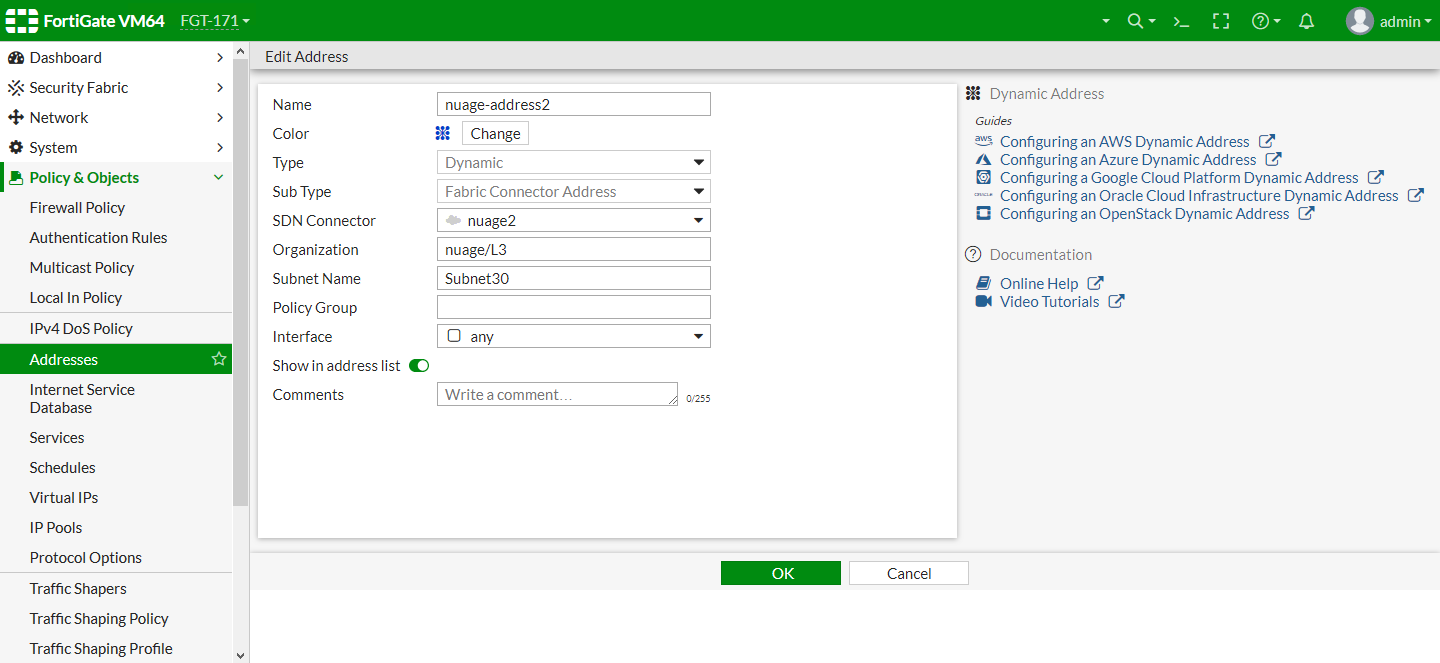
To verify the dynamic firewall IPs are resolved by the SDN connector in the GUI:
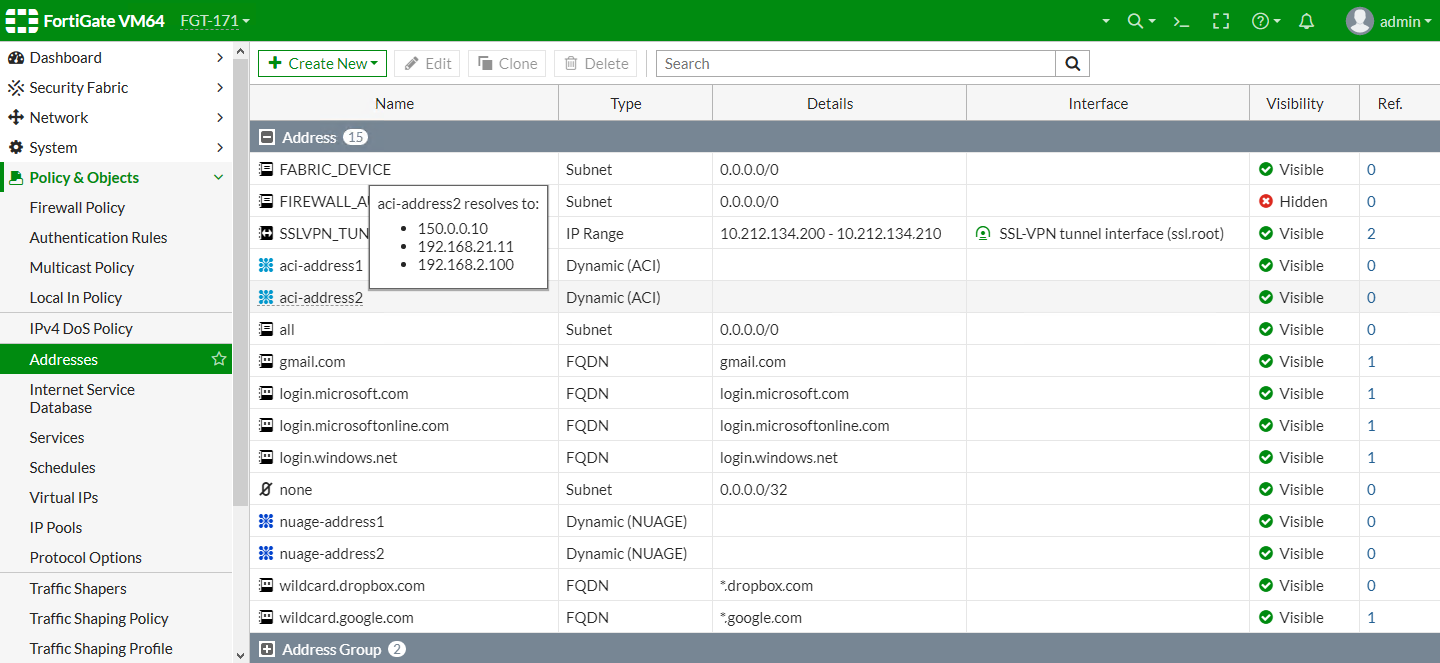
- Go to Policy & Objects > Addresses.
- In the address table, hover over an address to view which IPs it resolves to:
To configure Cisco ACI connectors in the CLI:
- Configure the SDN connectors:
config system sdn-connector edit "aci1" set type aci set server "172.18.64.31" set username "admin" set password xxxxxxx next edit "aci2" set type aci set server "10.6.30.147" set username "admin" set password xxxxxxx next end - Create dynamic firewall addresses for the connectors:
config firewall address
    edit "aci-address1"
        set type dynamic
        set sdn "aci1"
        set color 17
        set tenant "wqdai-ten"
        set epg-name "EPG-in"
        set sdn-tag "fffff"
    next
    edit "aci-address2"
        set type dynamic
        set sdn "aci2"
        set color 17
        set tenant "Fortinet"
        set epg-name "App"
    next
end
To configure Nuage connectors in the CLI:
- Configure the SDN connectors:
config system sdn-connector edit "nuage1" set type nuage set server "172.18.64.27" set server-port 5671 set username "admin" set password xxxxxxx next edit "nuage2" set type nuage set server "10.6.30.134" set server-port 5671 set username "admin" set password xxxxxxx next end - Create dynamic firewall addresses for the connectors:
config firewall address
    edit "nuage-address1"
        set type dynamic
        set sdn "nuage1"
        set color 19
        set organization "nuage/L3"
        set subnet-name "Subnet20"
    next
    edit "nuage-address2"
        set type dynamic
        set sdn "nuage2"
        set color 19
        set organization "nuage/L3"
        set subnet-name "Subnet30"
    next
end
To verify the dynamic firewall IPs are resolved by the SDN connector in the CLI:
# diagnose firewall dynamic list

List all dynamic addresses:
aci1.aci.wqdai-ten.EPG-in.fffff: ID(171)
        ADDR(192.168.100.20)

nuage1.nuage.nuage/L3.Subnet20.*: ID(196)
        ADDR(192.168.20.92)
        ADDR(192.168.20.240)

nuage2.nuage.nuage/L3.Subnet30.*: ID(198)
        ADDR(192.168.30.92)

aci2.aci.Fortinet.App.*: ID(218)
        ADDR(150.0.0.10)
        ADDR(192.168.21.11)
        ADDR(192.168.2.100)