
Fortinet white logo
Fortinet white logo

Cookbook

Installing a FortiGate in NAT mode
Installing a FortiGate in NAT mode

NAT mode is the most commonly used operating mode for a FortiGate.

This example shows how to connect and configure a new FortiGate in NAT mode to securely connect a private network to the Internet.

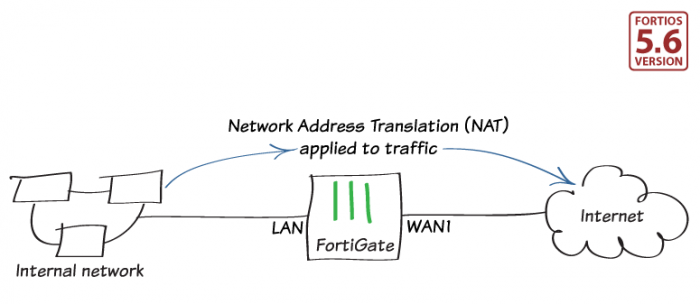
In NAT mode, you install a FortiGate as a gateway or router between two networks. Typically, you set up the FortiGate between a private network and the Internet, so that the FortiGate can hide the IP addresses of the private network using NAT.

Related Videos

sidebar video

Basic FortiGate Setup

  • 65,280 views
  • 8 years ago

Installing a FortiGate in NAT mode

Installing a FortiGate in NAT mode

NAT mode is the most commonly used operating mode for a FortiGate.

This example shows how to connect and configure a new FortiGate in NAT mode to securely connect a private network to the Internet.

In NAT mode, you install a FortiGate as a gateway or router between two networks. Typically, you set up the FortiGate between a private network and the Internet, so that the FortiGate can hide the IP addresses of the private network using NAT.