

Selective forwarding to ICAP server
The ICAP profile can allow the selective forwarding of only image files, such as JPEG, JPG, and PNG, to an ICAP (Internet Content Adaptation Protocol) server for OCR (optical character recognition) scanning. When enabled, FortiGate forwards only image files that are relevant for OCR scanning to the ICAP server. This selective forwarding applies only to image files in HTTP responses; it does not apply to image files in HTTP requests. By reducing processing time and optimizing resource usage, this feature enhances overall system efficiency.
config icap profile
    edit <name>
        set ocr-only {enable | disable}
    next
end
|
Command |
Description |
|---|---|
|
ocr-only {enable | disable} |
Enable/disable only passing OCR scan requests of images files to ICAP server (default = disabled). When enabled, also enable |

|
You cannot enable the The ocr-only feature applies only to HTTP. FTP and SCP are not supported. In addition, this feature applies only to HTTP downloads. HTTP uploads are not supported. |
Example
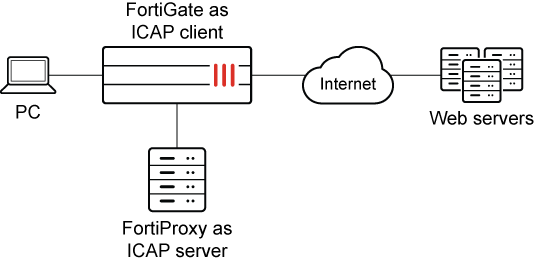
In this example, FortiGate acts as the ICAP client, and FortiProxy acts as the ICAP server. An ICAP profile is configured on FortiGate with ocr-only enabled. An ICAP server is configured on FortiProxy with the icap-service configured to use an image-analyzer ICAP profile.
When a client HTTP response includes an image that is of interest to OCR, FortiGate forwards only the image file to the ICAP server for OCR scanning, and the scan results determine whether the image is passed or blocked.
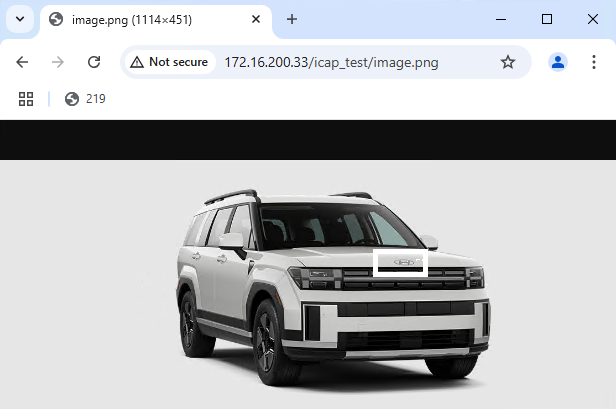
When OCR scanning passes the image in the HTTP response, the image is displayed to the client, for example:
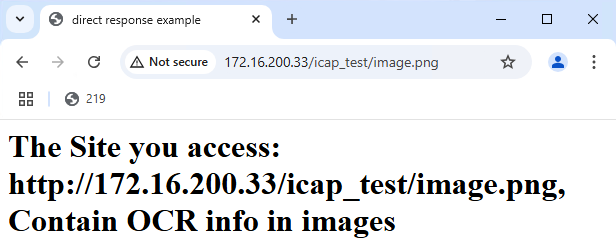
When OCR scanning blocks the image in the HTTP response, an alert message is displayed instead of the image:
Only configurations relevant to selective forwarding are described.
To enable selective forwarding on the ICAP client:
-
On FortiGate, enable
ocr-onlyin the ICAP profile:In this example,
ocr-onlyandresponseare enabled. Responses are enabled to allow FortiGate to forward images files to the ICAP server.config icap profile edit "ocr" set request enable set response enable set ocr-only enable set request-server "icap_server1" set response-server "icap_server1" next end
To enable image scanning on the ICAP server:
-
On FortiProxy acting as an ICAP server, create an image-analyzer ICAP profile:
In this example, an image-analyzer profile named default is created.
config image-analyzer profile edit "default" set comment "Analyze image content" set alcohol-status allow set drugs-status allow set extremism-status allow set gambling-status allow set gore-status allow set porn-status allow set swim_underwear-status allow set weapons-status allow set log-option all set blocked-img-cache enable set rating-err-action block set optical-character-recognition enable set ocr-activation-threshold 100 next end -
On FortiProxy, configure the ICAP service to use the image-analyzer profile:
The icap-service is configured to use the image-analyzer profile named default.
config icap local-server
    edit 1
        set interface "port1"
        set incoming-ip 10.211.255.147
        set srcaddr "all"
        config icap-service
            edit 1
                set name "profile"
                set dlp-profile "default"
                set image-analyzer-profile "default"
            next
        end
    next
end