

Severity
EDR’s severity scoring system provides a useful tool for vulnerability assessment and enables you to review the weaknesses detected in your environment that could be exploited by attackers before they actually occur. You can then use virtual patching to block applications with known critical vulnerabilities so that they cannot connect until the system is patched for the CVEs listed.
It also provides comprehensive visibility into the organization's external attack surface so that analysts can prioritize security alerts and incidents based on risk factors such as severity of vulnerabilities, relevance of threat intelligence feeds, and severity of affected endpoints, ensuring that efforts are focused on addressing the most significant risks to the organization.
Each application and version in the application list shows two severity ratings:
-
NIST Severity—Rating provided by EDR’s vulnerability scoring system leveraging the NIST Cybersecurity Framework.
-
ACI Severity—Adversary Centric Intelligence (ACI) rating provided by FortiRecon leveraging FortiGuard Threat Analysts to provide comprehensive coverage of dark web, open source, and technical threat intelligence, including threat actor insights. This information enables administrators to proactively assess risks, respond faster to incidents, better understand their attackers, and protect assets.
EDR categories vulnerabilities into the following categories based on National Vulnerability Database (NVD) severity ratings:
- Unknown
- Low
- Medium
- High
- Critical
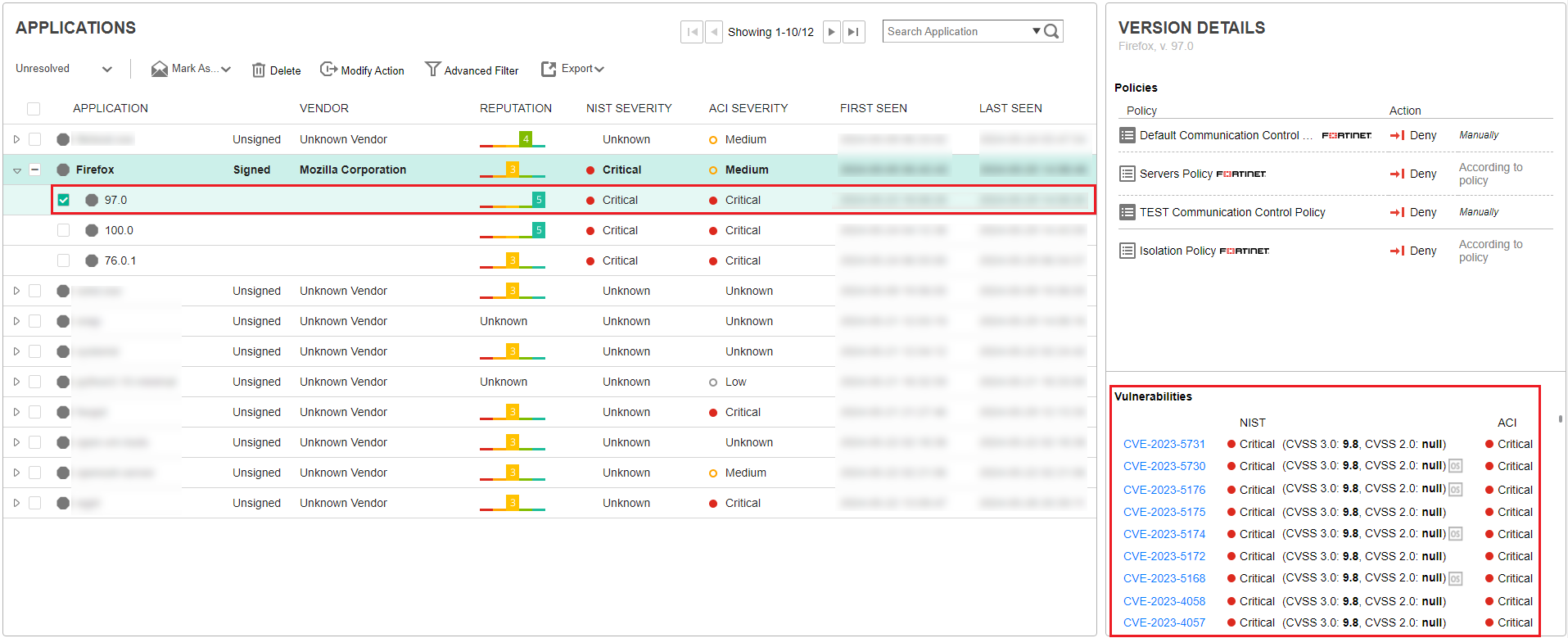
The Vulnerabilities area at the bottom right of the window lists the CVE-identified vulnerabilities for the selected application and version. Each CVE row includes the CVE identifier, the NIST and ACI severity category and the Common Vulnerability Scoring System (CVSS) vulnerability score .
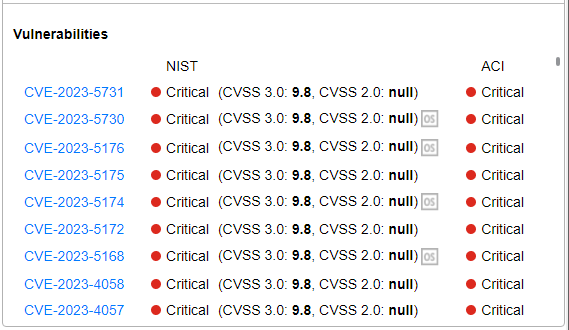

|
CVSS scoring utilizes two systems: CVSS 3.0, the most recent, and CVSS 2.0, its predecessor. EDR vulnerability information presents both CVSS 3.0 and CVSS 2.0 scores.s |
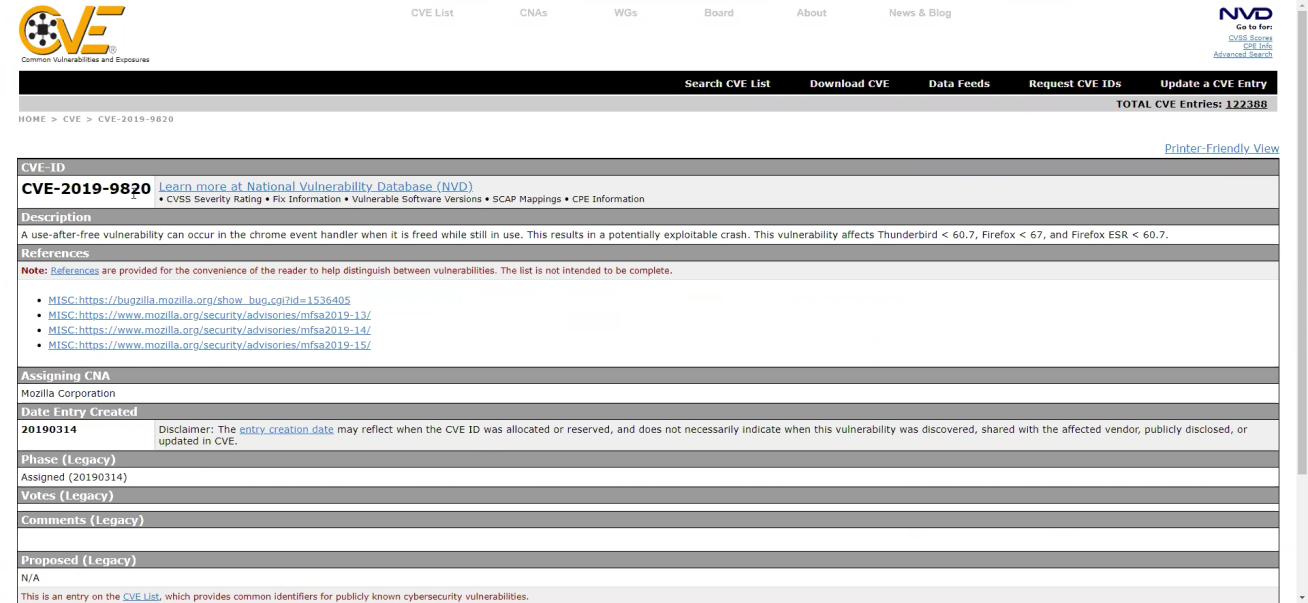
You can click a CVE identifier link to view more details about that vulnerability in your browser, including the type of vulnerability, the application(s) it affects, the version(s) it affects and so on.
After a vulnerability is detected in your system, you can decide the type of the action needed to address it. Typically, it is recommended to upgrade to a newer version of the application, meaning one that does not have the identified vulnerability. Alternatively, virtual patching can be applied with vulnerability-based policy that is configured to block communication of any application with known critical vulnerability. For more details, see Policies. The information presented in the Advanced Data area of the window also provides useful information to help protect against vulnerabilities. For more details, see Advanced Data.