

Assign multiple IP pools and subnets using IPAM Rules 7.2.1
Multiple IP pools can be assigned to different interfaces based on name and role using the IPAM Rules tab on the Network > IPAM page. This allows more flexibility when enabling network segmentation.

|
IPAM pools and rules can be defined on a FortiGate not in a Security Fabric or in the root FortiGate of a Security Fabric. |
IPAM pools can be defined using the config pools command:
config system ipam
    config pools
        edit <pool_name>
            set subnet <IP address/netmask>
        next
    end
end
IPAM rules can be defined using the config rules command:
config system ipam
    config rules
        edit <rule_name>
            set device {<FortiGate_serial_number> | *}
            set interface {<name> | *}
            set pool <pool_name>
        next
    end
end
A DHCP server can also be configured for IPAM-enabled interfaces using the following command.
# execute ipam create-dhcp-server <interface>
To configure IPAM rules in the GUI:
-
Enable IPAM status. See Add new IPAM GUI page 7.2.1 for more information.
-
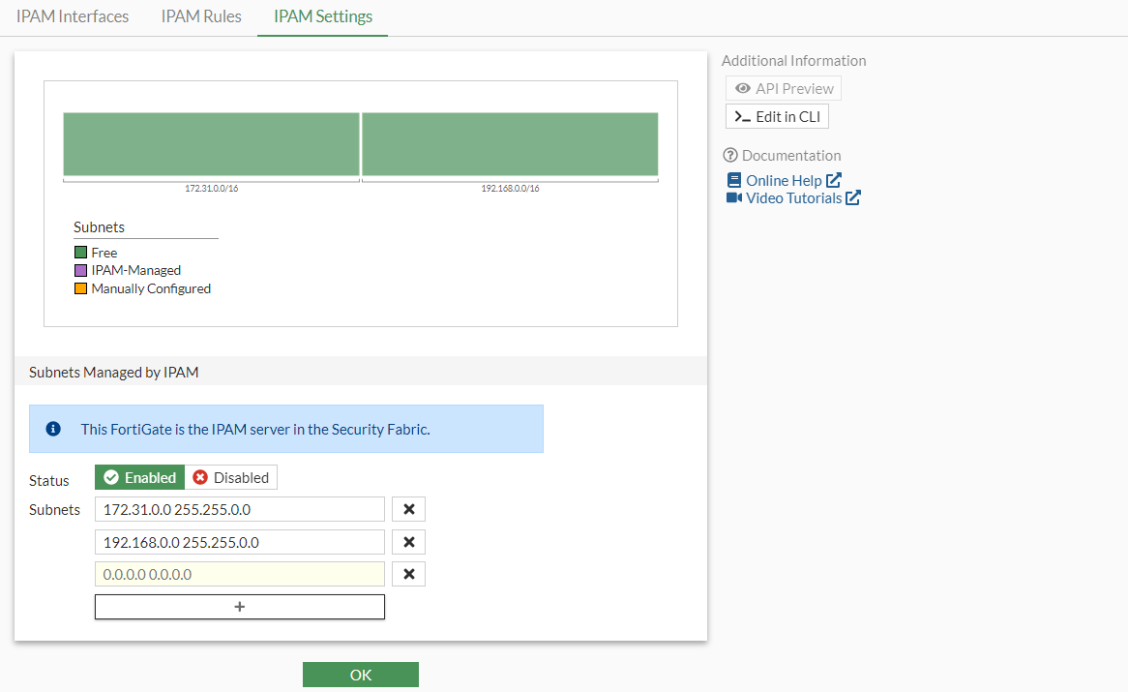
Configure the subnet:
-
Go to Network > IPAM > IPAM Settings.
-
Select the + in the Subnets Managed by IPAM section. A new Subnets field is displayed.
-
Enter the IP address and netmask.
-
Click OK.
-
-
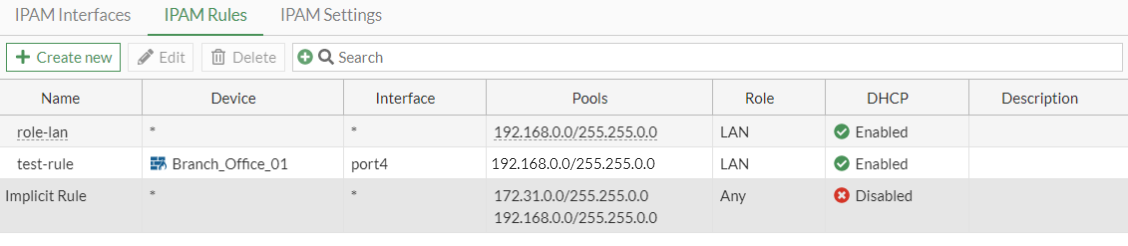
Go to Network > IPAM > IPAM Rules. The role-lan and Implicit Rule rules have been configured by default.

Implicit Rule cannot be modified or deleted. role-lan appears only after factory reset of the FortiGate and can be modified and deleted.
-
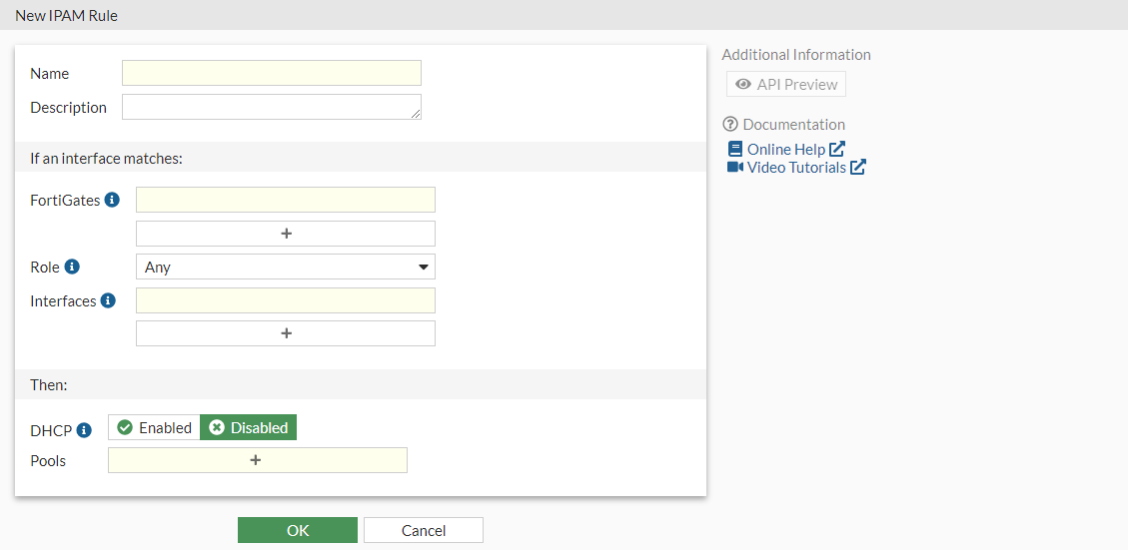
Click Create new. The New IPAM Rule page is displayed.
-
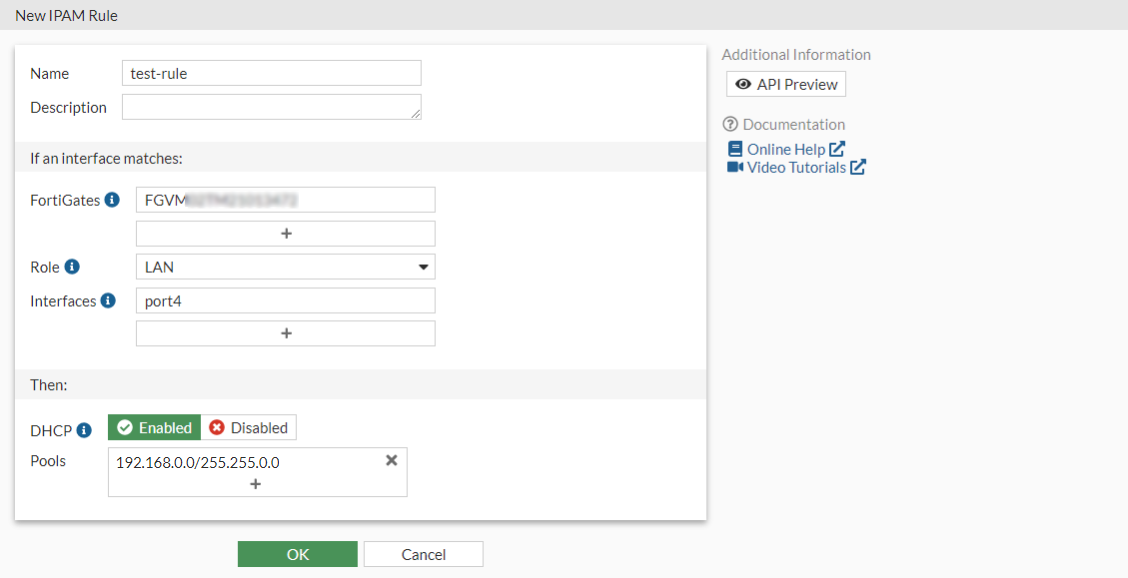
Enter the rule details, as necessary.
-
Click OK. The rule will be configured and appear in the IPAM Rules tab.
To configure IPAM rules in the CLI:
config system ipam
    set status enable
    config pools
        edit "default-pool"
            set subnet 172.31.0.0 255.255.0.0
        next
        edit "lan-pool"
            set subnet 192.168.0.0 255.255.0.0
        next
    end
    config rules
        edit "test-rule"
            set device "*"
            set interface "port4"
            set role lan
            set pool "lan-pool"
            set dhcp enable
        next
    end
end