
Fortinet white logo
Fortinet white logo

Administration Guide

Add Source IP to IP Group from Attack Logs (8.0.3)

Add Source IP to IP Group from Attack Logs (8.0.3)

FortiWeb 8.0.3 adds the ability to manage IP Group membership directly from attack logs.

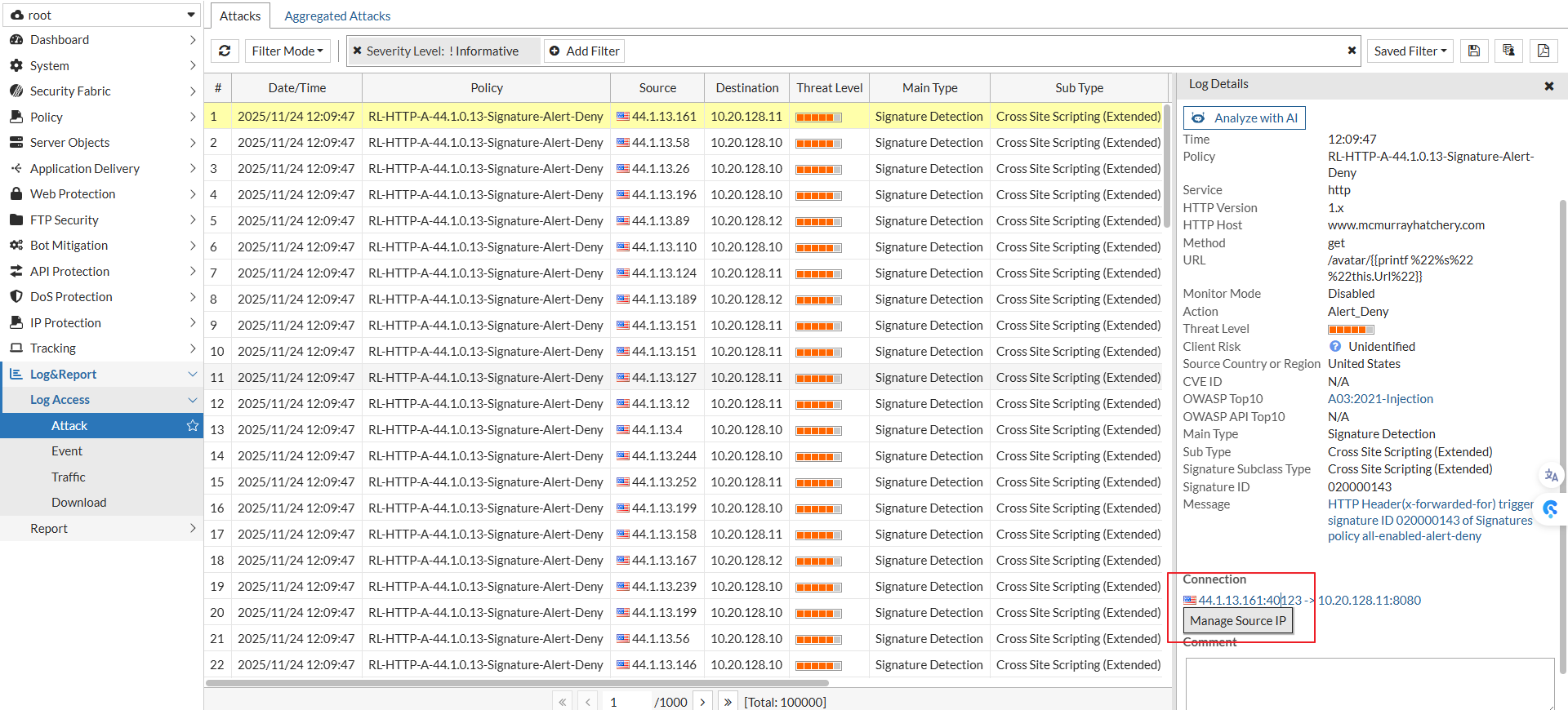
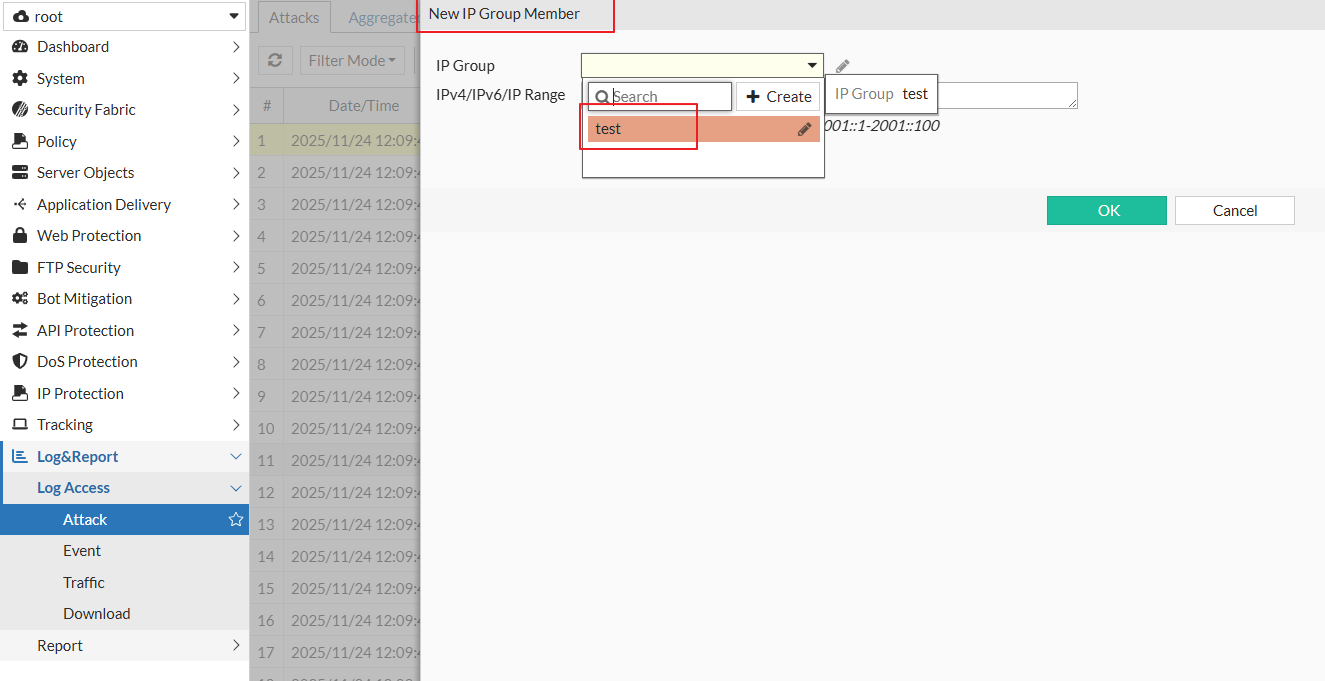
In Log & Report > Log Access > Attack, a new Manage Source IP option is available in the Connection section of the attack log details. This option allows administrators to add the source IP address from an attack log entry directly to an IP Group, without leaving the log view.

This enhancement simplifies IP Group management during attack analysis by eliminating the need to manually copy IP addresses and navigate to the IP Group configuration page.
Add Source IP to IP Group from Attack Logs (8.0.3)

Add Source IP to IP Group from Attack Logs (8.0.3)

FortiWeb 8.0.3 adds the ability to manage IP Group membership directly from attack logs.

In Log & Report > Log Access > Attack, a new Manage Source IP option is available in the Connection section of the attack log details. This option allows administrators to add the source IP address from an attack log entry directly to an IP Group, without leaving the log view.

This enhancement simplifies IP Group management during attack analysis by eliminating the need to manually copy IP addresses and navigate to the IP Group configuration page.