

Arista CloudVision integration
Integration installation
-
Enter the following command to install the integration:
onsight-integ install panopta/onsight-integ-cloudvisionUse the commandonsight-integ install --helpto see more installation options. -
Once the image is running and if there are no issues, the new integration will show up in the Control Panel.
Control panel configuration
This allows FortiMonitor to subscribe to metrics from Arista CloudVision.
-
From the navigation menu, click Add. The Infrastructure and Resource Catalog is displayed.
-
Select the third-party integration that you created.
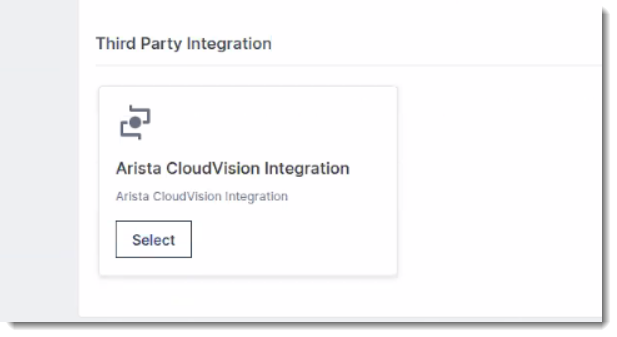
-
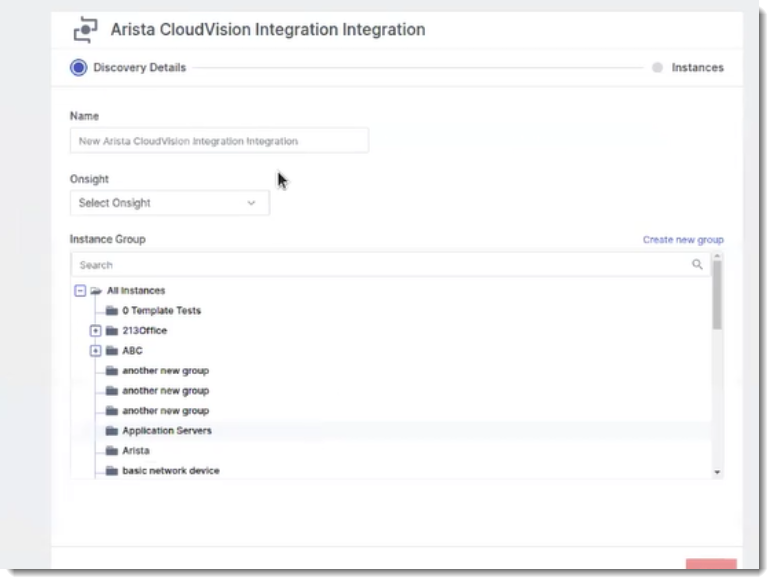
In the modal:
-
Enter a name.
-
Select the OnSight where the third-party integration is configured. In this case, choose the OnSight with the sidecar configured for Arista CloudVision.
-
Select an instance group.
-
Add your Arista CloudVision token.
-
Enter a domain (optional). If no information is entered, the default value is used (www.arista.io).
-
-
Click Next to begin the discovery process. This may take a few minutes to complete.
-
Once discovery is complete, a list of discovered instances will be displayed, along with their attributes, type, and tags.
-
Select the checkboxes for the instances you wish to monitor.
-
Click Finish.
-
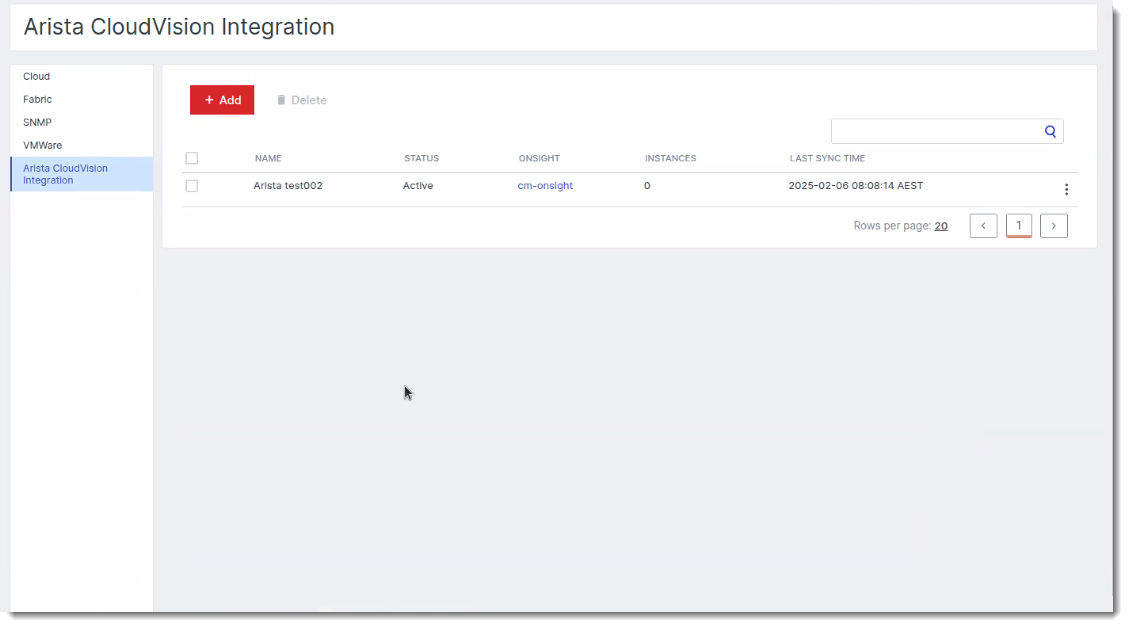
After selections are applied, the configured integration and selected instances will appear on the Infra Settings page.
Additional integration commands
List integrations:
onsight-integ list
Command to remove integration:
onsight-integ remove <integration-name>
Command to upgrade the integration:
onsight-integ upgrade <integration-name>