
Fortinet white logo
Fortinet white logo

User Guide

26.1.0

Prevent active outages from creating alerts

Prevent active outages from creating alerts

You can silence your current outages by going to Incident > All Incidents. Select the incidents that you want to silence then click 3-dot menu > Cancel Alerts.
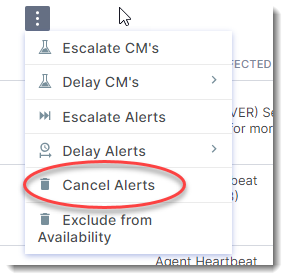
This action will prevent these outages from sending out any additional alerts.

Prevent active outages from creating alerts

Prevent active outages from creating alerts

You can silence your current outages by going to Incident > All Incidents. Select the incidents that you want to silence then click 3-dot menu > Cancel Alerts.

This action will prevent these outages from sending out any additional alerts.