
Fortinet white logo
Fortinet white logo

Administration Guide

Assets

Assets

Inventory page

In Hoster view, the Assets > Inventory page shows all the Collectors from all organizations.
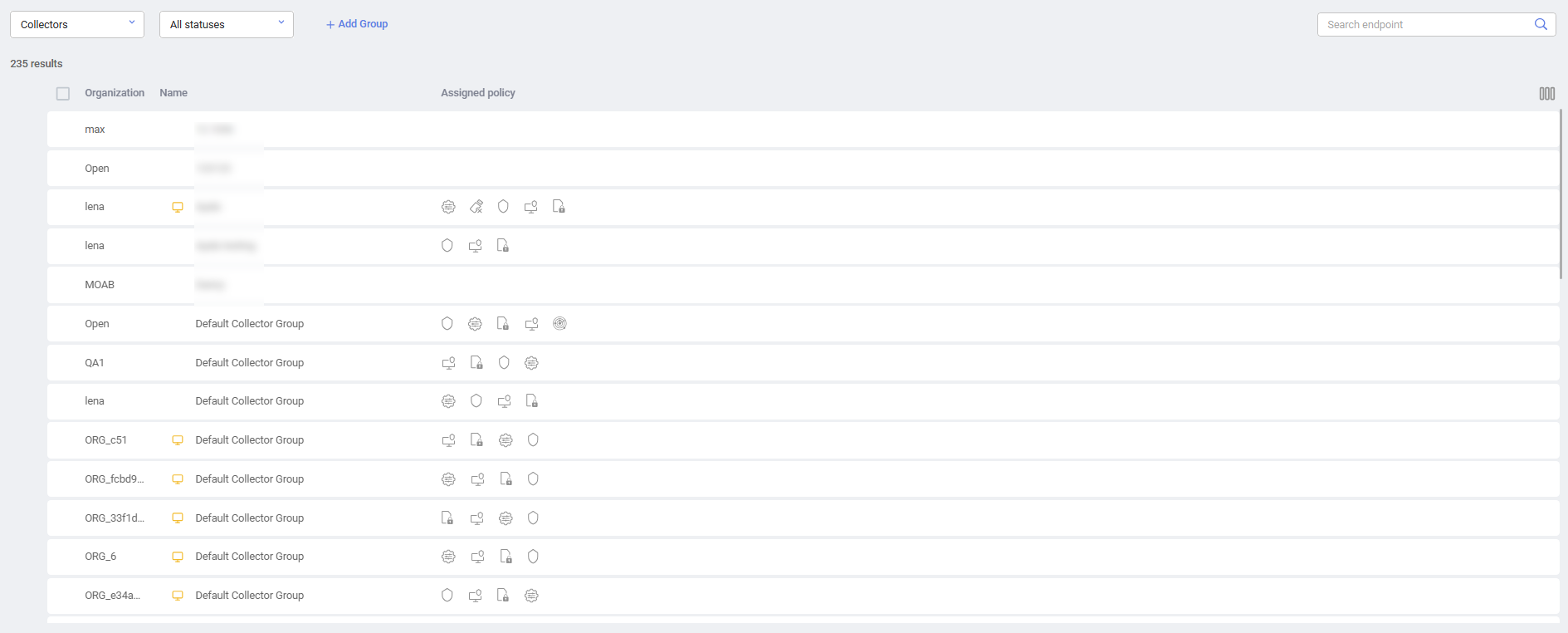
When in Hoster view, you can move Collectors between organizations using this window.

Note

Only Collectors from 3.0 and above can be in the non-default organization. All older Collectors can only be installed in the default organization.

Only Collectors from 3.0 and above can be moved between organizations.

To move a Collector between organizations in Hoster view:
  1. Check the checkbox of the Collector Group or check the checkbox(es) of one or more Collectors.

  2. Click the Move to group button. The following window displays:
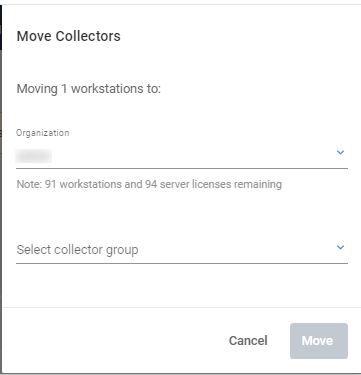
  3. In the Organization field, select the organization to which to move the Collector(s).
  4. Click Move.

Assets

Assets

Inventory page

In Hoster view, the Assets > Inventory page shows all the Collectors from all organizations.

When in Hoster view, you can move Collectors between organizations using this window.

Note

Only Collectors from 3.0 and above can be in the non-default organization. All older Collectors can only be installed in the default organization.

Only Collectors from 3.0 and above can be moved between organizations.

To move a Collector between organizations in Hoster view:
  1. Check the checkbox of the Collector Group or check the checkbox(es) of one or more Collectors.

  2. Click the Move to group button. The following window displays:

  3. In the Organization field, select the organization to which to move the Collector(s).
  4. Click Move.