
Fortinet white logo
Fortinet white logo

Administration Guide

FortiEDR CLI commands

FortiEDR CLI commands

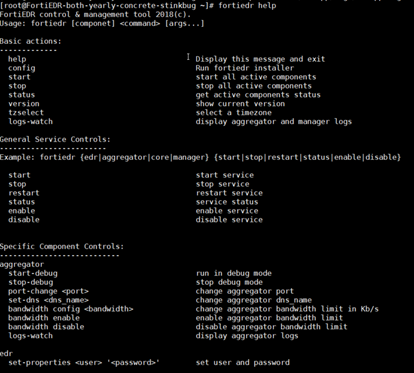
The following describes additional commands that you can perform in the FortiEDR Core, Repository Server, FortiEDR Central Manager, or FortiEDR Aggregator CLI.

At the prompt, type fortiedr or fortiedr help to display them.
Command Description

Basic actions

help

Display this message and exit.

config

Run FortiEDR installer.

start

Start all active components.

stop

Stop all active components.

status

Get active components status.

version

Show current version.

tzselect

Select a timezone.

logs-watch

Display Aggregator and Central Manager

logs.

General service controls
start

Start service.

stop

Stop service.

restart

Restart service.

status

Get service status.

enable Enable service.
disable Disable service.

Example: fortiedr {edr|aggregator|core|manager|activemq} {start|stop|restart|status|enable|disable}

Specific component controls

Aggregator

start-debug

Run in debug mode.

stop-debug

Stop debug mode.

port-change <port>

Change Aggregator port.

set-dns <dns_name>

Change Aggregator DNS name.

bandwidth config <bandwidth>

Change aggregator bandwidth limit (in Kb/s).

bandwidth enable

Enable aggregator bandwidth limit.

bandwidth disable

Disable aggregator bandwidth limit.

logs-watch

Display Aggregator logs.

activemq

queue-stat <queue>

Provides detailed metrics about the activemq queues (queue name is optional)

EDR

set-properties <user> '<password>'

Set user and password.

start-debug

Run in debug mode.

stop-debug

Stop debug mode.

Central Manager

start-debug

Run in debug mode.

stop-debug

Stop debug mode.

load-content <password>

Load dynamic content.

load-extra-config <password>

Load extra configuration.

load-ssl-certificate <user> <password> <certificate-location> <privateKeyLocation> <privateKeyPassword>

Load new SSL certificate.

set-smtp-server <ip>

Set SMTP server in application-customer.properties.

reset-password <username>

Reset web password for a specific user.

disable-edr

Disable FortiEDR in the Central Manager.

enable-edr

Enable FortiEDR in the Central Manager.

set-edr-ip <ip>:<port>

Set FortiEDR server IP address and port.

set-edr-password <password>

Set FortiEDR password.

set-edr-user <user>

Set FortiEDR user.

logs-watch

Display Central Manager logs.

FortiEDR CLI commands

FortiEDR CLI commands

The following describes additional commands that you can perform in the FortiEDR Core, Repository Server, FortiEDR Central Manager, or FortiEDR Aggregator CLI.

At the prompt, type fortiedr or fortiedr help to display them.

Command Description

Basic actions

help

Display this message and exit.

config

Run FortiEDR installer.

start

Start all active components.

stop

Stop all active components.

status

Get active components status.

version

Show current version.

tzselect

Select a timezone.

logs-watch

Display Aggregator and Central Manager

logs.

General service controls
start

Start service.

stop

Stop service.

restart

Restart service.

status

Get service status.

enable Enable service.
disable Disable service.

Example: fortiedr {edr|aggregator|core|manager|activemq} {start|stop|restart|status|enable|disable}

Specific component controls

Aggregator

start-debug

Run in debug mode.

stop-debug

Stop debug mode.

port-change <port>

Change Aggregator port.

set-dns <dns_name>

Change Aggregator DNS name.

bandwidth config <bandwidth>

Change aggregator bandwidth limit (in Kb/s).

bandwidth enable

Enable aggregator bandwidth limit.

bandwidth disable

Disable aggregator bandwidth limit.

logs-watch

Display Aggregator logs.

activemq

queue-stat <queue>

Provides detailed metrics about the activemq queues (queue name is optional)

EDR

set-properties <user> '<password>'

Set user and password.

start-debug

Run in debug mode.

stop-debug

Stop debug mode.

Central Manager

start-debug

Run in debug mode.

stop-debug

Stop debug mode.

load-content <password>

Load dynamic content.

load-extra-config <password>

Load extra configuration.

load-ssl-certificate <user> <password> <certificate-location> <privateKeyLocation> <privateKeyPassword>

Load new SSL certificate.

set-smtp-server <ip>

Set SMTP server in application-customer.properties.

reset-password <username>

Reset web password for a specific user.

disable-edr

Disable FortiEDR in the Central Manager.

enable-edr

Enable FortiEDR in the Central Manager.

set-edr-ip <ip>:<port>

Set FortiEDR server IP address and port.

set-edr-password <password>

Set FortiEDR password.

set-edr-user <user>

Set FortiEDR user.

logs-watch

Display Central Manager logs.