

DNS Redirection Rules
FortiSASE-Sovereign users often must resolve internal hostnames that public DNS servers cannot resolve in scenarios where agent-based users are located within the organization’s local network, also known as being on-net, and users must use an internal DNS server instead of a public DNS server. You can configure FortiSASE-Sovereign DNS settings for DNS redirection using DNS redirection rules.
DNS redirection works as follows:
-
Agent and agentless endpoints and endpoints connected to authorized edge devices forward all their DNS traffic to FortiSASE-Sovereign PoP FortiGates.
-
FortiSASE-Sovereign performs transparent DNS redirection to redirect DNS traffic conditionally as desired.
-
Resolve all other hostnames for external domains using the implicit DNS rule.
DNS redirection is more efficient than sending all DNS requests to DNS servers defined in the implicit DNS rules because it reduces any potential latency and downtime with using these DNS servers for resolving public hostnames if any issues arise with these limited availability and limited resource DNS server deployments.
Configuring DNS redirection rules
To configure DNS redirection rules:
-
Go to Endpoint Management > DNS.
-
Click Create.
-
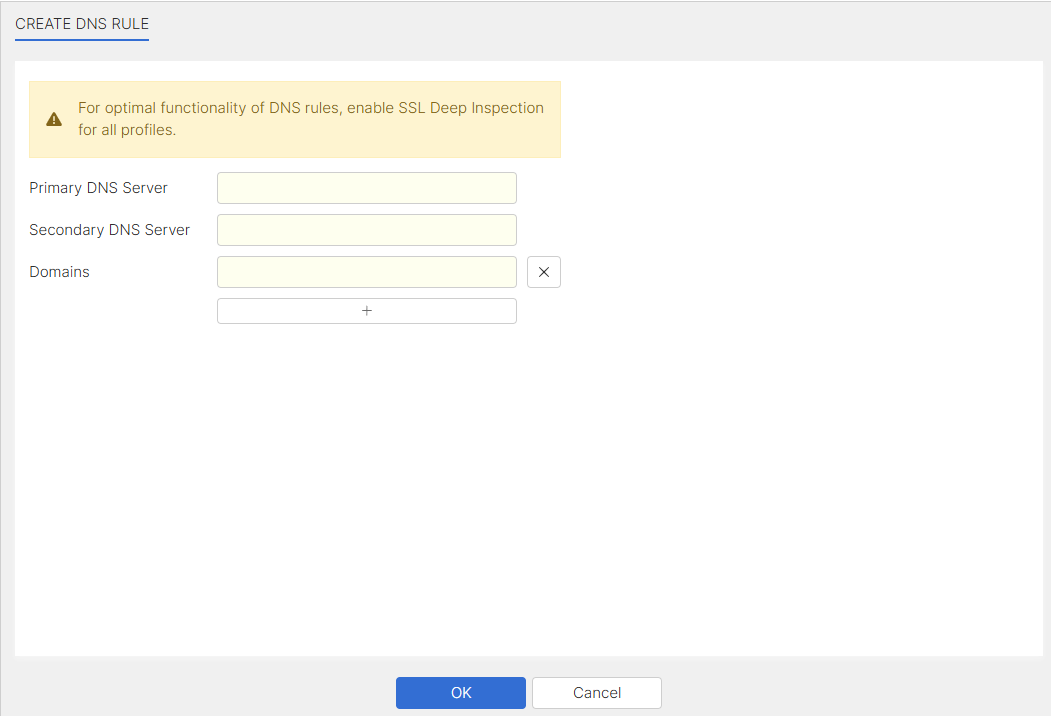
In the Create DNS Rule pane, do the following:
-
Enter the Primary DNS Server, Secondary DNS Server, and one Domains.
-
(Optional) Click + to add more fields to enter in additional domains.
-
Click OK to save the DNS redirection rule.
-
-
The DNS redirection rule has been created and displays in the table.
Considerations
-
DNS redirection requires endpoint users are managed by proxy-based security policies and security profiles. Flow-based users will always use system DNS server for DNS resolution.