Address group exclusions
Specific IP addresses or ranges can be subtracted from the address group with the Exclude Members setting in IPv4 address groups.

|
This feature is only supported for IPv4 address groups, and only for addresses with a Type of IP Range or Subnet. |
To exclude addresses from an address group using the GUI:
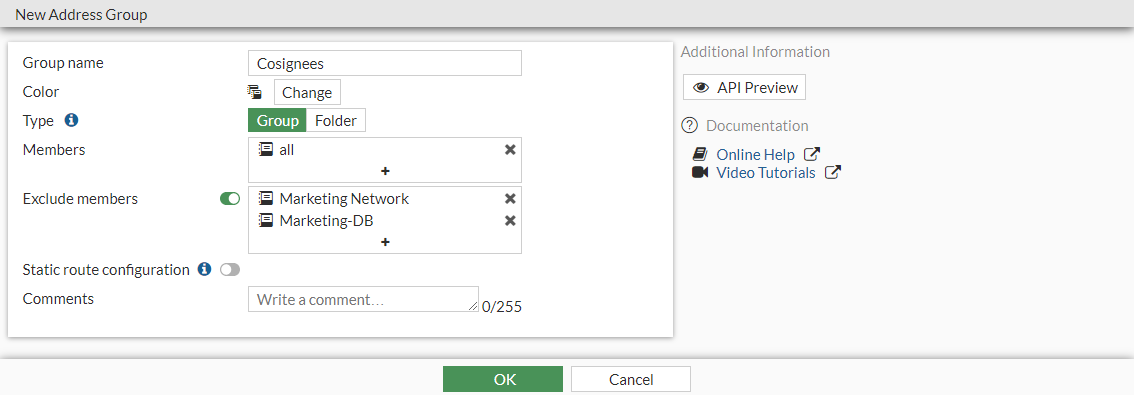
- Go to Policy & Objects > Addresses and select Address Group.
- Create a new address group, or edit an existing address group.
- Enable Exclude Members and click the + to add entries.
- Configure the other settings as needed.
- Click OK.
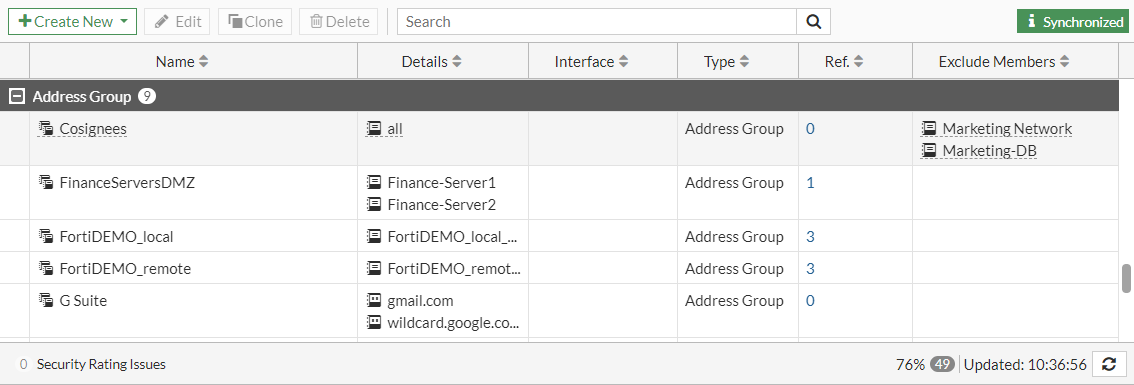
The excluded members are listed in the Exclude Members column.
To exclude addresses from an address group using the CLI:
config firewall addrgrp
    edit <address group>
        set exclude enable
        set exclude-member <address> <address> ... <address>
    next
end