

Policy routes
Policy routing allows you to specify an interface to route traffic. This is useful when you need to route certain types of network traffic differently than you would if you were using the routing table. You can use the incoming traffic's protocol, source or destination address, source interface, or port number to determine where to send the traffic.
When a packet arrives, the FortiGate starts at the top of the policy route list and attempts to match the packet with a policy. For a match to be found, the policy must contain enough information to route the packet. At a minimum, this requires either the outgoing interface to forward the traffic, or the gateway to route the traffic to, or both.
If one or both of these are not specified in the policy route, then the FortiGate searches the routing table to find the best active route that corresponds to the policy route:
-
If only the outgoing interface is specified, FortiGate will look up the routing table to find the gateway, filtered by the outgoing interface.
-
If only the gateway is specified, FortiGate will look up the routing table to find the outgoing interface, filtered by the gateway
If either of these cannot be found, then the policy route does not match the packet.
When both the outgoing interface and gateway are specified, the FortiGate must still find a route in the routing table ensuring that the gateway is routable over the outgoing interface. If a route cannot be found, then the policy route again does not match the packet.
In any of these scenarios, the FortiGate continues down the policy route list until it reaches the end. If no matches are found, then the FortiGate does a route lookup using the routing table.

|
Policy routes are sometimes referred to as Policy-based routes (PBR). |
Configuring a policy route
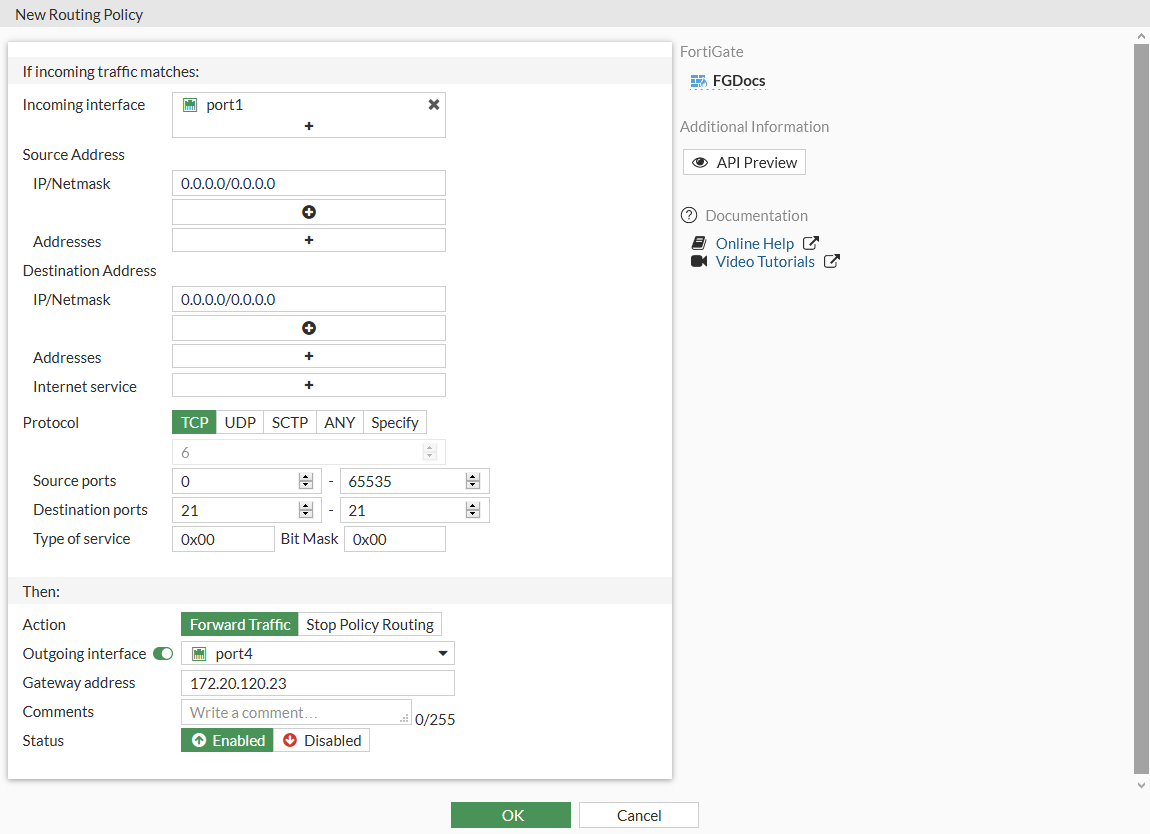
In this example, a policy route is configured to send all FTP traffic received at port1 out through port4 and to a next hop router at 172.20.120.23. To route FTP traffic, the protocol is set to TCP (6) and the destination ports are set to 21 (the FTP port).
To configure a policy route in the GUI:
-
Go to Network > Policy Routes.
-
Click Create New > Policy Route.
-
Configure the following fields:
Incoming interface
port1
Source Address
0.0.0.0/0.0.0.0
Destination Address
0.0.0.0/0.0.0.0
Protocol
TCP
Destination ports
21 - 21
Type of service
0x00
Bit Mask
0x00
Outgoing interface
Enable and select port4
Gateway address
172.20.120.23
-
Click OK.
To configure a policy route in the CLI:
config router policy
    edit 1
        set input-device "port1"
        set src "0.0.0.0/0.0.0.0"
        set dst "0.0.0.0/0.0.0.0"
        set protocol 6
        set start-port 21
        set end-port 21
        set gateway 172.20.120.23
        set output-device "port4"
        set tos 0x00
        set tos-mask 0x00
    next
end
Moving a policy route
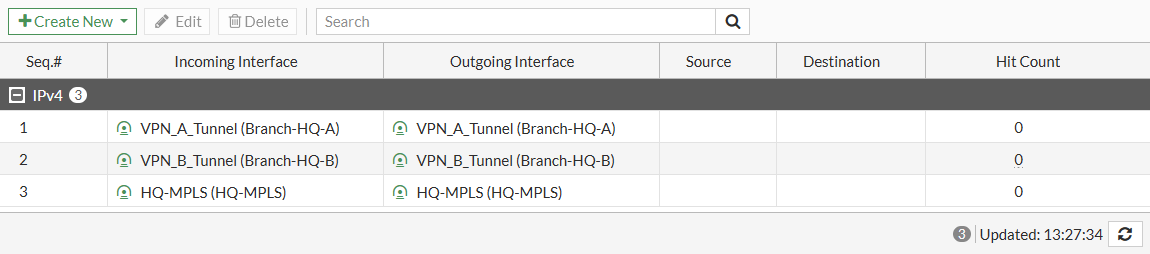
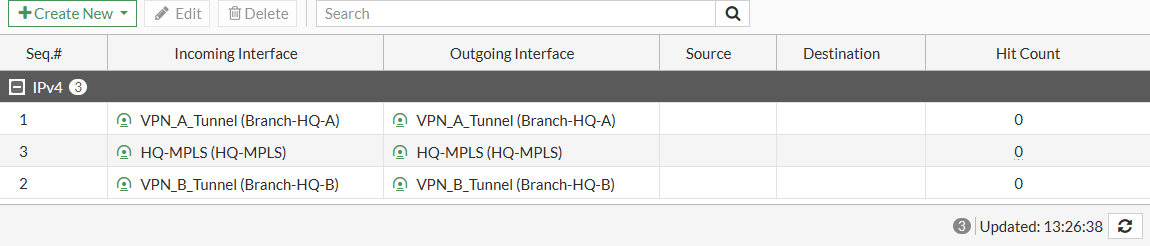
A routing policy is added to the bottom of the table when it is created. Routing policies can be moved to a different location in the table to change the order of preference. In this example, routing policy 3 will be moved before routing policy 2.
To move a policy route in the GUI:
-
Go to Network > Policy Routes.
-
In the table, select the policy route.
-
Drag the selected policy route to the desired position.
To move a policy route in the CLI:
config router policy
    move 3 after 1
end
ISDB route
An Internet service database (ISDB) route is a special kind of policy route that can be configured on the Static Routes page, where the destination is specifically defined as an Internet service from the ISDB.
To configure an ISDB route in the GUI:
-
Go to Network > Static Routes and click Create new.
-
Set Destination to Internet Service and select a custom or pre-defined service from the drop-down list.
-
Specify the Gateway Address and Interface.
-
Click OK.
To configure an ISDB route in the CLI:
config router static
    edit <id>
        set gateway <address of next hop>
        set device <outgoing interface>
        set internet-service <Internet service id>
    next
end
To check the order of the route with respect to other policy routes:
# diagnose firewall proute list
list route policy info(vf=root):
id=2113929222(0x7e000006) static_route=6 dscp_tag=0xfc 0xfc flags=0x0 tos=0x00 tos_mask=0x00 protocol=0 port=src(0->0):dst(1->65535) iif=0(any)
path(1): oif=3(port1) gwy=10.152.95.88
source wildcard(1): 0.0.0.0/0.0.0.0
destination wildcard(1): 0.0.0.0/0.0.0.0
internet service(1): BuiltIn-Alibaba-DingTalk(4278190117,0,0,0)
hit_count=0 rule_last_used=2025-02-12 09:38:36
Policy routes order of precedence
Policy routes can take different forms, including the policy-based, ISDB, and SD-WAN routes. When these routes are evaluated, the following order of precedence is applied:
Policy-based routes > ISDB routes > SD-WAN routes