

SSL traffic mirroring
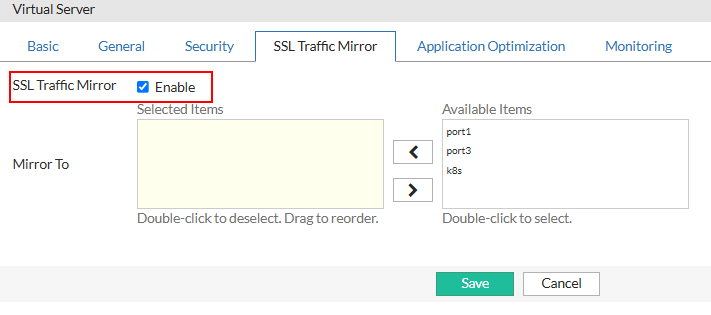
FortiADC supports mirroring packets (HTTPS/TCPS) to specified network interfaces. When the feature is enabled, SSL traffic will be mirrored to the specified ports by the virtual server after it has been decrypted. See the following figures.
The feature supports both IPv4 and IPv6. FortiADC can send traffic to up to four outgoing interfaces, including aggregated and VLAN interfaces. Mirrored traffic is transmitted as a single packet stream, using the original client-side source and destination IP address and port numbers. The source and destination MAC addresses are 0 (zero) in mirrored traffic. The feature requires a virtual server set to Layer 7 or Layer 2, with a profile configured for HTTPS or TCPS. It is supported on all FortiADC platforms.
To configure SSL traffic mirroring
-
Navigate to Server Load Balance > Virtual Server.
The configuration page displays the Virtual Server tab. -
Click Create New > Advanced Mode to open the Advanced Mode configuration editor.
-
Configure the following key parameters:
Tab
Parameter
Guideline
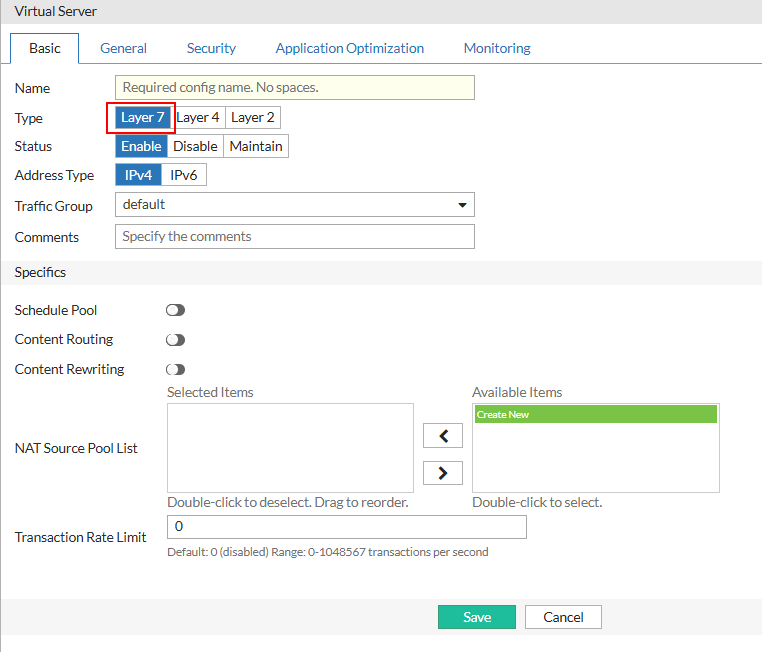
Basic Type
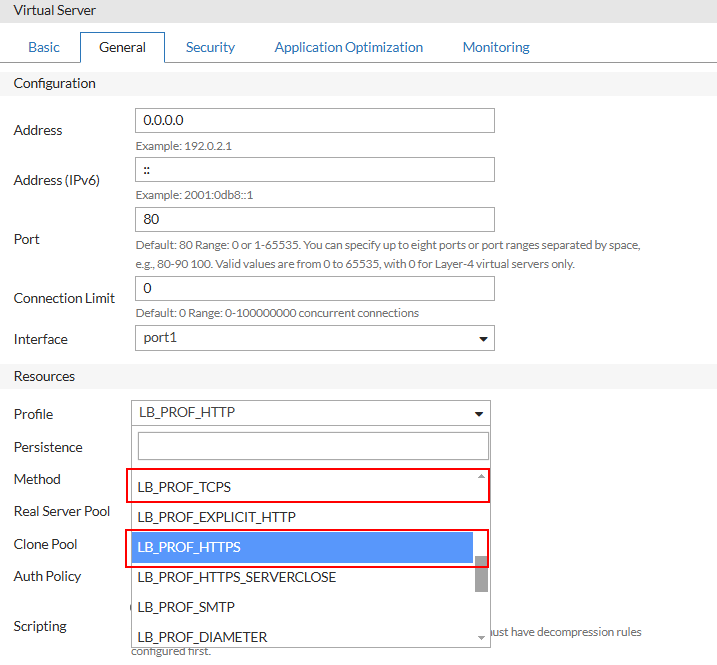
Select Layer 7. General Profile
Select an HTTPS or TCPS profile.
Note: The SSL Traffic Mirror tab becomes configurable once an HTTPS or TCPS profile is selected.
SSL Traffic Mirror SSL Traffic Mirror
Enable this option.
- Click Save to commit the changes.

|
To enable this feature in a policy via the CLI, execute the following command: config load-balance virtual-server
edit vs-name
set ssl-mirror enable
set ssl-mirror-intf port1 port2
next
end
|