Using content rewriting rules
Content rewriting is a traffic management feature that allows FortiADC to inspect HTTP request and response messages and modify selected elements in transit. This capability provides administrators with fine-grained control over application traffic without requiring changes to the backend servers.
At a high level, a content rewriting rule consists of:
-
Match conditions — criteria that identify the traffic to be rewritten (for example, Host header, URL, or Referer header).
-
Actions — modifications applied when traffic matches the condition (for example, replace a header, rewrite a URL, or issue a redirect).
Rules are grouped into content rewriting lists, which are then referenced by Virtual Servers. When multiple rules are applied to a Virtual Server, they are evaluated from top to bottom; the first matching rule is executed. If no rules match, the traffic is passed without modification.
Protocol support
Content rewriting applies to:
-
Virtual Servers configured with HTTP profiles (HTTP/1.1)
-
HTTPS Virtual Servers with HTTP/3 enabled on the frontend
-
HTTPS Virtual Servers with Backend HTTP/2 enabled
This allows the same rewriting policies to be enforced consistently across HTTP/1.1, HTTP/2, and HTTP/3 connections.
What can be rewritten
Common use cases include:
-
Enforcing HTTPS by redirecting plain HTTP requests
-
Translating external URLs into internal service URLs
-
Replacing or removing sensitive headers in requests or responses
-
Masking internal application details from client-facing traffic
-
Harmonizing hostnames or port numbers for reporting and logging
The following headers are eligible for rewriting:
| Direction | HTTP Header |
|---|---|
|
HTTP Request |
|
|
HTTP Redirect |
|
|
HTTP Response |
For example, to match a request URL such as http://www.example.com/index, you can create two match conditions: one for the Host header www.example.com and another for the relative URL that is in the GET line: /index.html.
Using the HTTP request:
GET /index.html HTTP/1.1
Host: www.example.com
Referer: http://www.google.com
could be matched by a rule on the Host header and rewritten to redirect the client to HTTPS using the Location header:
HTTP/1.1 302 Found
Location: https://www.example.com/index.html
Match conditions can be expressed as literal strings or Perl-compatible regular expressions (PCRE). Regular expressions provide flexibility for dynamic URLs but introduce additional processing overhead.
For HTTP redirect rules, you can specify the rewritten location as a literal string or as a regular expression. For all other types or rules, you must specify the complete URL as a literal string.
Protocol-specific considerations
When applying rewriting rules to HTTP/2 or HTTP/3 traffic, note the following behaviors:
|
Behavior |
HTTP/1.1 |
HTTP/2 (Backend HTTP/2 enabled) |
HTTP/3 |
|---|---|---|---|
| Header normalization | Initial-capital format | All lowercase | Initial-capital format |
| Phase scoping | Not restricted | Certain fetches request-only; use variables | Certain fetches request-only; use variables |
| Pseudo-headers | N/A | Reserved (:method, :scheme, :path, :authority, :status) cannot be rewritten |
N/A |
| Rule interaction | Rules can chain | Headers added by one rule not visible to subsequent rules | Headers added by one rule not visible to subsequent rules |
These behaviors are defined by the HTTP/2 and HTTP/3 specifications and should be taken into account when designing rewriting policies.
General guidelines
-
Define rewriting rules only where required. Overuse can add unnecessary complexity.
-
Use literal matches when possible; prefer regular expressions only when flexibility is required.
-
Test rules in a controlled environment before deploying in production, especially when modifying headers involved in authentication or session management.
-
Be aware of the differences in HTTP/1.1 versus HTTP/2/HTTP/3 processing, particularly header normalization and scope.
Configuring content rewriting rules
Before you begin:
- Be familiar with HTTP header fields and their semantics.
- Understand Perl-compatible regular expression (PCRE) syntax if you intend to use regular expressions in conditions or replacements.
- You must have Read-Write permission for Load Balance settings.
After you have configured a content rewriting rule, you can select it in the virtual server configuration.
Note: You can select multiple content rewriting rules in the virtual server configuration. Rules you add to that configuration are processed from top to bottom. The first to match is applied. If the traffic does not match any of the content rewriting rule conditions, the header is not rewritten.
To configure a content rewriting rule:
- Go to Server Load Balance > Virtual Server.
- Click the Content Rewriting tab.
- Click Create New to display the configuration editor.
- Complete the configuration as described in Content rewriting rule guidelines.
- Save the configuration.
- In the Virtual Server configuration, enable Content Rewriting and attach one or more content rewriting rules to the Content Rewriting List.
| Settings | Guidelines |
|---|---|
| Name |
Configuration name. Valid characters are Note: After you initially save the configuration, you cannot edit the name. |
| Comments | A string to describe the purpose of the configuration, to help you and other administrators more easily identify its use. |
| Action Type | Select whether the rule rewrites the HTTP request or HTTP response. |
| HTTP Request Rewrite Actions | |
|
Rewrite HTTP Header |
Note: The rewrite string is a literal string. Regular expression syntax is not supported. |
|
Redirect |
Sends a redirect with the URL you specify in the HTTP Location header field. For Redirect rules, you must specify an absolute URL. For example: Note: The rewrite string can be a literal string or a regular expression. |
|
Send 403 Forbidden |
Sends a 403 Forbidden response instead of forwarding the request. |
|
Add HTTP Header |
Adds a user-defined HTTP header in the content rewriting rules in the HTTP request.
Note:
|
|
Delete HTTP Header |
Removes a user-defined HTTP header in the content rewriting rules in the HTTP request.
Note:
|
|
HTTP Response Rewrite Actions |
|
|
Rewrite HTTP Location |
Rewrites the Location header field in the server response. For Location rules, you must specify an absolute URL. For example: Note: The rewrite string is a literal string. Regular expression syntax is not supported. |
|
Add HTTP Header |
Adds a user-defined HTTP header in the content rewriting rules in the HTTP response. On HTTP/2 and HTTP/3, header names are lowercased. Note: Refer to HTTP Request Rewrite Actions > Add HTTP Header above. |
|
Delete HTTP Header |
Removes a user-defined HTTP header in content-rewriting rules in HTTP response. On HTTP/2 and HTTP/3, match header names in lowercase. Note: Refer to HTTP Request Rewrite Actions > Delete HTTP Header above. |
|
Match Condition |
|
|
Object |
Select content matching conditions based on the following parameters:
Note: When you add multiple conditions, FortiADC joins them with an AND operator. For example, if you specify both a HTTP Host Header and HTTP Request URL to match, the rule is a match only for traffic that meets both conditions. |
|
Type |
|
|
Content |
Specify the string or PCRE syntax to match the header or IP address. |
|
Reverse |
Rule matches if traffic does not match the expression. |
Request/response phase scope (HTTP/2 and HTTP/3):
Some fetches (for example, url_sub) are valid only in the request phase. To use them in the response phase, first store the value in a transaction variable and then reference the variable in the response rule:
http-request set-var(txn.req_url) pathq   # HTTP/2
http-request set-var(txn.req_url) url     # HTTP/3
Examples:
-
Example 2: Rewriting the HTTP response when using content routing
-
Example 3: Rewriting the HTTP request and response to mask application details
-
Example 4: Rewriting the HTTP request to harmonize port numbers
Example 1: Redirecting HTTP to HTTPS
You can use the content rewriting feature to send redirects. One common case to use redirects is when the requested resource requires a secure connection, but you accidentally type an HTTP URL instead of an HTTPS URL in the web browser.
For HTTP redirect rules, you can specify the rewritten location as a literal string or regular expression.
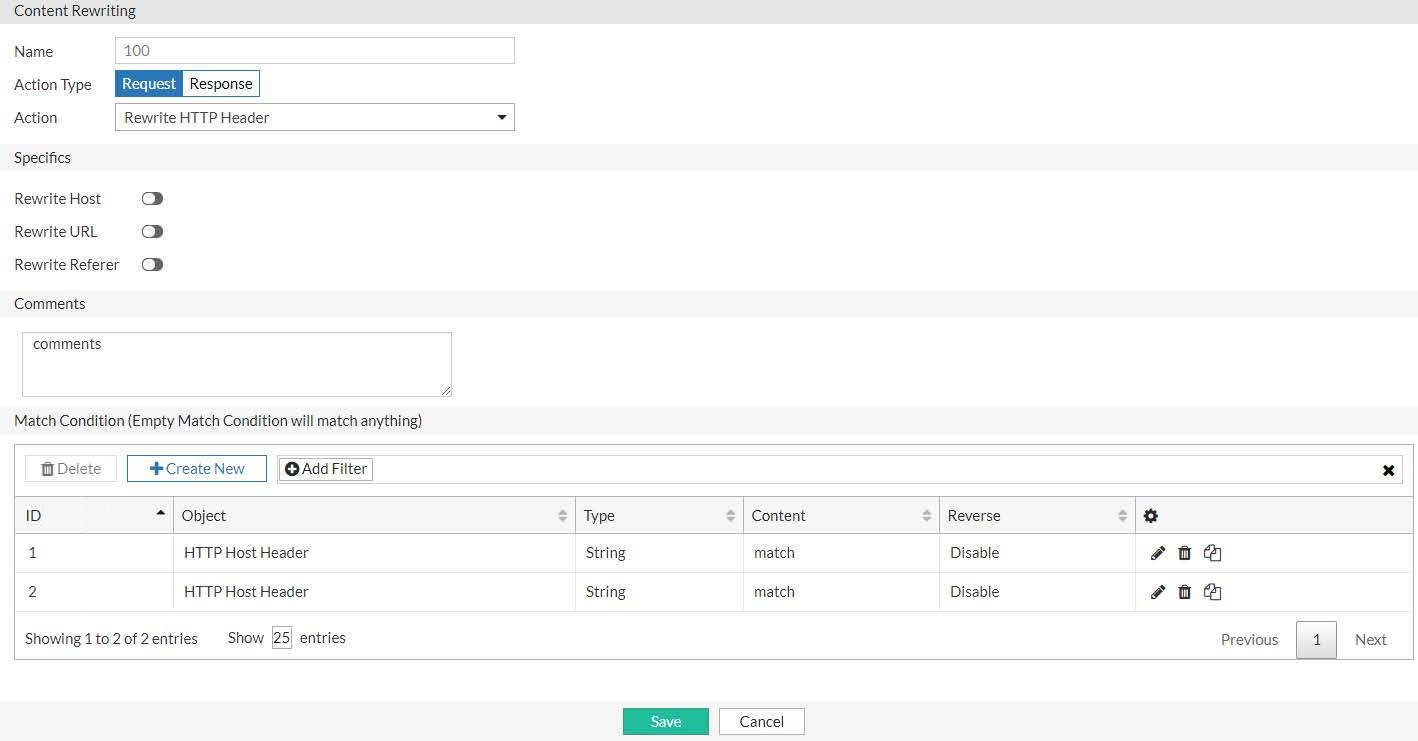
Redirecting HTTP to HTTPS (literal string) shows a redirect rule that matches a literal string and rewrites a literal string. In the match condition table, the rule is set to match traffic that has the Host header domain example.com and the relative URL /resource/index.html in the HTTP request URL. The redirect action sends a secure URL in the Location header: https://example.com/resource/index.html.
Regular expressions are a powerful way of denoting all possible forms of a string. They are very useful when trying to match text that comes in many variations but follows a definite pattern, such as dynamic URLs or web page content.
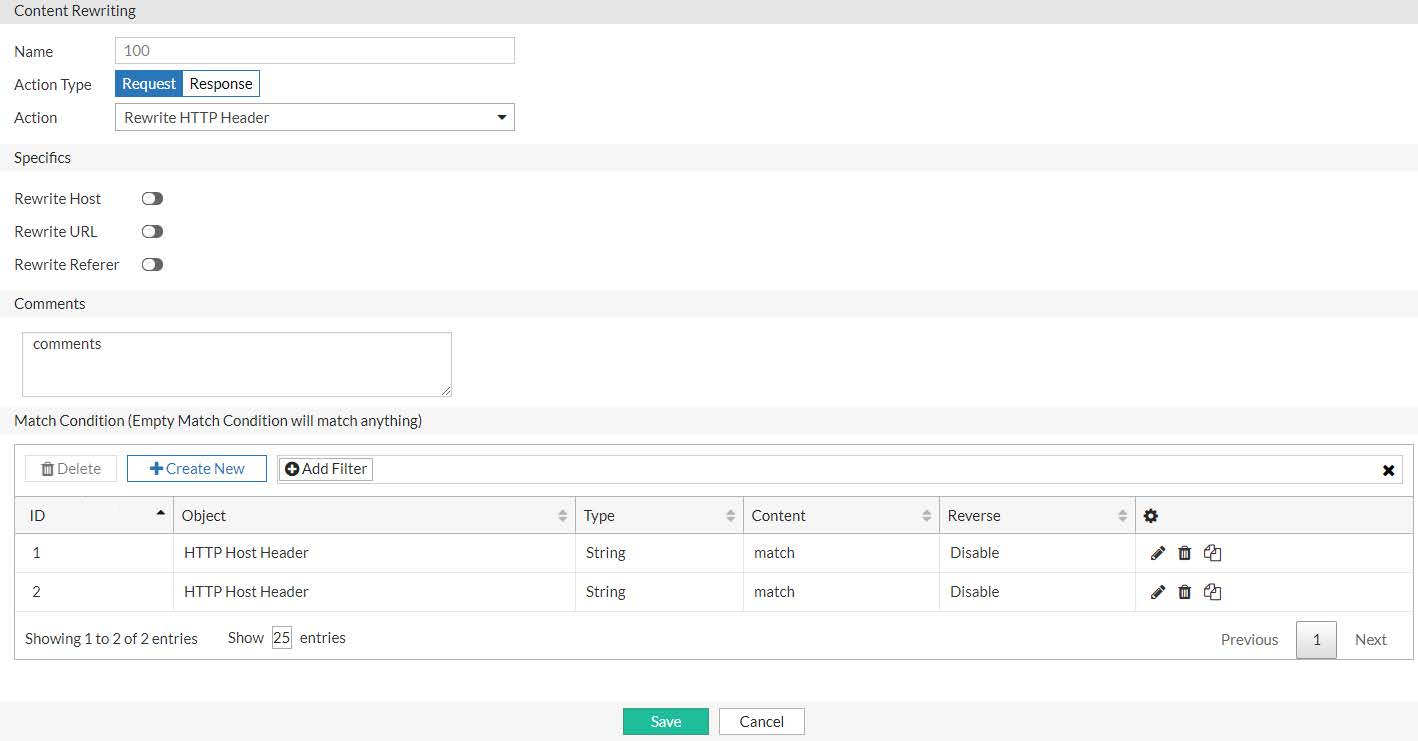
Redirecting HTTP to HTTPS (regular expression) shows a redirect rule that uses PCRE capture and back reference syntax to create a more general rule than the previous example. This rule sends a redirect for all connections to the same URL but over HTTP. In the match condition table, the first regular expression is (.*). This expression matches any HTTP Host header and stores it as capture 0. The second regular expression is ^/(.*)$. This expression matches the path in the Request URL (the content after the /) and stores it as capture 1. The regular expression for the redirect action uses the back reference syntax https://$0/$1.
Common PCRE syntax elements describes commonly used PCRE syntax elements.
PCRE examples submitted to the FortiGate Cookbook gives examples of useful and relevant expressions that were originally submitted to the FortiGate Cookbook. For a deeper dive, consult a PCRE reference.

|
Regular expressions can involve very computationally intensive evaluations. For best performance, you should only use regular expressions where necessary, and build them with care. |
| Pattern | Usage | Example |
|---|---|---|
| () | Creates a capture group or sub-pattern for back-reference or to denote order of operations. |
Text: /url/app/app/mapp Regular expression: (/app)* Matches: /app/app Text: /url?paramA=valueA¶mB=valueB Regular expression: (param)A=(value)A&\0B\1B Matches: paramA=valueA¶mB=valueB |
| $0, $1, $2, ... |
Only $0, $1,..., $9 are supported. A back-reference is a regular expression token such as $0 or $1 that refers to whatever part of the text was matched by the capture group in that position within the regular expression. Back-references are used whenever you want the output/interpretation to resemble the original match: they insert a substring of the original matching text. Like other regular expression features, back-references help to ensure that you do not have to maintain a large, cumbersome list of all possible URLs. To invoke a substring, use |
Let’s say the regular expressions in a condition table have the following capture groups: (a)(b)(c(d))(e) This syntax results in back-reference variables with the following values:
|
| \ |
Escape character. Except, if it is followed by an alphanumeric character, the alphanumeric character is not matched literally as usual. Instead, it is interpreted as a regular expression token. For example, \w matches a word, as defined by the locale. Except, if it is followed by regular expression special character: *.|^$?+\(){}[]\ When this is the case, the \ escapes interpretation as a regular expression token, and instead treats the character as a normal letter. For example, \\ matches the \ character. |
Text: /url?parameter=value Regular expression: \?param Matches: ?param |
| . |
Matches any single character except \r or \n. Note: If the character is written by combining two Unicode code points, such as à where the core letter is encoded separately from the accent mark, this will not match the entire character: it will only match one of the code points. |
Text: My cat catches things. Regular expression: c.t Matches: cat cat |
| + |
Repeatedly matches the previous character or capture group, 1 or more times, as many times as possible (also called “greedy” matching) unless followed by a question mark ( ? ), which makes it optional. Does not match if there is not at least 1 instance. |
Text: www.example.com Regular expression: w+ Matches: www Would also match “w”, “ww”, “wwww”, or any number of uninterrupted repetitions of the character “w”. |
| * |
Repeatedly matches the previous character or capture group, 0 or more times. Depending on its combination with other special characters, this token could be either: * — Match as many times as possible (also called “greedy” matching). *? — Match as few times as possible (also called “lazy” matching). |
Text: www.example.com Regular expression: .* Matches: www.example.com All of any text, except line endings ( Text: www.example.com Regular expression: (w)*? Matches: www Would also match common typos where the “w” was repeated too few or too many times, such as “ww” in w.example.com or “wwww” in wwww.example.com. It would still match, however, if no amount of “w” existed. |
| ? |
Makes the preceding character or capture group optional (also called “lazy” matching). This character has a different significance when followed by =. |
Text: www.example.com Regular expression: (www\.)?example.com Matches: www.example.com Would also match example.com. |
| ?= |
Looks ahead to see if the next character or capture group matches and evaluate the match based upon them, but does not include those next characters in the returned match string (if any). This can be useful for back-references where you do not want to include permutations of the final few characters, such as matching “cat” when it is part of “cats” but not when it is part of “catch”. |
Text: /url?parameter=valuepack Regular expression: p(?=arameter) Matches: p, but only in “parameter, not in “pack”, which does not end with “arameter”. |
| ^ |
Matches either: the position of the beginning of a line (or, in multiline mode, the first line), not the first character itself the inverse of a character, but only if This is useful if you want to match a word, but only when it occurs at the start of the line, or when you want to match anything that is not a specific character. |
Text: /url?parameter=value Regular expression: ^/url Matches: /url, but only if it is at the beginning of the path string. It will not match “/url” in subdirectories. Text: /url?parameter=value Regular expression: [^u] Matches: /rl?parameter=value |
| $ | Matches the position of the end of a line (or, in multiline mode, the entire string), not the last character itself. | |
| [] |
Defines a set of characters or capture groups that are acceptable matches. To define a set via a whole range instead of listing every possible match, separate the first and last character in the range with a hyphen. Note: Character ranges are matched according to their numerical code point in the encoding. For example, |
Text: /url?parameter=value1 Regular expression: [012] Matches: 1 Would also match 0 or 2. Text: /url?parameter=valueB Regular expression: [A-C] Matches: B Would also match “A” or “C”. It would not match “b”. |
| {} |
Quantifies the number of times the previous character or capture group may be repeated continuously. To define a varying number repetitions, delimit it with a comma. |
Text: 1234567890 Regular expression: \d{3} Matches: 123 Text: www.example.com Regular expression: w{1,4} Matches: www If the string were a typo such as “ww ” or “wwww”, it would also match that. |
| (?i) | Turns on case-insensitive matching for subsequent evaluation, until it is turned off or the evaluation completes. |
Text: /url?Parameter=value Regular expression: (?i)param Matches: Param Would also match pArAM etc. |
| | | Matches either the character/capture group before or after the pipe ( | ). |
Text: Host: www.example.com Regular expression: (\r\n)|\n|\r Matches: The line ending, regardless of platform. |
| Regular Expression | Usage |
|---|---|
| [a-zA-Z0-9] |
Any alphanumeric character. ASCII only; e.g. does not match é or É. |
| [#\?](.*) |
All parameters that follow a question mark or hash mark in the URL. e.g. #pageView or ?param1=valueA¶m2=valueB...; In this expression, the capture group does not include the question mark or hash mark itself. |
| \b10\.1\.1\.1\b |
A specific IPv4 address. |
| \b(25[0-5]|2[0-4][0-9]|[01]?[0-9][0-9]?) \.(25[0-5]|2[0-4][0-9]|[01]?[0-9][0-9]?) \.(25[0-5]|2[0-4][0-9]|[01]?[0-9][0-9]?) \.(25[0-5]|2[0-4][0-9]|[01]?[0-9][0-9]?) \b |
Any IPv4 address. |
| (?i)\b.*\.(a(c|d|e(ro)?|f|g|i|m|n|o|q|r|s(ia)?|t|y|w|x|z) |b(a|b|d|e|f|g|h|i(z)?|j|m|n|o|r|s|t|v|w|y|z) |c(a(t)?|c|d|f|g|h|i|k|l|m|n|o((m)?(op)?)|r|s|u|v|x|y|z) |d(e|j|k|m|o|z) |e(c|du|e|g|h|r|s|t|u) |f(i|j|k|m|o|r) |g(a|b|d|e|f|g|h|i|l|m|n|ov|p|q|r|s|t|u|w|y) |h(k|m|n|r|t|u) |i(d|e|l|m|n(fo)?(t)?|o|q|r|s|t) |j(e|m|o(bs)?|p) |k(e|g|h|i|m|n|p|r|w|y|z) |l(a|b|c|i|k|r|s|t|u|vy) |m(a|c|d|e|g|h|il|k|l|m|n|o(bi)?|p|q|r|s|t|u(seum)?|v|w|x|y|z) |n(a(me)?|c|e(t)?|f|g|i|l|o|p|r|u|z) |o(m|rg) |p(a|e|f|g|h|k|l|m|n|r(o)?|s|t|w|y) |qa |r(e|o|s|u|w) |s(a|b|c|d|e|g|h|i|j|k|l|m|n|o|r|s|t|u|v|y|z) |t(c|d|el|f|g|h|j|k|l|m|n|o|p|r(avel)?|t|v|w|z) |u(a|g|k|s|y|z) |v(a|c|e|g|i|n|u) |w(f|s) |xxx |y(e|t|u) |z(a|m|w))\b |
Any domain name. |
| (?i)\bwww\.example\.com\b |
A specific domain name. |
| (?i)\b(.*)\.example\.com\b |
Any sub-domain name of example.com. |
Example 2: Rewriting the HTTP response when using content routing
It is standard for web servers to have external and internal domain names. You can use content-based routing to forward HTTP requests to example.com to a server pool that includes server1.example.com, server2.example.com, and server3.example.com. When you use content routing like this, you should also rewrite the Location header in the HTTP response so that the client receives HTTP with example.com in the header and not the internal domain server1.example.com.
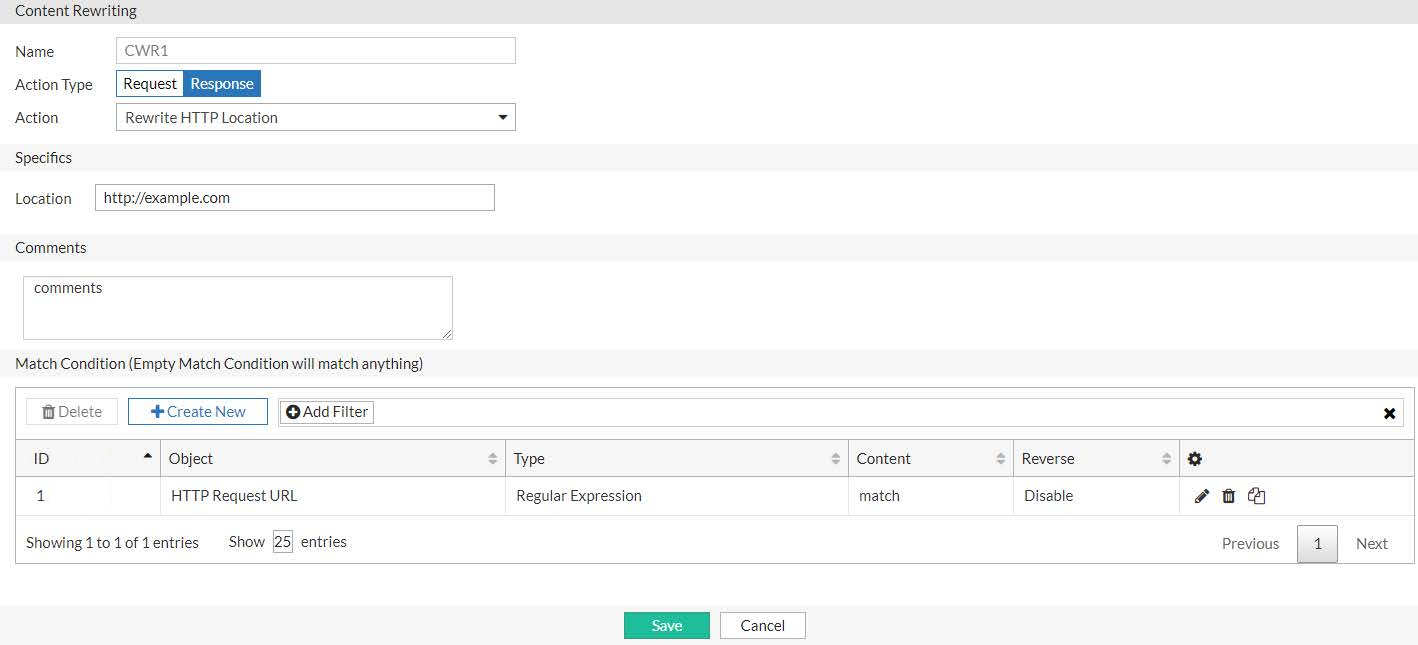
Rewriting the HTTP response when masking internal server names shows an HTTP response rule that matches a regular expression and rewrites a literal string. In the match condition table, the rule is set to match the regular expression server.*\.example\.com in the HTTP Location header in the response. The rewrite action specifies the absolute URL http://www.example.com.
Example 3: Rewriting the HTTP request and response to mask application details
Another use case for external-to-internal URL translation involves masking pathnames that give attackers information about your web applications. For example, the unmasked URL for a blog might be http://www.example.com/wordpress/?feed=rss2, which exposes that the blog is a wordpress application. In this case, you want to publish an external URL that does not have clues of the underlying technology. For example, in your web pages, you create links to http://www.example.com/blog instead of the backend URL.
On FortiADC, you create two rules: one to rewrite the HTTP request to the backend server and another to rewrite the HTTP response in the return traffic.
Rewriting the HTTP request when you mask backend application details shows an HTTP request rule. In the match condition table, the rule is set to match traffic that has the Host header domain example.com and the relative URL /blog in the HTTP request URL. The rule action rewrites the request URL to the internal URL http://www.example.com/wordpress/?feed=rss2.
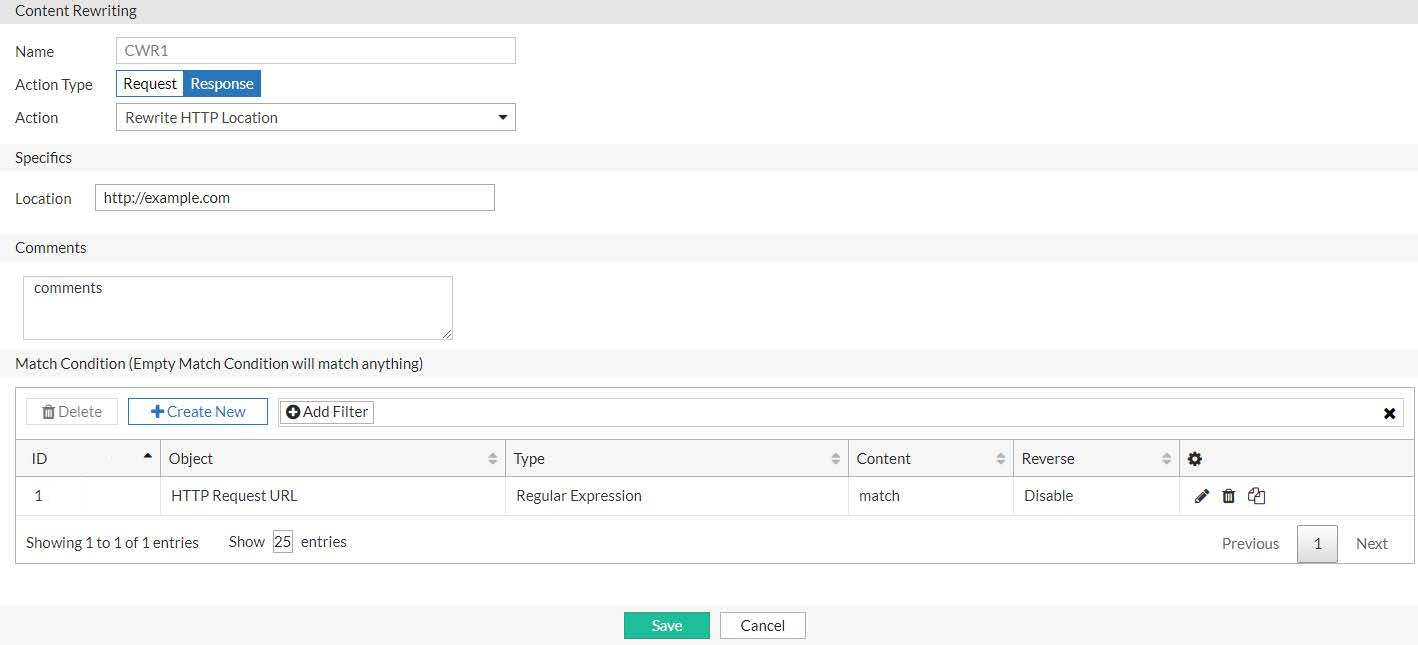
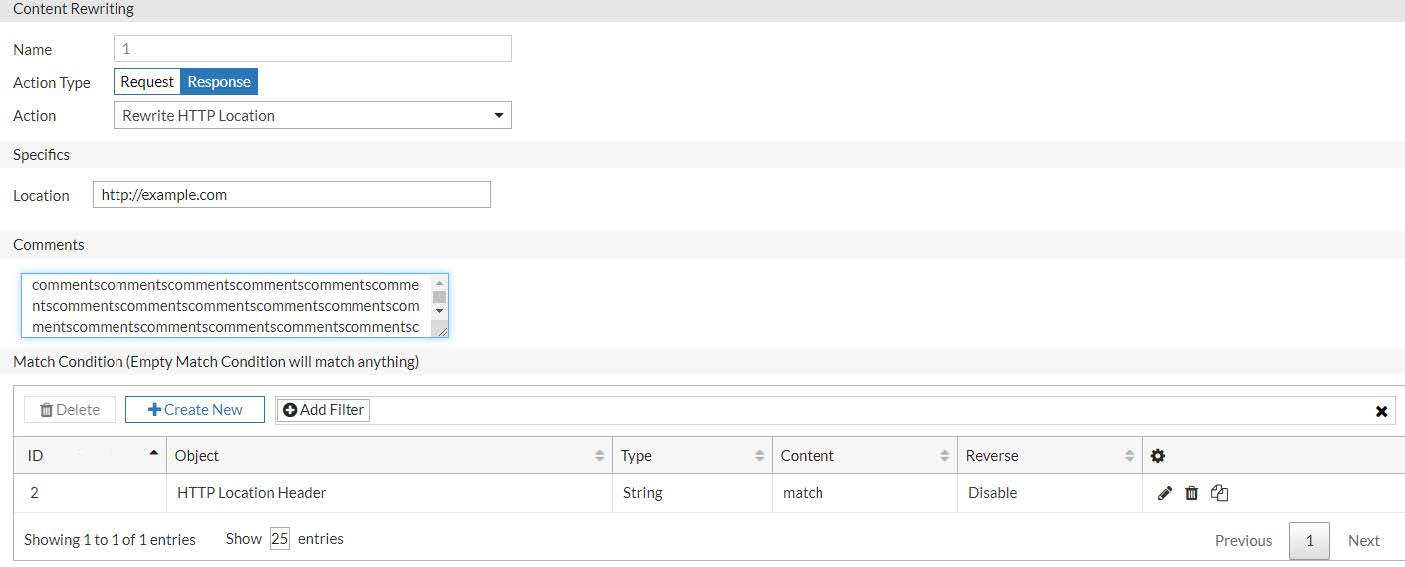
Rewriting the HTTP response when you mask backend application details shows the rule for the return traffic. In the match condition table, the rule is set to match traffic that has the string http://www.example.com/wordpress/?feed=rss2 in the Location header of the HTTP response. The action replaces that URL with the public URL http://www.example.org.
Example 4: Rewriting the HTTP request to harmonize port numbers
The HTTP Host header contains the domain name and port. You might want to create a rule to rewrite the port so you can harmonize port numbers that are correlated with your application service. For example, suppose you want to avoid parsing reports on your backend servers that show requests to many HTTP service ports. When you review your aggregated reports, you have records for port 80, port 8080, and so on. You would rather have all HTTP requests served on port 80 and accounted for on port 80. To support this plan, you can rewrite the HTTP request headers so that all the Host header in all HTTP requests shows port 80.
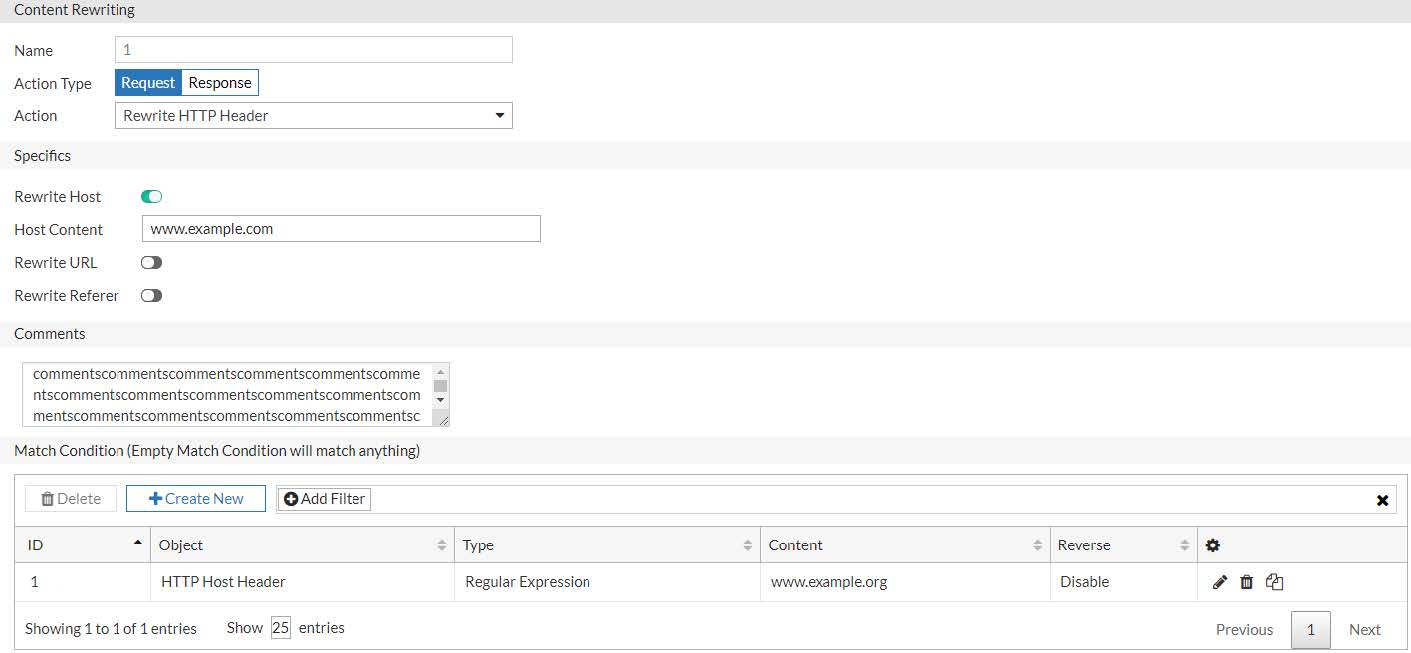
Rewriting the HTTP request port number shows an HTTP request rule that uses a regular expression to match HTTP Host headers for www.example.com with any port number and change it to port 80.