
Fortinet white logo
Fortinet white logo

Administration Guide

Results

Results

The following GUI pages show the function of the SD-WAN and can be used to confirm that it is setup and running correctly:

Performance SLA

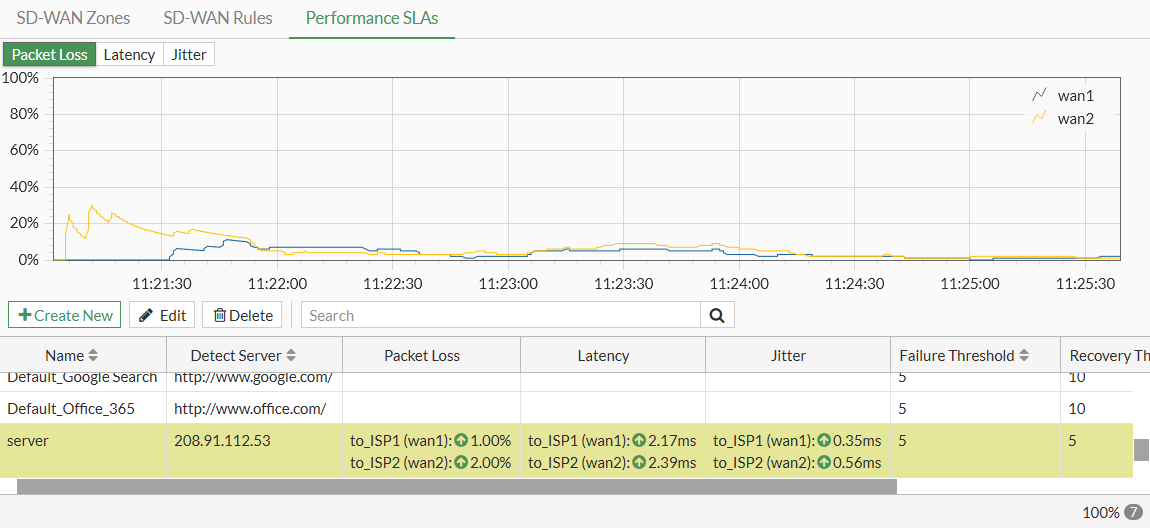
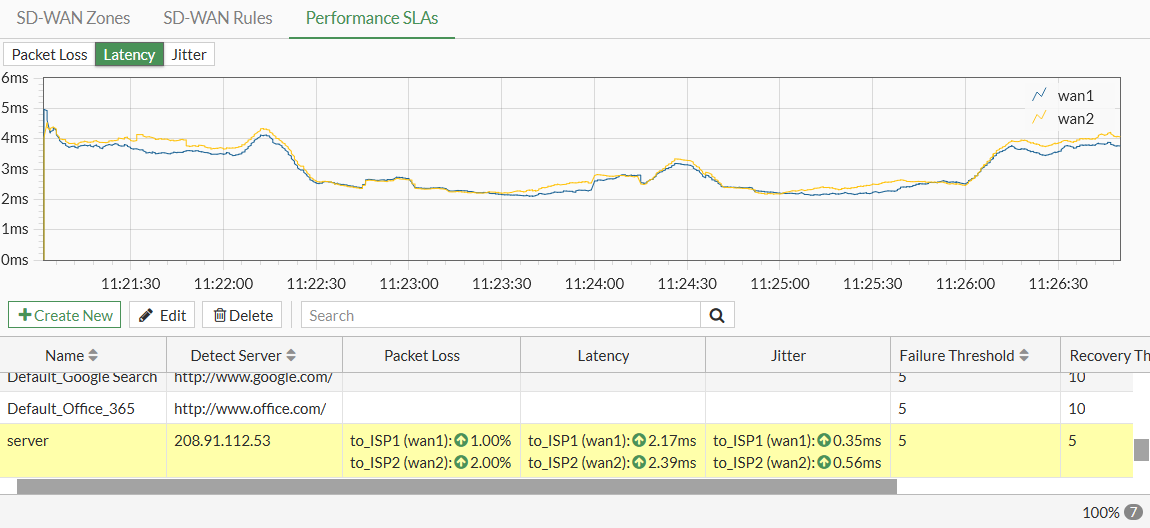
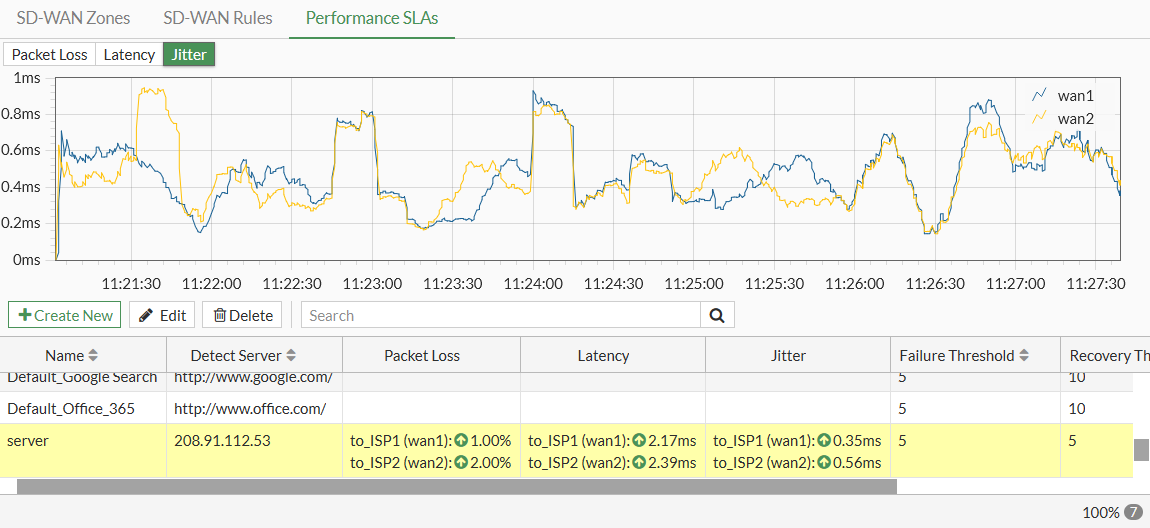
Go to Network > SD-WAN, select the Performance SLAs tab, and select the SLA from the table (server in this example) to view the packet loss, latency, and jitter on each SD-WAN member in the health check server.

Packet loss

Select Packet Loss to see the percentage of packets lost for each member.
Latency

Select Latency to see the current latency, in milliseconds, for each member.
Jitter

Select Jitter to see the jitter, in milliseconds, for each member.
Routing table

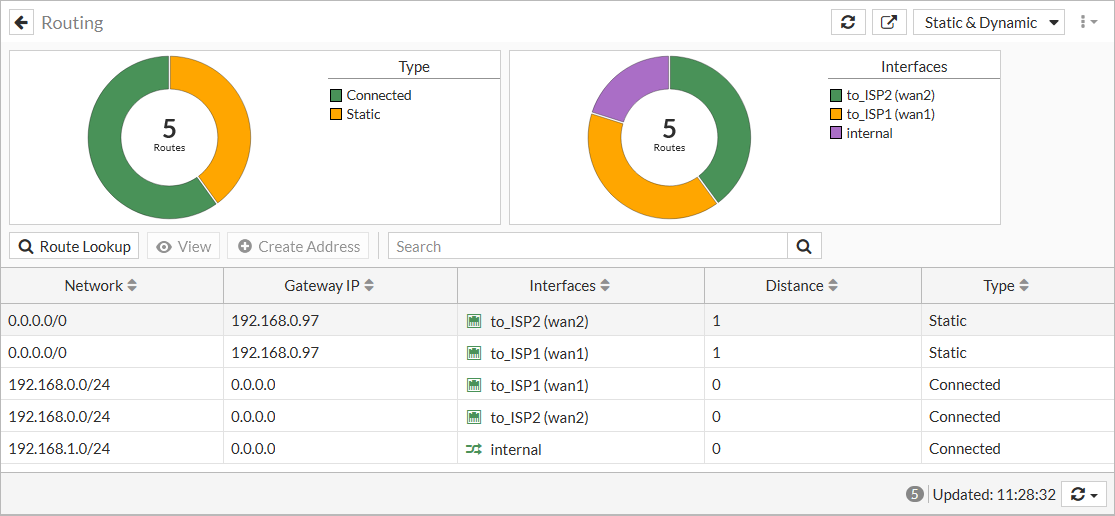
Go to Dashboard > Network and expand the Static & Dynamic widget to review all static and dynamic routes. For more information about the widget, see Static & Dynamic Routing monitor.
Firewall policy

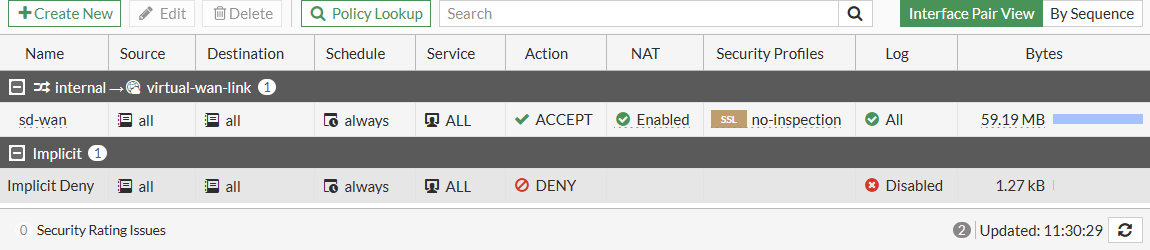
Go to Policy & Objects > Firewall Policy to review the SD-WAN policy.
Results

Results

The following GUI pages show the function of the SD-WAN and can be used to confirm that it is setup and running correctly:

Performance SLA

Go to Network > SD-WAN, select the Performance SLAs tab, and select the SLA from the table (server in this example) to view the packet loss, latency, and jitter on each SD-WAN member in the health check server.

Packet loss

Select Packet Loss to see the percentage of packets lost for each member.

Latency

Select Latency to see the current latency, in milliseconds, for each member.

Jitter

Select Jitter to see the jitter, in milliseconds, for each member.

Routing table

Go to Dashboard > Network and expand the Static & Dynamic widget to review all static and dynamic routes. For more information about the widget, see Static & Dynamic Routing monitor.

Firewall policy

Go to Policy & Objects > Firewall Policy to review the SD-WAN policy.