
Fortinet white logo
Fortinet white logo

Administration Guide

IPS Modbus TCP decoder

IPS Modbus TCP decoder

Modbus TCP is a protocol used to facilitate communication between devices in the Operational Technology (OT) environment. By default, it uses TCP/502 port for communication.

The IPS engine supports the Modbus TCP decoder, allowing it to decode Modbus protocol messages and enable application control signatures for Modbus commands and parameters. See Matching multiple parameters on application control signatures for information about parameter-level application policies.

OT IPS signatures must be enabled in the global IPS settings to receive Modbus signatures for application control and vulnerability protection. OT IPS signatures are part of the FortiGuard OT security service, and are excluded by default.

To include OT IPS signatures:
config ips global
    set exclude-signatures none
end

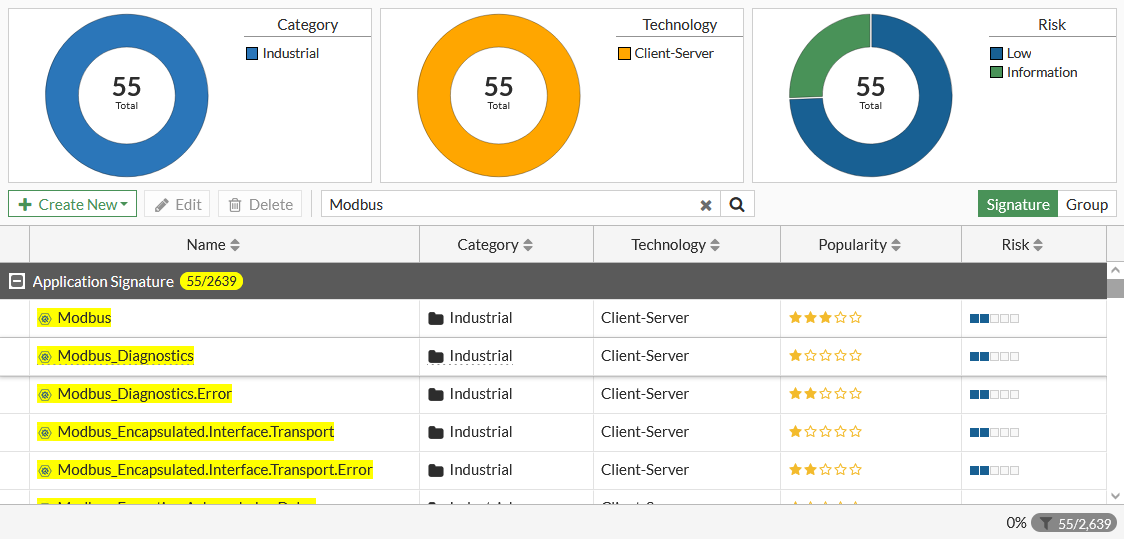
Modbus application control signatures are listed on Security Profiles > Application Signatures. Search for Modbus to see the Modbus signatures, such as Modbus_Diagnostics and Modbus_Read.Coils.
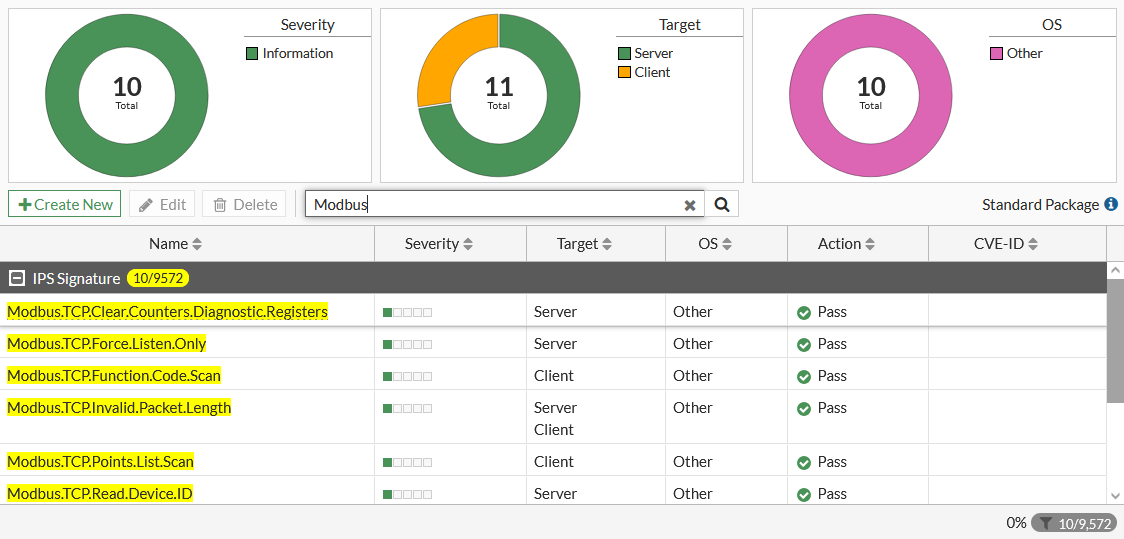
Modbus vulnerability protection signatures are listed on Security Profiles > IPS Signatures. Search for Modbus to see the Modbus signatures.
By default, the Modbus decoder listens on TCP/502 port only, but can be configured to listen on additional TCP ports.

To configure the Modbus decoder to listen on additional TCP ports:
config ips decoder "modbus_decoder"
    config parameter "port_list"
        set value "502:505"
    end
end

IPS Modbus TCP decoder

IPS Modbus TCP decoder

Modbus TCP is a protocol used to facilitate communication between devices in the Operational Technology (OT) environment. By default, it uses TCP/502 port for communication.

The IPS engine supports the Modbus TCP decoder, allowing it to decode Modbus protocol messages and enable application control signatures for Modbus commands and parameters. See Matching multiple parameters on application control signatures for information about parameter-level application policies.

OT IPS signatures must be enabled in the global IPS settings to receive Modbus signatures for application control and vulnerability protection. OT IPS signatures are part of the FortiGuard OT security service, and are excluded by default.

To include OT IPS signatures:
config ips global
    set exclude-signatures none
end

Modbus application control signatures are listed on Security Profiles > Application Signatures. Search for Modbus to see the Modbus signatures, such as Modbus_Diagnostics and Modbus_Read.Coils.

Modbus vulnerability protection signatures are listed on Security Profiles > IPS Signatures. Search for Modbus to see the Modbus signatures.

By default, the Modbus decoder listens on TCP/502 port only, but can be configured to listen on additional TCP ports.

To configure the Modbus decoder to listen on additional TCP ports:
config ips decoder "modbus_decoder"
    config parameter "port_list"
        set value "502:505"
    end
end