

Matching multiple parameters on application control signatures
Application control signatures that support parameters (such as SCADA protocols) can have multiple parameters grouped together and matched at the same time. Multiple application parameter groups can be added to an override. Traffic will be flagged if it matches at least one parameter group.
This example uses the Modbus_Func05.Write.Single.Coil.Validation signature. This is an industrial signature, so ensure that no signatures are excluded:
config ips global
    set exclude-signatures none
end
To configure an application sensor with multiple parameters in the GUI:
-
Go to Security Profiles > Application Control and click Create New, or edit an existing sensor.
-
In the Application and Filter Overrides table, click Create New.
-
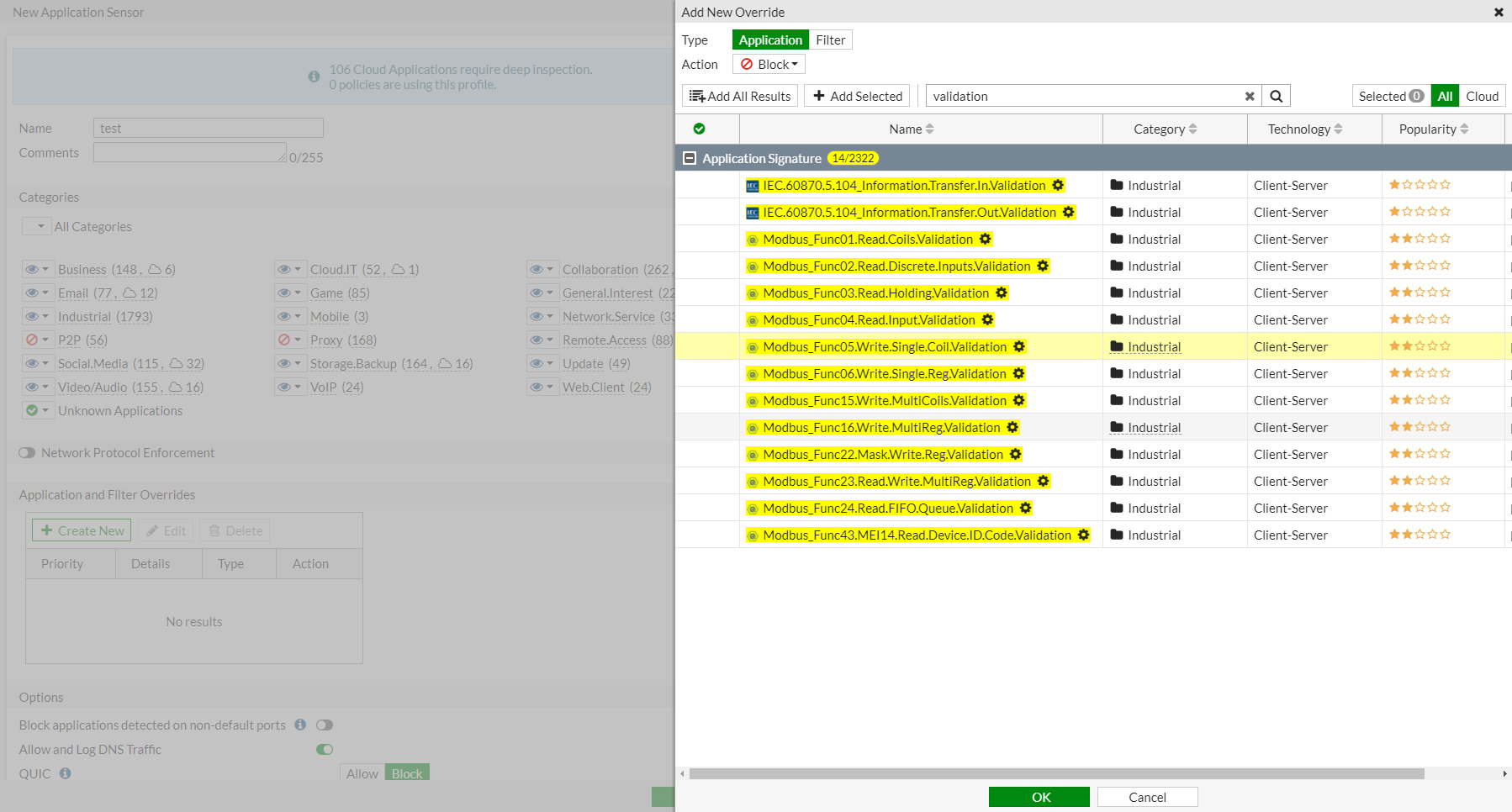
Search for Modbus_Func05.Write.Single.Coil.Validation and press
Enter. A gear icon beside the signature name indicates it has configurable application parameters. -
In the search results, select Modbus_Func05.Write.Single.Coil.Validation and click Add Selected.
-
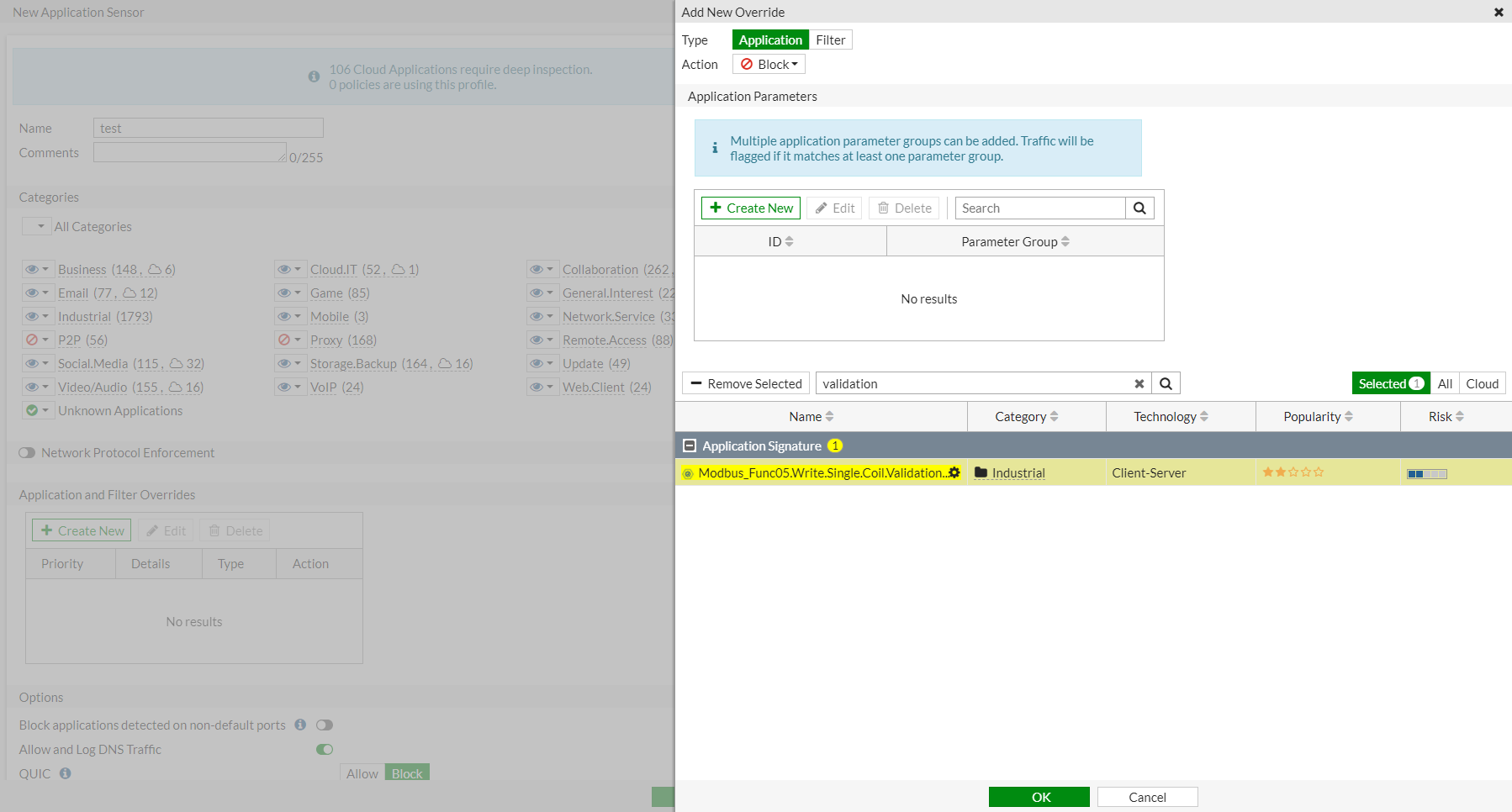
Click the Selected tab. In the Application Parameters section, click Create New.
-
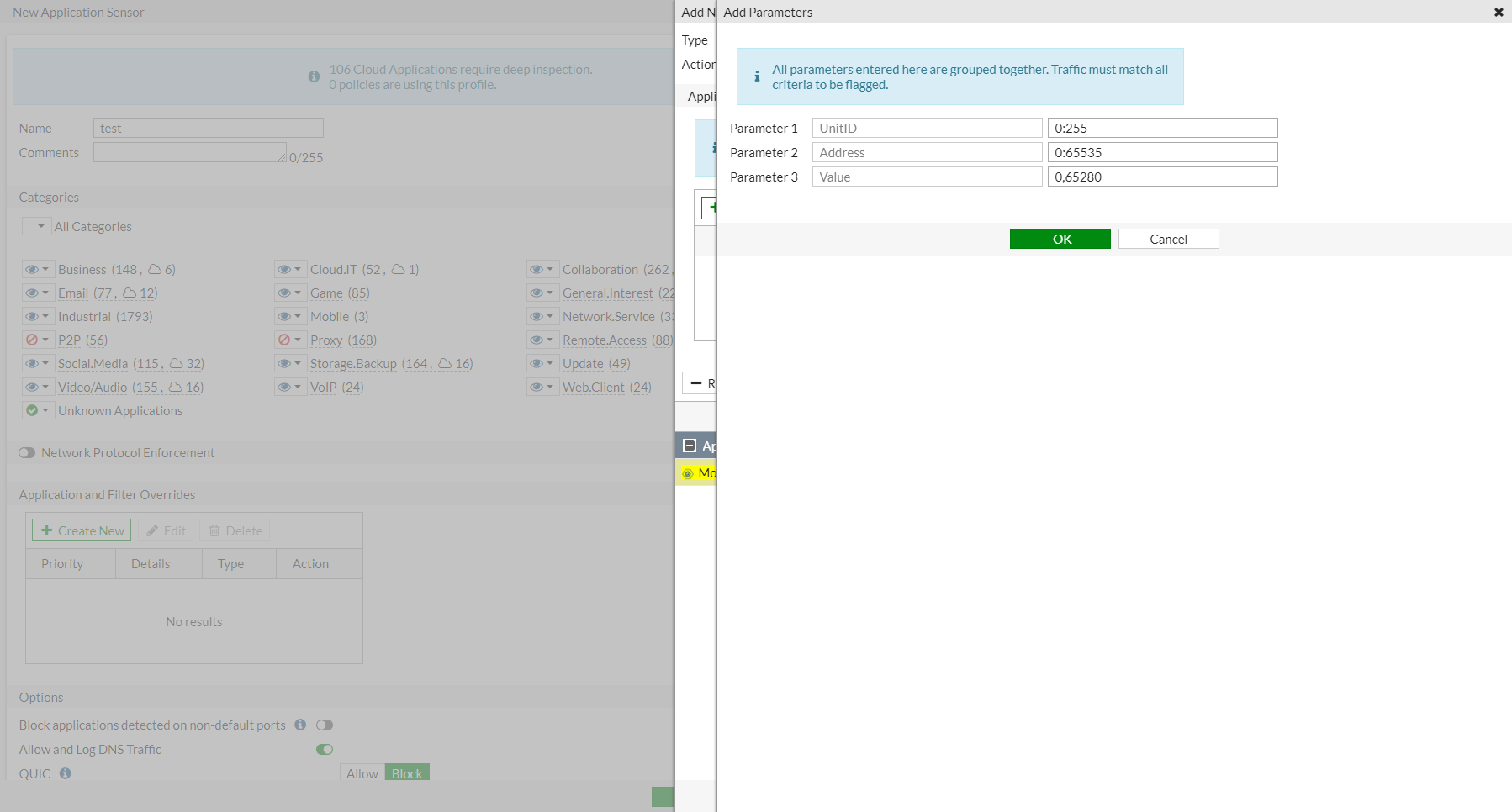
Edit the parameter values as needed.
-
Click OK.
-
Add more signatures if needed.
-
Click OK.
To configure an application sensor with multiple parameters in the CLI:
config application list
    edit "test"
        set other-application-log enable
        config entries
            edit 1

                set application 48885
                config parameters
                    edit 1
                        config members
                            edit 1
                                set name "UnitID"
                                set value "0:255"
                            next
                            edit 2
                                set name "Address"
                                set value "0:65535"
                            next
                            edit 3
                                set name "Value"
                                set value "0,65280"
                            next
                        end
                    next
                end
            next
            edit 2
                set category 2 6
            next
        end
    next
end