

Replacing APs
FortiAP devices can be replaced from the AP Manager > Device & Groups pane.
To replace a FortiAP device:
-
Go to AP Manager > Managed FortiAPs.
-
Select a managed FortiGate.
-
Right-click on a FortiAP device in the table and click Deauthorize.
-
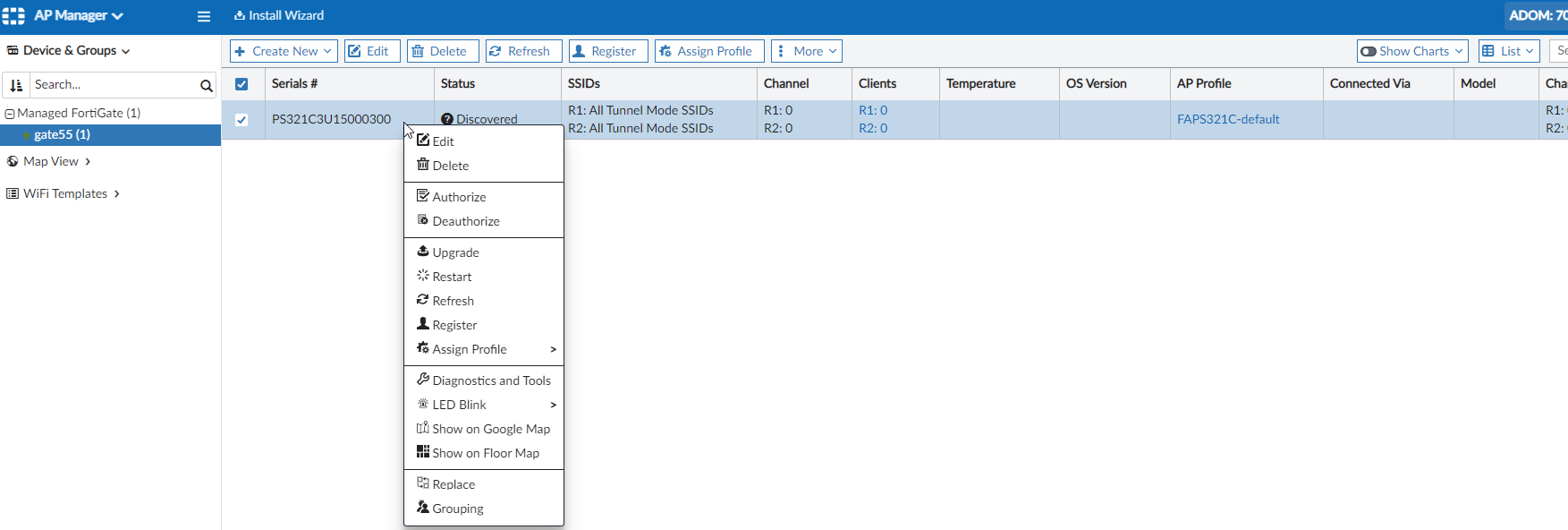
When the device's status is Unauthorized, right-click on the same FortiAP device and click Replace.
-
Enter the new FortiAP serial number, and click OK.
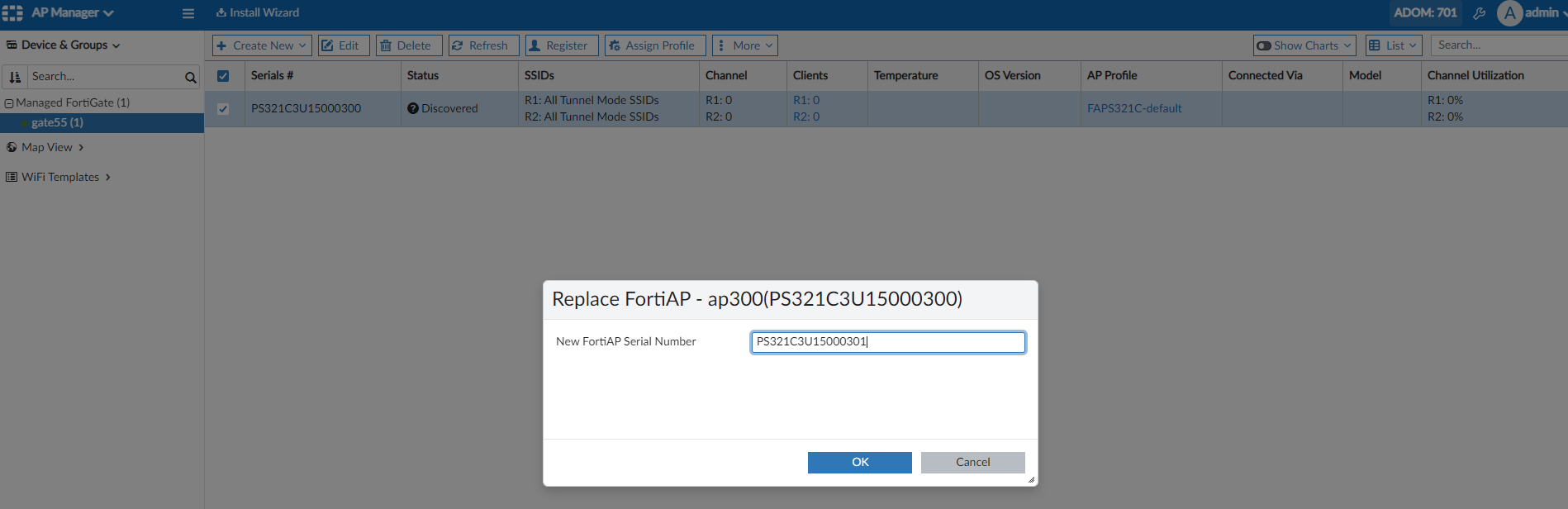
After the FortiAP has been replaced successfully, refresh the page and the new FortiAP is displayed. -
Authorize the FortiAP device, then connect the FortiAP to the FortiGate.
-
Power on the FortiAP device. After a few minutes, the FortiAP is displayed as Online.

You can view the replacement serial number in the Replacement Serial Number column in the Managed FortiSwitches table.