Viewing parameters with abnormal values
FortiWeb learns parameter value patterns from API body requests and builds mathematical models to screen out abnormal requests that are deemed malicious.
The ML model of the parameter value can accessed through the Body Path tab in the Request section of the Path List tab.
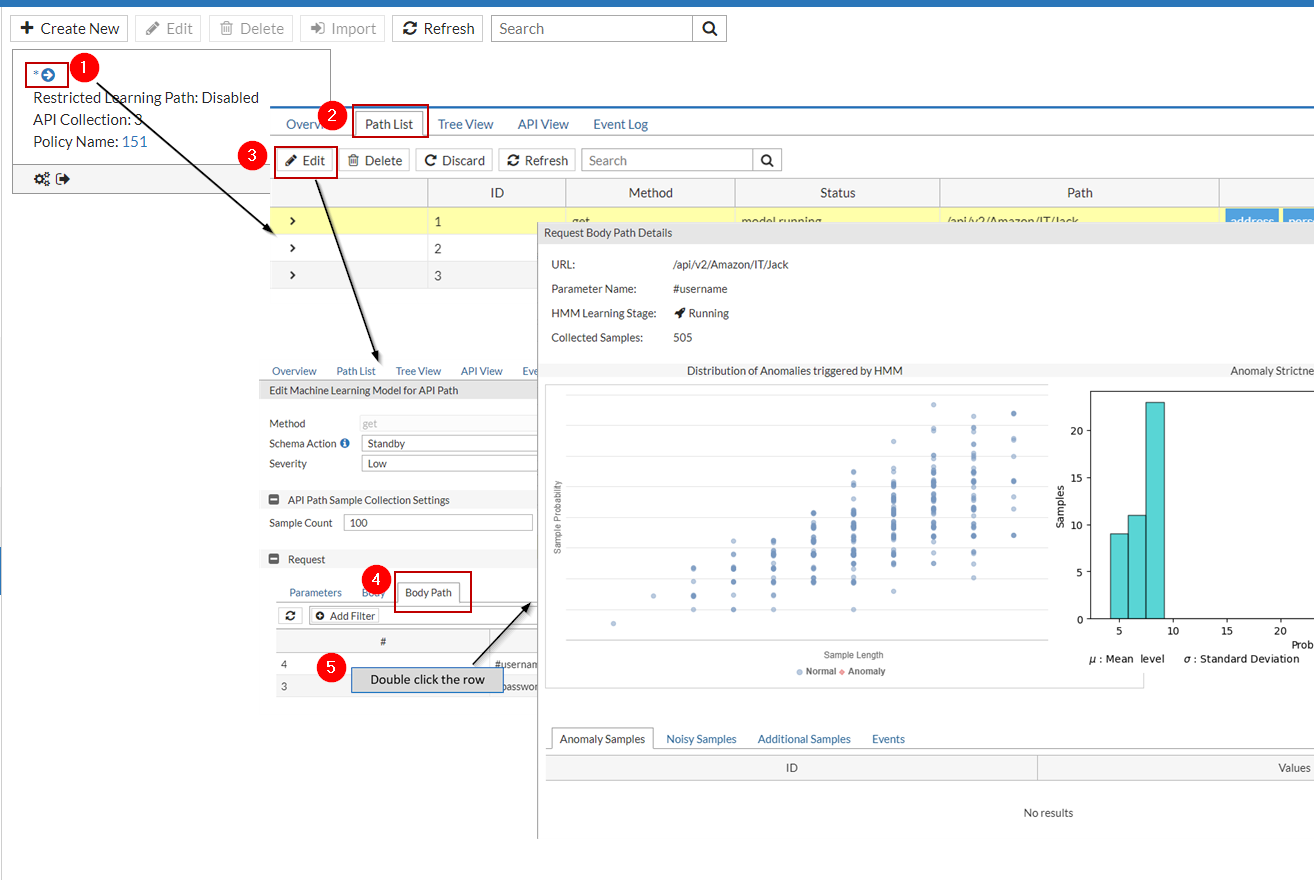
The parameter table in the Body Path tab displays anomaly detection statistics for all the parameters.
-
Parameter Name: The name of the parameter in the API request body.
-
HMM Learning Stage: The stage which the HMM learning process is in. It can be one of the following:
- Collecting—The system is collecting data samples.
- Building—Sample collection is completed, and is building the mathematical models.
- Running—The system enters this stage after the testing has completed successfully. FortiWeb will use this mathematical model to evaluate all new samples for this argument. If the samples are anomalies, the system will employ the second anomaly detection layer to verify whether the anomaly is an attack and take the corresponding action.
- Discarded—FortiWeb has determined that it cannot build a mathematical model for these parameters, and therefore will not use anomaly detection to protect them.
-
Collected Samples: The number of samples collected during the sample collection period.

ML data of the parameters in API request body
To view the ML model data for a parameter, double click the parameter name to see details for this parameter.
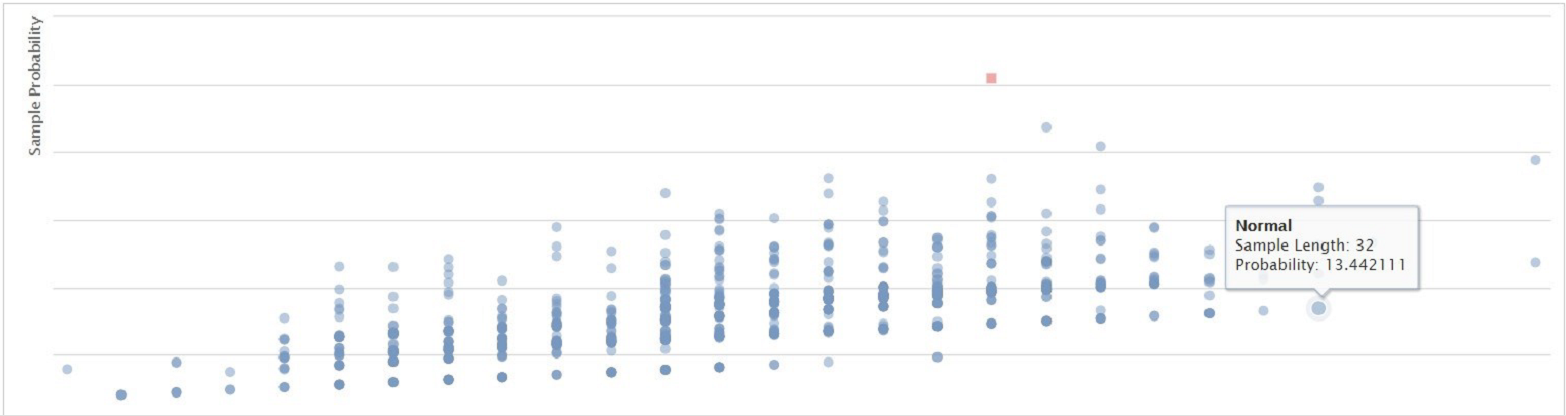
Distribution of Anomalies triggered by HMM
This diagram displays the anomalies in red and the legitimate requests in blue. The system judges whether a request is legitimate or not based on its probability and the length of the parameter value.
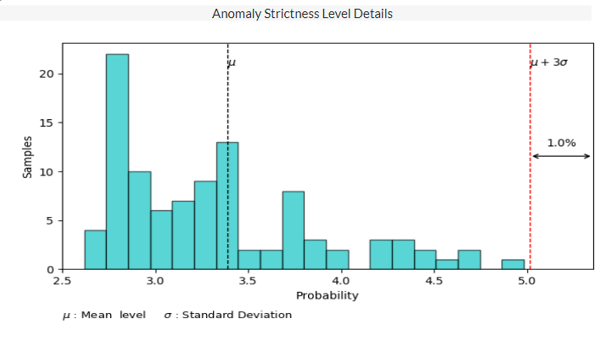
Anomaly Strictness Level Details
The system uses the following formula to calculate whether a sample is an anomaly:
The probability of the anomaly > μ + the strictness level * σ
If the probability of the sample is larger than the value of "μ + the strictness level * σ", this sample will be identified as anomaly.
μ and σ are calculated based on the probabilities of all the samples collected during the sample collection period, where μ is the average value of all the parameters' probabilities, σ is the standard deviation. They are fixed values. So, the value of "μ + the strictness level * σ" varies with the strictness level you set. As shown in the following diagram, the dotted red line (that is, the value of "μ + the strictness level * σ") stays at the position where the strictness level is set to 3, as in μ + 3σ. If the strictness level is set to a smaller value, then the dotted red line will move closer to the center, which may cause some samples to be detected as anomaly. In a word, the smaller the value of the strictness level is, the more strict the anomaly detection model will be.
Additional Samples
If the attack reported by the model is wrongly detected as an anomaly and should be categorized to regular traffic, perform the following steps:
- Go to Log & Report > Log Access > Attack.
- Find the log with "Main Type" as "Machine Learning", and "Sub Type" as "Anomaly in http request body".
- Double click the log item.
- Click This is not a threat!.
The system will include this newly added sample into the sample set and rebuild the model, so that the traffic which has the similar characteristics with this sample will not be reported as attacks anymore.
This process may take one or two minutes, and FortiWeb will not detect machine-learning anomalies at this process.
The added samples will be displayed in the Additional Samples tab.
Events
The anomaly detection events, such as sample collection, model running, building and testing, along with the time periods when these events take place. These events are also displayed in the Events tab as shown below.