

Security event
Go to Security Event in Log & Report to see logs related to the following:

The following options are are available in the Summary tab:
|
Log Location |
Select a source from where to retrieve logs:
|
|
Time frame |
From the dropdown, select from the following time filters:
|
The following options are available in the Logs tabs:
| Export |
From the Export dropdown, select to export the logs in the following three formats:
|
||
|
Refresh |
To refresh the contents, click the refresh icon. |
||
|
+Add Filter |
From the dropdown, select a filter, select or add additional details about the filter to be used and hit Note: Logs can be filtered by date and time. The log viewer can be filtered with a custom range or with specific time frames.
|
||
|
Antivirus |
From the dropdown, select a tab to display:
|
||
| Log location |
Select a source from where to retrieve logs:
|
||
| Time frame |
From the dropdown, select from the following time filters:
|
||
|
Details |
Select to see details for the selected log entry. |

Antivirus
Selecting Antivirus displays logs related to antivirus.
The antivirus log records when, during the antivirus scanning process, the FortiPAM unit finds a match within the antivirus profile, which includes the presence of a virus or grayware signature.
SSH
Selecting SSH displays logs related to SSH.
For each SSH log, the following columns are displayed:
-
Date/Time
-
Severity
-
Command
-
Secret ID
-
User
-
Message
-
Source IP
-
Source Port
-
Destination IP
-
Destination Port


|
Selecting the Corresponding secret or the Corresponding secret video buttons when you right-click an SSH log takes you to the corresponding secret log or the secret video log, respectively.
|
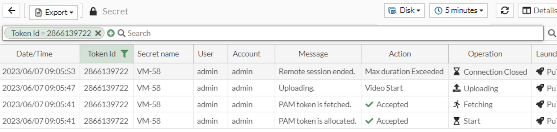

The SSH log keeps track of all the events related to the SSH filter profile. It contains information such as the severity of a command, the destination IP and port used to execute the command, and the action associated with the log. The action may be Blocked, indicating the command has been blocked from executing on the secret or Passthrough, representing it is allowed to execute on the secret.
Data Loss Prevention
Selecting Data Loss Prevention displays logs related to DLP.
The data leak prevention (DLP) log provides valuable information about the sensitive data trying to get through to your network as well as any unwanted data trying to get into your network.