

Investigate
Investigations allow you to quickly obtain details required in investigations via search queries and/or Guided Queries.
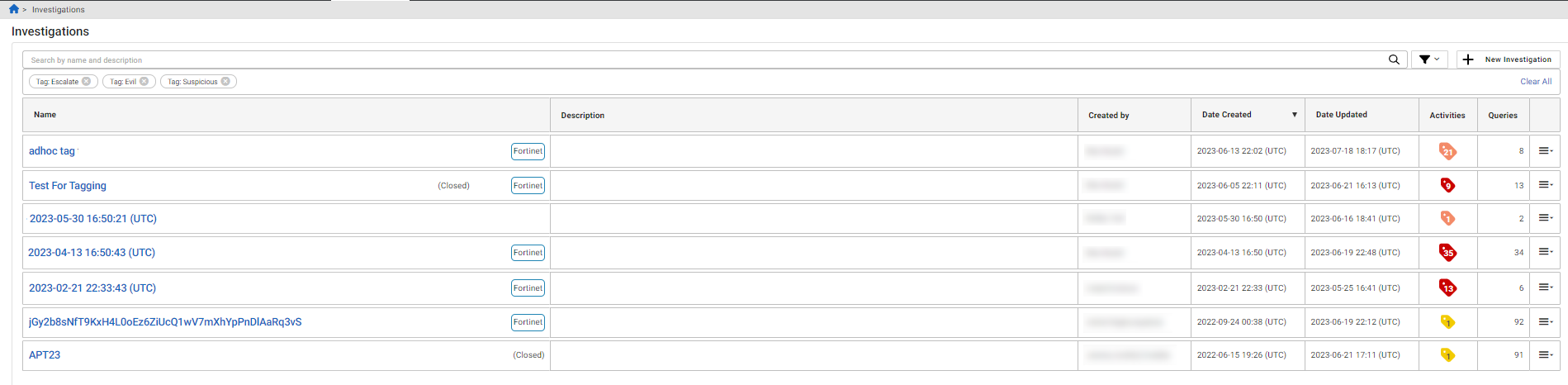
The Investigations page displays the following information:
| Name | The investigation name. |
| Description | The description of the investigation. |
| Created by | The user who created the investigation. |
| Date Created | The date the investigation was created. |
| Date Updated | The date the investigation was updated. |
| Queries | The number of queries added to the investigation. |
Filtering investigations
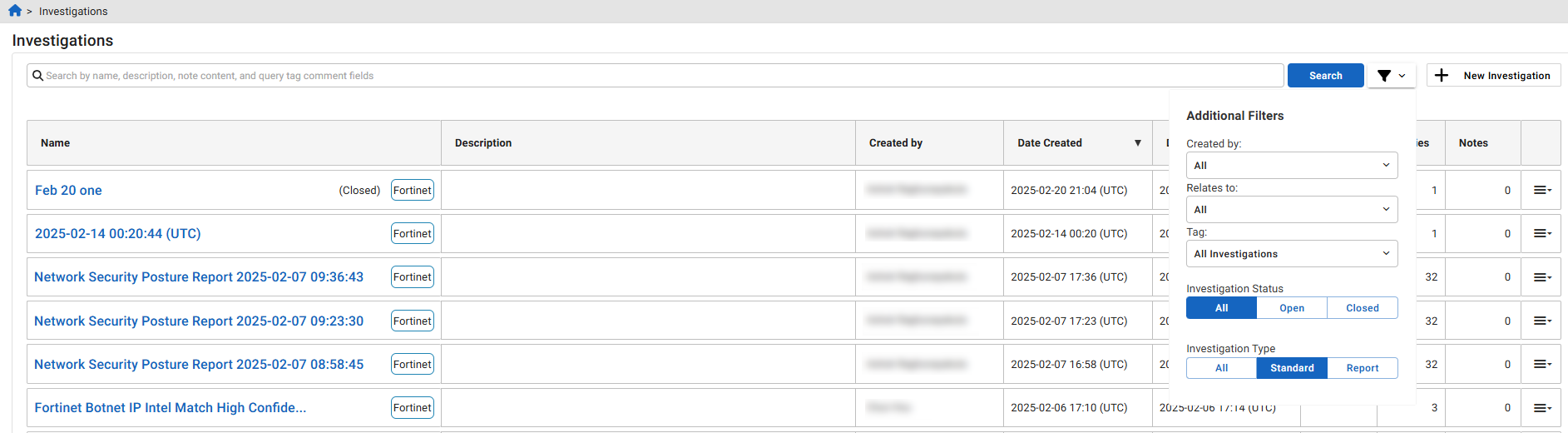
Click the filter icon next to the Search button to view by following attributes:
| Created by | Select FortiNDR Cloud user from the list. |
| Relates to | Select a related investigations from the list. |
| Tag | You have the option of viewing only tagged or untagged investigations. You can also filter by a specific tag. |
| Investigation Status | Select All , Open or Closed investigations. |
|
Investigation Type |
Select All, Standard or Report. |

|
The selected filters are persistent. For example, if you sort the table by Date Updated and then browse to a different page in the GUI, the investigations table will still be sorted by Date Updated when you return to the Investigations page. |
When you add filters, the filter chips will be shown under search bar.
