

What's new
FortiIsolator version 2.4.5 includes the following new features and changes:
Domain name support
You can now configure the domain name of the FortiIsolator using the new Domain Name option in Dashboard. Domain names are not case-sensitive. It must meet the following requirements:
-
No spaces and or special characters (such as !, $, &, _)
-
Cannot end with
.gov.in -
Length must be between 3 and 63 characters (excluding extension)

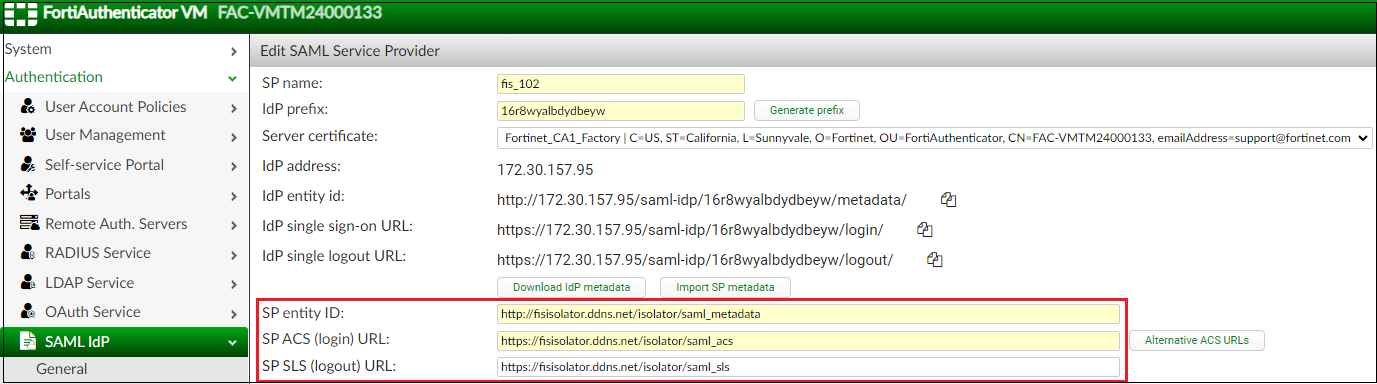
You can then use the FQDN (full qualified domain name, which is a combination of the host name and domain name) instead of the IP address to identify the FortiIsolator in various locations. For example, if the host name is fisisolator and the domain name is ddns.net, the FQDN will be fisisolator.ddns.net.
-
When setting up FortiIsolator as an IdP in FortiAuthenticator, you can now specify the FortiIsolator FQDN instead of the IP address in the following fields.
-
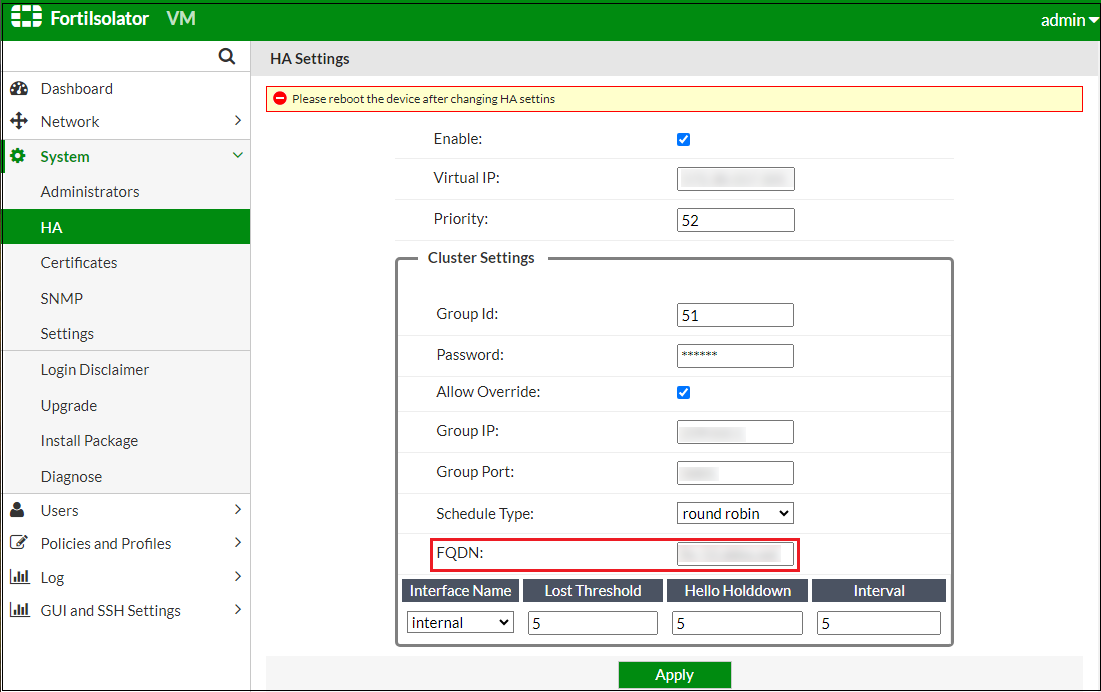
You can also specify the FQDN when configuring an HA cluster using the new FQDN field. Doing so allows you to log into the FortiIsolator using the FQDN instead of the IP address of the HA cluster.
Accessing admin portal and SSH using internal IP
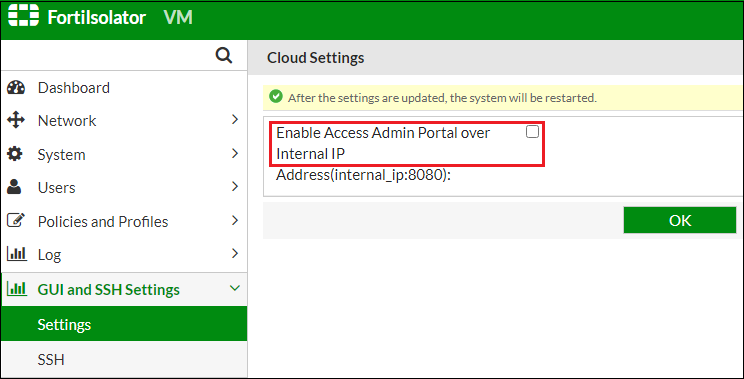
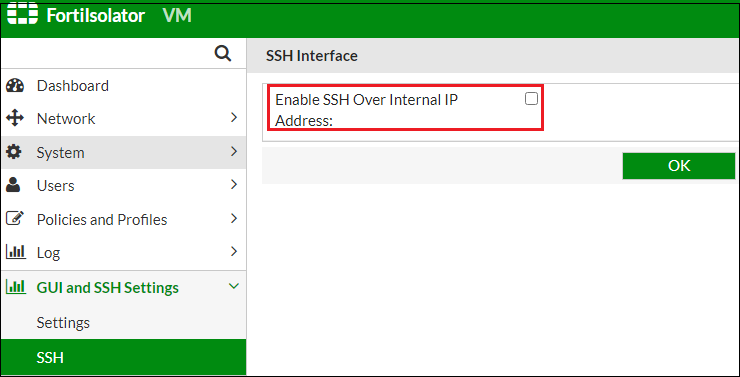
You can now configure FortiIsolator to use internal IP (instead of the management IP) for admin portal and SSH access by enabling the relevant options in the new GUI and SSH Settings tab.
Specify destination URL separately in IP forwarding mode
In IP forwarding mode, you can now choose to enter the FortiIsolator URL only without appending the destination URL when browsing. You will then be prompted to specify the destination URL of the website to browse.

Disabling proxy mode
You can now disable proxy mode at a global level on the FortiIsolator using the Disable proxy mode option in the new System > Settings page.
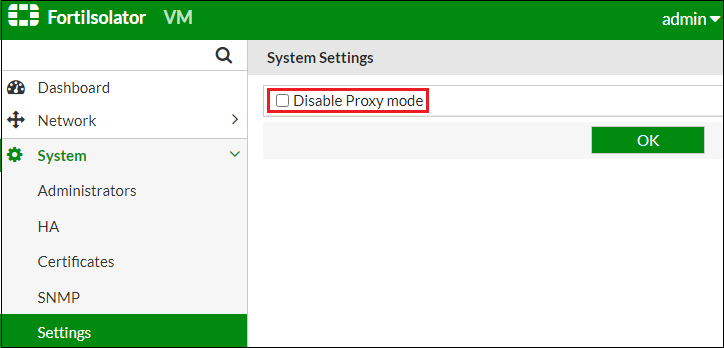
Alternatively, use the disable proxy command under system settings in the CLI.