Fortinet white logo
Fortinet white logo

Admin Guide

Configuring per-SP authentication settings

Configuring per-SP authentication settings

The per-SP setting feature allows system administrators to configure and manage SSO application settings on a per-service provider basis. This granular control mechanism enables organizations to apply unique configurations, policies, and restrictions to individual applications other than what is set at the realm level.

Key benefits

  • Granular control — Apply specific settings to individual service providers rather than using blanket configurations across the entire realm where the application is created.

  • Policy enforcement — Implement targeted security policies and compliance requirements per service provider.

  • Customized experience — Deliver tailored functionality and user interfaces to different service providers.

To enable per-SP settings:
  1. Navigate to Applications > SSO.

  2. Click Add SSO Application.

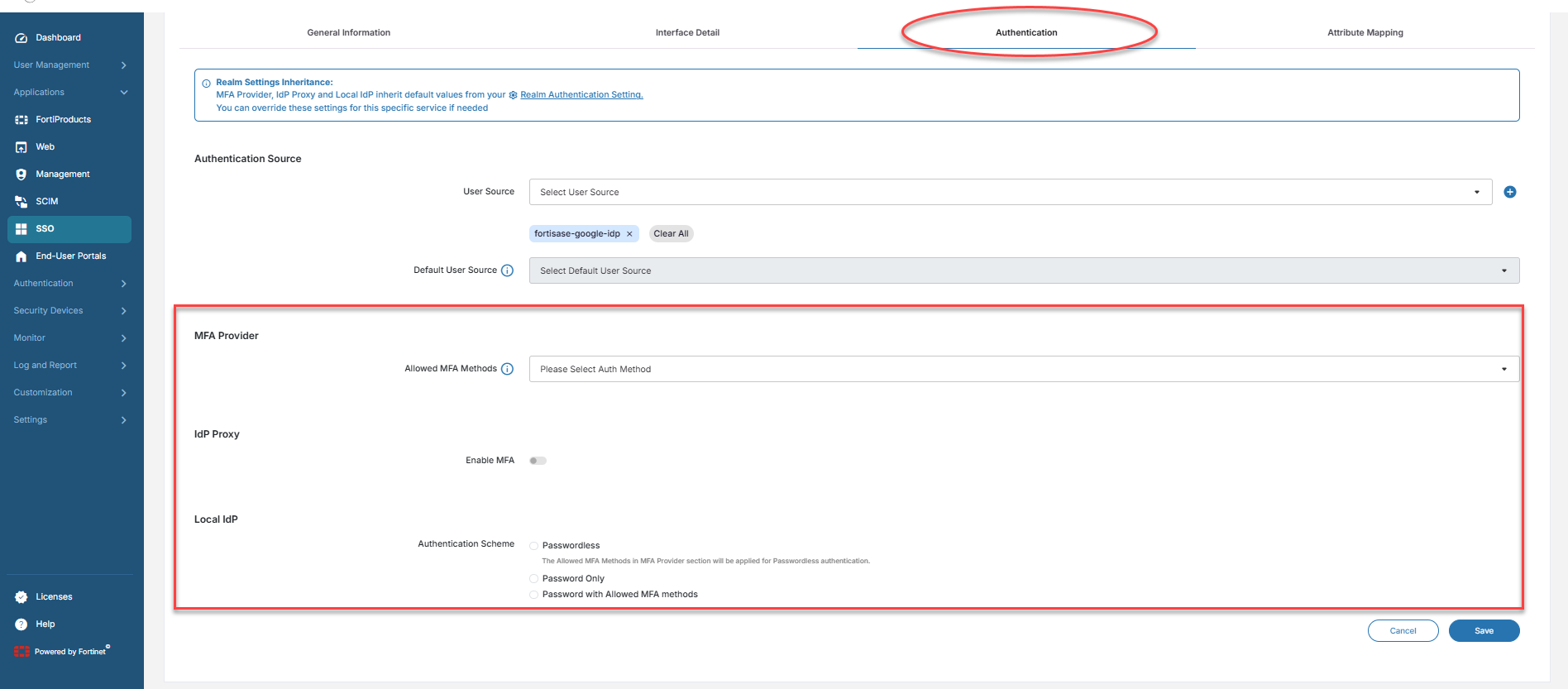
  3. Under the Authentication tab, select the options for MFA Provider, IdP Proxy, and Local IdP.

    Tooltip
    • By default, the application will inherit the MFA Provider, IdP Proxy, and Local IdP settings set in the realm. If a setting is updated under the Authentication tab of the SP, it will take precedence over the settings configured at the realm level.

    • The same applies to End-User Portal configuration as well. For each end-user portal, the authentication settings can be uniquely defined under the Authentication tab of the Add User Portal page (End-User Portals>Add User Portal).

Selecting SP-specifc authentication settings

The following are the authentication settings that can be controlled per SP:

  • MFA Provider — Select Allowed MFA Methods

  • IdP Proxy — Enable/Disable MFA

  • Local IdP — Select Authentication Scheme

An example use case

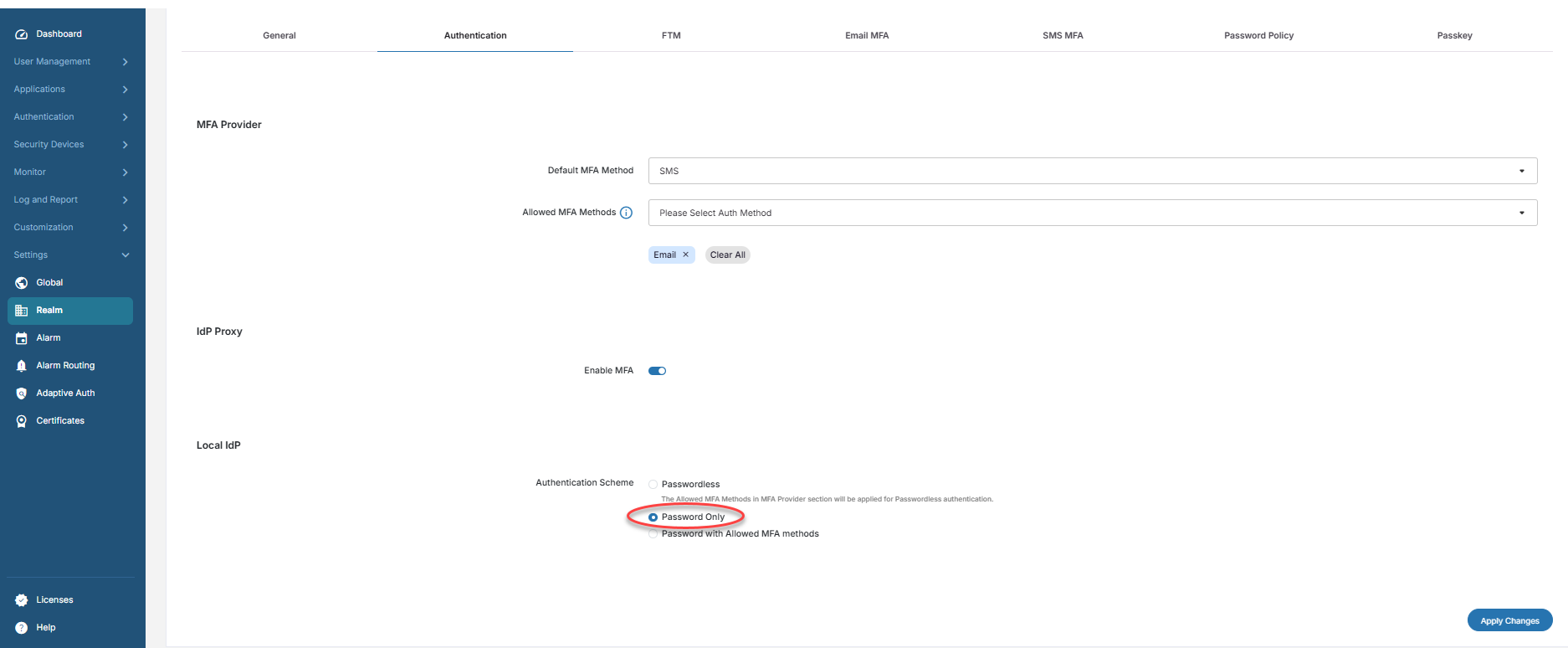
Normally, you can set a Password only authentication policy in the realm Authentication settings so that the users from the FIC’s Local IdP user source can log in without the need for MFA.
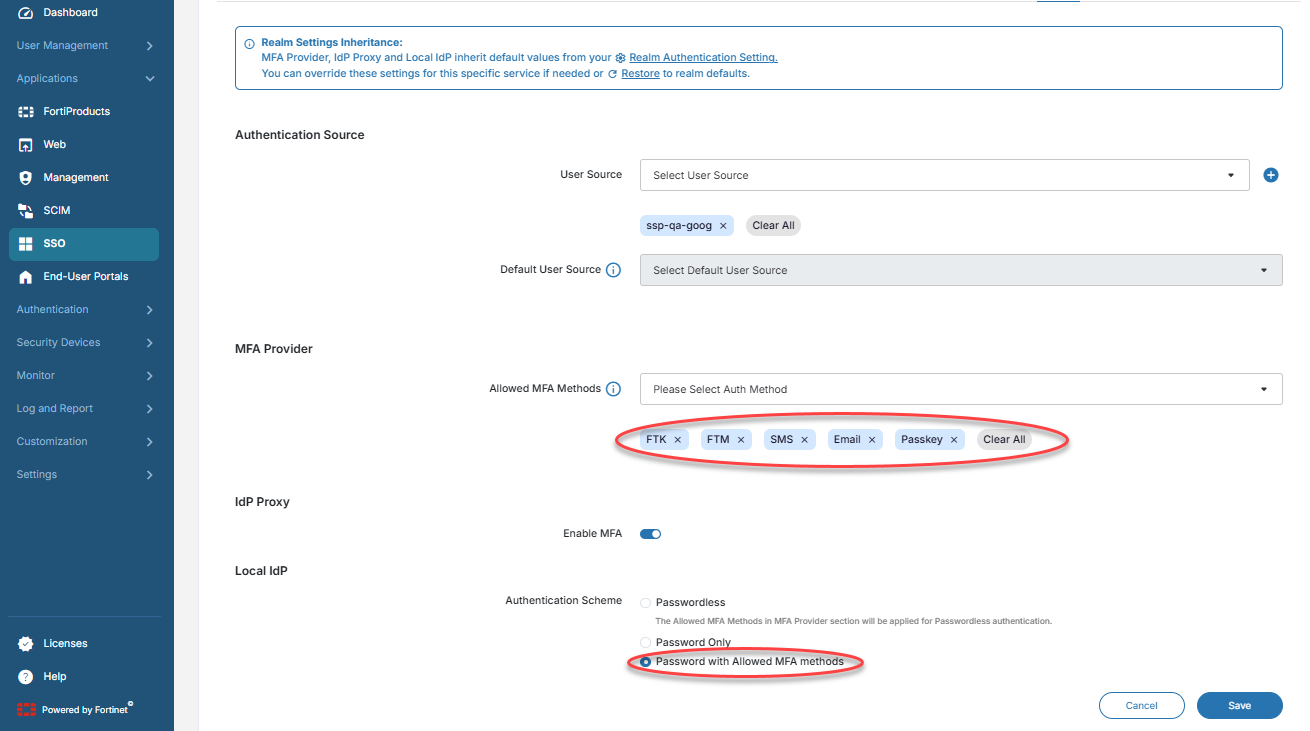
However, if there is a critical finance application configured with FIC’s Local IdP in the same realm for which the compliance team has made MFA a mandatory requirement, you can set the Authentication Scheme to Password with Allowed MFA methods for the finance application without the need to change the setting for the entire realm.
Configuring per-SP authentication settings

Configuring per-SP authentication settings

The per-SP setting feature allows system administrators to configure and manage SSO application settings on a per-service provider basis. This granular control mechanism enables organizations to apply unique configurations, policies, and restrictions to individual applications other than what is set at the realm level.

Key benefits

  • Granular control — Apply specific settings to individual service providers rather than using blanket configurations across the entire realm where the application is created.

  • Policy enforcement — Implement targeted security policies and compliance requirements per service provider.

  • Customized experience — Deliver tailored functionality and user interfaces to different service providers.

To enable per-SP settings:
  1. Navigate to Applications > SSO.

  2. Click Add SSO Application.

  3. Under the Authentication tab, select the options for MFA Provider, IdP Proxy, and Local IdP.

    Tooltip
    • By default, the application will inherit the MFA Provider, IdP Proxy, and Local IdP settings set in the realm. If a setting is updated under the Authentication tab of the SP, it will take precedence over the settings configured at the realm level.

    • The same applies to End-User Portal configuration as well. For each end-user portal, the authentication settings can be uniquely defined under the Authentication tab of the Add User Portal page (End-User Portals>Add User Portal).

Selecting SP-specifc authentication settings

The following are the authentication settings that can be controlled per SP:

  • MFA Provider — Select Allowed MFA Methods

  • IdP Proxy — Enable/Disable MFA

  • Local IdP — Select Authentication Scheme

An example use case

Normally, you can set a Password only authentication policy in the realm Authentication settings so that the users from the FIC’s Local IdP user source can log in without the need for MFA.

However, if there is a critical finance application configured with FIC’s Local IdP in the same realm for which the compliance team has made MFA a mandatory requirement, you can set the Authentication Scheme to Password with Allowed MFA methods for the finance application without the need to change the setting for the entire realm.