

Types of security posture tags
Security posture tags are tags retrieved from FortiClient EMS once a FortiGate is connected to an EMS through the security fabric connector. FortiGate can retrieve different categories of tags from EMS:
|
Category |
Description |
|---|---|
|
Security posture tags (Zero trust tags in earlier EMS versions) |
Generated from tagging rules configured on FortiClient EMS. Tags are based on various posture checks that can be applied to the endpoints. Tags are synchronized from EMS to FortiGate by default.
|
|
Classification tags |
Custom tags manually assigned by the EMS administrator to endpoints.
|
|
FortiGuard outbreak alert tags |
Outbreak alerts inform EMS about vulnerabilities on an application or endpoint that is part of a recent outbreak. See FortiGuard Outbreak Alerts.
|
|
Fabric tags |
Fabric tags are retrieved from FortiAnalyzer to EMS when endpoint logs trigger indicators of compromise (IOC) on a specific endpoint.
|
For more information about each type of tag on FortiClient EMS, see Fabric Devices.
By default, only security posture tags/zero trust tags are synchronized from EMS to FortiGate. On EMS, you can enable other tags to be synchronized.
To synchronize classification tags from EMS:
-
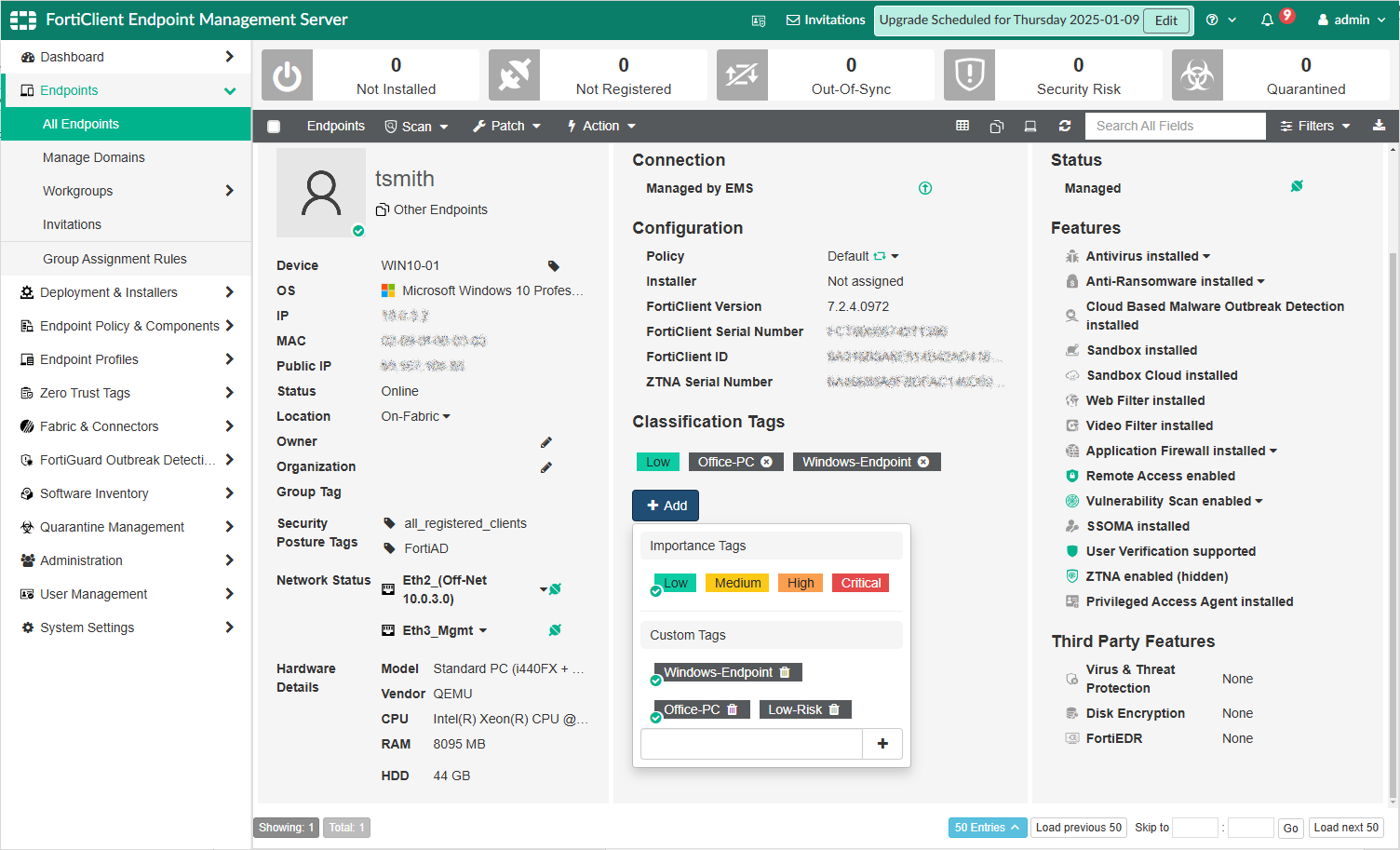
From FortiClient EMS, go to Endpoints > All Endpoints.
-
Select an endpoint to view its summary.
-
Under Classification Tags, click Add to add a new custom tag.
-
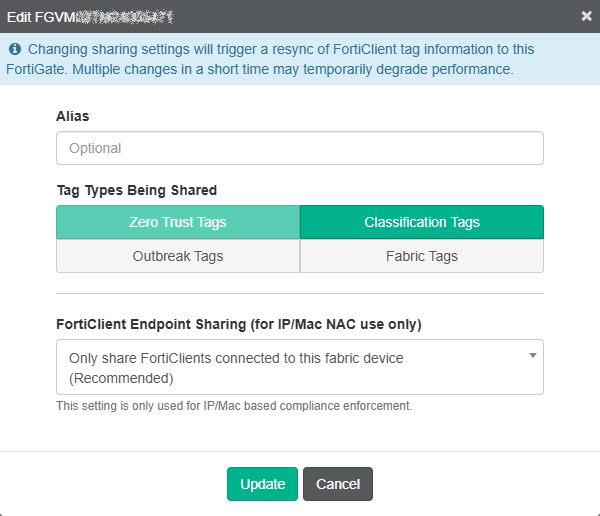
From Fabric & Connectors > Fabric Devices, find the FortiGate that requires the use of these tags.
-
Click Edit to update its synchronization settings.
-
Under Tag Types Being Shared, select all types that apply. In this example, Classification Tags is selected in addition to the default Zero Trust Tags.
-
Click Update to save.
-
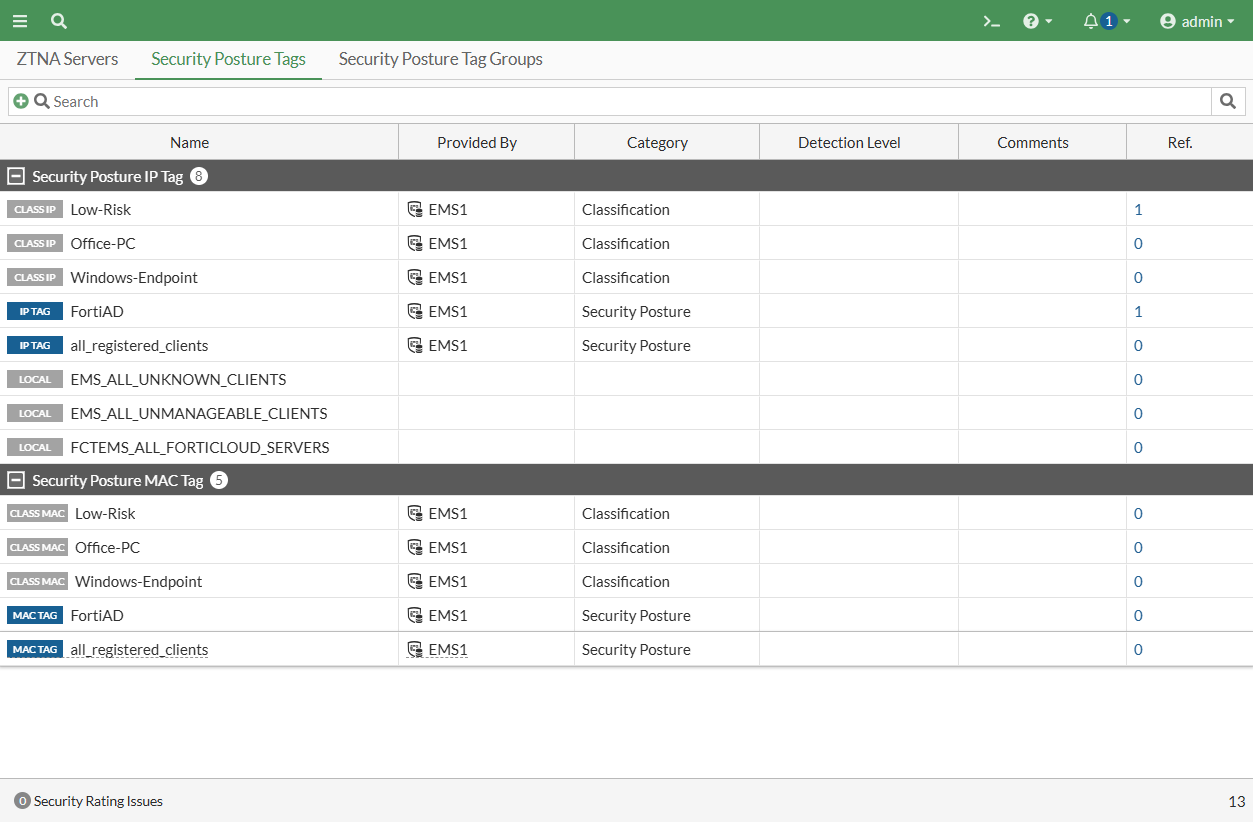
On the FortiGate, go to Policy & Objects > ZTNA. Switch to the Security Posture Tags tab.
Aside from the Security Posture type tags generated from tagging rules, Classification type tags are also retrieved.
Using any versus all tags inside a ZTNA policy
When configuring the ZTNA policy to control access, the Security posture tags option can be set to Any or All:
-
When set to Any, an endpoint must satisfy only one of the defined security posture tags to pass this check.
-
When set to All, an endpoint must satisfy all of the defined security posture tags to pass this check.
Example 1: Using the Any tag
-
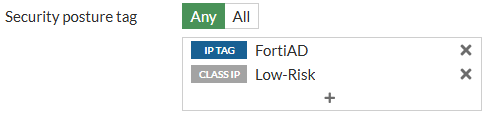
A simple ZTNA policy is configured where the Security posture tag is set to Any, with the tags FortiAD and Low-Risk.
-
An endpoint with only the FortiAD tag connects.
-
The endpoint can connect to the server.
-
From the CLI, ZTNA logs indicate that the traffic was allowed.
# execute log filter field subtype ztna
# execute log display
…
2: date=2025-01-07 time=10:57:00 eventtime=1736276220378088305 tz="-0800" logid="0005000024" type="traffic" subtype="ztna" level="notice" vd="root" srcip=10.0.3.2 srcport=17322 srcintf="port3" srcintfrole="wan" dstcountry="Reserved" srccountry="Reserved" dstip=10.0.3.10 dstport=9043 dstintf="root" dstintfrole="undefined" sessionid=8876 srcuuid="b458a65a-f759-51ea-d7df-ef2e750026d1" service="tcp/9043" proxyapptype="http" proto=6 action="accept" policyid=17 policytype="policy" poluuid="8065fc36-cd28-51ef-cd5a-84f5ae253c13" policyname="ZTNA-webserver-allow" appcat="unscanned" duration=0 vip="ZTNA-webserver" accessproxy="ZTNA-webserver" clientdevicemanageable="unknown" clientcert="no" wanin=0 rcvdbyte=0 wanout=0 lanin=1764 sentbyte=1764 lanout=3049
Example 2: Using the All tag
-
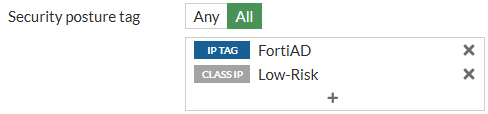
A simple ZTNA policy is configured where the Security posture tag is set to All, with the tags FortiAD and Low-Risk.
-
An endpoint with only the FortiAD tag connects.
-
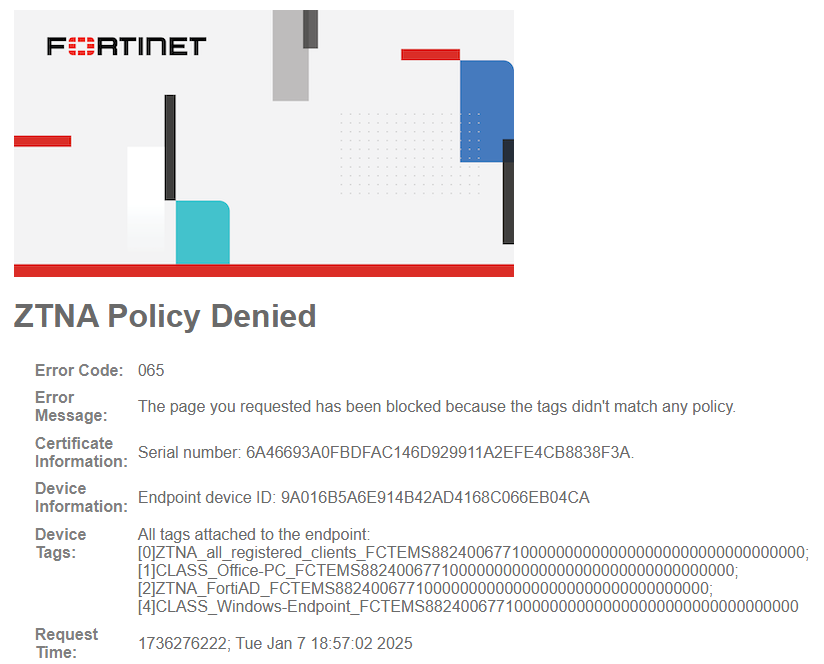
It is unable to connect to the server, and a denied message appears.
-
From the CLI, ZTNA logs indicate that the implicit policy denied traffic. Security posture tags are logged under
clientdevicetags, and it indicates the tags registered to the endpoint. Low-Risk is not associated with this endpoint.# execute log filter field subtype ztna # execute log display 5 logs found. 5 logs returned. 1: date=2025-01-07 time=10:57:02 eventtime=1736276222045366174 tz="-0800" logid="0005000024" type="traffic" subtype="ztna" level="notice" vd="root" srcip=10.0.3.2 srcport=17325 srcintf="port3" srcintfrole="wan" dstcountry="Reserved" srccountry="Reserved" dstip=10.0.3.10 dstport=9043 dstintf="root" dstintfrole="undefined" sessionid=8877 srcuuid="b458a65a-f759-51ea-d7df-ef2e750026d1" dstuuid="4d6d23e0-cd28-51ef-164e-8f29b4c8bf51" service="tcp/9043" proxyapptype="http" proto=6 action="deny" policyid=0 policytype="policy" appcat="unscanned" duration=0 vip="ZTNA-webserver" accessproxy="ZTNA-webserver" clientdeviceid="9A016B5A6E914B42AD4168C066EB04CA" clientdevicemanageable="manageable" clientdeviceems="FCTEMS8824006771" clientdevicetags="all_registered_clients/CLASS_Office-PC/FortiAD/CLASS_Low/CLASS_Windows-Endpoint" clientcert="yes" emsconnection="online" msg="Traffic denied because failed to match a policy or proxy-policy" wanin=0 rcvdbyte=0 wanout=0 lanin=3688 sentbyte=3688 lanout=3446 fctuid="9A016B5A6E914B42AD4168C066EB04CA" crscore=30 craction=131072 crlevel="high"