

SD-WAN Overlay-as-a-Service
The FortiCloud Overlay-as-a-Service portal and the FortiGate Cloud Advanced license support SD-WAN overlay.
SD-WAN overlay is supported through an Overlay-as-a-Service (OaaS) license displayed as SD-WAN Overlay as a Service on the System > FortiGuard page. Each FortiGate used by the FortiCloud Overlay-as-a-Service or FortiGate Cloud portal for SD-WAN overlay must have this license applied to it.
See the Overlay-as-a-Service Administration Guide and SD-WAN Overlay in the FortiGate Cloud Administration Guide for more information on SD-WAN overlay.
To view the status of the OaaS license in the GUI:
-
Go to System > FortiGuard.
-
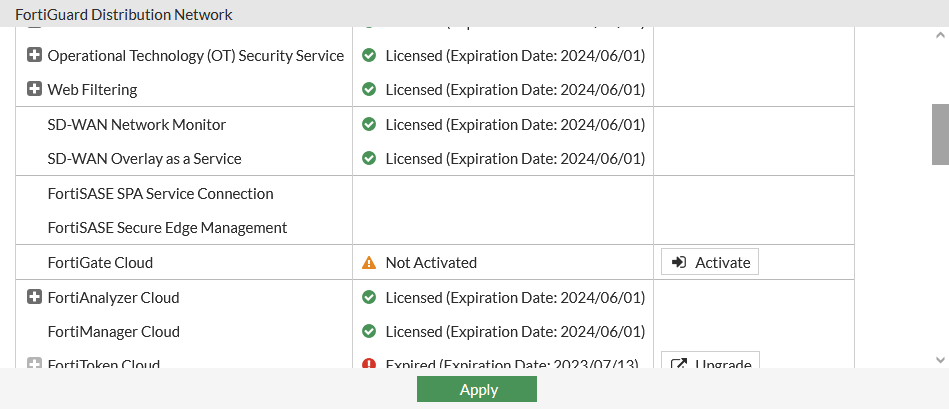
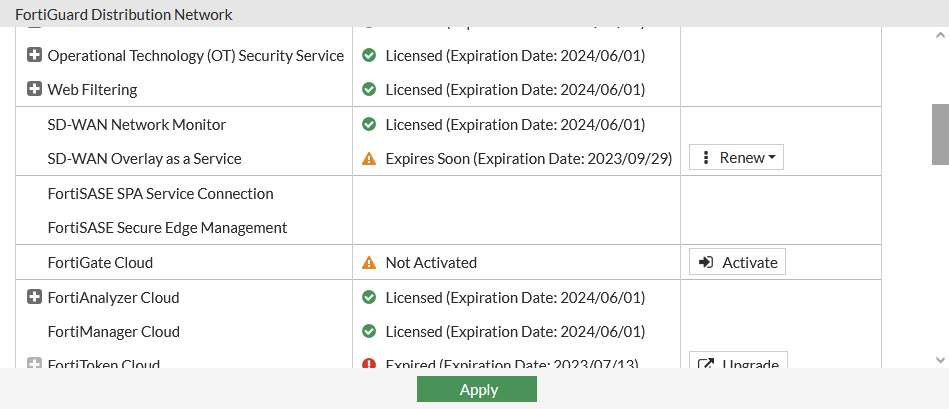
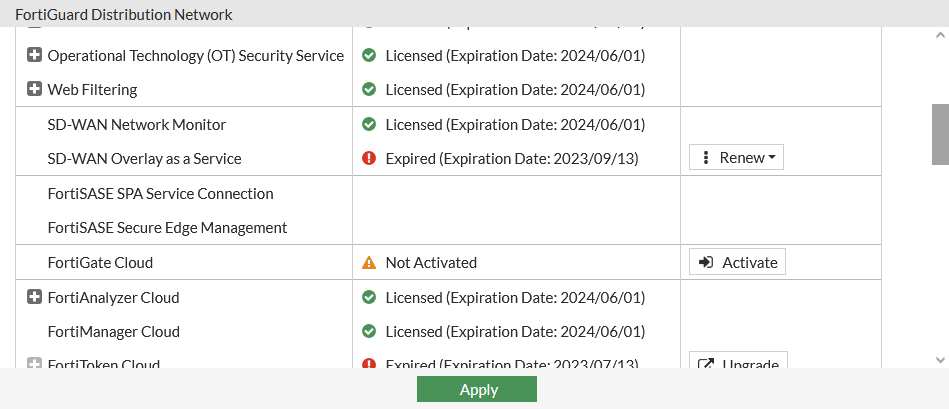
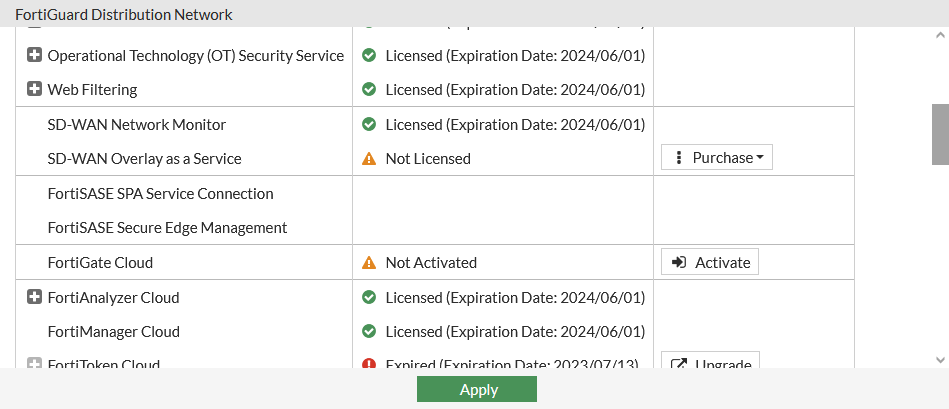
Expand License Information. The SD-WAN Overlay as a Service license status is listed as:
-
Licensed: OaaS is currently licensed and will expire on the provided date.
-
Expires Soon: OaaS is currently licensed but will expire soon on the provided date.
-
Expired: The OaaS license has already expired on the provided date.
-
Not Licensed: OaaS has not been licensed.
-
To view the status of the OaaS license in the CLI:
-
Verify that the entitlement can be updated:

The SD-WAN Overlay-as-a-Service license is listed as
SWOSin the CLI.# diagnose test update info System contracts: FMWR,Wed Dec 20 16:00:00 2023 SPAM,Wed Dec 20 16:00:00 2023 SBCL,Wed Dec 20 16:00:00 2023 SWNO,Wed Dec 20 16:00:00 2023 SWNM,Wed Sep 27 17:00:00 2023 SWOS,Mon Aug 14 17:00:00 2023 SPRT,Wed Dec 20 16:00:00 2023 SDWN,Sun Dec 10 16:00:00 2023 SBCL,Wed Dec 20 16:00:00 2023 SBEN,Wed Dec 20 16:00:00 2023 -
Verify that the expiration date log can be generated:
# execute log display

1: date=2023-08-10 time=00:00:01 eventtime=1691650800645347120 tz="-0700" logid="0100020138" type="event" subtype="system" level="warning" vd="root" logdesc="FortiGuard SD-WAN Overlay as a Service license expiring" msg="FortiGuard SD-WAN Overlay Service license will expire in 4 day(s)"
To ensure FortiGate spoke traffic remains uninterrupted when configuration is orchestrated from SD-WAN Overlay-as-a-Service (OaaS) or FortiGate Cloud, support for an OaaS agent on the FortiGate is available. The OaaS agent communicates with the OaaS controller in FortiCloud, validates and compares the FortiOS configuration, and applies the FortiOS configuration to the FortiGate as a transaction when it has been orchestrated from the OaaS or FortiGate Cloud portal. Secure communication between the OaaS agent and the OaaS controller is achieved using the FGFM management tunnel.
If any configuration change fails to be applied, then the OaaS agent rolls back all configuration changes that were orchestrated. The OaaS status can be acquired using get oaas status.
To determine the status of OaaS:
# get oaas status
Account ID: 78992
Account: admin@domain.com
Site: site1
Configuration version: 4
Configuration sync status: SUCCESS
    Target version: 4
    Task ID: xxxxxxxxx
    Error: