

Configuring a DNS filter profile
Once a DNS filter is configured, it can be applied to a firewall policy. This example scans DNS traffic traversing the FortiGate.
When a FortiGate DNS server has been configured, refer to the steps in Applying DNS filter to FortiGate DNS server.
To configure DNS Filter profile in the GUI:
- Go to Security Profiles > DNS Filter and click Create New, or edit an existing profile.
- Configure the settings as needed.
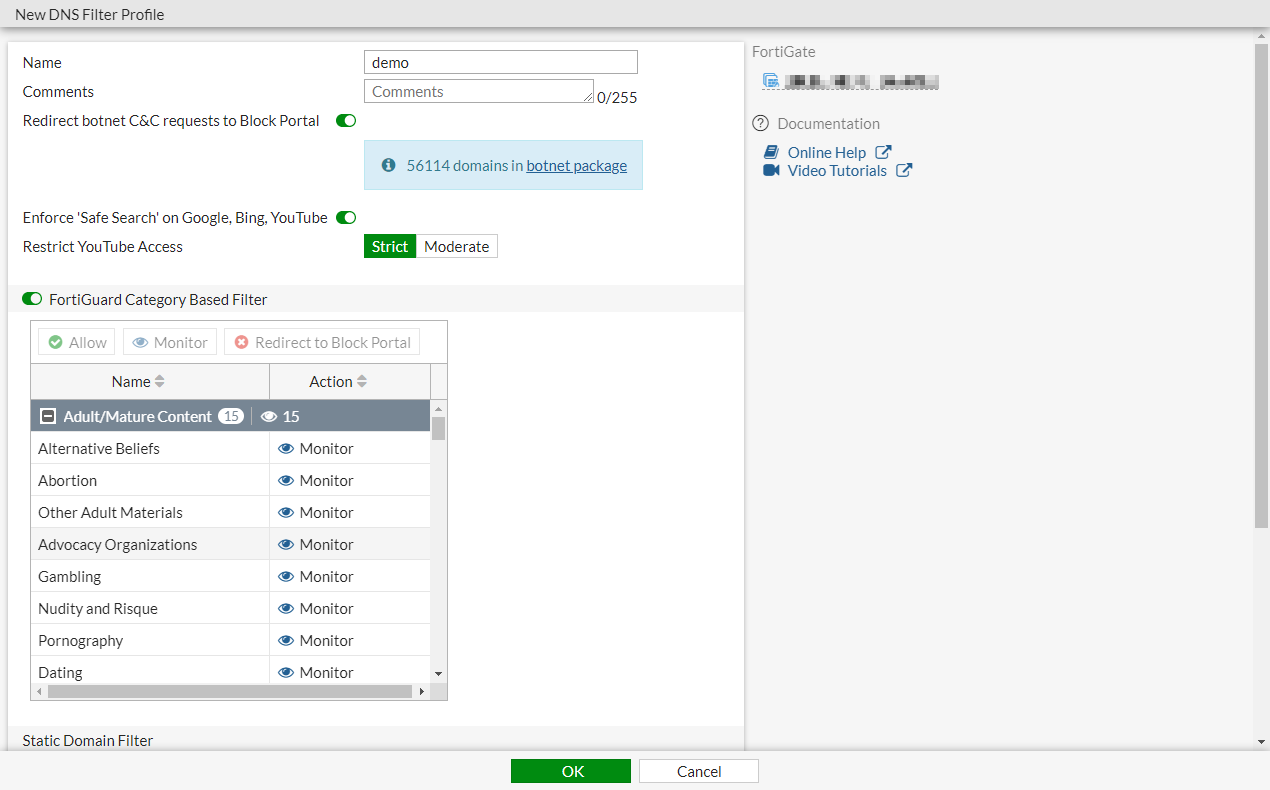
- Click OK.
To create or configure DNS Filter profile in the CLI:
config dnsfilter profile
    edit "demo"
        set comment ''
        config domain-filter
            unset domain-filter-table
        end
        config ftgd-dns
            set options error-allow
            config filters
                edit 2
                    set category 2
                    set action monitor
                next
                edit 7
                    set category 7
                    set action block
                next
                ...
                edit 22
                    set category 0
                    set action monitor
                next
            end
        end
        set log-all-domain enable
        set sdns-ftgd-err-log enable
        set sdns-domain-log enable
        set block-action redirect
        set block-botnet enable
        set safe-search enable
        set redirect-portal 93.184.216.34
        set youtube-restrict strict
    next
end
To apply DNS Filter profile to the policy in the GUI:
- Go to Policy & Objects > Firewall Policy and click Create New, or edit an existing policy.
- In the Security Profiles section, enable DNS Filter and select the DNS filter.
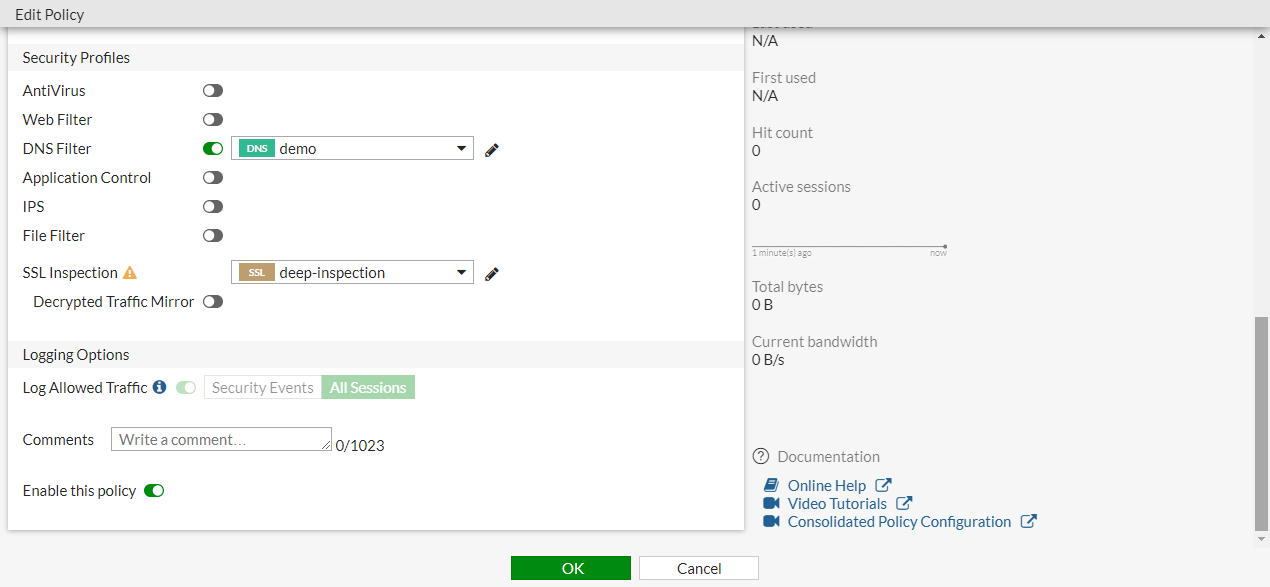
- Configure the other settings as needed.
- Click OK.
To apply DNS Filter profile to the policy in the CLI:
config firewall policy
    edit 1
        set name "Demo"
        set srcintf "port10"
        set dstintf "port9"
        set srcaddr "all"
        set dstaddr "all"
        set action accept
        set schedule "always"
        set service "ALL"
        set utm-status enable
        set inspection-mode proxy
        set logtraffic all
        set fsso disable
        set dnsfilter-profile "demo"
        set profile-protocol-options "default"
        set ssl-ssh-profile "deep-inspection"
        set nat enable
    next
end
DNS filter behavior in proxy mode
In cases where the DNS proxy daemon handles the DNS filter (described in DNS filter) and if DNS caching is enabled (this is the default setting), then the FortiGate will respond to subsequent DNS queries using the result in the DNS cache and will not forward these queries to a real DNS server.
There are two options to disable this behavior:
- Disable DNS caching globally.
- Remove the DNS filter profile from the proxy mode firewall policy or from the DNS server configured on a FortiGate interface.
To disable DNS caching globally:
config system dns
    set dns-cache-limit 0
end

|
There will be a performance impact to DNS queries since each query will not be cached, and will be forwarded to a real DNS server. |