

Bootstrapping the FortiGate CLI at initial bootup using user data
You can run FortiGate CLI commands at initial bootup by using custom cloud-init.
- Download the ARM template and open in a text editor.
- Find the variables section and the userData statement as shown. The line number may be different than in the screenshot.
- After concat, specify FortiGate CLI commands. If they are run across multiple lines (in the FortiGate CLI, these commands are run by using the Enter key), separate each line with a backslash and n and enclose the whole statement with single quotes.
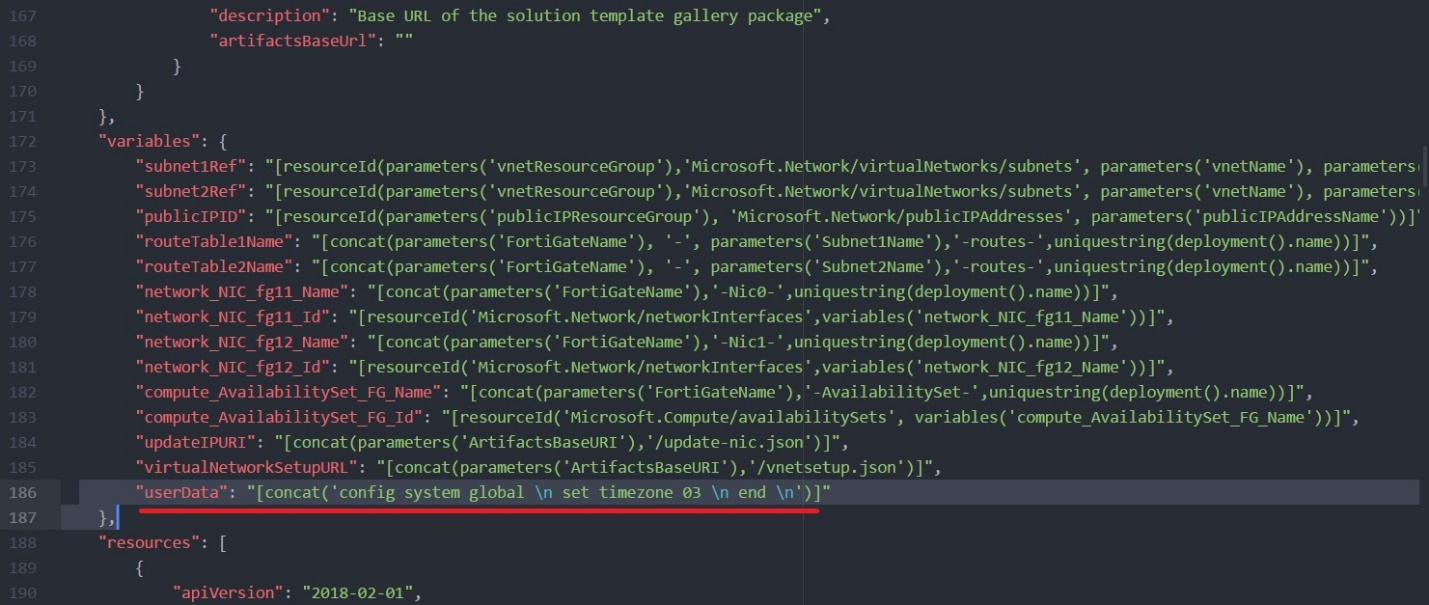
The example above is the same as executing the following in the FortiGate CLI:
config system global
set timezone 03
end
- Load the file as shown in Invoking a custom ARM template.
- After deployment, log into the FortiGate.
- Check if the command was successfully run:
- In the CLI console, enter
diag debug cloudinit show. If the cloud-init was successful, the CLI showsAzure customdata processed successfully. The FortiGate CLI command syntax must be correct.
If the CLI command fails, you see an error message with
diag debug cloudinit showas above. Resolve it and try again. - Check the timezone by running
config system globalandgetcommands.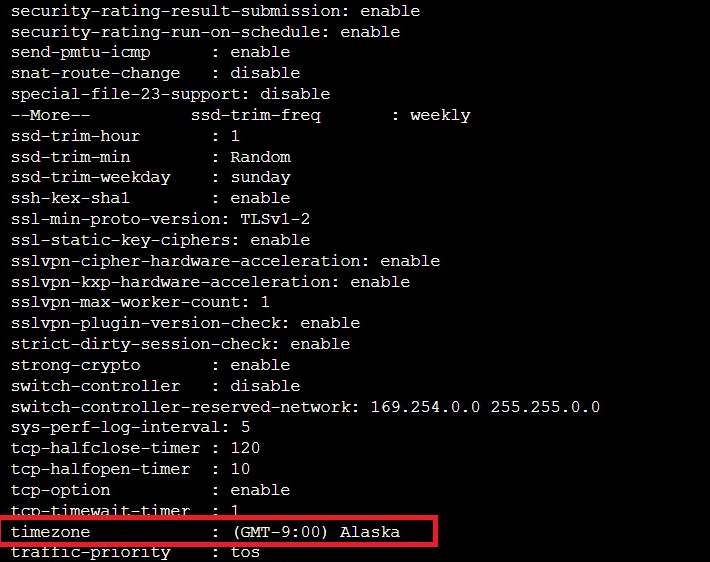
As expected, the timezone was changed. This means the bootstrapping CLI command worked.
- In the CLI console, enter