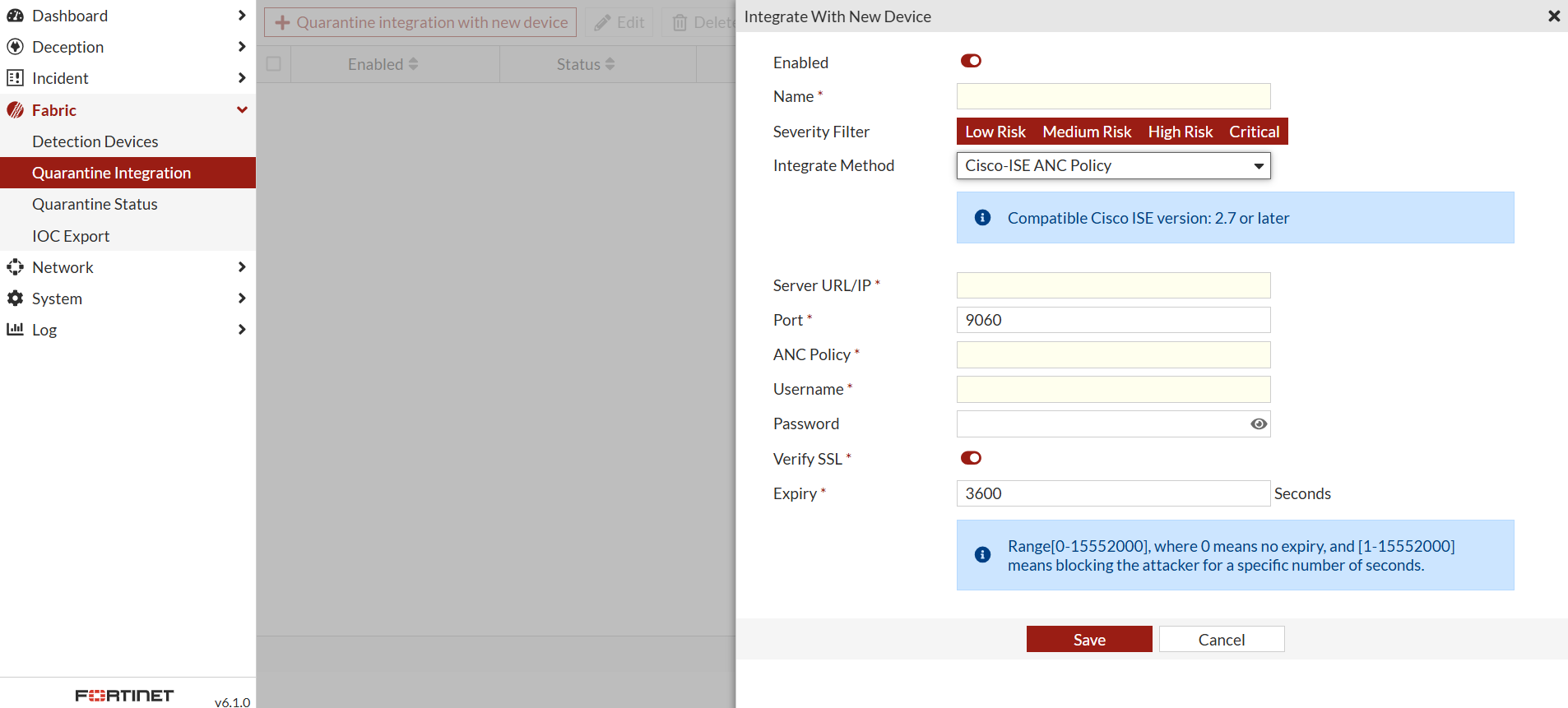
Integrate with Cisco ISE ANC policy
Cisco Identity Services Engine (ISE) Adaptive Network Control (ANC) policy is a feature that allows administrators to monitor and control network access for endpoints. ANC policies are used to enforce specific actions on endpoints based on their behavior or security posture.
1. Create and ANC policy (for ANC policy quarantine only)
- In Cisco ISE, go to Operations > Adaptive Network Control > Policy List.
- Click Add.
- Name the new ANC policy and select an Action from dropdown list.
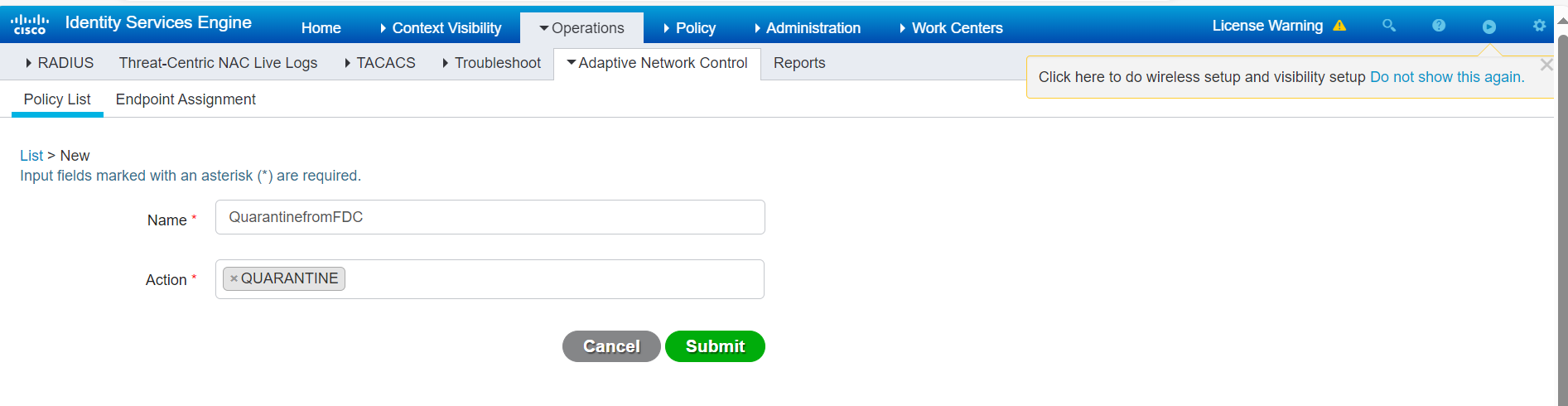
The new policy is added to the list.
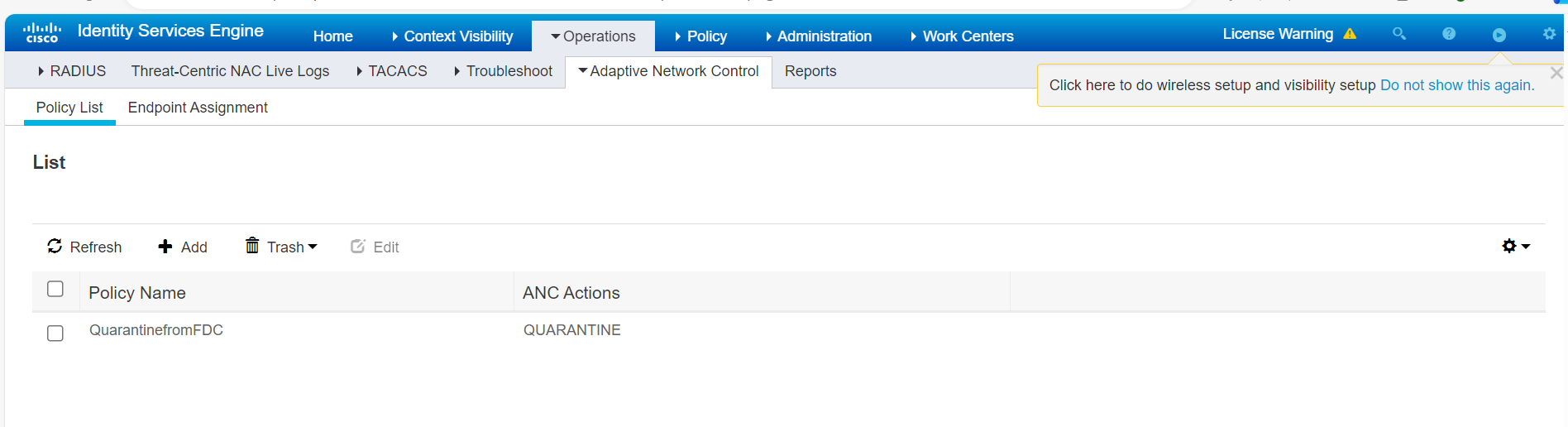
2. Create a new policy (for ANC policy quarantine only)
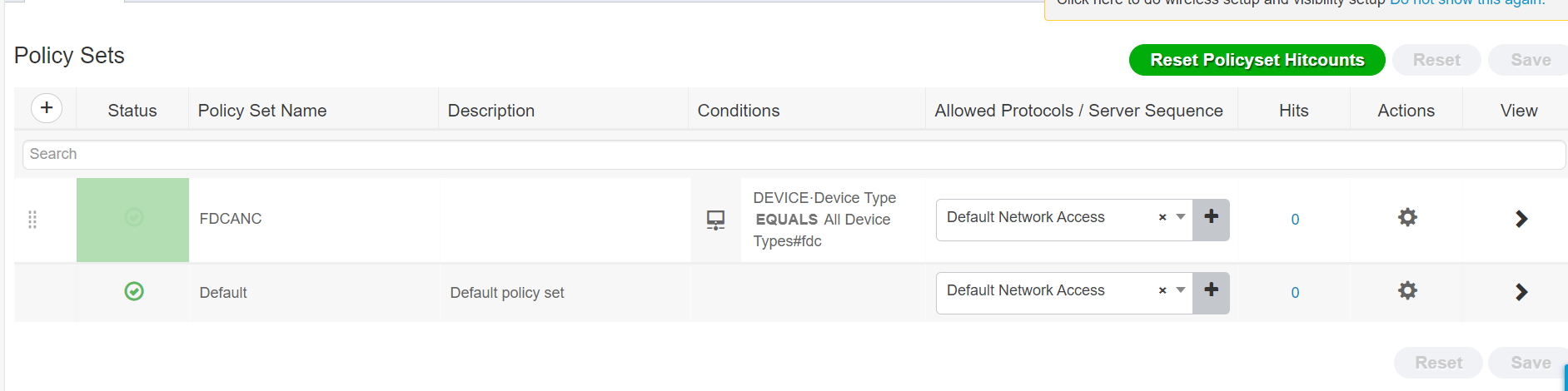
- In Cisco ISE, go to Policy Sets.
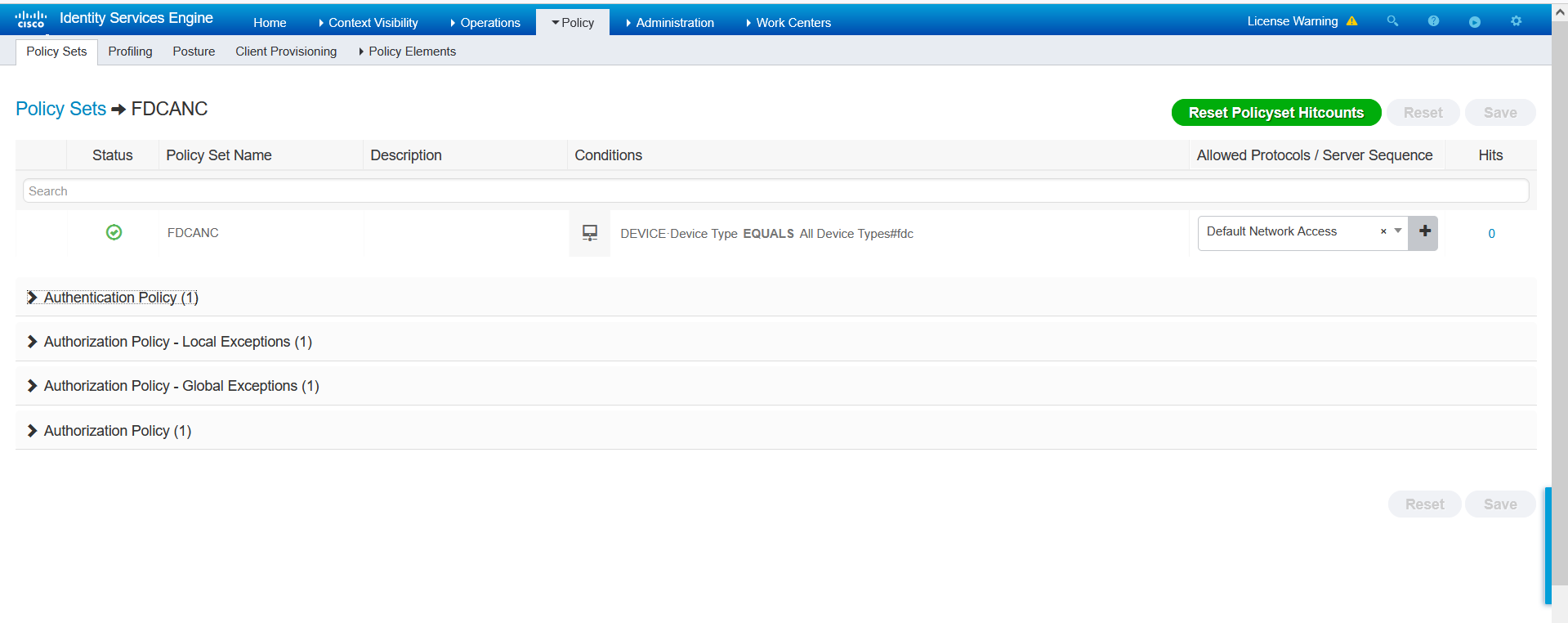
- Click the FortiDeceptor in the Policy Set Name column, click the FortiDeceptor policy.
- Expand Authorization Policy - Global Exceptions (1). To add a new policy, click the plus sign (+) in the Status column.
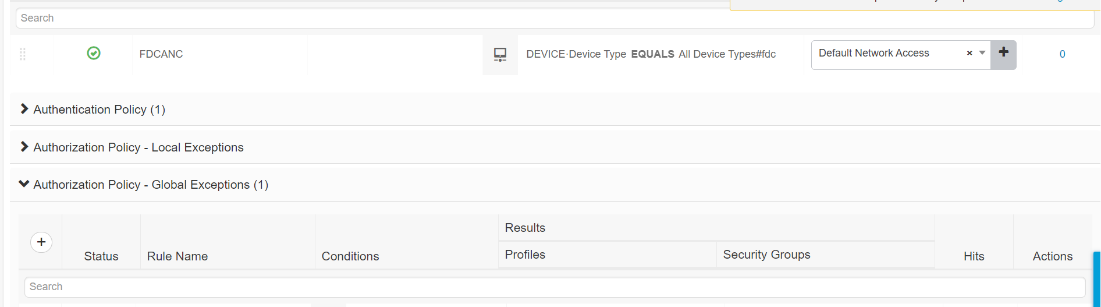
- In the Conditions column, click the plus sign (+
).
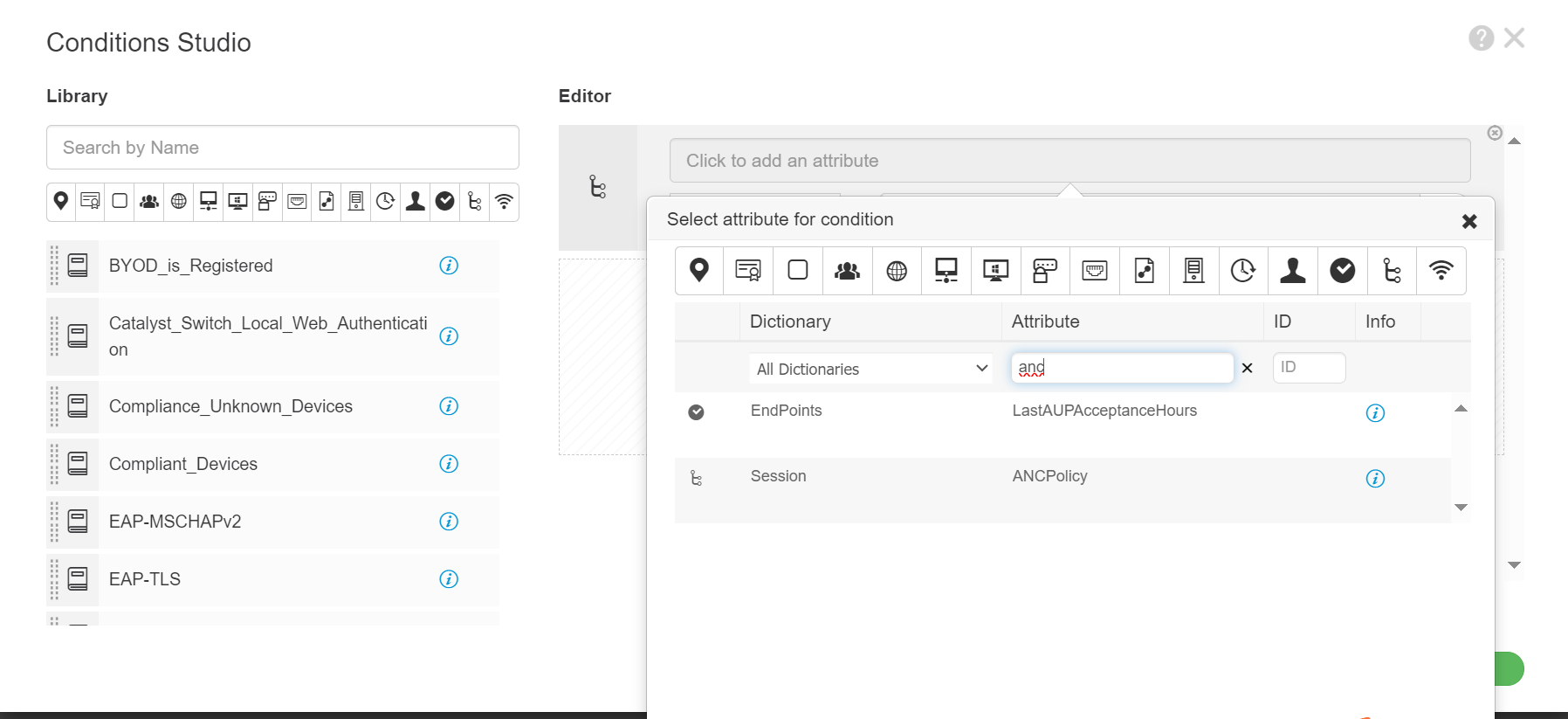
- In the Editor click the Click to add an attribute field. In the Attribute column, search for anc and select ANCPolicy.
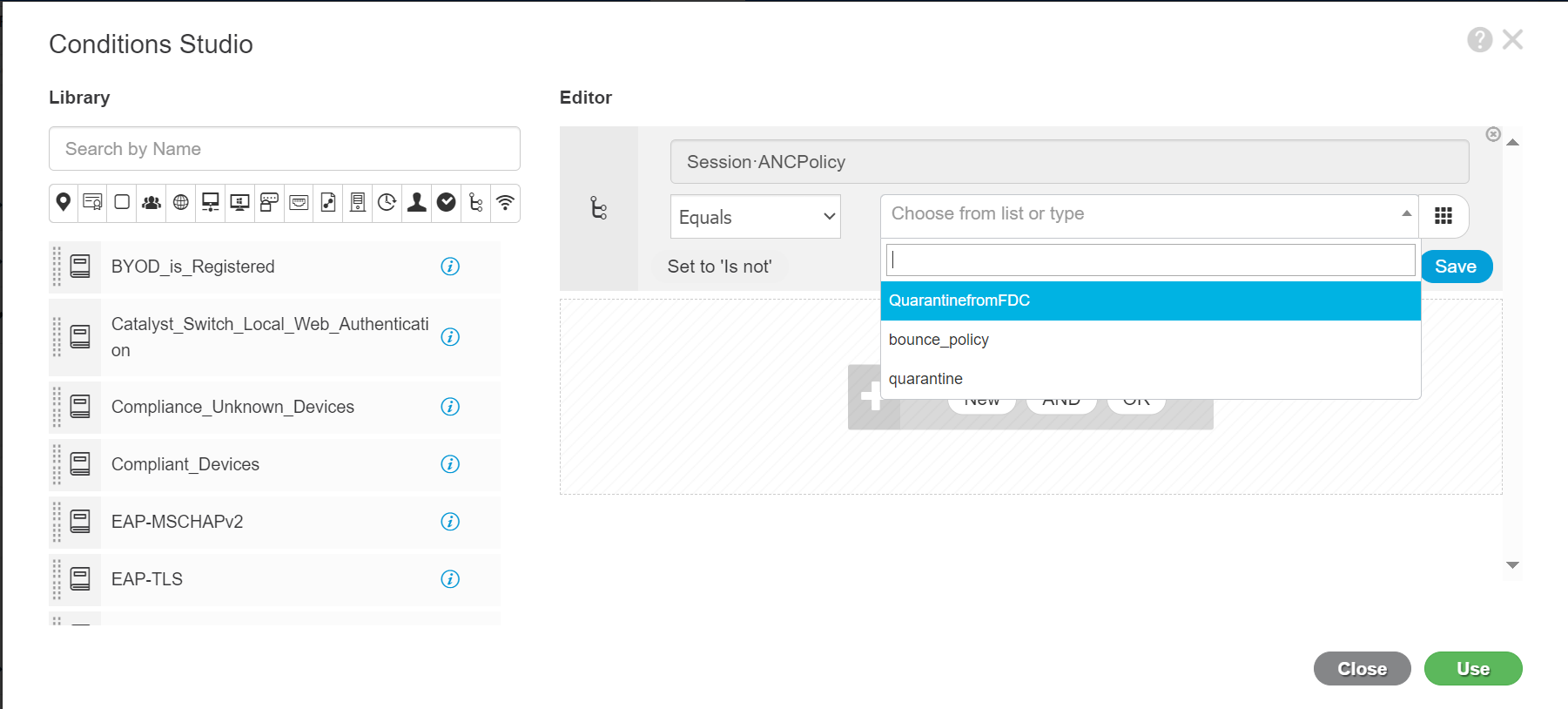
- Click Choose from list or type, select the policy you created in the first step (QuarantinefromFDC) and click Use.
.
- From the Profiles dropdown, select DenyAccess.

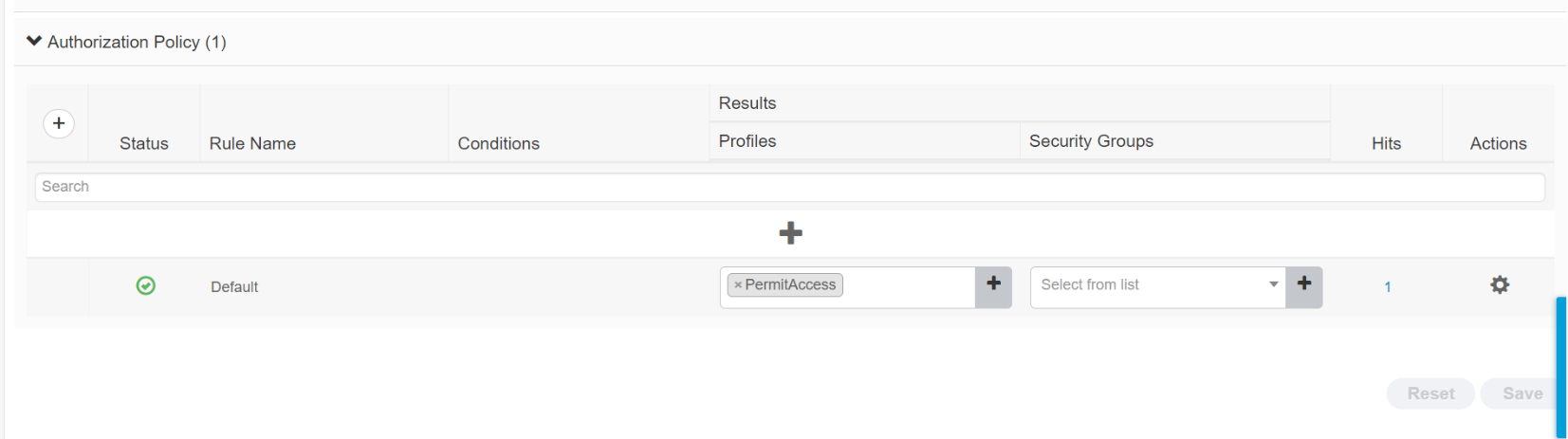
- In the Authorization Policy, ensure the Conditions column is empty and Profiles dropdown is set to PermitAccess.
3. Configure FortiDeceptor
- In FortiDeceptor, go to Fabric > Quarantine Integration.
- Click Quarantine integration with new device. The Integrate With New Device dialog opens.
- From the Integrate Method dropdown, select Cisco-ISE ANC policy.
- Configure the integration settings and click Save.