
Fortinet white logo
Fortinet white logo

Administration Guide

Firewall Users

Firewall Users

The Firewall Users monitor displays all currently logged in firewall users. You can use the monitor to diagnose user-related logons or to highlight and deauthenticate a user. For more information on firewall user monitors, see the FortiGate/FortiOS Administration Guide.

To use the firewall user monitor:
  1. Go to Device Manager > Monitor > Firewall Users.

    The Firewall Users monitor is displayed.
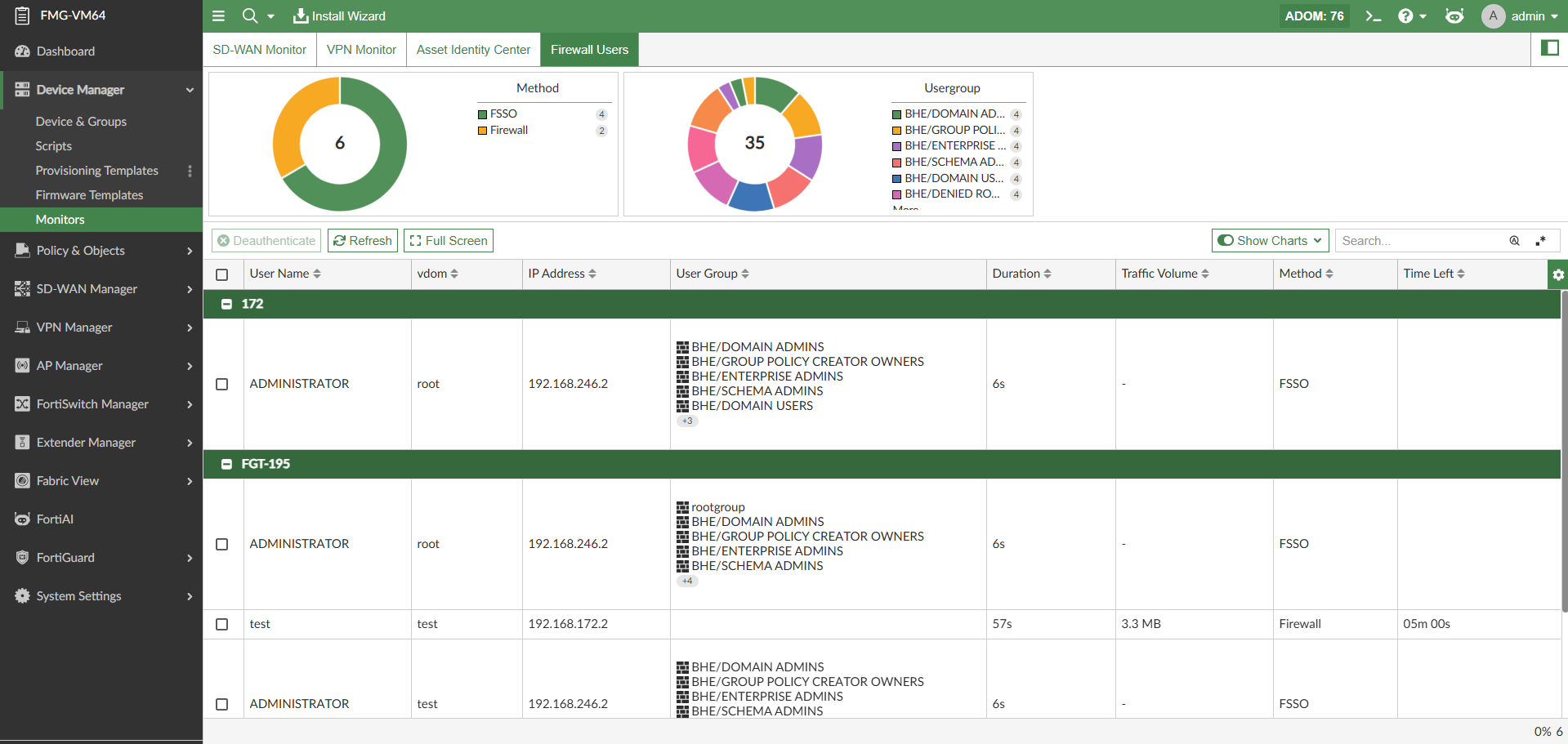
  2. In the Firewall Users monitor, information about each firewall user is organized by FortiGate.

    The following information and functionality is available:

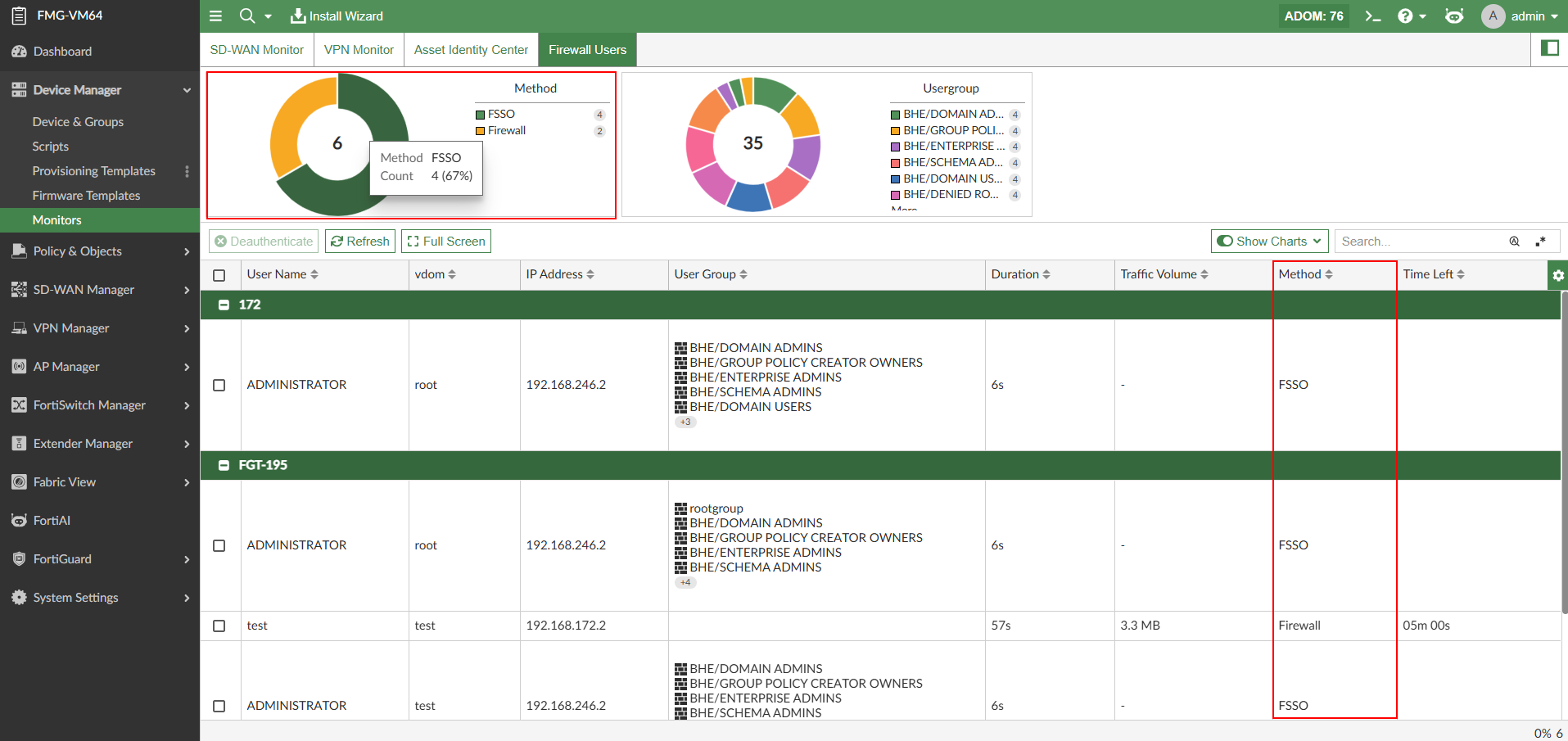
    • View the authentication method used by each firewall user in the Method column and chart.
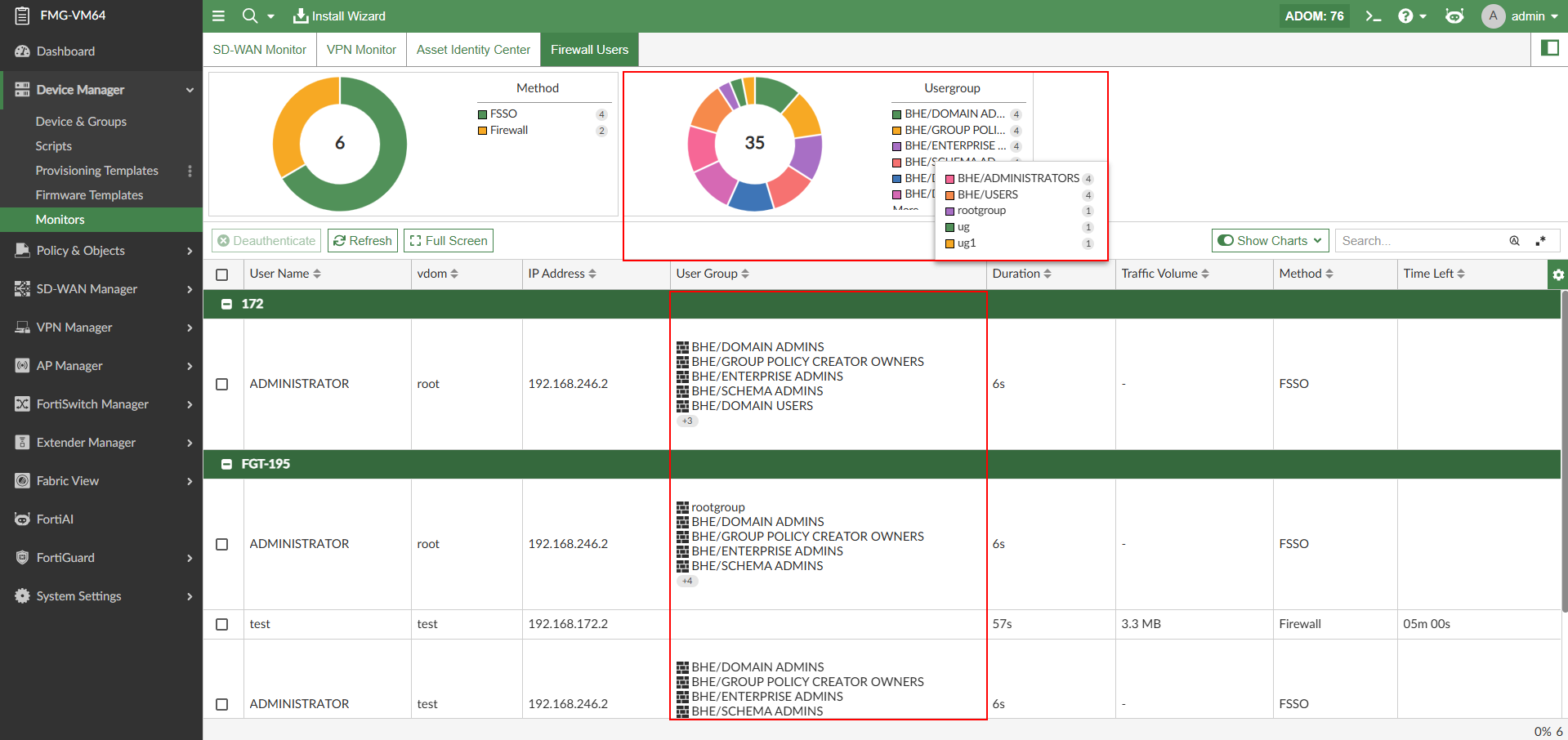
    • See which user groups the user belongs to in the User Group column and Usergroup chart.
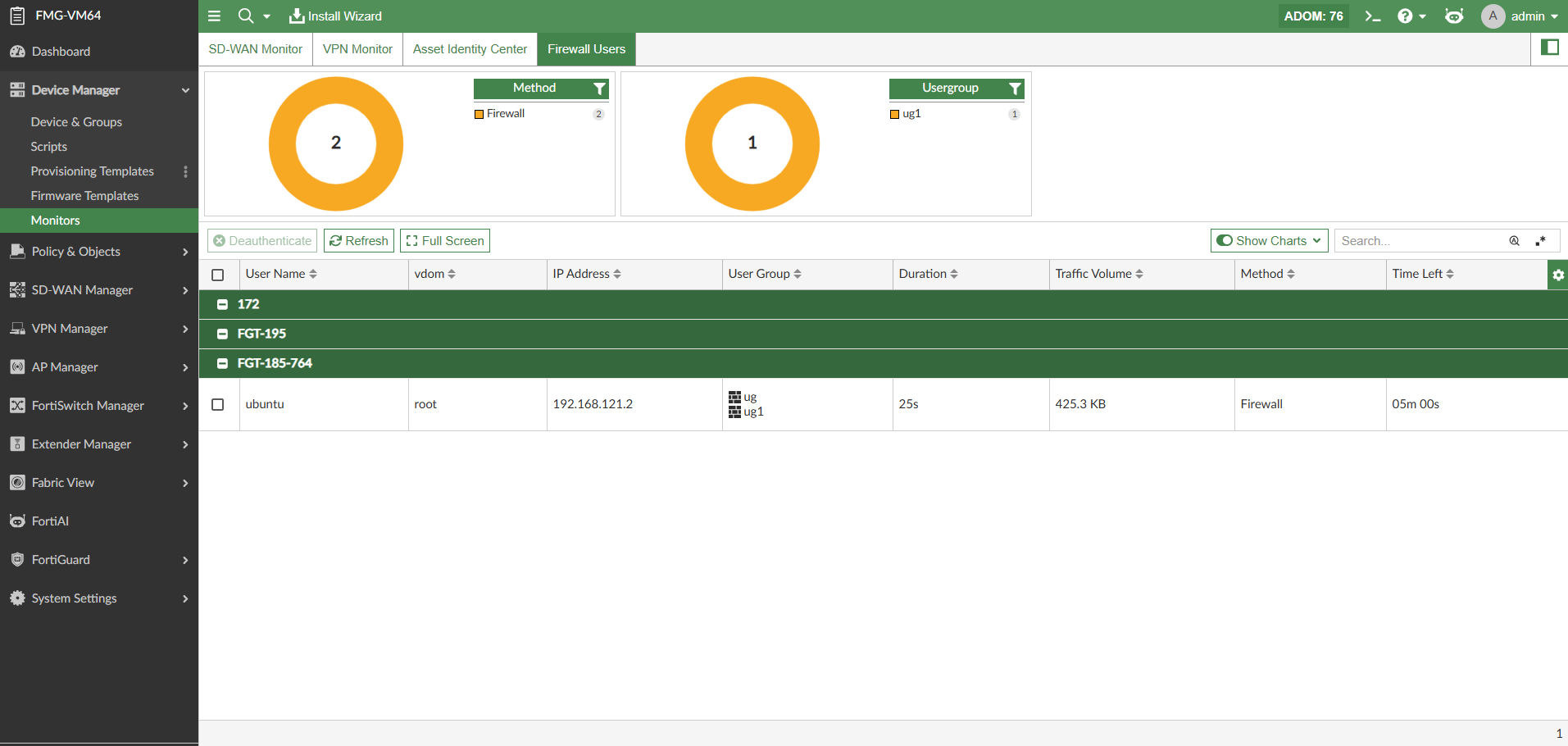
    • Use the filters in the charts above the table to filter data based on the user's authentication Method and User Group.
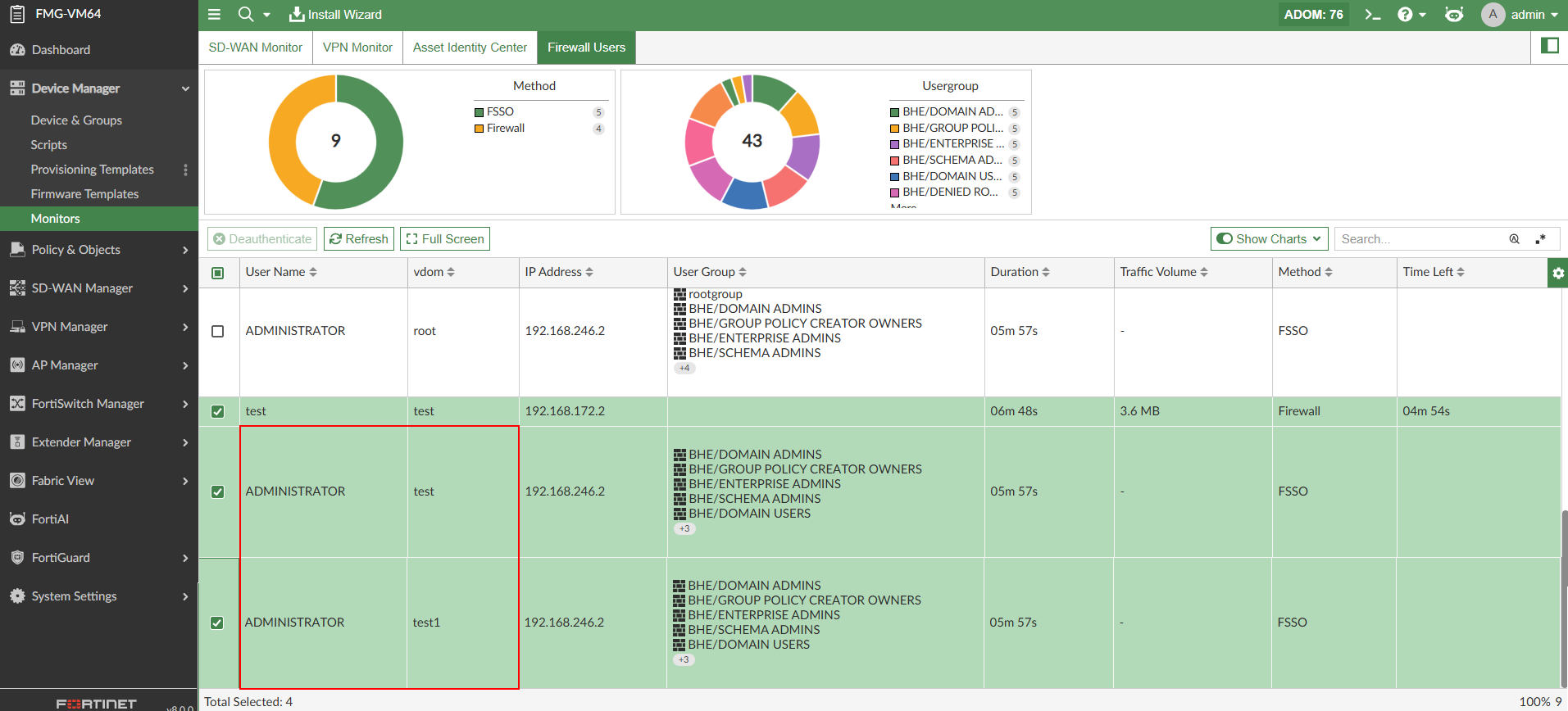
    • Deauthenticate firewall users by selecting a user in the table and clicking Deauthenticate in the toolbar.
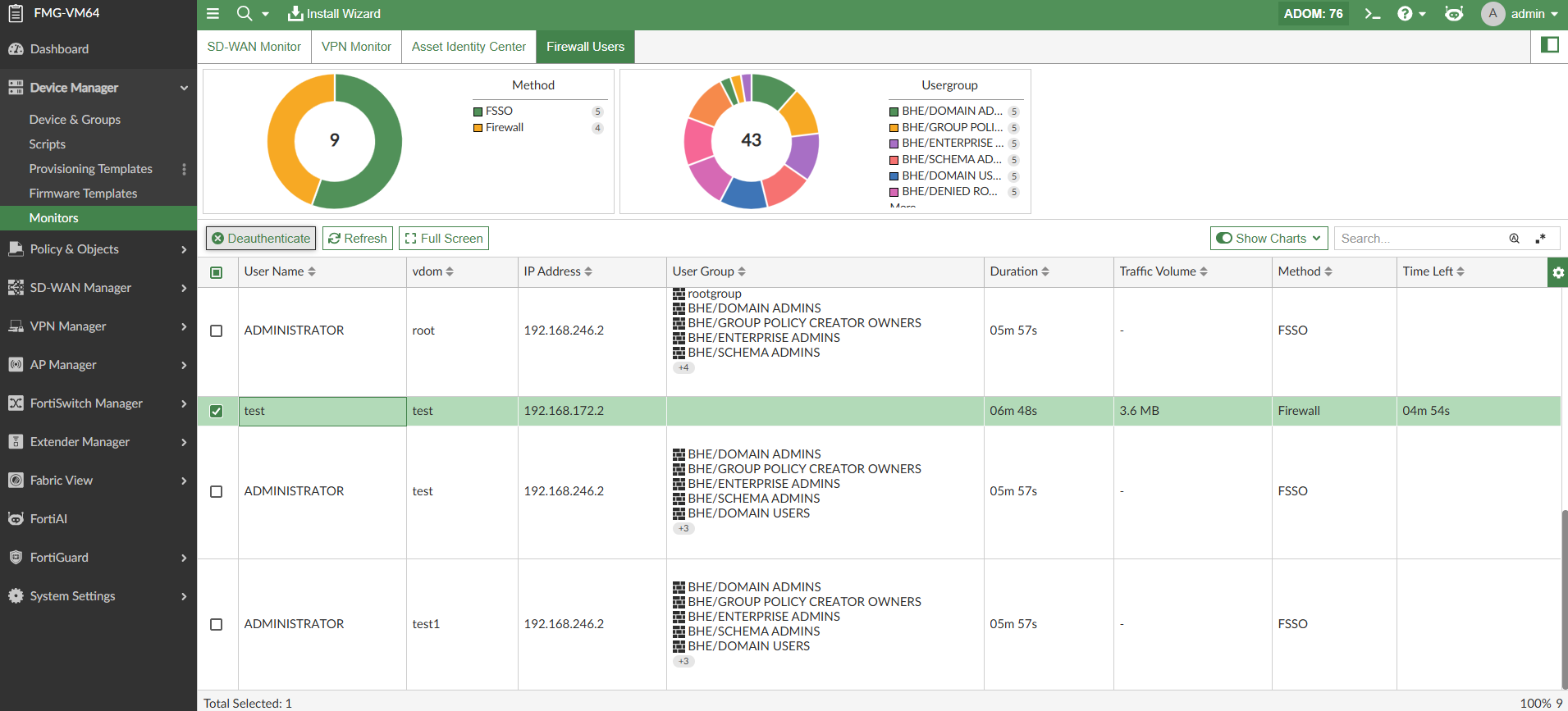
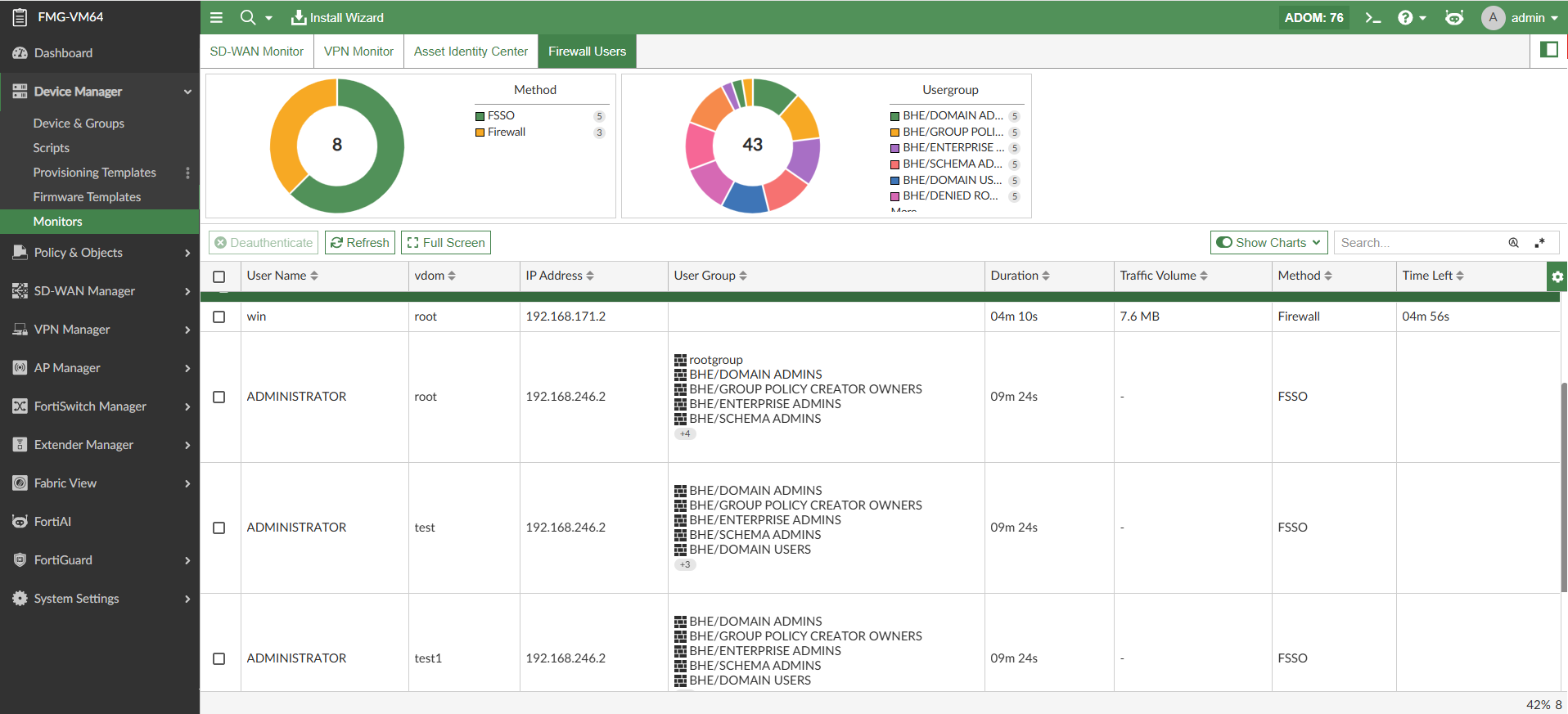
    • Distinguish users that exist in two different VDOMs using the VDOM column.
Firewall Users

Firewall Users

The Firewall Users monitor displays all currently logged in firewall users. You can use the monitor to diagnose user-related logons or to highlight and deauthenticate a user. For more information on firewall user monitors, see the FortiGate/FortiOS Administration Guide.

To use the firewall user monitor:
  1. Go to Device Manager > Monitor > Firewall Users.

    The Firewall Users monitor is displayed.

  2. In the Firewall Users monitor, information about each firewall user is organized by FortiGate.

    The following information and functionality is available:

    • View the authentication method used by each firewall user in the Method column and chart.

    • See which user groups the user belongs to in the User Group column and Usergroup chart.

    • Use the filters in the charts above the table to filter data based on the user's authentication Method and User Group.

    • Deauthenticate firewall users by selecting a user in the table and clicking Deauthenticate in the toolbar.

    • Distinguish users that exist in two different VDOMs using the VDOM column.