FortiView Log Analysis
Go to Dashboard > FortiView Log Analysis. If it's not available in the Dashboard menu, refer to Monitors for how to add a monitor.
Log Analysis assists in making decisions to add exception rules to avoid false positives. The Log Analysis feature summarizes the common characteristics of specific attack log categories. For instance, it displays the HTTP methods, request URLs, and locations of the SQL injections violations.
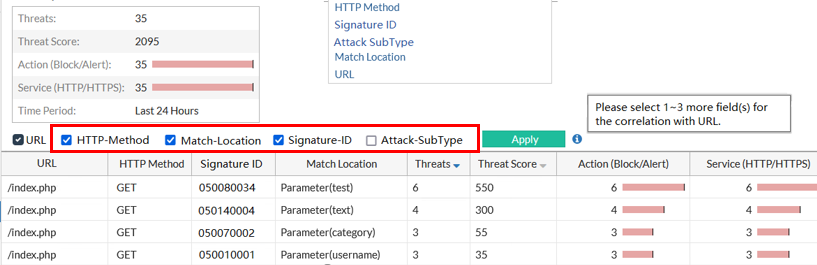
To define the match conditions, set the criteria in the corresponding filters, then check the boxes of the filters above the log table as shown in the screenshot. Logs that meet all the selected filters will be displayed.
The URL filter is mandatory. The other three filters can be selected based on your needs.