
Fortinet white logo
Fortinet white logo

Examples

Add FortiPAM to FortiAnalyzer Cloud instance

Add FortiPAM to FortiAnalyzer Cloud instance

To add FortiPAM to FortiAnalyzer Cloud instance:
  1. Beside the FortiAnalyzer Cloud title, click Service.

    The Service Menu opens.
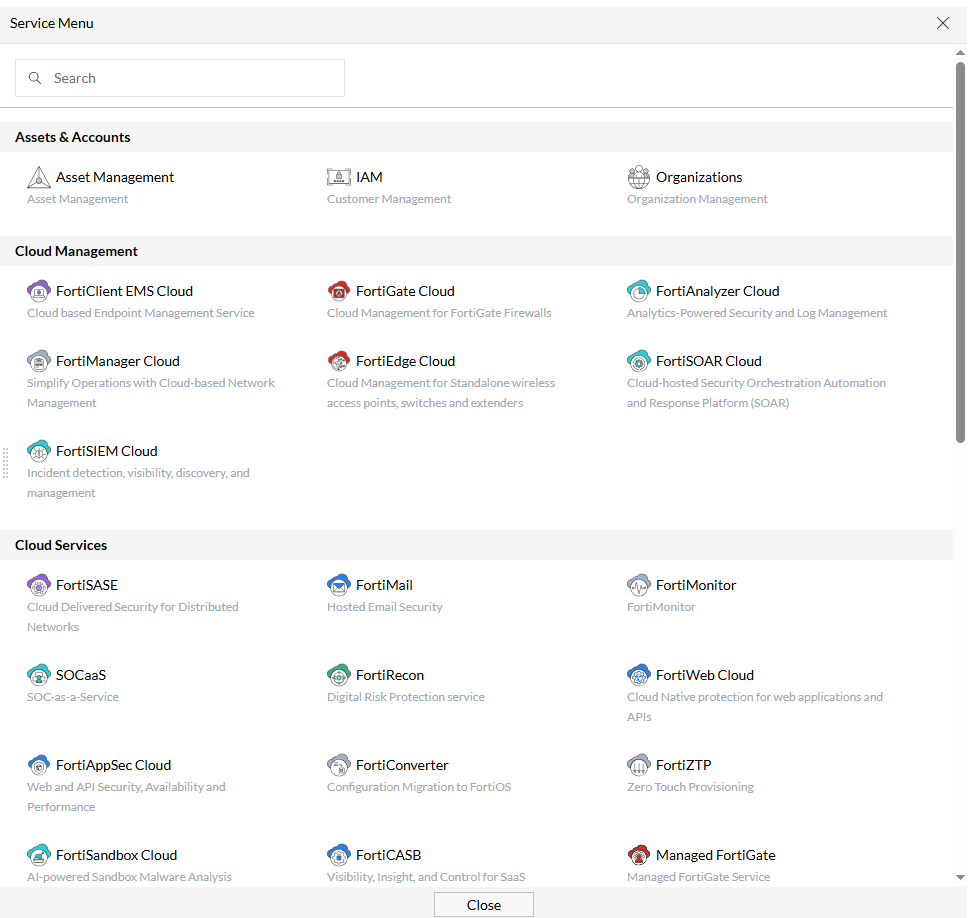
  2. Select FortiAnalyzer Cloud.

    This redirects you to the FortiAnalyzer Cloud portal.

  3. Click Add Device, and enter FortiPAM related information.

    In this example, FortiPAM device is linked to FortiAnalyzer Cloud by serial number.
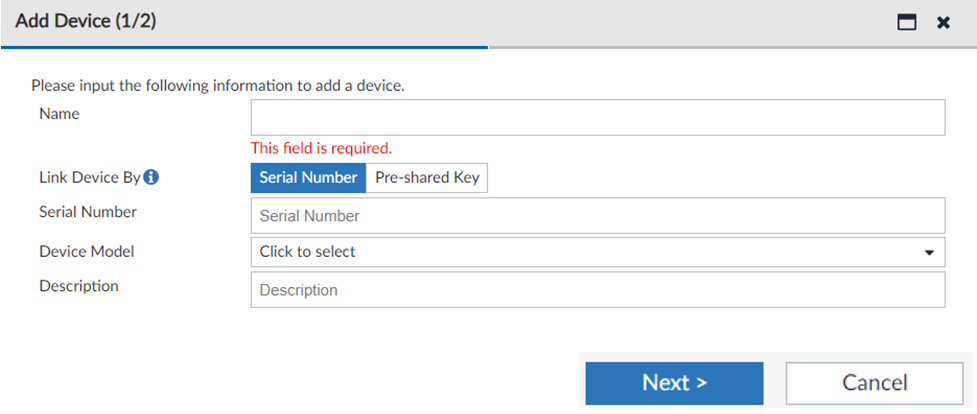
  4. Once the Add Device dialog is filled in, click Next.
  5. Verify that the newly linked FortiPAM device is in Device Manager > All Logging Devices.

Add FortiPAM to FortiAnalyzer Cloud instance

Add FortiPAM to FortiAnalyzer Cloud instance

To add FortiPAM to FortiAnalyzer Cloud instance:
  1. Beside the FortiAnalyzer Cloud title, click Service.

    The Service Menu opens.

  2. Select FortiAnalyzer Cloud.

    This redirects you to the FortiAnalyzer Cloud portal.

  3. Click Add Device, and enter FortiPAM related information.

    In this example, FortiPAM device is linked to FortiAnalyzer Cloud by serial number.

  4. Once the Add Device dialog is filled in, click Next.
  5. Verify that the newly linked FortiPAM device is in Device Manager > All Logging Devices.